
Torrie
Free macOS BitTorrent client with plugins, web remote, and an API.
Replaces Folx Pro
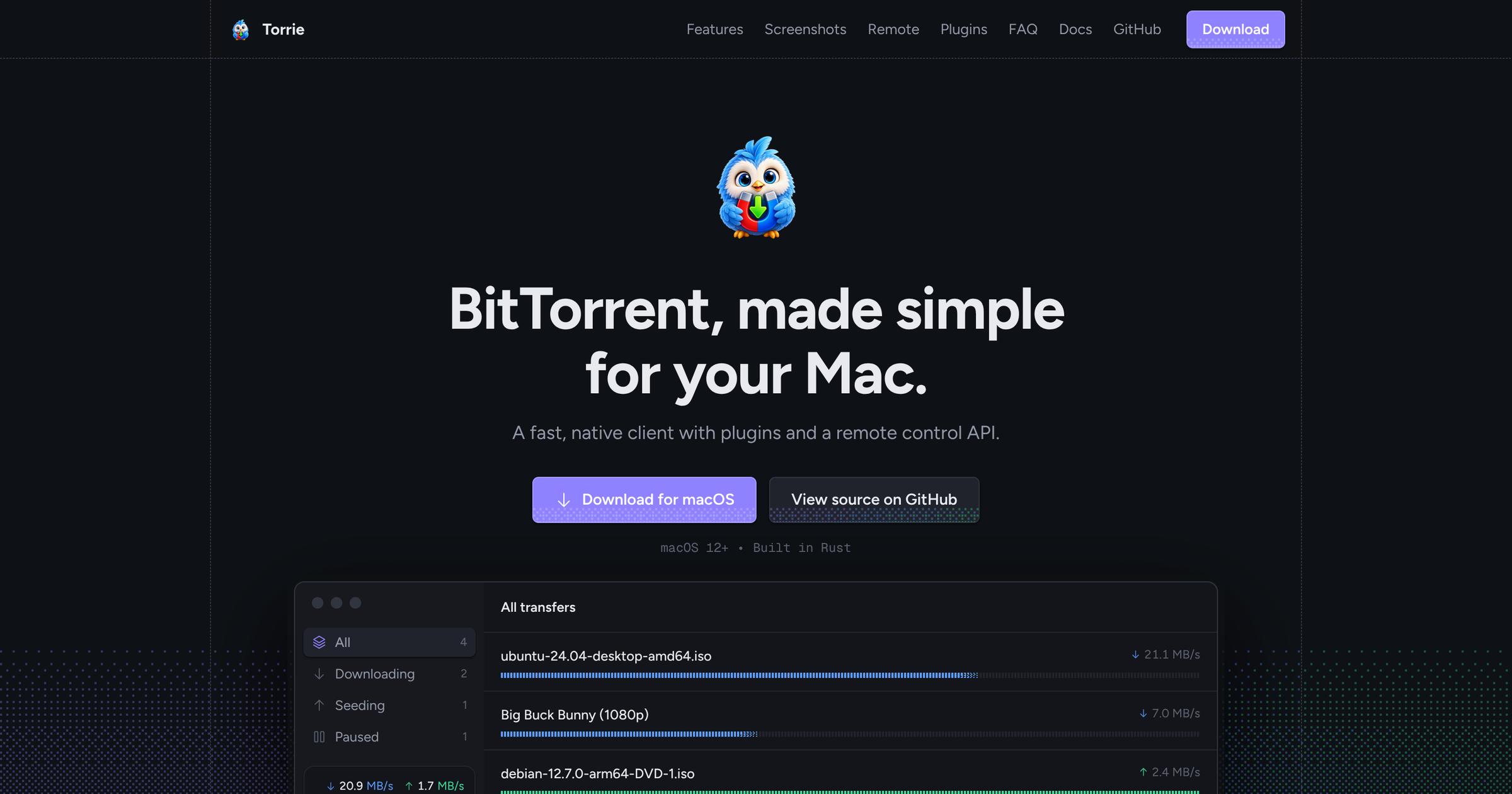
Who it's for
File selection lets you pick specific episodes, discs, or tracks from a large torrent without fetching the entire bundle. The streaming integration opens a partially downloaded video directly in IINA or VLC, so you can verify content quality before the download finishes. Speed scheduling keeps bandwidth available during work hours and opens it up overnight.
If you only occasionally download single small files, the per-file selection and scheduling features add setup that a simpler client handles without configuration.
The JSON-RPC API at port 9091 accepts commands to add torrents, query download status, and receive events. The plugin system handles torrent-done hooks in any language over stdin/stdout JSON-RPC 2.0, covering post-download rename, move-to-library, and notification workflows without manual setup.
If your scripts run on Linux or Windows servers, Torrie's macOS-only deployment means you need a different client for those environments.
Torrie covers the features most Folx Pro users pay for: speed scheduling, per-file selection, and multiple concurrent downloads, all free under the MIT license. The drag-to-Applications install and automatic updates keep the operational overhead low for users who have used Folx Pro as a set-and-forget tool.
Folx Pro includes a browser extension for capturing download links directly from Safari and Chrome. Torrie has no browser extension; you add torrents by dragging files or pasting magnet links with Cmd+U.
The built-in web remote runs in any browser and requires no additional software on the access device. This covers the case of a Mac mini or MacBook running as a home server: open the web UI from a phone on the same network to add or pause downloads without touching the machine directly.
If you need secure access from outside your home network, you must set up a VPN or SSH tunnel first; the web remote runs over plain HTTP without built-in TLS.
The problem
Most dedicated torrent clients for macOS are either paid, ad-supported, or carrying years of UI debt from an era before native frameworks caught up to the platform. Folx Pro, the dominant paid option, charges for the features Mac users expect as standard: speed scheduling, multiple download threads, and browser integration. Free alternatives tend to be cross-platform ports that feel like desktop wrappers rather than Mac-native apps, and many bundle browser extensions or update services the user never asked for. The deeper friction is automation. A download finishes and nothing happens automatically: the file sits wherever the client dropped it, waiting for a manual move to a Plex library or a hand-off to another script. BitTorrent clients on macOS have rarely exposed a usable API, so connecting a finished download to the rest of a media workflow means gluing together workarounds rather than building on a first-class interface.
How it works
Before starting a download, choose exactly which files inside a torrent to fetch. Change the selection mid-download and per-file progress tracks each piece separately. This avoids downloading unwanted files in large bundles where only a subset is needed.
A plugin is a folder containing a plugin.json descriptor. Plugins can add menu commands, tabs to the Inspector, and pages to Settings. Hooks fire on torrent-added, torrent-done, and torrent-done-seeding; plugin processes talk JSON-RPC 2.0 over stdin and stdout and can be written in any language. Distributing a plugin uses a one-click torrie://install link.
Enable Remote Control in Settings to expose a web interface at port 9091 on your Mac's IP address. Any browser on the same network can manage downloads from that point, including from a phone. The same port serves the JSON-RPC 2.0 API, so scripts and other apps can queue torrents, monitor progress, and react to events.
Set a primary speed limit for uploads and downloads, then configure an alternative limit that activates on a schedule tied to specific times and days of the week. This covers the common case of letting torrents run at full speed overnight or on weekends while throttling them during working hours.
Torrie supports sequential download prioritization so the front of a video or audio file arrives first. From the Inspector, you can open a downloading file directly in IINA, VLC, or the system default media player before it completes. This works with the librqbit BitTorrent engine's file-streaming capability.
Torrie ships 16 themes including Catppuccin, Dracula, Gruvbox, Nord, Rose Pine, Solarized, and Tokyo Night. Each theme has separate light and dark picks that follow the macOS system appearance setting automatically. Custom JSON themes are also accepted for teams or users with their own color preferences.
Features
- File selection before and during download
- Plugin system with JSON-RPC hooks
- Built-in web remote and JSON-RPC API
- Speed limits with day-of-week scheduling
- Stream video and audio before a download finishes
- 16 built-in themes with light and dark variants
How to install
Download the signed macOS installer from GitHub Releases: https://github.com/kronzhq/torrie/releases/latest
Recommended for this setup
Strengths
- MIT license with no paid tier or upgrade path: Torrie is MIT licensed and free in full, including all features listed on its website. There is no freemium model, no feature gating behind a subscription, and no cloud account required. This contrasts with Folx Pro, where scheduling, speed limits, and multiple threads require a paid license.
- GPU-accelerated native macOS UI built with Zed's GPUI: The interface uses GPUI, the same GPU-accelerated UI framework that Zed uses. This means the UI renders at native resolution on Retina displays, responds to system appearance changes, and avoids the electron-style overhead of web-based desktop wrappers.
- Signed, notarized auto-updates: Torrie updates itself automatically and verifies that each update is notarized by the same developer certificate used for the initial release. macOS Gatekeeper will not run a build that fails notarization, so the auto-update path cannot silently swap in an unsigned binary.
- Open plugin architecture in any language: Plugins communicate over JSON-RPC 2.0 on stdin and stdout, which means a plugin can be a Python script, a shell script, or a Go binary without any native macOS SDK dependency. This makes it practical to write small automation tasks without learning macOS-specific API surface.
Trade-offs
- macOS 12 or later only: no Windows or Linux support: Torrie targets macOS 12 (Monterey) and later. The GPU-accelerated UI framework it uses is macOS-specific, and no Windows or Linux build is provided. Teams or households with mixed operating systems need a different client for non-Mac machines.
- Very new project with minimal community and no published plugins yet: Torrie was created in October 2026. There are no community-published plugins, and the GitHub repository has 5 stars and 0 forks. Documentation covers the core use cases well, but niche configuration questions and third-party plugin examples do not yet exist in the community.
- Remote access outside the home network requires a VPN: The web remote runs over plain HTTP on port 9091. The README notes that accessing it from outside the home network requires forwarding port 9091 or using a VPN to keep the password private. Exposing a plain HTTP service directly to the internet is not advised; users who need secure remote access must set up their own VPN or tunnel.
Tech stack
FAQ
Yes. Torrie is MIT licensed and free to download, use, and modify. There is no paid tier, no freemium features, and no cloud account required. The source code is on GitHub at github.com/kronzhq/torrie.
Torrie requires macOS 12 (Monterey) or later. It has no support for Windows or Linux. The GPU-accelerated UI framework it uses is macOS-specific.
A plugin is a folder containing a plugin.json file that describes its id, name, version, and hooks. Plugin processes communicate with Torrie using JSON-RPC 2.0 over stdin and stdout, so plugins can be written in any language. Hooks fire on three events: torrent-added, torrent-done, and torrent-done-seeding. Distributing a plugin uses a torrie://install link that opens Torrie and installs from a .torrieplugin package.
Yes. Enable Remote Control in Settings, turn on Allow Other Devices, and restart Torrie. Then open http://<your Mac's IP>:9091 in any browser and sign in with the password shown in Torrie's Settings. The same address serves the JSON-RPC API for scripting. For access outside your home network, use a VPN rather than exposing the plain HTTP port directly.
Torrie updates itself automatically and installs only notarized builds signed by the same developer certificate used for the original release. macOS Gatekeeper validates the signature before running the update, so a compromised update source cannot silently install an unsigned binary.