
Gopeed
Download manager for HTTP, BitTorrent, and ed2k on every platform.
Replaces Internet Download Manager, Folx Pro
Who it's for
Gopeed replicates IDM's core workflow: HTTP downloads with multi-threaded acceleration, automatic browser download capture, and queue management. It runs without a license key, adds BitTorrent and magnet link support that IDM lacks, and works on other platforms the same user might pick up later.
IDM is still worth considering if you depend on its legacy Windows browser plugin compatibility or its site-specific download integrations, which have broader support with older browser configurations than Gopeed's extension system.
Gopeed covers every protocol Folx Pro handles and adds ed2k and magnet link support, at no cost. The native macOS app installs from GitHub Releases. Browser integration with Chrome, Edge, and Firefox is handled through the Gopeed browser extension.
Folx Pro is a better fit if you want tighter macOS design integration and Safari browser support, and you have no need for ed2k or cross-platform coverage.
Deploy Gopeed with Docker and manage the download queue through any browser on the local network. The REST API integrates with home automation workflows. QNAP users have an official package through the App Center. The web UI shows task status and speed without requiring a desktop app installed on each client machine.
If your NAS vendor already provides a native download station with tight OS integration, that tool may be simpler to maintain than adding a separate Docker container.
The HuggingFace extension downloads model and dataset files directly from HuggingFace repositories. The MCP endpoint in Gopeed 2.0.0 lets AI agents queue downloads through natural language. For teams building pipelines that pull large model files regularly, this removes the need to manage the HuggingFace CLI separately.
If your download workflow is already scripted with huggingface_hub or the official CLI and those scripts are working reliably, adding Gopeed introduces a service dependency without a clear workflow benefit.
The problem
Managing downloads across protocols is messier than it looks. HTTP download accelerators, BitTorrent clients, and ed2k-compatible tools are separate software categories, and most tools handle only one protocol well. Users end up managing two or three download apps at once, each with its own queue, settings, and browser extension. Paid download managers address the fragmentation problem but add their own friction. Internet Download Manager is Windows-only and requires a paid license, leaving Mac and Linux users without an equivalent. Folx Pro is Mac-native but requires a paid subscription and handles only HTTP and torrents, with no ed2k support. Neither works on mobile. For users who move between platforms or need ed2k support for older file-sharing networks, the commercial options leave gaps that require a separate tool.
How it works
Gopeed handles all four download protocols from a single task list. HTTP and HTTPS transfers use multi-threaded connections that split the file across segments. BitTorrent and magnet links use a full engine with DHT peer discovery, uTP transport, Web Seeds, and selective file downloads within a torrent. The ed2k protocol covers files shared through older peer-to-peer networks, all managed from the same interface.
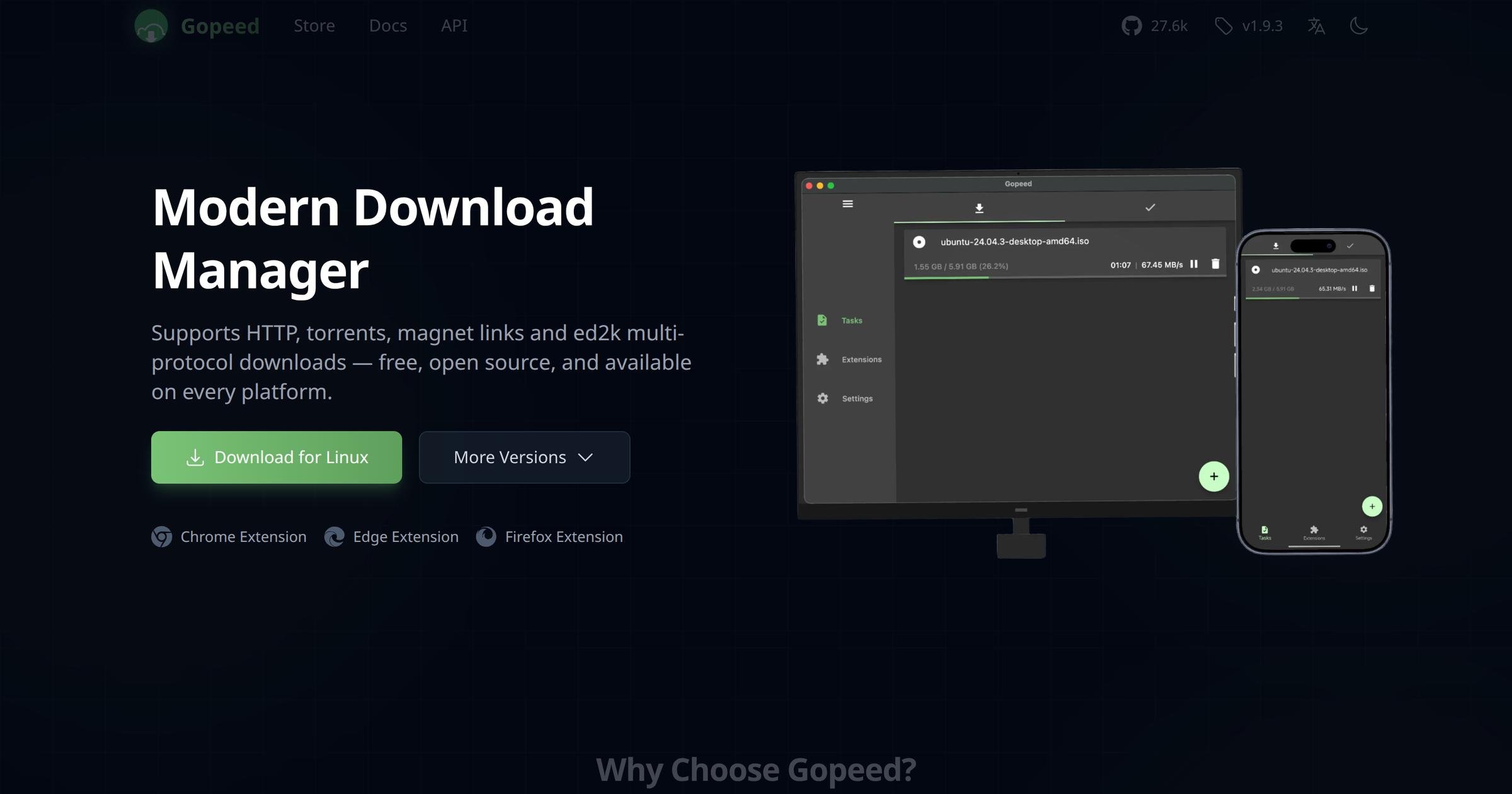
The interface renders natively on each platform using Flutter, not a WebView or Electron shell. This keeps memory overhead lower than browser-based download managers, and startup is faster. Eight accent colors and system-aware light and dark themes are available, along with a responsive layout that adapts across phones, tablets, and resizable desktop windows.
The extension system lets community developers add download support for specific sites and services. Extensions exist for YouTube, HuggingFace model downloads, MediaFire, TikTok, Instagram, and GitHub repositories. These are browsable through a built-in extension store. Extensions run in JavaScript and are loaded into the core engine, so adding a new download source does not require modifying Gopeed itself.
Install the Gopeed browser extension and download links from the browser are captured and forwarded to Gopeed automatically. The extension works with Chrome, Edge, Firefox, and other compatible browsers. Clicking a file in the browser triggers Gopeed instead of the browser's built-in download manager, with no manual URL copying needed.
Gopeed exposes a REST API that accepts download commands, lists tasks, and reports progress. The CLI installs with one go install command for scripting and automation workflows. The web UI is accessible from any device on the local network, so a home server running Gopeed can be managed from a laptop without opening a desktop app. Webhooks and post-download scripts are also supported.
Gopeed 2.0.0 adds an MCP endpoint that connects to AI agents. The available tools include resolve_task, create_task, list_tasks, pause_task, continue_task, and delete_task. An AI assistant connected to this endpoint can queue, inspect, and manage downloads using natural language. The MCP interface uses the same authentication model as the REST API.
Features
- HTTP, BitTorrent, magnet, and ed2k in one queue
- Native Flutter UI with no Electron
- JavaScript extension system
- Browser integration across Chrome, Edge, and Firefox
- REST API and CLI for scripting and remote control
- AI integration through MCP in Gopeed 2.0.0
How to install
Download the desktop app for Windows, macOS, Linux, Android, or iOS from GitHub Releases: https://github.com/GopeedLab/gopeed/releases/latest
Recommended for this setup
Strengths
- Free on every platform, no licensing fee: Internet Download Manager is a paid, Windows-only product. Folx Pro is a paid Mac subscription. Gopeed is GPL-3.0 and free on Windows, macOS, Linux, Android, iOS, and the web. There is no trial period, no upsell to a paid tier, and no cloud account required to install or run it.
- Full BitTorrent engine, not a basic torrent client: The BitTorrent implementation includes DHT peer discovery, uTP transport, Web Seeds, selective file downloads within a torrent, ratio-based and time-based seeding limits, tracker management, and per-peer and per-piece download statistics. This matches dedicated torrent clients rather than the limited torrent support found in tools like Folx Pro.
- Active development with 27,500+ GitHub stars: With 27,552 GitHub stars, 1,797 forks, and commits through November 2026, Gopeed is actively maintained. Version 2.0.0 is in public beta, introducing a native FFI architecture for better cross-platform consistency. The project ships packages for all six supported platforms from one codebase, and the UI supports 20+ languages.
- Self-hosted web UI with no cloud dependency: Docker deployment gives you a browser-accessible download manager on any server on your network. QNAP has an official package. The self-hosted path means your download history, queue, and settings stay on hardware you control, with no account creation and no reliance on external cloud services.
Trade-offs
- 343 open GitHub issues across six platforms: As of November 2026, Gopeed has 343 open GitHub issues. Supporting six operating systems from one codebase means some platform-specific bugs take longer to resolve. Mobile users have reported feature gaps compared to the desktop experience, and some extension integrations have edge-case reliability issues documented in the issue tracker.
- 2.0.0 beta carries unfinished features: Gopeed 2.0.0 (Beta 3 as of late 2026) redesigns the internal architecture to connect Flutter and Go via FFI instead of HTTP. The README notes that some features may still be incomplete or unstable. Users who need maximum reliability should use the latest stable 1.x release. The beta and stable channels do not share automatic upgrades.
- CLI install requires the Go toolchain: The command-line tool installs with go install, which requires Go 1.25 or higher on the machine. The desktop app and web UI are standalone and do not need Go installed. Scripting and automation workflows that use the CLI have an extra prerequisite that tools like IDM or Folx avoid by providing desktop-only interfaces.
Tech stack
FAQ
Yes. Gopeed is GPL-3.0 licensed and free to download and run on Windows, macOS, Linux, Android, iOS, and the web. There is no paid tier, no subscription, and no features locked behind a paywall. The source code is on GitHub, and self-hosting the web UI is also free, with no account required.
Yes. Gopeed includes a full BitTorrent engine with DHT peer discovery, uTP transport, Web Seeds, selective file downloads within a torrent, and tracker management. Magnet links are supported. You can configure seeding ratios and time limits, and monitor per-peer and per-piece download statistics from the task detail view.
Yes. Browser extensions for Chrome, Edge, and Firefox integrate with Gopeed. Once installed, clicking a download link in the browser sends it to Gopeed instead of the browser's built-in download handler. The extension is maintained in a separate repository at github.com/GopeedLab/browser-extension and works with other compatible browsers as well.
Gopeed supports server deployment through its web UI build, with Docker and QNAP listed as supported platforms on the official website. QNAP users can install the official package through the App Center. After deployment, the web UI is accessible from any browser on the local network, and the REST API handles download management from scripts and other tools on the same network.
Gopeed 2.0.0 is a major redesign currently in public beta (Beta 3 as of late 2026). The new version connects the Flutter UI and Go engine through FFI instead of HTTP, adds MCP-based AI agent integration, and improves cross-platform consistency. The README notes that some features may be incomplete or unstable. For maximum stability, use the latest 1.x stable release. Beta users will upgrade directly to the final 2.0.0 release when it ships; existing stable users will not be moved to the beta channel automatically.