
PureMac
Free native Mac cleaner with app uninstall, cache scans, no telemetry.
Replaces Cleanmymac, Sensei
Who it's for
PureMac's developer cleanup section covers Xcode DerivedData and Archives, simulator caches, Homebrew download caches, npm/yarn/pnpm content-addressable stores, Docker images and build cache, and local AI-app caches for Ollama and LM Studio. Each category is listed separately so you select only what you know is safe to clear before confirming.
Your Mac has ample storage and you never accumulate Xcode or Docker build artifacts. The general system cleaner handles common caches without the developer-specific category detail.
PureMac makes no analytics calls and sends no crash reports. Local scanning and cleanup run entirely offline; the only network calls are optional GitHub release checks and Homebrew update fetches, initiated by the user. The MIT source is publicly auditable so you can verify what the app does and does not send.
Telemetry is not a concern for you and you prefer a more automated cleanup experience with less manual review per category.
If you pay $40 or more per year for CleanMyMac, PureMac covers the same core categories: system caches, user caches, mail attachments, app uninstalling with orphan discovery, storage exploration, and security checks. It adds a duplicate finder and a CLI tool, and it does not count purgeable space as recoverable junk.
You rely on CleanMyMac's malware removal or its cloud-based privacy monitor. PureMac is a configuration audit and file-management tool, not a security scanner.
Entry-level MacBooks ship with 256 GB SSDs that fill up faster than expected through photo libraries, app bundles, and background downloads. PureMac's Space Explorer and duplicate finder help identify what is consuming storage without guessing, and the app uninstaller removes apps with their full residue rather than leaving stray containers and preference files behind.
Your Mac has 512 GB or more and storage pressure is not a recurring issue. Reviewing detailed cleanup selections adds time without much benefit if you rarely hit the storage ceiling.
The problem
Mac storage fills quietly. Xcode build artifacts, Homebrew download caches, Docker layers, npm stores, and app leftovers accumulate in directories most users never see. Entry-level Macs ship with 256 GB SSDs that cannot be upgraded; recovering even 10 GB often means hunting through the Library folder by hand or paying for a subscription cleaner to do it for you. The subscription model adds another layer of friction. CleanMyMac costs $40 or more per year, ships telemetry by default, and uses inflated scan scores to keep users renewing. Many of these tools also claim to reclaim purgeable space, which macOS manages itself and no third-party app can reliably free. You pay for urgency theater on top of the actual cleanup work.
How it works
Locates every preference file, cache folder, container, launch agent, and log left by an app using a 10-level heuristic engine (bundle ID, team identifier, entitlements, Spotlight metadata, container discovery, company-name heuristics). Three sensitivity tiers (Strict, Enhanced, Deep) let you dial the match aggressiveness. Matched files go to Trash at user level; Apple system apps are excluded automatically.
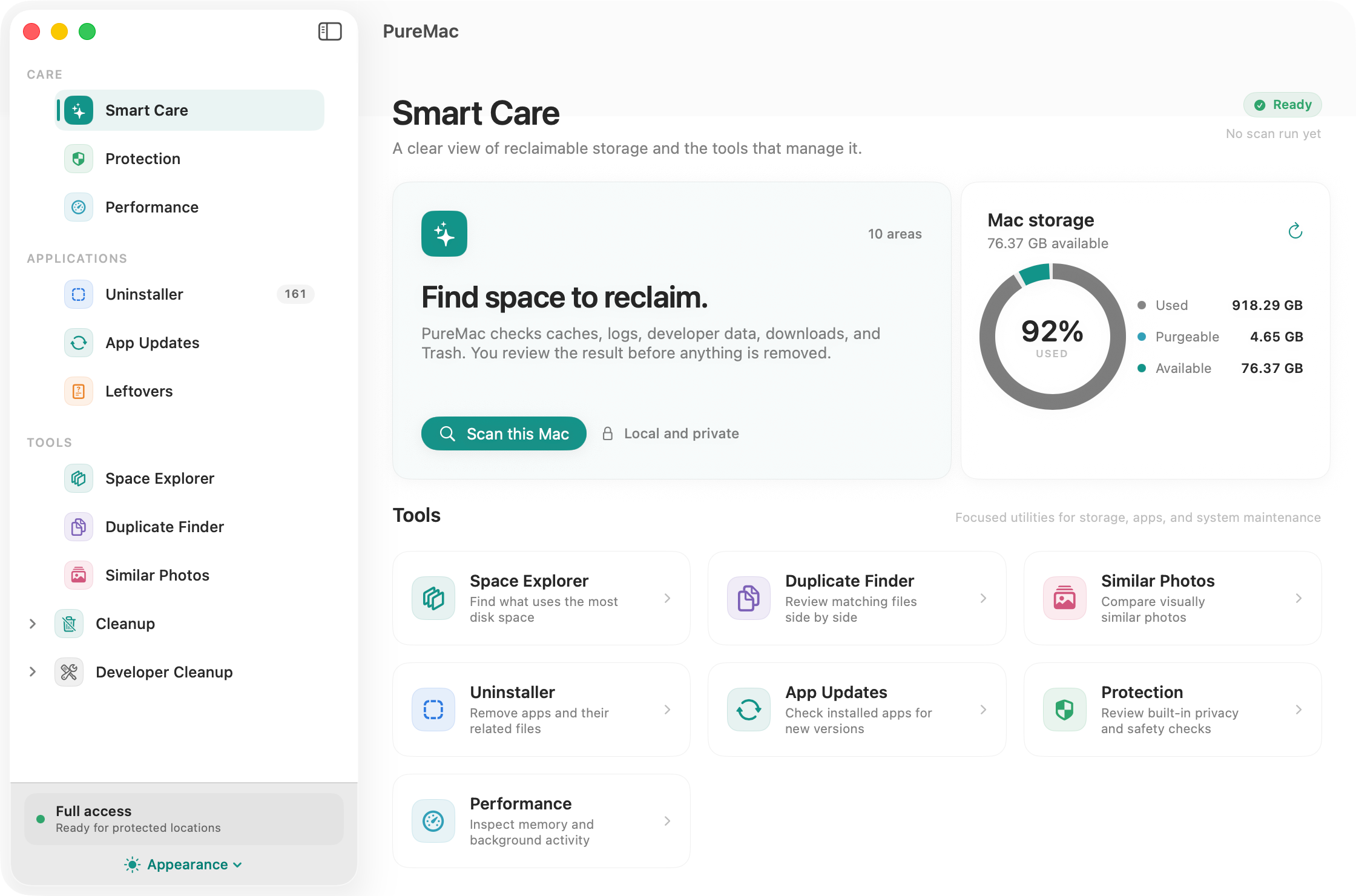
Scans system caches, user caches, mail attachments, Trash across all volumes, and developer data including Xcode DerivedData, Homebrew download caches, Node/npm/yarn/pnpm stores, Docker images and build cache, and local AI-app caches for Ollama and LM Studio. Each category is scanned independently; you can stop a scan early and keep completed results. Items can be filtered by name, size, or age before confirming removal.
Groups files by size then verifies duplicates by SHA-256 content hash, so only byte-for-byte identical files are flagged. Hard links are not counted as separate recoverable copies. Every group keeps one protected copy; selected extras move to Trash after confirmation and a fresh identity check. Handles any file type, not just photos.
Measures the allocated space inside any folder and lets you drill into subdirectories to compare sizes. Packages are measured without exposing their internals as navigable folders. Skipped and inaccessible items are reported rather than silently excluded. You can reveal any item in Finder directly from the explorer view.
Protection audits Gatekeeper, FileVault, the application firewall, System Integrity Protection, and installed XProtect metadata, reporting each as a configuration state rather than a threat score. Performance shows a live CPU and memory view by process, startup and background items, and local Time Machine snapshots with per-snapshot deletion. No antivirus claims; no exaggerated health scores.
Optional background cleaning on a configurable interval from hourly to monthly. An auto-clean threshold prevents background runs from firing when there is nothing meaningful to remove. Scheduled runs permanently delete selected categories without Trash recovery, so the documentation recommends reviewing which categories you enable and keeping backups of files you cannot afford to lose.
Features
- App Uninstaller with 10-Level Matching
- Smart Care System Cleaner
- SHA-256 Duplicate Finder
- Space Explorer for Storage Analysis
- Protection and Performance Checks
- Scheduled Cleaning with Auto-Clean Threshold
How to install
Install PureMac via Homebrew cask; a signed DMG is also available at GitHub Releases.
brew install --cask puremacInstall the optional CLI companion via Homebrew tap.
brew install momenbasel/tap/puremac-cliRecommended for this setup
Strengths
- Zero telemetry, verified in the public source: PureMac makes no analytics calls and sends no crash reports or usage statistics. The only network activity is optional GitHub release checks and Homebrew update fetches, both initiated by the user. Unlike CleanMyMac, which ships telemetry by default, PureMac's network behavior is documented in the README and verifiable in the MIT-licensed source.
- MIT license with no subscription or trial period: The app and CLI are MIT licensed and free to run, inspect, and fork. No trial period, no subscription tier, and no paywall on core features. CleanMyMac costs $40 or more per year; Sensei requires a paid license. PureMac's one-time install means the tool does not degrade if you stop paying, because there is no payment.
- Honest reporting on purgeable APFS space: Most Mac cleaners count purgeable APFS space as junk and claim to recover it, which no third-party app can reliably do (macOS manages purgeable space itself). PureMac shows purgeable space in the storage breakdown separately from cleanable data, with a note that it is not counted as removable junk. The README explicitly calls this a design choice against overpromising.
- Explicit and documented deletion behavior: PureMac documents which cleanup actions use Trash at the user level (app uninstalls, orphan removal, duplicate removal) and which permanently delete data (dashboard cleanup, scheduled auto-clean, Trash emptying, Docker and Xcode runtime cleanup, and CLI runs). The README names each category explicitly. Confirmation is required for manual selections; scheduled runs are unattended once enabled.
Trade-offs
- macOS 13 Ventura or later required: PureMac requires macOS 13 Ventura as the minimum supported version. Users on Monterey (12) or earlier cannot run it. This rules out anyone who cannot or prefers not to upgrade, which is a common situation on older hardware no longer eligible for recent macOS releases.
- App Updates covers Homebrew-managed casks only: The App Updates feature checks and upgrades Homebrew-managed cask apps only. Apps installed from the App Store, downloaded directly from vendors, or managed through other package managers are not covered. A shortcut to the App Store is provided for Apple-managed apps, but PureMac does not update those itself.
- Scheduled auto-clean permanently deletes without Trash recovery: When scheduled cleaning runs in the background, selected categories are permanently deleted without Trash recovery. Dashboard cleanup and developer-cache removal also bypass the Trash. The documentation identifies which tools use Trash and which do not, and recommends reviewing enabled categories and keeping backups before turning on scheduled runs.
Tech stack
FAQ
Yes. PureMac and its CLI companion are MIT licensed and free with no trial period, no subscription, and no paid feature tier. Download the signed installer from GitHub Releases or install via Homebrew with `brew install --cask puremac`. The source code is publicly available on GitHub.
No. Local scanning and cleanup run entirely offline. The only network activity is optional GitHub release checks (to notify you of a new version) and Homebrew update fetches for cask apps, and both are initiated by you rather than running automatically in the background. No analytics, crash reports, or scanned file paths are transmitted.
macOS restricts access to certain folders by default, including Mail downloads, Safari data, the TCC database, and protected app containers. Without Full Disk Access, scans of those locations are incomplete. The onboarding walkthrough guides you through granting it; you can manage it later in System Settings under Privacy and Security. PureMac functions without it, but some cleanup categories will show fewer results.
It depends on which tool performed the removal. App uninstalling, orphan removal, and exact-duplicate removal move files to Trash at the user level, so recovery is possible until you empty the Trash. Dashboard cleanup, scheduled auto-clean, Trash emptying, Docker and simulator cleanup, administrator-authorized removal, and CLI cleanup permanently delete data and cannot be recovered. Review the confirmation dialog and keep backups of files you cannot afford to lose.
Yes. PureMac runs on both Apple Silicon and Intel Macs running macOS 13 Ventura or later. The signed, notarized app runs natively on both architectures.