
Trilium
Self-hosted hierarchical notes with scripting and note encryption
Replaces Notion, Obsidian, Roam Research
Who it's for
Trilium Notes handles over 100,000 notes and lets you express relationships between them as typed links, not just tags. Researchers can build citation networks, link people to projects, and query those connections with saved searches or scripts. The web clipper and import pipeline bring in material from external sources.
If you need to share work in progress with collaborators or co-authors in real time, Trilium Notes does not support multi-user editing. A shared wiki tool like Outline or a Notion team plan is a better fit for collaborative research.
Trilium Notes runs JavaScript in both the frontend and backend, with a typed REST API for external integrations. Developers can build custom dashboards inside notes, trigger automations on note events, connect external tools via the API, or expose their knowledge base to AI assistants over MCP.
If you want a plain-text, file-based note system where notes are Markdown files in a folder compatible with Git and other editors, Trilium Notes uses SQLite instead of files. File-based systems are simpler to version control and back up with standard tools.
Trilium Notes imports from Evernote and supports HTML import for Notion exports. After migration, notes are stored locally with no cloud dependency. Sensitive notes can be individually encrypted with AES-128-CBC and locked behind a password-protected session.
If you rely on Notion's shared databases, real-time team editing, or its integrations with Slack and GitHub, Trilium Notes replaces only the personal wiki side of Notion, not its team workspace features.
The Trilium Notes server image runs on Docker with no external service dependencies. You control the sync server, the database, and backups. A server install adds cross-device sync via browser and PWA, public note sharing as read-only websites, and MFA options (TOTP or OpenID Connect).
If managing a Docker container is not something you want to do, third-party providers like PikaPods offer managed Trilium Notes hosting. The desktop app also works fully offline without any server.
The problem
Personal knowledge accumulates faster than flat note apps can organize it. After a few hundred notes in tools like Notion or Evernote, users face the same problems: no hierarchy beyond folders, no links between related concepts, and data stored on servers they do not control. Changing pricing, service shutdowns, or a policy revision can put years of accumulated notes at risk. The deeper problem is that most note-taking tools are designed around documents, not knowledge graphs. You can create notes and tag them, but you cannot express that a meeting note references a project, which references three people, and query that network. The result is a growing pile of notes that becomes harder to navigate as it grows, not easier.
How it works
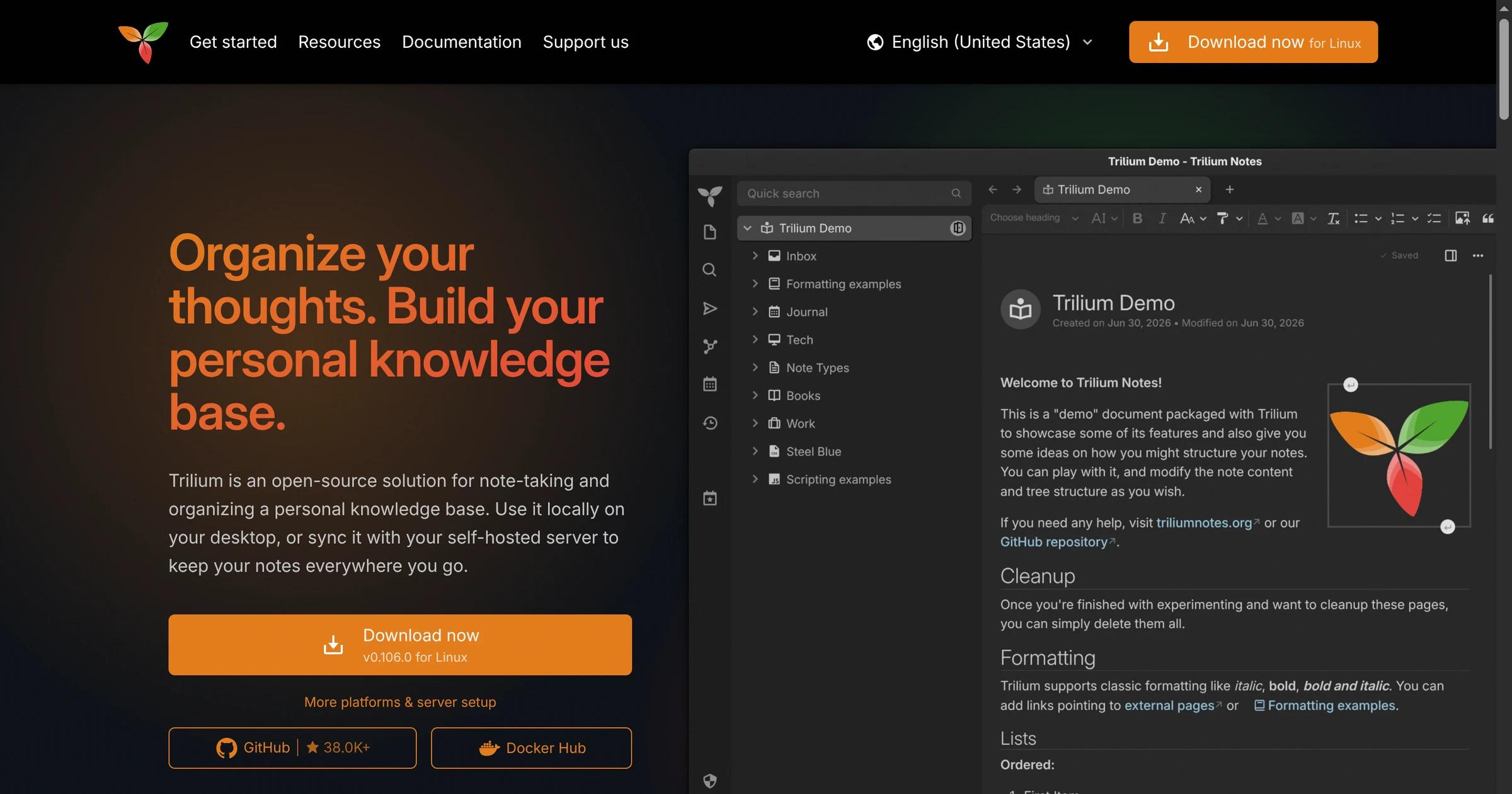
Notes organize into an arbitrarily deep tree with no folder limit. A single note can appear in multiple places via cloning without duplication, so a meeting note can live under both a project and a person. The tree is the navigation structure, not a folder metaphor on top of flat files.
Trilium Notes offers multiple note types: rich WYSIWYG text with tables and math, Markdown, code with syntax highlighting, spreadsheet, Excalidraw canvas, Mermaid diagram, mind map (Mind Elixir), and geo map with GPX tracks. Note types mix freely within the same tree, so one project can hold text notes, diagrams, and a Kanban board as siblings.
Scripts run in both the frontend and backend. You can trigger automations on note events (creation, attribute changes), schedule backend scripts, build custom UI widgets, or render interactive dashboards inside a note. The typed REST API (ETAPI) lets external tools read, create, and update notes over HTTP.
Any note can carry labels (key-value pairs) and typed relations to other notes. Promoted attributes define structured fields that display as form inputs on a note, making it possible to build table and Kanban views directly from your note data without a separate database tool.
AI is disabled by default and never sends notes anywhere automatically. When enabled, you connect your own OpenAI, Anthropic, or Google key, or point to a self-hosted OpenAI-compatible model. Trilium Notes also exposes notes over MCP so external AI assistants can read and write your knowledge base.
Features
- Hierarchical note tree with multi-location cloning
- Multiple note types in one tree
- JavaScript scripting and REST API
- Note labels, relations, and structured attributes
- Opt-in AI with your own API keys
How to install
Self-hosting uses the official Docker image from Docker Hub.
docker run -d -p 8080:8080 triliumnext/triliumRecommended for this setup
Strengths
- Local-first: no account, no subscription: The desktop app runs entirely offline and stores notes in a local SQLite database. No account is required to use any feature except sync, and sync requires only a server you run yourself. This contrasts with Notion (cloud-first, limited offline) and Obsidian (sync is a paid add-on).
- Designed to scale to 100,000+ notes: The app handles over 100,000 notes without usability or performance degradation, per the project documentation. The SQLite backend and tree navigation are built for long-term knowledge accumulation. Most consumer note apps begin degrading in search and navigation well before that scale.
- Active community continuation with 38,000+ GitHub stars: The original Trilium developer donated the repository to the TriliumNext community after stepping back. TriliumNext/Trilium has over 38,000 GitHub stars, daily commits, a nightly build channel, and an active primary maintainer (eliandoran). The governance handoff is documented and the project is not at risk of silent abandonment.
- Import and export in open formats: Trilium Notes imports from Evernote, Markdown, HTML, and OPML with structure intact, and exports the entire note tree in the same formats at any time. Notes are never locked in a proprietary binary. You can migrate in from another app and migrate back out without data loss.
Trade-offs
- Single-user only: no real-time collaboration: Trilium Notes is designed for one person. Multiple users can view notes published as public websites, but real-time editing of the same notes by multiple people is not supported. The project FAQ states this directly. If your primary use case is a team wiki or collaborative knowledge base, Trilium Notes is not the right tool.
- No official mobile app: There is no official Trilium Notes app for iOS or Android. Mobile access requires the server's web interface in a browser or as a PWA. Unofficial apps exist (TriliumDroid for Android, Pocket Trilium for Android, Trinote for iOS), but they are community-maintained and may lag behind server releases.
- SQLite database cannot be shared over a network drive: The note database is a single SQLite file. Sharing it via Dropbox, NFS, or similar file sync tools can corrupt it due to imperfect file locking over networks. The supported cross-device sync path is the Trilium Notes server; bypassing it by syncing the raw database file risks data loss.
Tech stack
FAQ
Yes. Trilium Notes is AGPL-3.0 licensed, free to download and self-host, with no paid tiers or feature paywalls. The desktop app requires no account. The sync server is also free to run yourself; third-party managed hosting providers like PikaPods offer a paid option if you would rather not manage your own server.
There is no official mobile app. On mobile, you access a server install through a web browser or install it as a PWA. Unofficial Android apps include TriliumDroid (offline-capable) and Pocket Trilium (a full Trilium instance on the device). Trinote is an unofficial open source iOS client that supports reading and editing all note types.
Obsidian stores notes as plain Markdown files (easy to version control with Git and back up with any file tool), while Trilium Notes uses a SQLite database (better for relational structure and note cloning). Obsidian Sync is a paid add-on; Trilium Notes sync is free to self-host. Trilium Notes has built-in JavaScript scripting and a REST API that Obsidian lacks natively.
No. Trilium Notes is designed as a single-user application. Multiple users can view notes you publish as public read-only websites, but real-time multi-user editing of the same notes is not supported. Each user who wants to edit notes needs their own instance.
The original Trilium developer (zadam) donated the repository to the TriliumNext community after stepping back from active maintenance. TriliumNext/Trilium is the current active fork and the version recommended for new users; zadam/Trilium is archived. Migration is straightforward: install TriliumNext and it uses your existing database. Versions above v0.90.4 increment the sync version, so recent TriliumNext releases require an explicit migration step.