Plezy
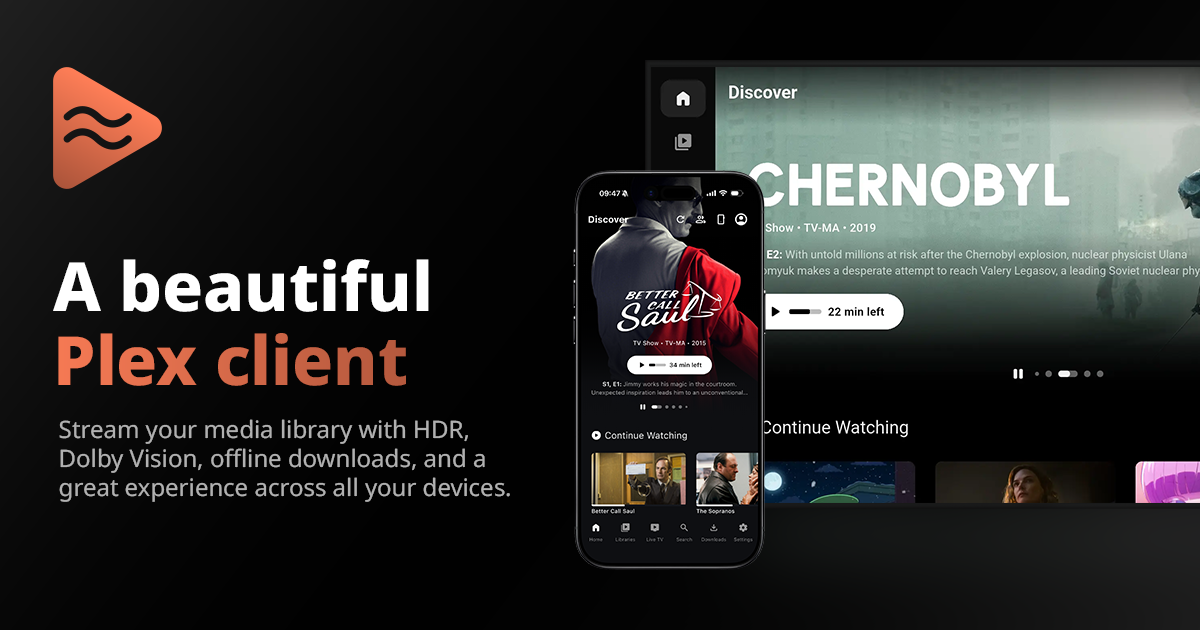
Beautiful Plex, Jellyfin & Emby client
Replaces Plex, Infuse
Who it's for
Run Jellyfin or Plex at home and want a single client that handles movies, TV, music, and Live TV across your phone, desktop, and TV with HDR and offline support.
Multiple family members run separate Plex or Emby servers and want to browse all of them from one app, switch profiles with PIN protection, and use Plex Home switching.
You only have a single server and a single user.
Watch movies or shows in sync with friends who each host their own media servers, using Open Watch Party rooms without needing everyone on the same platform.
Everyone watching uses the same streaming service with no self-hosted servers.
Track watching progress on MyAnimeList or AniList alongside your Jellyfin or Plex anime library, with real-time scrobbling and ratings surfaced directly on detail pages.
You do not use external anime or media tracking services.
The problem
Official and third-party clients for Plex, Jellyfin, and Emby are typically siloed to one backend, lack native performance on desktop and TV platforms, and miss features like Dolby Vision, offline sync, or cross-server search that power users need from a self-hosted media setup.
How it works
Connect to Plex, Jellyfin, and Emby servers at the same time and browse or search across all of them from a single app, with cross-server search covering actors and directors.
HDR is supported on Windows, macOS, iOS, tvOS, and Linux (with a colour-managed Wayland compositor). Dolby Vision is available on Android, macOS, and Apple TV.
Download movies, shows, and music for offline playback with a background queue. Sync rules automate downloads per show, including an option to include specials, and watch state syncs back on reconnect.
Browse live channels, view the EPG guide with What's On and per-show schedules, and manage DVR recording rules and scheduled recordings, including a rememberable recording target library on Plex.
Create a room with a six-character code; friends join from Plezy or any Open Watch Party app. Each person streams from their own server, matched by catalogue IDs, with synchronized play, pause, and seek.
Supports full ASS/SSA subtitle rendering with customizable styling, online subtitle search and download (Plex), audio passthrough on desktop and TV, and per-title audio and subtitle preference memory.
Features
- Multi-server, multi-backend
- HDR and Dolby Vision playback
- Offline downloads with sync rules
- Live TV, EPG, and DVR
- Watch Together via Open Watch Party
- Full subtitle and audio control
How to install
# macOS via Homebrew brew tap edde746/plezy https://github.com/edde746/plezy brew install --cask plezy # Windows via WinGet winget install edde746.Plezy # Arch Linux sudo pacman -S plezy
Recommended for this setup
Strengths
- Native performance via Flutter and mpv: Built with Flutter for native rendering on every platform. Desktop and Linux playback uses mpv, giving access to GLSL shader presets, ambient lighting, and hardware decoding. App Store reviewers note scrubbing and subtitle toggling feel near-instant.
- Broad platform and install coverage: Available on iOS, Android, Android TV, tvOS, Windows, macOS, and Linux. Linux ships as deb, rpm, pkg.tar.zst, Flatpak, and portable tar.gz for both x64 and arm64, plus official packages in Arch Linux extra, Nix unstable, Fedora (community), and aerynOS.
- Deep tracker and catalog integrations: Connects to Trakt, MyAnimeList, AniList, and Simkl for ratings, watched sync, and real-time scrobbling. Scores from those trackers plus Rotten Tomatoes, Metacritic, Letterboxd, IMDb, and TMDB via MDBList appear on detail pages.
- Flexible playback controls: Chapter navigation with thumbnail scrub previews, playback speed from 0.25x to 8x, video zoom 50-200%, audio sync offset, sleep timer, loudness normalization, output channel limiting, and Picture-in-Picture on Android, iOS, and macOS.
Trade-offs
- Some features are backend-specific: Online subtitle search and download, DVR recording target library, and Plex Discover integration are Plex-only. Favorites and unwatched filters are Jellyfin and Emby only. Jellyfin Quick Connect sign-in is Jellyfin-only.
- GLSL shaders and mpv renderer require non-iOS/tvOS/macOS platform: Ambient lighting and GLSL shader presets require mpv's GPU renderer, which is unavailable on iOS, tvOS, and macOS. Android defaults to ExoPlayer, so mpv features there require opting in.
- Flatpak version has sandbox constraints: The Flatpak build is not on Flathub and requires a Wayland session for video playback — a pure X11 session shows the UI but cannot create the video plane. No home filesystem access by default; folders must be added through the desktop file chooser portal.
- Offline downloads not available on tvOS: Downloads for offline playback are supported on all platforms except tvOS.
Tech stack
FAQ
Plezy supports Plex, Jellyfin, and Emby. You can connect to multiple servers from different backends simultaneously and browse or search across all of them in one interface.
Plezy is open source under GPL-3.0. The app is available on the App Store, Google Play, Amazon App Store, Microsoft Store, and as direct downloads for macOS and Linux.
Linux packages are available as .deb, .rpm, .pkg.tar.zst, Flatpak, and portable tar.gz for both x64 and arm64. It is also in Arch Linux's official extra repository (`sudo pacman -S plezy`), available via Nix unstable, and has a community DNF repository for Fedora.
Yes. HDR is supported on Windows, macOS, iOS, tvOS, and Linux (requires a colour-managed Wayland compositor on Linux). Dolby Vision playback is available on Android, macOS, and Apple TV.
Watch Together uses the Open Watch Party protocol. You create a room with a six-character code and friends join from Plezy or any compatible Open Watch Party app. Each person streams from their own server. Public relays are provided by default, or you can self-host your own relay.