
Miniflux
Self-hosted feed reader with tracker removal and 25+ integrations.
Replaces Feedly, Inoreader, Feedbin, Newsblur
Who it's for
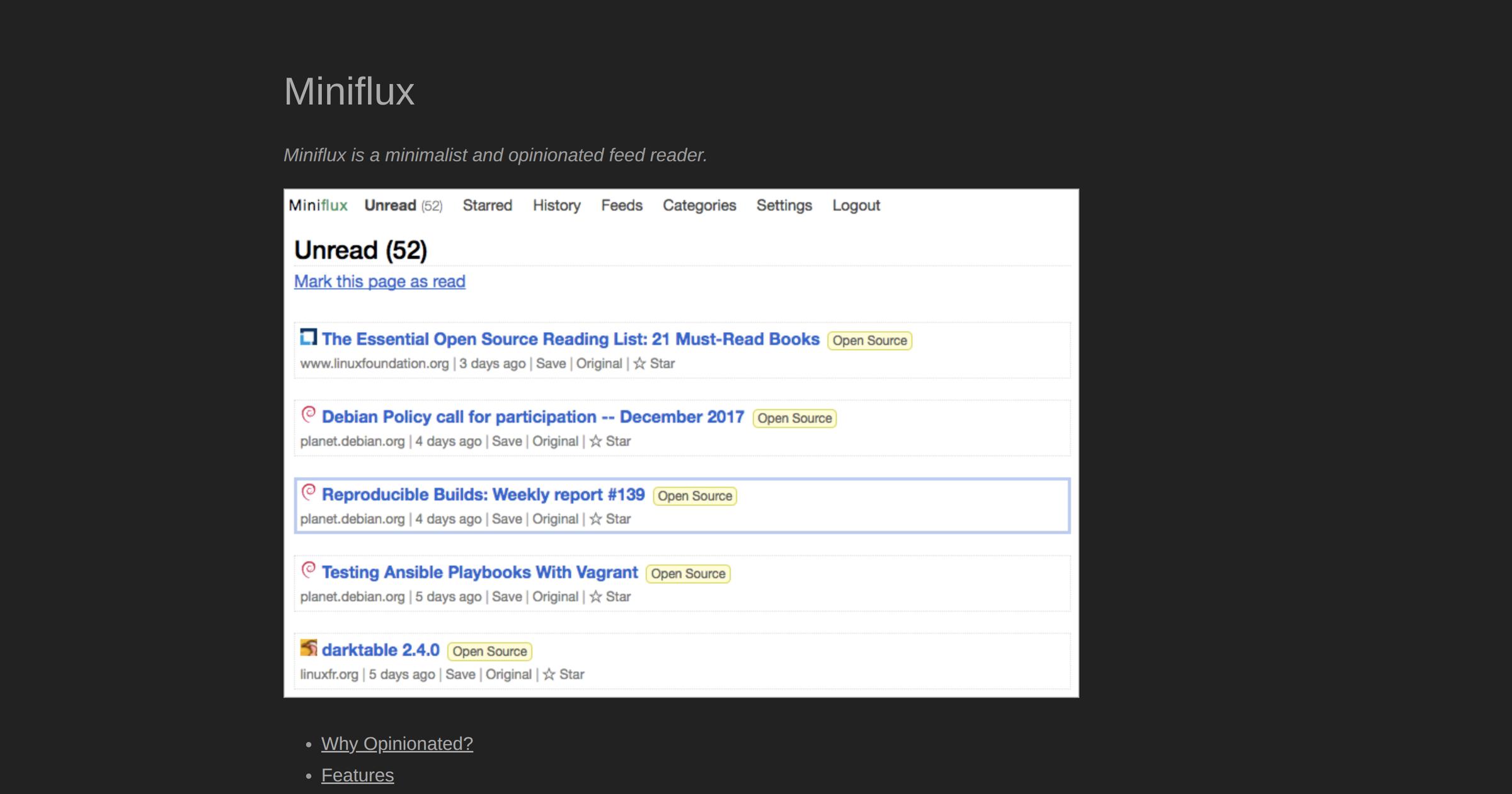
Keyboard shortcuts and a distraction-free interface make Miniflux fast for high-volume reading. The REST API lets you build custom scripts that act on new articles: post to Slack, trigger a pipeline, or archive to a note-taking tool.
Skip if you need a managed service with no server maintenance or if the team reading the feeds is non-technical: Miniflux requires running and updating a server and a PostgreSQL database.
Miniflux strips tracking parameters and proxies media for every item, so your reading habits stay private. OPML import means moving your existing subscriptions takes a few minutes.
Skip if you need algorithmic feed ranking, trending topic discovery, or AI-powered content filtering: Miniflux presents feeds chronologically with no ranking layer.
Multiple users can share one Miniflux instance, each with separate feeds, bookmarks, and reading state. The 25+ integrations mean articles can flow into shared tools like Slack or Notion automatically via webhooks.
Skip if the team needs collaborative annotation, shared saved items, or a social reading view: Miniflux does not offer these features.
The problem
Most RSS and feed reader services are free only in exchange for data. The major platforms analyze reading habits to surface advertisements and upsell premium tiers. When a service shuts down or changes pricing, years of subscriptions, saved articles, and reading history go with it. Self-hosting a feed reader has traditionally required heavyweight stacks or accepting a tool with rough edges. The challenge is finding a reader that is fast, stays out of the way, and runs on a modest server without sacrificing the integrations that make it fit into a broader reading or bookmarking workflow.
How it works
Reads Atom 0.3 and 1.0, RSS 1.0 and 2.0, and JSON Feed 1.0 and 1.1 natively. OPML file import and export lets you migrate from any other feed reader in one step. Enclosures for podcasts, videos, and images are handled alongside text content.
Every feed item is processed to remove pixel trackers, strip UTM and tracking parameters (utm_source, utm_medium, fbclid, and others), and proxy external media to prevent third-party tracking. External links open with rel="noopener noreferrer" and a no-referrer policy. YouTube embeds use youtube-nocookie.com.
When a feed publishes only a summary, Miniflux fetches the full article using a local Readability parser. Custom scraper rules based on CSS selectors and regex filters let you include or exclude content precisely. No external scraping service or API key required.
Connects to Wallabag, Instapaper, Readwise Reader, Linkding, Telegram, Slack, Discord, Gotify, Ntfy, Pushover, Notion, and more than 20 other services. A REST API with client libraries in Go and Python and a webhooks endpoint cover custom integrations. The Fever and Google Reader APIs allow mobile apps to connect.
The entire application compiles to one statically linked binary with no shared library dependencies. PostgreSQL provides full-text search, feed state, and article storage. Available as official Debian/RPM packages, pre-built binaries, and Docker images for AMD64, ARM, and RISC-V.
Navigation by keyboard shortcuts covers reading, bookmarking, sharing, and feed management without leaving the keyboard. The interface is available in 20 languages including Portuguese, Chinese, German, French, Japanese, Russian, and others. Six built-in themes cover light and dark variants in serif and sans-serif.
Features
- Multi-format feed support (Atom, RSS, JSON Feed)
- Built-in privacy protections
- Original article content fetching
- 25+ third-party integrations
- Single binary with PostgreSQL backend
- Keyboard-first interface in 20 languages
How to install
Download official Debian/RPM packages or pre-built binaries for self-hosting from GitHub Releases: https://github.com/miniflux/v2/releases/latest
Recommended for this setup
Strengths
- No telemetry and no advertising: Miniflux explicitly removes pixel trackers from every feed item and routes external media through a proxy. There is no built-in analytics collection, no account creation on a third-party server, and no monetization of reading data. Feedly and Inoreader both offer free tiers funded by data analysis and upsell to paid plans.
- Apache 2.0 license: no usage restrictions: The Apache 2.0 license allows free use for personal, internal, and commercial purposes, modification, and redistribution. Unlike tools under AGPL, there is no requirement to publish changes if you run a modified version for your team. The license is confirmed by the GitHub repository.
- Very low resource usage: The documentation states that Miniflux uses only a couple of megabytes of memory and negligible CPU even with several hundred feeds. A single small VPS or a Raspberry Pi running PostgreSQL is enough for most personal and small-team installations.
- Mobile app compatibility through standard APIs: Miniflux exposes the Fever API and the Google Reader API, which are the two most widely supported protocols for third-party mobile RSS apps. Reeder, NetNewsWire, and similar apps connect to it without any special plugin or account.
Trade-offs
- Requires PostgreSQL: no SQLite option: Miniflux works only with PostgreSQL. There is no SQLite or embedded database alternative. Setting up and maintaining a PostgreSQL instance adds operational overhead compared to feed readers that bundle their own storage. For a single user on a minimal server, this is the main friction point at install time.
- 268 open issues: The repository has 268 open issues. For an actively maintained single-maintainer project this is a typical backlog, but feature requests and edge-case bugs may wait longer for resolution than they would in a team-maintained project.
- No multi-user sharing or social features: Miniflux is a per-instance reader with no social layer. Sharing an article creates a public permalink for that item, but there are no shared inboxes, team annotations, or social reading views. Services like NewsBlur offer a social reading layer that Miniflux does not have.
Tech stack
FAQ
Yes. Miniflux exposes the Fever API and the Google Reader API, so any mobile RSS client that supports one of those protocols connects to it. The web interface is also responsive and can be added to your home screen for direct access without downloading an app from an app store.
Miniflux works only with PostgreSQL. It does not support SQLite or any other database. You need a running PostgreSQL instance before the first launch. The database schema is managed automatically by Miniflux at startup, so no manual migration step is needed after upgrades.
Yes. Miniflux is open source under the Apache 2.0 license and free to run on your own infrastructure. The project accepts donations via Liberapay and PayPal. There is no paid hosted version: you deploy it yourself. The Apache 2.0 license permits personal, team, and commercial self-hosting without restriction.
Yes. Miniflux includes a local Readability parser that fetches and extracts the main content from the original article page. You can also write custom CSS selector rules to target specific page layouts, and regex filters to include or exclude articles by content pattern. No external scraping service or API key is required.
Miniflux ships as a single statically compiled binary with no external library dependencies beyond PostgreSQL. Official Debian and RPM packages, pre-built binaries, and Docker images for AMD64, ARM, and RISC-V are available from GitHub Releases. Let's Encrypt TLS is built in. For most installs, setting up PostgreSQL and running the binary on a Linux server takes under 30 minutes.