
Maccy
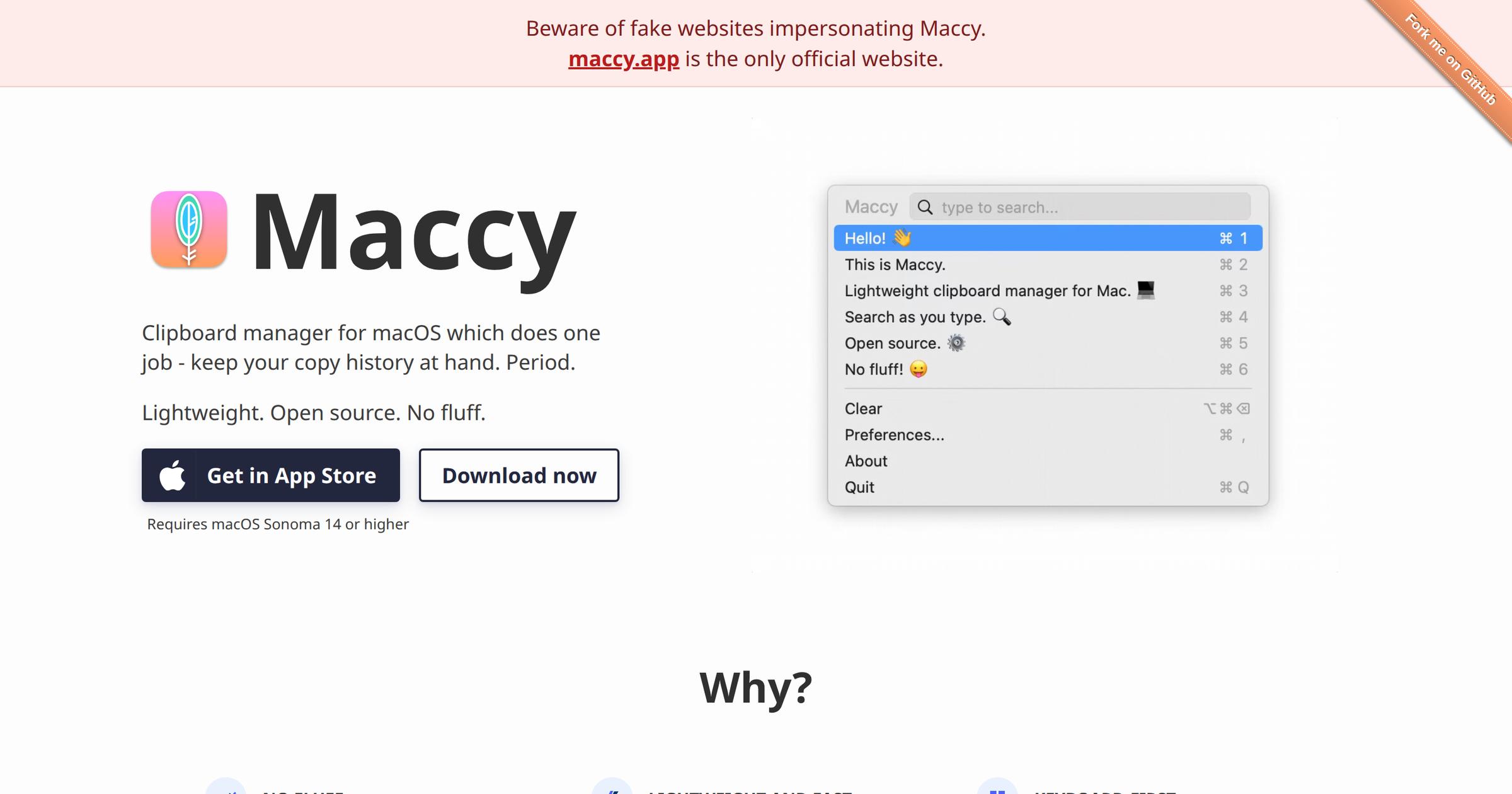
Keyboard-driven clipboard history for macOS, MIT licensed and free
Replaces Paste, Alfred, Raycast Ai, Cleanclip, Clipbear
Who it's for
Switching between documentation, terminal output, Stack Overflow, and an editor means copying multiple items before you need them. Maccy keeps a reachable history so earlier copies survive new ones without interrupting the flow.
If you work primarily with images, file attachments, or rich-formatted clipboard content rather than text snippets, Maccy may not capture the entries you need most.
Pulling quotes, links, and phrases from multiple source tabs before assembling a draft means losing earlier copies with every new one. Maccy's search lets you retrieve any copied text from the session without manually tracking it.
If you need clipboard history across devices or across sessions longer than a single working day, a tool with cloud sync or persistent long-term history is a better fit.
Maccy respects NSPasteboard concealed types, which means password manager entries that clear themselves from the clipboard are also cleared from Maccy's history. Clipboard history stays local with no network transmissions.
If your workflow requires a clipboard manager with direct password manager UI integration or team-shared clipboard access, a dedicated tool with deeper integration is more appropriate.
Users paying for Paste, CleanClip, or the clipboard history feature inside Alfred or Raycast will find Maccy covers the core workflow: capture history, search, paste by keyboard. The savings are the full subscription cost.
If you use rich media capture, tagging, rule-based organization, or multi-device sync from your current clipboard manager, those features are not available in Maccy.
The problem
macOS has a single clipboard slot. Copy a URL, and the code snippet you copied thirty seconds ago is gone forever. Developers switching between documentation, terminals, and editors hit this limit constantly: by the time you realize you need something you copied earlier, it has been overwritten. The workarounds are worse than the problem. Some users open a scratch document to stage clipboard contents before pasting; others rely on launcher apps like Alfred or Raycast that bundle clipboard history inside a tool whose main purpose is something else. Paid clipboard managers like Paste and CleanClip exist, but they carry subscription fees and features most users never touch.
How it works
Open the history popup with Shift+Cmd+C, type to filter, and hit Enter to copy or Option+Enter to paste directly. The full history is searchable in a fraction of a second without reaching for the mouse.
Maccy automatically ignores clipboard entries flagged as transient or concealed by apps like 1Password and KeeWeb, using standard NSPasteboard types. If your password manager clears a copied password from the clipboard, Maccy removes it from history too.
Press Option+P on any history item to pin it to the top of the list with a permanent keyboard shortcut. Pinned items survive the Clear command, so frequently used snippets stay available across sessions.
Option+Shift+Enter pastes the selected history item as plain text, stripping rich text, HTML, or markdown formatting. Useful when pasting into editors or forms that inherit styles from clipboard content.
Configure Maccy to ignore all copies during sensitive workflows, or add custom NSPasteboard type identifiers to permanently exclude clipboard content from specific applications such as Adobe InDesign or proprietary business tools.
Features
- Instant keyboard search
- Privacy-aware clipboard filtering
- Pin and preserve clipboard items
- Paste without formatting
- Ignore specific apps or clipboard types
How to install
Install Maccy via Homebrew or download the latest release directly from GitHub.
brew install maccyRecommended for this setup
Strengths
- MIT license, no cost ever: Maccy is MIT licensed and free to download, use, and modify. No subscription, no account, no paid tier, no feature paywalls. The paid alternatives in this category, including Paste and CleanClip, charge for access to their full feature sets.
- Native macOS UI with minimal footprint: Built in Swift using native macOS UI frameworks, Maccy fits into the system's visual language without drawing custom window chrome. Multiple users in the project's testimonials describe it as feeling like a missing macOS system feature.
- Local-only storage, no network calls: All clipboard history stays on your machine. Maccy makes no network calls and requires no account. For users who copy sensitive business data, code, or credentials, there is no third party receiving that data.
- 22,000+ GitHub stars, actively maintained: The repository passed 22,000 GitHub stars and received a commit in October 2026. With 1,247 forks and 199 open issues, the project sees regular activity and a community building on its codebase.
Trade-offs
- macOS-only, requires Sonoma 14 or higher: Maccy runs only on macOS and requires version Sonoma 14 or later. Users on older macOS versions cannot install the current release. Cross-platform teams cannot use Maccy for members on Windows or Linux.
- Local history only, no cloud sync: Clipboard history lives on the single machine where Maccy is installed. Users who work across multiple Macs have no built-in sync path. Paid alternatives in this category typically offer cross-device clipboard sync as a core differentiating feature.
- Hotkey conflicts may require manual resolution: Assigning a global hotkey to open Maccy can conflict with existing macOS system shortcuts. Resolving the conflict requires navigating to System Settings -> Keyboard -> Keyboard Shortcuts, finding and disabling the conflicting entry, then restarting Maccy. Some hotkey combinations may also be blocked in password fields by macOS security.
Tech stack
FAQ
Yes. Maccy is MIT licensed and free to download from GitHub or the App Store. There are no paid tiers, subscription plans, or feature paywalls. The MIT license also lets you inspect the source code, modify it, and distribute your changes.
No. Maccy stores all clipboard history locally on your machine and makes no network calls. The product website confirms everything is stored on your computer. There is no account, no sync service, and no telemetry.
Maccy needs Accessibility permissions to paste automatically. Go to System Settings -> Privacy & Security -> Accessibility and add Maccy. Once granted, selecting a history item with Option+Enter will paste it into the active application. This step is covered in the project README FAQ.
Yes. Maccy supports NSPasteboard concealed and transient types that password managers use to flag sensitive clipboard content. By default it ignores entries from 1Password, KeeWeb, and other common managers. If your manager removes a copied password from the clipboard, Maccy removes it from history automatically.
Maccy requires macOS Sonoma 14 or higher. Older macOS versions are not supported by the current release. If you need clipboard history on an older system, you would need an older Maccy release or a different tool.