Gojo
Notch workspace for Mac: windows, clipboard, dictation, and music.
Replaces Notchnook, Notchnest
Who it's for
Gojo's on-device dictation with multiple model options (Parakeet, Whisper, Underdog Bark) covers everything from quick voice notes to longer drafts. Hold Control+Option, speak, and the transcript inserts into whatever text field is focused, without switching to a separate dictation app.
You already use a cloud transcription service and are satisfied with its accuracy for your accent and vocabulary. Gojo's local approach trades cloud accuracy ceilings for privacy and offline availability, and may not match a well-tuned cloud pipeline for every use case.
The notch stage strip surfaces all open windows with app icons and six snap positions, accessed with one hover from any app. For users who currently run Magnet, Rectangle, or Moom alongside other menu bar tools, Gojo consolidates the window snapper and several other utilities into the notch.
You need advanced tiling beyond halves and quarters: thirds, sixths, or multi-display profiles. Gojo's six positions cover the most common cases but are not a full-featured window manager replacement for setups with complex grid rules.
Clipboard data stays on the Mac, dictation runs on-device, and the GPL license means the code handling those inputs is publicly auditable. Sensitive teams that cannot send clipboard content or voice data off-device get a notch tool that fits that constraint.
Your compliance requirements extend beyond the application layer: Gojo stores clipboard history in its local container on the Mac's storage without additional encryption beyond macOS disk encryption.
The problem
Mac power users typically run a window manager, a clipboard history app, and a media key utility as separate menu bar items. Each one takes a slot in an already crowded menu bar and has its own shortcut pattern to remember. On MacBooks with a notch, the camera bump further shrinks the menu bar's usable space, pushing some icons into the overflow menu where they are harder to reach. Dictation is its own separate pain: on-device speech recognition good enough for professional writing requires either a third-party subscription service, a manual Whisper setup through the command line, or accepting the cloud round-trip that Apple Dictation makes. The result is that most Mac users dictate less than they could, or pay monthly for a service that sends their voice data off-device.
How it works
A live stage strip of on-screen app windows opens in the notch with their real app icons. Click any window and snap it to one of six positions: left half, right half, top half, bottom half, fill, or zoom to its default size. Each chip shows its keyboard shortcut underneath. The window manager runs through a bundled XPC helper that holds the Accessibility grant separately from the main app.
Gojo captures each clipboard change and stores a browsable history accessible from the notch. You can search entries, pin items you return to often, and paste back into the focused app without switching context. Entries marked private by password managers are automatically skipped, keeping secrets out of the history.
Hold Control+Option to start recording, then release either key to insert the transcript into the focused field. After a one-time model download, recognition runs entirely on your Mac with no API key or internet connection. Available models include Parakeet Unified for English with punctuation, Whisper variants for multilingual use, and Underdog Bark 3.0 for English on Apple silicon with macOS 15. Optional AI polish and vocabulary lists also run locally.
Drop files from any app into the notch shelf and pick them up later in another app. It is a lightweight staging area that works without keeping a Finder window open. Files wait in the shelf until you drag them out or close the app.
Color temperature controls for the display are built into the notch, with schedule-based transitions, location-aware sunset detection, and a manual pause. It duplicates the function of f.lux-style tools without an extra menu bar app running in the background.
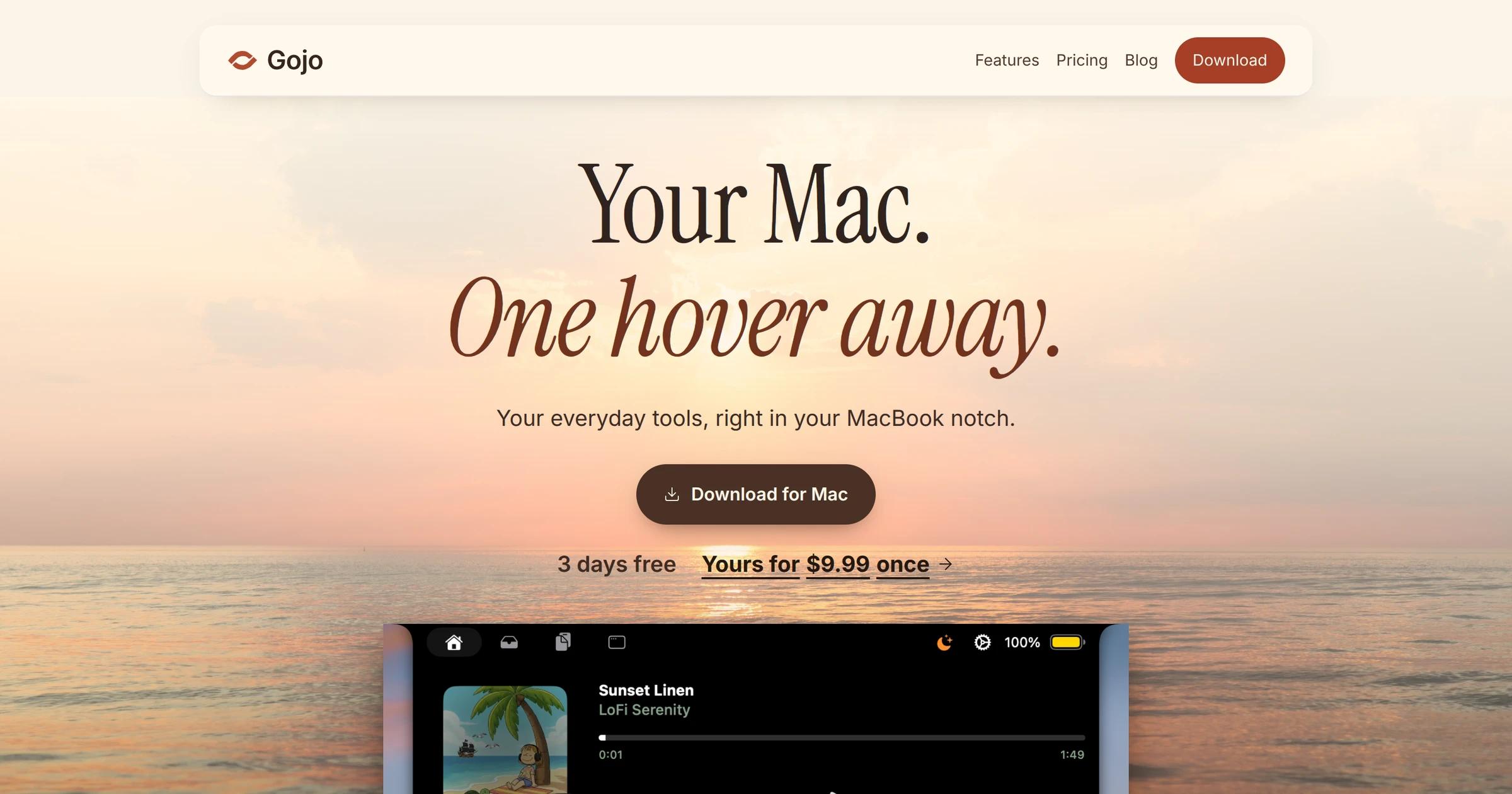
The notch tracks whatever is currently playing: Apple Music, Spotify, or browser audio. The now-playing surface shows album artwork in the notch slot, with play, pause, skip, and scrub controls. It follows the active source automatically without configuration.
Features
- Window snapping from the notch
- Searchable clipboard history
- On-device dictation with multiple speech models
- Drag-and-drop file shelf
- Night Shift and display controls
- Music controls for any audio source
How to install
Download the signed macOS installer from GitHub Releases: https://github.com/rohoswagger/gojo/releases/latest
Recommended for this setup
Strengths
- GPL-3.0 source on GitHub: The full application source is public under the GNU General Public License v3.0, so you can read the code, build it yourself with Xcode, and verify what it does with your clipboard and microphone before granting permissions. The build pipeline is documented with signed releases cut from a single make release command.
- No cloud dependency for voice input: Local dictation models process audio on the Mac and work fully offline after the initial model download. Unlike cloud dictation services that send audio to a remote server, Gojo's on-device path means your voice data never leaves the device. Multiple model choices (Parakeet, Whisper, Underdog Bark) cover different tradeoffs between accuracy, speed, and language support.
- Lifetime license with no recurring fee: The Personal license costs $9.99 once for one Mac and includes all future updates. There is no monthly fee for core features, and the 3-day trial requires no credit card or account. A Multi-Mac license covers three Macs for $19.99 lifetime.
Trade-offs
- macOS only, primarily Apple silicon: Gojo requires macOS 14 Sonoma or later and is designed around the MacBook notch. The signed release targets Apple silicon; Intel support is not verified for the published build, according to the README. Users on Intel Macs or external displays without a physical notch get limited value from a tool built around that hardware feature.
- No free-forever tier: The 3-day trial is free with no card, but continued use requires a paid license. At $9.99 lifetime it is a low bar, but users comparing to NotchNest's permanently free tier (with capped features) will find Gojo has no free-forever option.
- Very new project with a small community: Gojo was first pushed to GitHub in June 2026 and has four stars at time of writing. The core features are functional but it is a young app without a large community, public roadmap, or long track record of update cadence. The absence of open issues is a positive sign, but the sample size is small.
Tech stack
FAQ
Gojo offers a 3-day free trial that requires no credit card or account. After the trial, a Personal license costs $9.99 as a one-time payment for one Mac and covers all future updates. A Multi-Mac license covers three Macs for $19.99 lifetime. There is no free-forever tier.
Yes. After downloading a speech model once from Settings > Dictation, all recognition runs on-device with no API key or cloud fallback. The optional AI polish and vocabulary replacement features also run locally. Cloud transcription through OpenRouter is an optional alternative if you prefer it, but the default path is fully offline.
Gojo requires macOS 14 Sonoma or later. It is designed around the MacBook notch and the signed release is built for Apple silicon. Intel support is not verified for the published build, so Apple silicon is the recommended hardware.
Yes. The source is GPL-3.0 licensed on GitHub at github.com/rohoswagger/gojo. Building requires Xcode and a valid Developer ID certificate for the team (L6U44C67P5) to satisfy the XPC helper's signing requirement. Run make run from the cloned repository. See CONTRIBUTING.md for the full setup.
Window management requires Accessibility access, which the app requests on first use of the Windows tab. Dictation requires microphone access. Camera (webcam mirror), Calendar, and Reminders are optional and only requested when you use those tabs. All grants go through macOS System Settings and can be revoked there.