BookStack
Self-hosted team wiki with WYSIWYG editing and built-in diagrams
Replaces Confluence, Gitbook, Notion, Slab, Tettra, Nuclino, Slite
Who it's for
Teams that document runbooks, onboarding guides, infrastructure diagrams, and internal policies benefit from BookStack's structured hierarchy and built-in diagrams.net support. Role-based access control lets IT admins restrict sensitive runbooks to specific roles while keeping general documentation accessible to the broader organization.
Skip if your team needs real-time collaborative editing like Google Docs, or if documentation is tightly coupled to a ticketing system where Confluence's Jira integration is a hard requirement.
Healthcare, finance, and government teams that cannot store documentation on third-party cloud infrastructure use BookStack to keep knowledge on internal servers. SAML2 and LDAP support connects it to existing identity providers, and the MIT license imposes no restrictions on private self-hosted use.
Skip if your compliance requirement includes vendor-supported SLAs or third-party security certifications that a self-hosted open source deployment cannot provide on its own.
Teams migrating off Confluence, Slab, or Nuclino to reduce per-seat costs use BookStack as a self-hosted replacement. The WYSIWYG editor requires no technical skill from content authors, and the Books, Chapters, and Pages structure is familiar enough that most wiki users can navigate it without training.
Skip if your team is non-technical and has no one to handle initial server setup and ongoing maintenance. BookStack requires a PHP and MySQL server, and there is no official managed cloud version.
Individual developers and homelab users run BookStack to organize notes, project documentation, and technical references. The low server requirements mean it runs on a Raspberry Pi or an inexpensive VPS, and the MIT license allows any use, including commercial projects, without restriction.
Skip if you need unstructured personal notes rather than a hierarchical wiki. BookStack's Books, Chapters, and Pages model adds organizational overhead that is unnecessary for casual note-taking.
The problem
Teams using paid knowledge-base tools like Confluence, Notion, or GitBook face a consistent set of constraints: pricing tied to user count, data stored on vendor infrastructure, and limited ability to customize the tool without paying for higher tiers. For organizations with data residency requirements, compliance obligations, or a preference for controlling where business knowledge lives, these cloud services create a hard trade-off between convenience and data ownership. The additional challenge is migration cost. Content formats differ across cloud knowledge bases, export options are limited, and re-linking internal references requires manual work once you leave a cloud product. Starting with a self-hosted tool eliminates this vendor dependency before it accumulates.
How it works
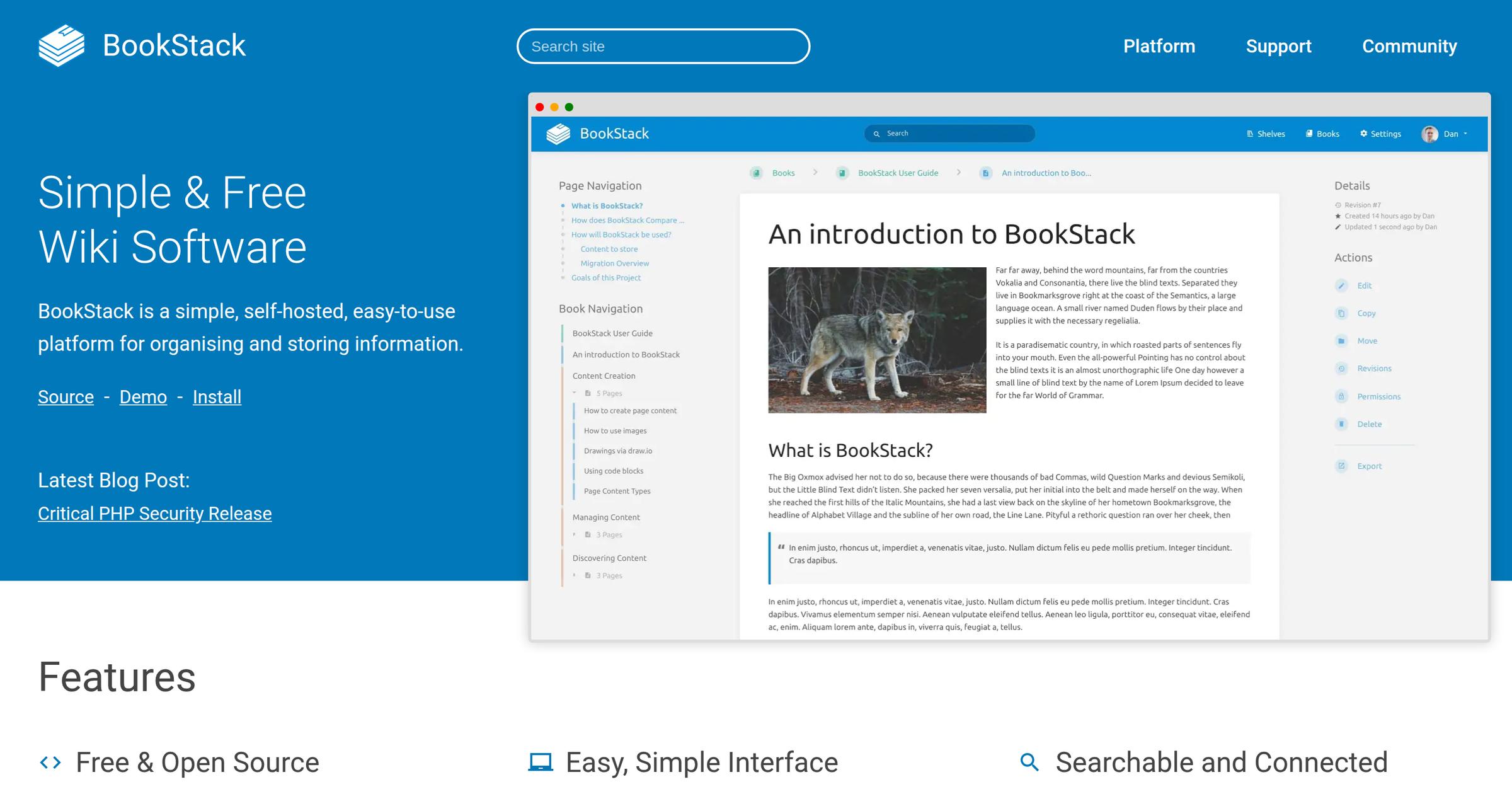
Pages are edited using a WYSIWYG interface built on TinyMCE and Lexical, requiring no technical skill from contributors. Writers who prefer plain text can switch to a per-user Markdown editor with live preview. Both editors store content in the same format, so switching does not affect existing pages.
The page editor embeds diagrams.net natively, letting editors create flowcharts, network diagrams, and architecture diagrams without leaving the page. Diagrams are stored within the page content and render inline alongside the rest of the documentation.
All content across books, chapters, and pages is indexed for full-text search. Searches can be scoped to a single book or run across the entire instance. Every paragraph has a stable URL, so editors can link team members directly to a specific section rather than just a page.
BookStack supports OIDC and SAML2 for single sign-on with enterprise identity providers, and LDAP for on-premise directory services. Social OAuth login options are available as secondary authentication. MFA is built in and can be enforced at the role level using TOTP authenticator apps or backup codes.
A built-in permission system lets admins lock down individual books, chapters, or pages to specific roles. Roles can be granted or restricted at both the system level (create, delete content) and the content level (read, edit). This allows granular control over who can see and modify sensitive documentation.
The BookStack interface is available in many languages including English, French, German, Spanish, Italian, Japanese, Dutch, Polish, and Russian, among others contributed through the project's Crowdin translation system. Users set their preferred language independently from the instance default.
Features
- WYSIWYG and Markdown page editor
- Built-in diagrams.net integration
- Full-text search with paragraph linking
- OIDC, SAML2, and LDAP enterprise authentication
- Role-based access control with per-content permissions
- Multi-language interface
Recommended for this setup
Strengths
- MIT license with no per-seat pricing: BookStack is MIT licensed and free to download and run on your own server. There is no per-user cost, no feature gating by plan tier, and no limits on the number of books, chapters, or pages. For a growing team, the cost difference versus a per-seat paid wiki can be substantial over time.
- Low server requirements: BookStack runs on a standard PHP and MySQL stack. The project documentation notes it performs well on a £2.50/month VPS, making it accessible to small teams and individual deployments that cannot justify cloud pricing. No containerization or orchestration layer is required for a basic install.
- Opinionated structure prevents content sprawl: The three-tier Books, Chapters, and Pages hierarchy enforces a consistent organization that prevents the sprawl common in free-form wikis. Because content is always nested at exactly one level, search results are easier to contextualize and content ownership is clearer for editors and admins.
- Active development with dedicated security releases: The project shows active development with a last code push in October 2026 and a history of dedicated security releases (e.g., v26.09.2 was a security-only patch). Publishing security fixes separately rather than bundling them with feature releases signals that the maintainer treats vulnerabilities as first-class concerns.
Trade-offs
- Self-hosting requires PHP and MySQL server setup: BookStack runs on PHP, Laravel, and MySQL, which means self-hosting requires a Linux server with PHP, a database, and a web server configured correctly. This is a standard setup, but teams without server administration experience will need to invest time in the initial install and in ongoing maintenance such as database backups, PHP version upgrades, and security patching.
- Not designed for extensibility beyond documentation: The README states explicitly that BookStack is not designed as an extensible platform for purposes that differ from its core documentation use case. If your team needs a tool that doubles as a project tracker, database, or general-purpose workspace like Notion, BookStack is the wrong fit. The maintainers decline feature requests that pull it outside its defined scope.
- Large open issue backlog: The Codeberg repository currently carries 710 open issues. While the project is actively maintained, this volume reflects a backlog of feature requests and bug reports that have not been resolved. Teams that depend on a specific missing feature or encounter an existing bug should check the issue tracker before committing to BookStack.
Tech stack
FAQ
Yes. BookStack is MIT licensed, which means you can run it on your own server for any purpose, including internal commercial use, with no licensing fees. There is no per-seat cost, no feature gating by plan tier, and no limit on users or pages. You pay only for the server you host it on.
There is no official managed cloud version from the BookStack project. The project is self-hosted only. Several third-party hosting providers listed on the BookStack website offer managed hosting, but these are noted as not being tested, vetted, or supported by the official project. Self-hosting is the only officially supported deployment path.
BookStack is simpler and free to self-host but lacks Confluence's plugin marketplace, Jira integration, and enterprise support tiers. Confluence Data Center supports high-availability clustering for large organizations; BookStack is designed for smaller-scale deployments. BookStack is the better choice for teams that want a clean, searchable internal wiki without Atlassian's per-seat pricing. Confluence remains the better fit when your team's workflow depends on Jira or Atlassian plugins.
BookStack supports OIDC and SAML2 for single sign-on with enterprise identity providers, LDAP for on-premise directory services, and social OAuth providers as secondary login options. Email and password login is the default. Multi-factor authentication is built in and can be enforced at the role level, with TOTP authenticator apps and backup codes as MFA options.
BookStack includes translations for many languages including English, French, German, Spanish, Italian, Japanese, Dutch, Polish, and Russian, among others contributed through the project's Crowdin translation system. Users set their preferred language independently in their profile, so different team members can use the interface in their own language on the same instance simultaneously.