Zeron
Coding agent workspace for every device, local-first by default
Replaces Conductor
Who it's for
If you regularly switch between a home workstation and a work laptop, Zeron lets you start a Claude Code session on one machine and resume or monitor it on the other without manually transferring context. The session list shows all active agents across both devices in one view.
If you work on a single machine and never move between devices, the multi-device sync adds no value. Local Zeron still gives you a unified UI for multiple agents, but the core multi-device use case does not apply.
Teams that keep coding agents running continuously on a remote machine benefit from the headless engine, which runs as a background service on Linux. The agent stays active after you close your laptop, and the desktop app reconnects to it from any device on the same account.
If your server is not Linux-based, the headless path is not available. macOS and Windows server setups cannot use the CLI install and would need an open desktop window to maintain agent sessions.
If you regularly run Claude Code on one task and Codex or Cursor on another simultaneously, Zeron aggregates all active sessions into one window with branch diffs and commit history for each workspace. You can switch between sessions without opening multiple terminals.
If you run only a single agent at a time and rarely need to compare their outputs or switch between them, a standard terminal interface for each agent is likely sufficient without an orchestration layer.
The problem
Running AI coding agents is inherently machine-local. Claude Code, Codex, and Cursor sessions live in the terminal or editor on a single device; closing the lid ends the session or breaks your view. Developers who work across a desktop, a laptop, and a phone have no built-in way to start an agent on one machine and pick it up from another. The pain sharpens on remote setups. A coding agent running on a VPS or cloud machine needs a persistent SSH connection to stay visible. If you close your terminal, you lose sight of what the agent is doing. There is no native mechanism to approve a diff, review a branch change, or redirect an agent from your phone while it runs on a remote server.
How it works
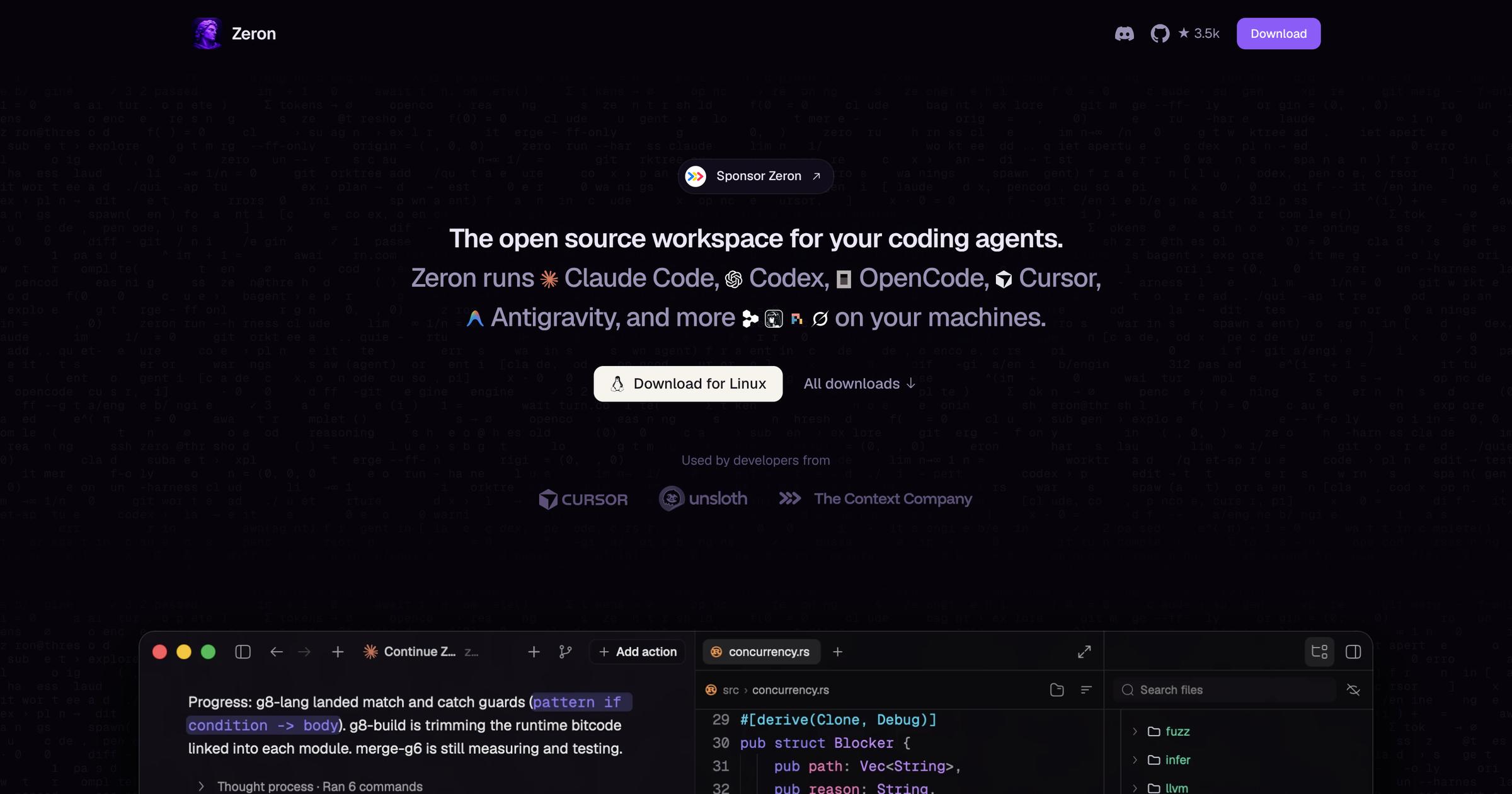
Zeron connects to Claude Code, Codex, Cursor, Devin, Grok, Hermes, Pi, and Antigravity by driving their existing sessions directly. No new runtime is introduced: your agents keep their existing tools, context windows, and configuration. You get a control layer on top of what you already use.
The app shows all running and recent agent sessions across every device you have connected, in a single list. You can see which machines have active agents, which are idle, and what each session's current status is, without opening multiple terminals or SSH connections.
While an agent is editing code, Zeron shows branch diffs updating in real time. You can see what files the agent has changed, review the diff before it commits, and approve or redirect work without interrupting the session. Commit history for every workspace is accessible from the same window.
Start a Claude Code session at your desk, then follow it from your phone or tablet. When multi-device sync is enabled, any signed-in device can read and write each other's workspace files. Existing local sessions are never uploaded; only devices you sign in can access the workspace.
On Linux servers without a display, the headless engine installs as a background service with one curl command and starts at boot. This keeps coding agents running after you close your laptop and lets the desktop app reconnect to them from any device on the same account.
The app uses GPUI, the same native Rust UI framework used by the Zed editor. This gives Zeron consistently fast rendering on macOS, Windows, and Linux without the overhead of an Electron shell. Users in public feedback specifically note the frame rate and typing responsiveness.
Features
- Drives existing coding agents without replacing them
- Every machine's sessions in one list
- Live branch diffs while agents work
- Multi-device session handoff
- Headless engine for servers and VPS machines
- Native Rust interface built on GPUI
How to install
Download the latest installer for your platform from GitHub Releases: https://github.com/zeronsh/zeron/releases/latest
Recommended for this setup
Strengths
- MIT licensed with no self-hosting restrictions: The entire codebase is MIT licensed, confirmed from the GitHub repository. You can run Zeron on your own infrastructure, fork it, modify it, and use it commercially without restriction. There is no open-core tier with paid features withheld, and no license change risk.
- Local-first with no forced cloud dependency: Sessions live on your machines by default. No account is required to run Zeron locally, and no data leaves your device unless you opt into multi-device sync. This matters for teams with air-gapped environments or compliance requirements around code not leaving the developer's machine.
- Available on every major developer platform: Desktop builds ship for macOS (Apple Silicon), Windows (x64), and Linux (x64 and arm64). An Android app is available; iOS is listed as coming. The headless engine runs on Linux servers. This covers the full surface of where a developer's coding agents might need to run.
- Wraps any agent without changing its configuration: Zeron adds a control layer on top of Claude Code, Codex, Cursor, and others without replacing them. Teams already invested in a particular agent's tooling or configuration can add Zeron without touching those existing setups or migrating between agent providers.
Trade-offs
- 163 open issues on a recently launched project: Zeron launched in July 2026 and has 163 open issues as of November 2026. At this stage some edge cases in agent session management, multi-device sync, and platform-specific behavior are still being worked through. Teams that need a stable, thoroughly tested control plane may want to watch the issue tracker before adopting it in critical workflows.
- Headless mode is Linux only: The CLI and headless engine are documented for Linux only. macOS and Windows server use cases that want agent sessions to stay alive without a GUI are not covered by the headless path. Desktop-only macOS and Windows support means those platforms require an open app window to maintain sessions.
- iOS support is not yet available: The website lists iOS as coming soon and directs users to the App Store listing without a confirmed release date. Developers who want to monitor or approve agent runs from an iPhone cannot do so at launch; Android is available, but Apple's mobile platform is currently absent.
Tech stack
FAQ
Yes. Zeron is MIT licensed and free to download and run on your own machines. The desktop app and headless engine have no paid tiers or usage limits. Multi-device sync, which lets you control sessions across devices, requires a free Zeron account; no pricing page exists and no price is listed on the site.
No. Zeron drives those agents without replacing them. It connects to Claude Code, Codex, Cursor, and others by wrapping their existing sessions in a control layer. Your agent keeps its tools, configuration, and context. Zeron adds the ability to view and direct sessions from any device.
When you sign in to Zeron on two devices with the same account, those devices can read and write each other's workspace files directly. Existing local sessions are never uploaded to a server. Only devices you explicitly sign in can access the workspace, so access stays within the set of machines you control.
Desktop builds are available for macOS (Apple Silicon), Windows (x64 installer and portable zip), and Linux (x64 and arm64 tar.gz). An Android app is available. iOS is listed as coming soon. The headless engine for servers is Linux only, installed as a background service via a one-line curl command.
Use the headless installer: run `curl -fsSL https://zeron.sh/install.sh | sh` on your Linux server. The installer starts the Zeron engine as a background service that starts at boot. Use `zeron status` to check the engine and sync mode, and `zeron daemon start|stop|restart` to manage the service.