
Orca
The ultimate IDE for coding agents
Replaces Conductor, Cursor, Github Copilot, Devin Ai
Who it's for
Orca is best for developers and technical leads who already use coding-agent CLIs and need a desktop control plane for parallel work. It fits teams that want stronger workflow organization without moving every agent interaction into one proprietary model vendor.
Use it when you routinely run several agents or worktrees at once. A simpler editor or terminal is enough if you only ask one agent for small local changes.
The problem
AI coding agents are useful, but running several of them in the same checkout creates branch conflicts, lost context, and hard-to-review changes. Developers end up juggling terminals, worktrees, issue tabs, and pull requests while trying to remember which agent did what. That workflow creates infrastructure overhead for teams adopting coding agents seriously. A normal IDE can edit files, but it usually does not treat agent sessions, worktrees, GitHub tasks, and remote machines as one operating surface.
How it works
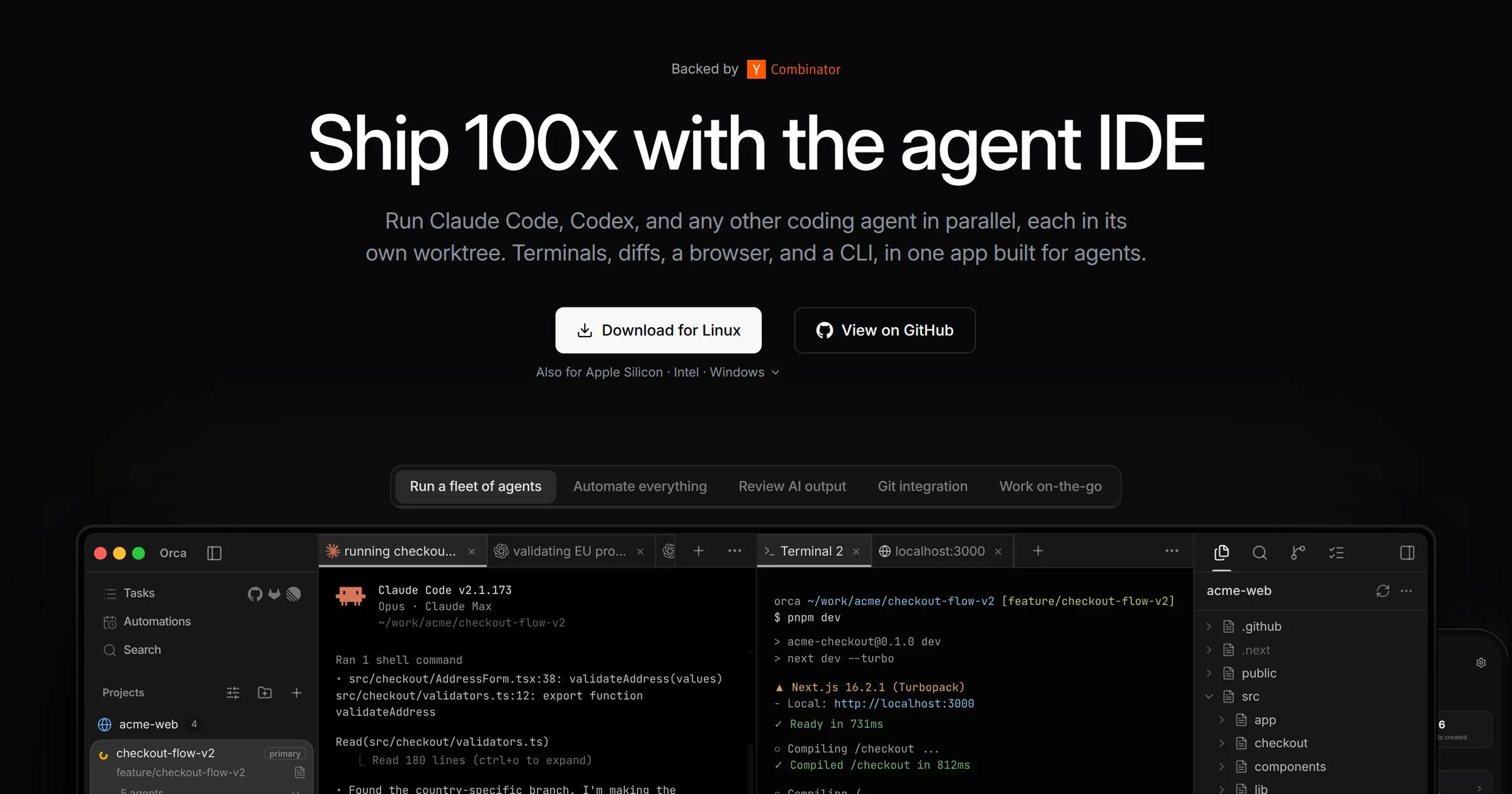
Worktree isolation keeps parallel agent tasks from overwriting each other's files.
Multi-agent terminals let developers compare different CLIs and models in one workspace.
Built-in source control helps review generated diffs before they become commits or PRs.
GitHub and Linear context keeps issue work close to the agent session that produced it.
Remote and mobile support make long-running agent tasks easier to monitor.
Features
- Worktree isolation keeps parallel agent tasks
- Multi-agent terminals let developers compare different
- Built-in source control helps review generated
- GitHub and Linear context keeps issue
- Remote and mobile support make long-running
How to install
Install Orca on macOS with Homebrew when you want the desktop agent orchestrator managed as a cask.
brew install --cask stablyai/orca/orca
Recommended for this setup
Strengths
- Orca is an agent development environment: Orca is an agent development environment for running CLI agents side by side across isolated git worktrees.
- The repository is MIT licensed, ships: The repository is MIT licensed, ships desktop builds for macOS, Windows, and Linux, and includes support for agents such as Claude Code, Codex, Grok, Gemini, OpenCode, and related CLI tools.
- This approach belongs in Developer Tools: This approach belongs in Developer Tools because it manages the workspace around AI agents rather than acting as a model provider.
Trade-offs
- When to choose another path: Use it when you routinely run several agents or worktrees at once. A simpler editor or terminal is enough if you only ask one agent for small local changes.
Tech stack
FAQ
Orca is best for developers and technical leads who already use coding-agent CLIs and need a desktop control plane for parallel work. It fits teams that want stronger workflow organization without moving every agent interaction into one proprietary model vendor.
Unlike Cursor's proprietary IDE, Orca is focused on orchestrating fleets of CLI agents across separate worktrees and repositories. Compared to paid commercial tools in this category, Orca is better for developers coordinating multiple autonomous coding runs.
Install Orca on macOS with Homebrew when you want the desktop agent orchestrator managed as a cask. brew install --cask stablyai/orca/orca