
Nimbalyst
Agent workspace with parallel sessions, visual editing, and a wiki.
Replaces Conductor
Who it's for
Developers who push several Claude Code or Codex sessions in parallel against different git worktrees get a single kanban to track all of them, WYSIWYG review of every diff, and an agent-updated wiki for context between sessions.
You run a single agent session at a time and prefer terminal-native workflows. The overhead of a desktop app wrapper is not worth it for one-at-a-time agentic work.
Teams where each person runs their own coding agent and wants to share the resulting decisions, open questions, and architectural notes without writing docs by hand. The wiki agents update together, and Wiki Teams adds real-time co-editing in the browser.
Your team needs enterprise SSO, audit logs, or on-premises hosting of the collaboration sync server. Those features are not in the current open source build.
Developers who start long-running agent sessions from a desk and then step away. The iOS companion shows which agents are waiting, lets them reply by voice or text, approve diffs with a swipe, and queue the next task without returning to the desktop.
Your primary mobile device is Android. The companion app is iOS only as of this writing.
The problem
Managing multiple coding agents is chaotic. Claude Code, Codex, and OpenCode each run in a terminal and produce diffs in raw text. When you have three or four sessions running in parallel across different git worktrees, tracking which session is doing what, reviewing changes before they land, and connecting agent work to your task list requires constant context-switching between terminal windows, a file manager, and a text editor. The same context-switching problem compounds at the wiki layer. Every agent session generates decisions, questions, and design notes that belong in a shared document, but writing them down by hand while also reviewing code means one of those things gets dropped. Teams running agentic workflows consistently find that keeping the broader project context up to date is the work that falls through the cracks.
How it works
Run Claude Code, Codex, OpenCode, and GitHub Copilot side by side, each isolated in its own git worktree. The session kanban tracks every session on a board; you can search, resume, and link sessions to the files they touched. Heterogeneous agents (Codex and Claude Code together, with OpenCode and Copilot in alpha) are supported in the same workspace.
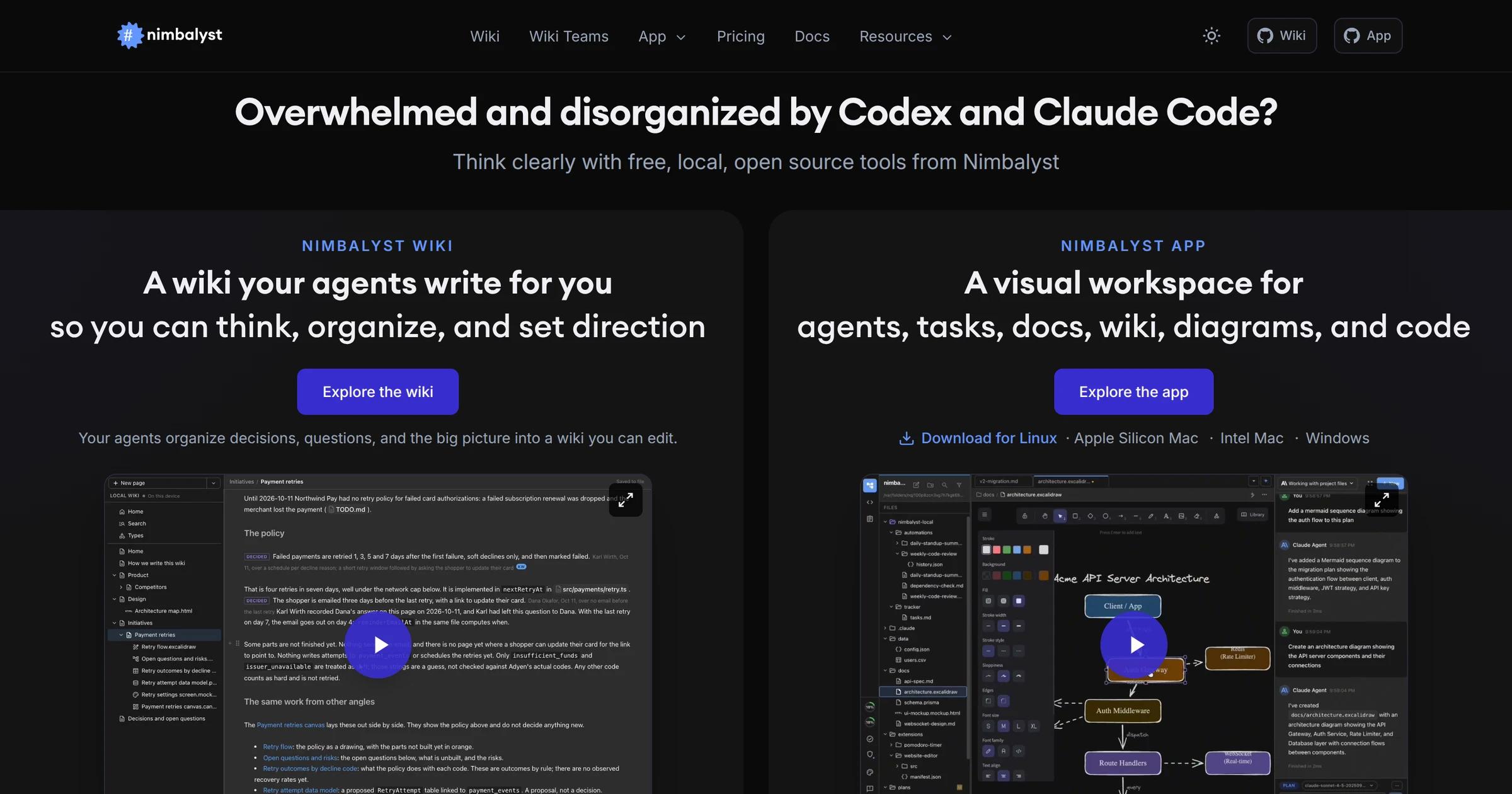
Built-in visual editors cover markdown, mockups with annotations, Mermaid diagrams, Excalidraw, CSV, data models, and code in Monaco. You and the coding agent edit the same files. Proposed changes appear as red/green diffs rendered in the document, so you step through them and accept or reject each one rather than reading a raw patch.
Agents organize decisions, open questions, and project context into a wiki you can read and edit. Each session's agent contributes what it learned as it works, so the wiki builds up without anyone writing pages by hand. Wiki Teams (the paid plan, free during beta) adds real-time collaborative editing in the browser for the whole team.
Plans, bugs, features, and todos live in trackers that your agents read alongside you. Agents can add tasks, move them, and execute them; you can view and edit the same tasks from the app. Everything is stored as files in your git repo, not in a proprietary database.
Connect any MCP server to Nimbalyst. Tool results render as visual widgets rather than raw JSON, making the output of MCP tools readable in the workspace context instead of requiring a terminal pass.
Every editor, including the built-in ones, goes through the same EditorHost contract. An extension you build is first-class, not a plugin. Current built-in extensions include an Astro website editor, visual git log, mindmap, slides, and a 3D object editor. Ask your coding agent to build an extension for a file type the app does not ship.
Features
- Parallel agent sessions in isolated worktrees
- WYSIWYG editors for every file type
- Agent-written wiki
- Task tracking agents can read and update
- MCP client with visual widget rendering
- Extension SDK for custom editors
How to install
Download the installer for your platform from GitHub Releases: https://github.com/nimbalyst/nimbalyst/releases/latest
Recommended for this setup
Strengths
- MIT license, free for individuals: The desktop app and core features are MIT-licensed and free for individuals, including commercial use. There is no per-seat fee, no token-metered access beyond your existing Claude Code or Codex subscription, and no account required for the core workspace.
- Plain files, no proprietary store: All content, status, and workflow data is stored as markdown and slash commands in your git repo. There is no vendor database to migrate away from, and the files work with any other tool. If you stop using Nimbalyst, your content stays in its original format.
- Cross-platform with an iOS companion: The desktop app runs on macOS (Apple Silicon and Intel), Windows, and Linux. The iOS companion app lets you check which agents need a response, reply by text or voice, swipe through diffs, and queue tasks from your phone, with push notifications when an agent is waiting.
- 2,000+ stars and active development: The repo reached 2,022 GitHub stars with 330 forks after launching in October 2025, with the last push on 2026-11-04. With 737 open GitHub issues, the community is actively reporting bugs and requesting features.
Trade-offs
- Early-stage velocity with 737 open issues: With 737 open GitHub issues and a repo launched in October 2025, Nimbalyst is in active early development. Some features (OpenCode and GitHub Copilot integration) are in alpha. Users who need a stable, settled tool for a production workflow may find the pace of change disruptive.
- Collaboration sync server is not self-hostable: The core desktop app is MIT-licensed, but the collaboration sync server (`wss://sync.nimbalyst.com`) that powers real-time co-editing is a separate closed project hosted by the Nimbalyst team. Teams relying on that sync layer cannot run it themselves. The core app works without it, but Wiki Teams requires it.
- Mobile companion is iOS only: The mobile companion is iOS only. The repo mentions an iOS package in the workspace but no Android equivalent is listed in the README or the platform download table. Developers who rely on Android for mobile review will need to wait or use the app through other means.
Tech stack
FAQ
Yes, the desktop app is free for individuals and MIT-licensed. Wiki Teams, the paid plan for sharing a wiki across a team, is free during its beta. The core workspace has no subscription and no per-seat fee; it works with your existing Claude Code or Codex API key or subscription.
Yes. Installer downloads are available for macOS Apple Silicon and Intel, Windows 10+, and Linux (Debian/Ubuntu as a .deb and other distributions as an AppImage). The desktop app is an Electron application built from a TypeScript monorepo.
All content stays on your machine as plain files in your git repo. Nimbalyst sends anonymous usage analytics to PostHog (no PII, no file contents, no API keys), which you can opt out of in Settings > Advanced > Analytics. The collaboration sync server at wss://sync.nimbalyst.com is used only for the optional Wiki Teams co-editing feature.
Yes. The Extension SDK lets you build custom editors for any file type. All editors, including the built-in ones, go through the same EditorHost contract, so a custom editor you build is first-class. You can ask your coding agent to build an extension for a file type the app does not currently support.
Claude Code and Codex are fully supported. OpenCode and GitHub Copilot are in alpha. The repo also mentions a Gemini provider. Each agent runs in its own isolated git worktree.