
Ghostex
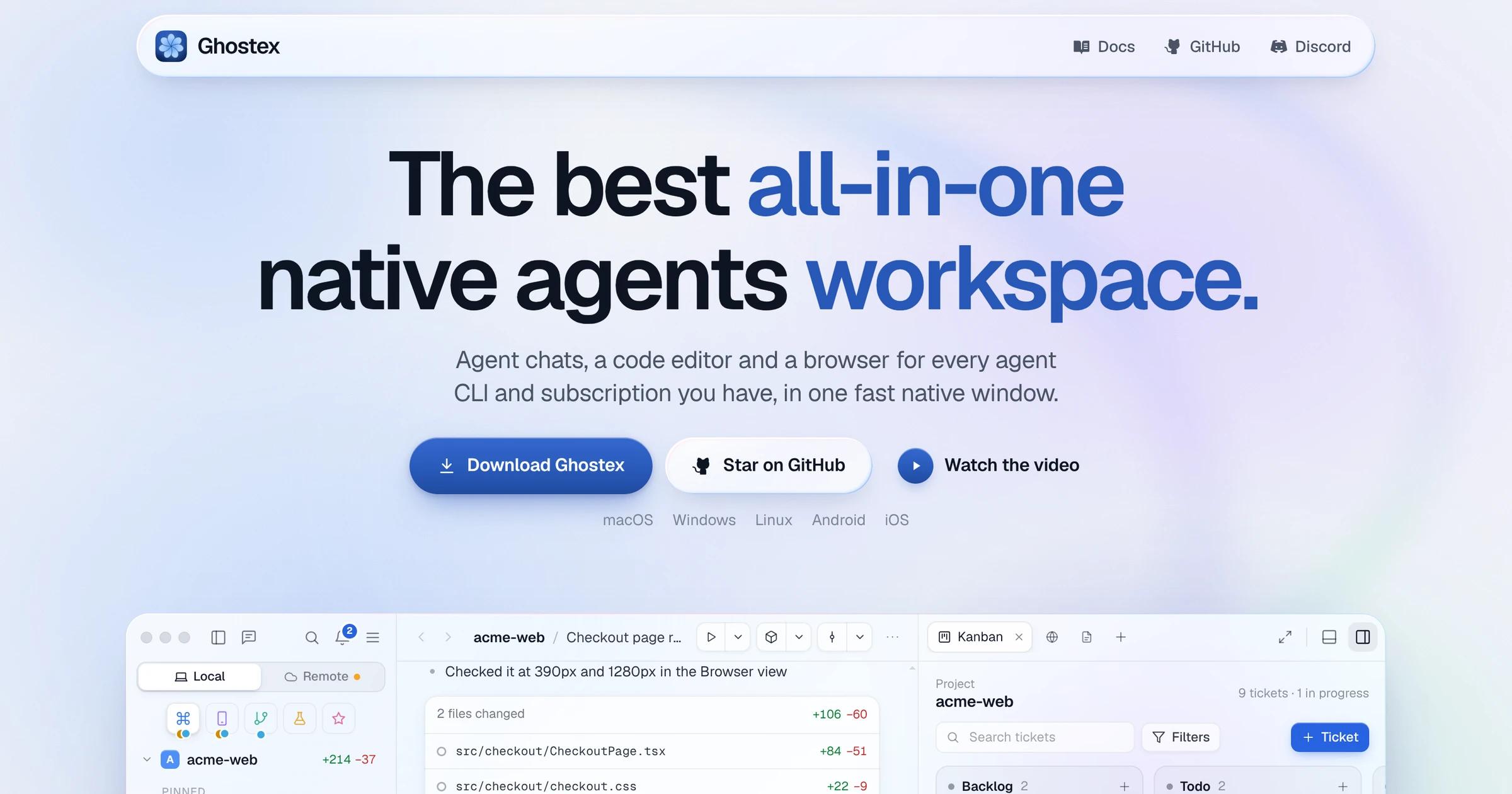
Native multi-agent workspace for Claude Code, Codex, and 20+ agents
Replaces Conductor, Amp Code
Who it's for
Use Ghostex when you already use Claude Code, Codex, or another CLI coding agent and want to run more than one in parallel, review their output in a readable chat view, and switch agents without opening multiple terminals.
You use a single agent in a standard terminal and do not need session history, mobile access, or multi-agent orchestration. A terminal emulator is simpler and has no overhead.
Ghostex's coordinator type manages a project by spinning up agent threads, assigning tasks, and collecting results. Use it when your workflow involves one orchestrating agent directing several worker agents on parallel subtasks in the same codebase.
Your codebase fits in one agent's context window and a single sequential session handles the work. Coordination adds overhead that is unnecessary for single-agent tasks.
Easy Connect pairs your phone with any machine running Ghostex, letting you read transcripts, send follow-ups, and get push notifications when an agent finishes. Remote machine connections via SSH let you run agents on a build server and monitor them from anywhere.
You work at a fixed desk and do not need to follow up with agents from a phone or a different machine.
Ghostex includes optional plugins for Linear, Jira, GitHub, PostHog, Sentry, Figma, Vercel, and Supabase that load only when you use them. Use it when you want your coding agent and your project management or observability tools in the same window.
You use none of these services, or you are comfortable with your existing multi-window workflow and do not need agent sessions co-located with issue trackers or dashboards.
The problem
Running multiple AI coding agents is friction-heavy. Claude Code, Codex, OpenCode, and others each run in their own terminal with separate session logs, no shared context, and no straightforward way to hand work from one agent to another without copy-pasting output across windows. The harder problem is session continuity and visibility. Close a terminal and the thread is gone; start a new session and the agent has no memory of the prior one. Teams running parallel agents on the same codebase end up with no unified view of what each agent is doing or what it last changed, and following up with an agent from a phone or another machine means opening a separate app with no connection to the desktop sessions.
How it works
Run Claude Code, Codex, OpenCode, Gemini CLI, Grok, Cursor, and 20+ other CLI agents simultaneously from one window, each with its own chat view, terminal, and session history. Switch agents mid-task or hand a session from one to another. Each Ghostex session is a real CLI instance of the agent that you can resume in the native app at any time.
Built on Rust and GPUI, the same framework underlying the Zed editor, rather than Electron or Tauri. Multiple parallel agent sessions run with low CPU overhead and light memory use. The app behaves as a native application on macOS, Windows, and Linux because it is one.
Agents can open sessions, send prompts, and read replies from other agents through the `ghostex` command. Claude Code can spin up Codex sub-agents and steer them, or a coordinator session manages a full project by opening threads, assigning tasks, and collecting results. The `/ghostex-visuals` skill pairs with coordinators to publish charts, tables, and stat tiles directly in chat.
Pair your phone with the desktop app using an Easy Connect QR scan, or join through your Tailscale tailnet. Read transcripts, send follow-ups, preview localhost pages running on your computer, and receive push notifications when an agent finishes. No extra account or server is required beyond what you already use.
Open a Markdown plan, HTML prototype, or Excalidraw diagram next to your agent and leave typed notes or mark sections as 'Looks good', 'Clarify', or 'Needs tests'. One click sends every annotation to the agent's prompt as numbered feedback with line references, so the agent knows exactly what to change.
Browser (embedded Chromium), Kanban board, VS Code IDE, Docs, Linear, Jira, GitHub, PostHog, Sentry, Figma, Vercel, and Supabase plugins load only when you open them and sleep when you do not. Each plugin is optional; install only what your workflow needs, or write your own against the plugin API.
Features
- Multi-agent sessions in parallel
- Native Rust performance, no Electron overhead
- Agent-to-agent orchestration
- iOS and Android mobile companion
- Annotation and in-line feedback
- Optional plugin ecosystem
How to install
Install on macOS via Homebrew; Windows, Linux, iOS, and Android installers are at https://github.com/maddada/Ghostex/releases/latest
brew install ghostexRecommended for this setup
Strengths
- MIT license, no workspace subscription required: Ghostex is MIT-licensed and free to run, modify, and redistribute. It does not sell access to a workspace layer: you bring your existing agent subscriptions and Ghostex connects them. The source is on GitHub and contributions are welcome across platform ports, agent integrations, and plugins.
- Sessions are real CLI instances: Every chat session in Ghostex is a real instance of the agent's own CLI, not a reimplemented wrapper. Switch from the chat view to the raw terminal with one hotkey. Any session can be resumed in the official agent app or CLI at any time, so you are never locked into Ghostex's interface.
- Cross-platform including mobile: Native packages cover macOS (Apple Silicon and x64, via Homebrew or direct download), Windows (x64 and ARM64), Linux (.deb, .rpm, AppImage, AUR, and tarball), Android (APK), and iOS (TestFlight). The same active sessions are accessible from desk or phone.
- Prompt queue and full-history session search: Press Tab to queue the next prompt while the agent is still working, then drag to reorder or play a message immediately. Fuzzy search finds any prompt you have ever sent across all agents and sessions; press Enter to resume the conversation. Both are also available from the `gx` CLI.
Trade-offs
- iOS access is TestFlight only: The iOS app is not on the App Store. Access is through the Discord community (discord.gg/df7b3G92CS): post in the iOS channel to get a TestFlight invite. This adds friction for teams where iOS access matters, and TestFlight builds expire, requiring periodic re-installation.
- Browser and IDE views require a Chromium download: Ghostex offers to install Chromium the first time you open the browser or VS Code editor views. On a metered connection or in environments where automated downloads are restricted, this is a one-time setup step you need to handle before those views are usable.
- Young project under active development: Ghostex was created in April 2026 and is under active, fast-moving development. As of November 2026 it has 19 open GitHub issues. Developers who rely on specific agent integrations or platform behaviors should check the issue tracker before committing to it for production workflows.
Tech stack
FAQ
Ghostex supports any CLI-based coding agent. The README documents Claude Code, Codex, OpenCode, Pi, oh-my-pi, Gemini CLI, Grok, and Cursor, and the agent list is open: any agent that runs as a CLI process can be added. Each agent runs as a real CLI session, so you can also resume any session in the agent's own native app at any time.
A coordinator is a session type that manages a project by spawning worker agent threads, assigning them tasks, and monitoring their output via the `ghostex` command. It opens sessions, sends prompts, and reads replies from other agents. The `/ghostex-visuals` skill pairs with coordinators to publish charts, tables, and stat tiles in the chat view rather than raw text output.
Yes. The iOS app runs through TestFlight rather than the App Store. Join the Discord at discord.gg/df7b3G92CS and post in the iOS channel to receive a TestFlight invite. The Android APK is available directly from GitHub Releases at https://github.com/maddada/Ghostex/releases/latest
Ghostex is MIT-licensed. You can run it on personal and commercial projects, modify the source, and redistribute it without restriction. The license governs the workspace tool itself; your use of the agents it connects to (Claude Code, Codex, etc.) is governed by each agent provider's own terms.
Remote machine connections use Easy Connect (a QR code or connection code displayed in Ghostex settings on the remote machine) or SSH. Once connected, the remote machine appears in the Ghostex sidebar and its agent sessions are accessible the same way as local ones. Easy Connect requires no extra accounts; Tailscale uses your existing tailnet.