
Docmd
Markdown to website, search, and AI context files in one command.
Replaces Mintlify, Gitbook, Readme Com
Who it's for
The MCP server exposes your documentation directly to Claude Desktop, Cursor, and Windsurf. When a developer asks Cursor about an API pattern, it can search your docs in real time instead of relying on cached knowledge. Run `docmd mcp` and configure the server once per project.
Your documentation is primarily marketing copy or customer support content rather than technical reference material for developers. The MCP server is most valuable when docs describe APIs, architecture decisions, and CLI patterns that developers query during coding.
Docmd builds a complete static documentation site with search, SEO, and AI context from your existing Markdown. No database, no monthly subscription, no vendor account required. Host the output on GitHub Pages, Netlify, Cloudflare Pages, or any CDN.
Your docs require content gating, user authentication, or analytics beyond what a static site can provide without a third-party service.
Docmd includes migration tooling from Docusaurus, VitePress, MkDocs, and Starlight. For teams leaving commercial platforms, Markdown is the universal exit format. Export your content from the platform and point docmd at the folder with `npx @docmd/core dev`. Most standard Markdown is compatible without modification.
Your current platform's collaborative in-browser editing, managed content permissions, or CMS-style editorial workflow are features your team actively depends on. Docmd is a compiler, not a collaborative CMS.
The built-in OpenAPI plugin renders interactive API reference pages from OpenAPI 3.x spec files alongside narrative Markdown in one search index. One site, one `docmd build`, covering both how-to guides and the full API reference.
You need live API request execution, generated code samples in multiple languages, or per-user developer analytics. Those are developer portal features that tools like ReadMe.com cover.
The problem
Documentation has more than one reader, and that is where most documentation tools fall short. Human visitors need a fast, navigable website. Search engines need structured metadata and sitemaps. Language models need clean context formatted for ingest. Coding agents need machine-readable protocols and tools. When these audiences are addressed by separate tools or services, teams end up maintaining disconnected publishing pipelines. They run a website generator separately from their LLM context process, and add manual steps for agent skills. The situation becomes harder when documentation is stored in a proprietary platform. Content tied to a hosted service cannot be version-controlled normally, cannot be searched offline, and disappears or becomes inaccessible if pricing changes. For developer teams who treat documentation as part of their codebase, the lack of a Git-native, multi-output compiler forces a constant choice between publishing quality and content portability.
How it works
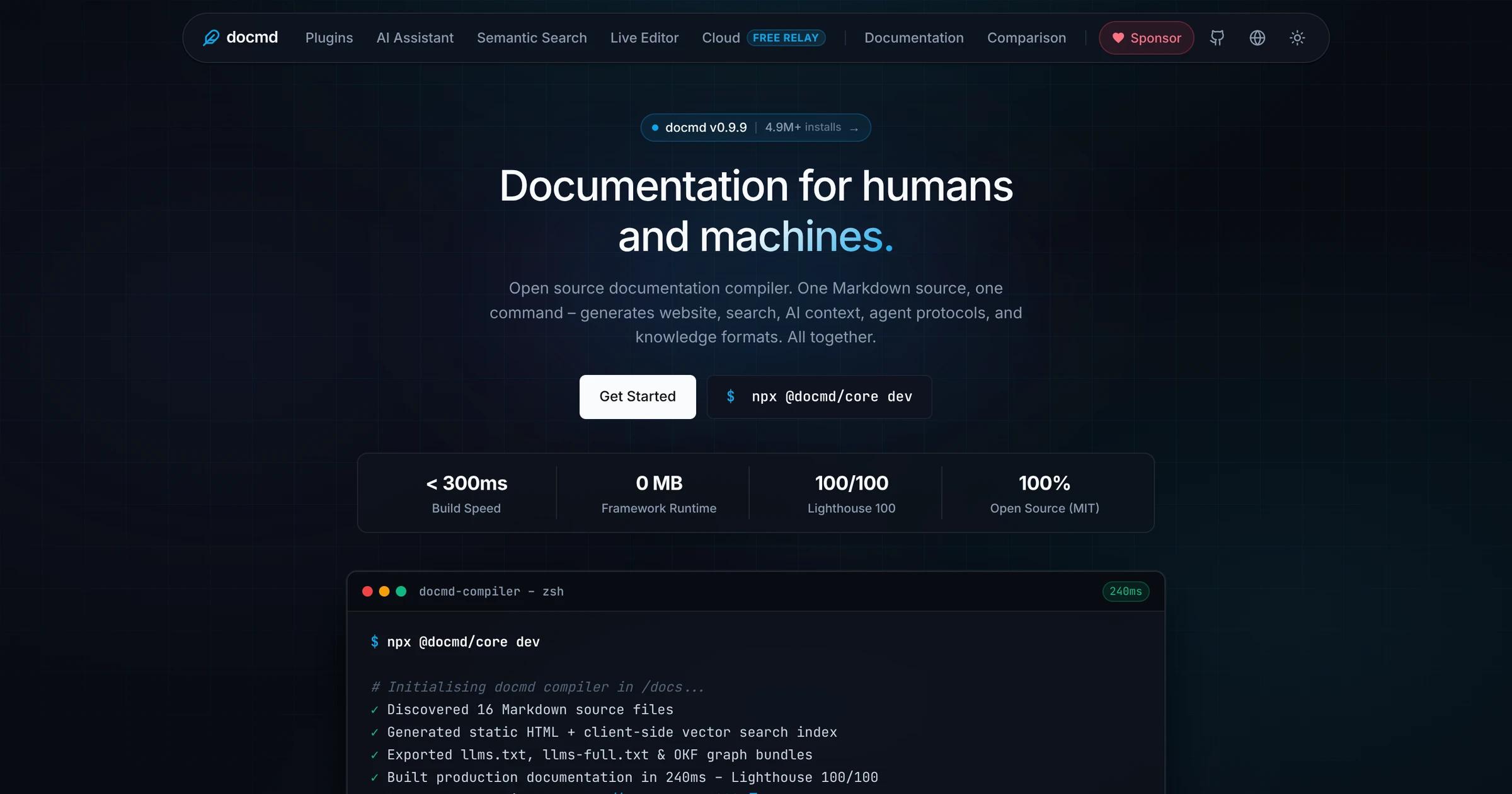
Point docmd at any folder of Markdown files and run one command. It generates navigation from the file structure automatically, with no config file, frontmatter, or build pipeline required. Static HTML output achieves Lighthouse 100/100 and loads under 25 KB of client JavaScript.
The built-in MCP server lets Claude Desktop, Cursor, and Windsurf search and read your documentation directly over stdio or SSE. Run `docmd mcp` to start it, and coding agents can query your docs in real time without manual context copying or web scraping.
Search compiles into local index files at build time and runs entirely in the browser with no cloud API or external service required. The plugin includes keyword search and an optional semantic vector search mode. Hosting costs for search stay at zero.
Every build exports llms.txt and llms-full.txt so any language model can ingest your complete documentation in one request. SKILL.md files package your project's workflows and patterns for coding agents. The Open Knowledge Format (OKF) plugin exports structured concept graphs and semantic bundles for multi-agent systems.
Core plugins ship without configuration: search, SEO, sitemap, git history, llms, OpenAPI 3.x rendering, and Mermaid diagrams. Optional plugins add interactive code playgrounds, Progressive Web App caching, KaTeX math, and inline discussion threads. Each plugin follows the same `docmd add <name>` install pattern.
Interpolate environment keys, git commits, build versions, and reactive client variables like API keys and user tokens directly in Markdown using `{{ variable }}` template syntax. Values bind in the browser at runtime with zero build-time overhead, and default values cover the unauthenticated reader.
Features
- Zero-config documentation site generation
- MCP server for AI coding assistants
- Offline vector search compiled at build time
- AI context generation (llms.txt, SKILL.md, OKF)
- Modular plugin ecosystem
- Variables and runtime personalization
How to install
Install docmd globally with npm, or run it via Docker.
npm install -g @docmd/core
docker run -p 3000:3000 ghcr.io/docmd-io/docmd:latest
Recommended for this setup
Strengths
- MIT license with no paywalled compiler features: The compiler and all official core plugins are MIT licensed. The docmd team has published an open source manifesto committing to never paywalling compiler features. For teams that have been burned by commercial documentation tools adding paywalls to previously free features, this is a public, written commitment.
- Documentation stays in your Git repository: Output is plain Markdown in your repository and static HTML on deploy. If you switch tools, you take your content with you. Commercial platforms like GitBook and Mintlify store documentation in their infrastructure; docmd never does. Your docs remain version-controlled, auditable, and portable.
- All human and machine outputs from one source: One Markdown source produces a website, search index, llms.txt, SKILL.md, OKF bundles, sitemap, and an MCP server. Teams maintaining separate documentation pipelines for human readers and AI tooling can consolidate into one build command and one source of truth.
Trade-offs
- Pre-1.0 release: configuration APIs may still change: Docmd is currently at v0.9.9. At this stage, configuration formats and plugin APIs may change before the 1.0 release. Teams building automation or custom plugins around specific configuration formats should track the roadmap in GitHub Discussions before committing to a fixed schema.
- AI assistant on static hosting requires the Cloud Relay: The RAG-powered AI assistant only works with static hosting through the Cloud Relay, which proxies AI requests to your provider. Cloud Relay is free, but it means your AI assistant query path depends on a hosted service. Teams with strict data residency requirements should run their own AI backend instead.
Tech stack
FAQ
Docmd requires no React, Vue, or framework knowledge. The output is static HTML with under 25 KB of vanilla JavaScript, achieving Lighthouse 100/100. It includes offline search, SEO, llms.txt generation, and an MCP server out of the box, without additional plugins or configuration. Docusaurus and VitePress require Node.js framework knowledge and produce React or Vue bundles. MkDocs produces clean HTML but has no built-in AI tooling. Docmd builds all human and machine outputs from one command.
Yes. The built-in MCP server lets Claude Desktop, Cursor, and Windsurf search and read your documentation directly over stdio or SSE. Run `docmd mcp` to start the server. Docmd also auto-generates llms.txt and llms-full.txt so any language model can ingest your complete documentation in one request, and SKILL.md files package project-specific workflows for coding agents.
Yes. The `@docmd/plugin-ai` RAG assistant works with any AI provider. For static deployments, the free Cloud Relay proxies queries to your provider without exposing credentials to the browser. If you prefer full control, connect the plugin directly to a self-hosted AI backend. Model usage costs are charged by your provider; docmd itself has no per-query fee.
MIT allows you to use, modify, fork, and distribute docmd for any purpose, including commercial projects, with no fee and no requirement to release your own code. You can build documentation for a commercial product, charge clients for documentation work, or modify the compiler itself. The only requirement is that the MIT license notice be preserved in the source code.
Run `docmd migrate` from your project root. Migration tooling is available for Docusaurus, VitePress, MkDocs, and Starlight. For platforms like Mintlify or GitBook, export your content as Markdown, then run `npx @docmd/core dev` and point it at the folder. Most standard Markdown is compatible without modification; frontmatter-heavy exports may need minor cleanup.