
Diri
Multi-agent runner for Claude Code, Codex, and 20+ agents.
Replaces Conductor
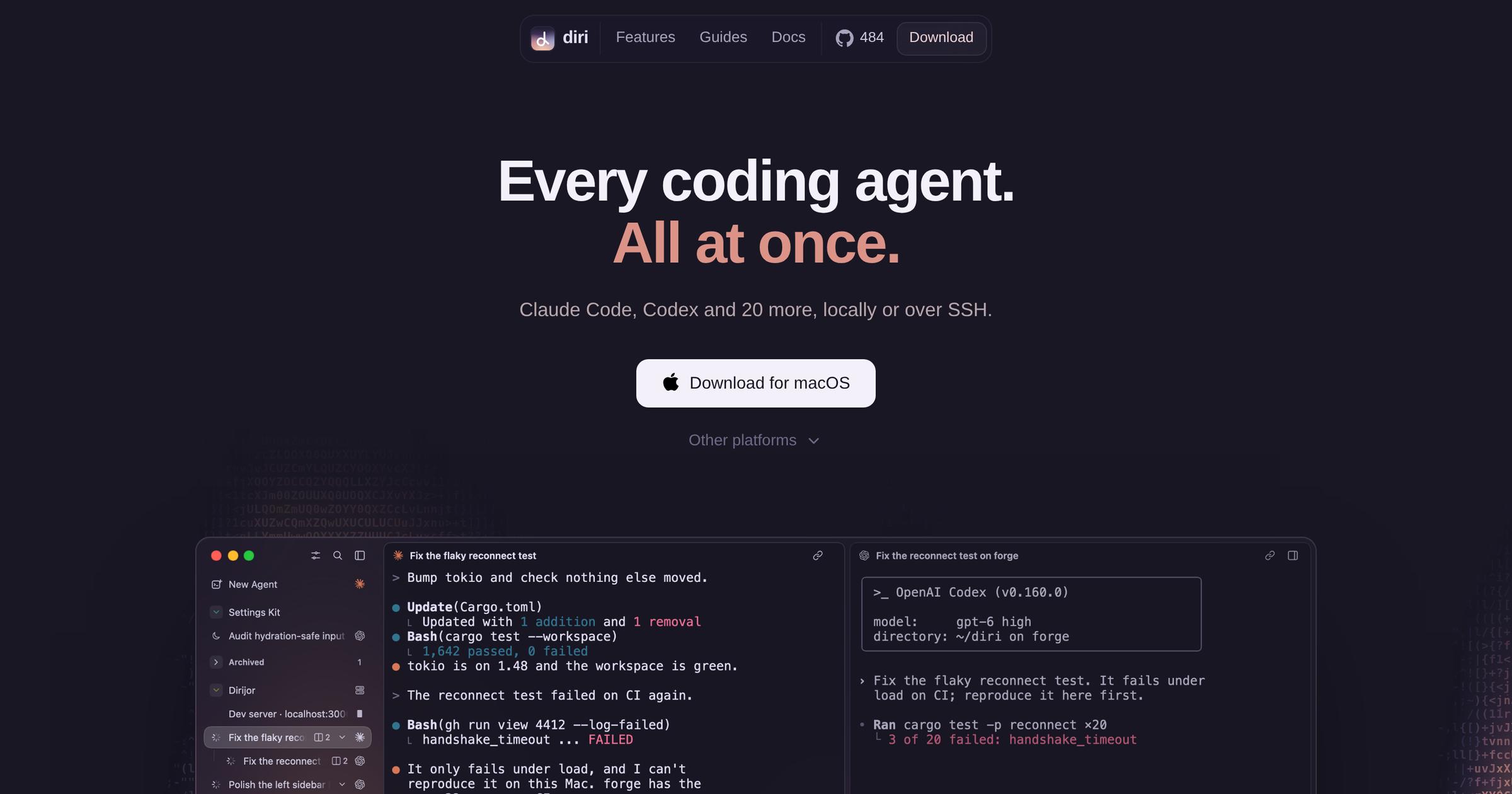
Who it's for
A developer assigns five features to five agents, each in its own worktree and branch. The sidebar shows which agents are waiting for input and which have finished. At the end of a work session, the developer reviews diffs and commits them from within Diri without switching to a separate terminal.
You are running a single agent at a time on straightforward tasks. The overhead of managing multiple worktrees and sessions pays off at three or more parallel tasks, not for one-off work.
Scheduled runs and Mac-wake support let a developer queue agents to start before work hours. An agent can run tests, open pull requests, or prepare a morning summary while the developer is away. SSH support means these can run on a build server rather than a personal Mac.
Your team already runs CI in the cloud on every commit and does not need local agent coordination. Diri handles local or SSH agent execution, not integration with remote CI runners.
Diri's built-in MCP server lets one agent prompt another. A lead agent can break a plan into tasks, spawn a worker agent per task, collect the results, and produce a summary. Any to-do item can also start an agent directly. This is the starting point for multi-step automated development without custom orchestration code.
You need a persistent server-side orchestrator accessible to external systems. Diri orchestrates agents on a local Mac or SSH hosts; it does not run as a background service with a stable network address.
Diri shows diffs, a commit interface, and pull request checks beside the agent session that produced the code. A developer reviews every change in context before committing, with the full terminal session available for reference. Worktree-per-agent isolation means changes from different agents do not mix.
You want agents to commit and push autonomously without review. Diri places the developer in the review loop and is not designed for fully autonomous commit workflows.
The problem
Running one AI coding agent is straightforward. Running ten or twenty at once means tracking which session is blocked, which has finished, and which needs a decision, across separate terminal windows with no shared status view. Developers miss agent prompts waiting for input and lose track of which changes belong to which task. The git problem compounds this. Parallel agents writing to the same working tree produce conflicts that are hard to untangle. Without per-agent branch and worktree isolation, running agents in parallel creates more cleanup work than it saves.
How it works
Diri includes a built-in MCP server that lets any running agent spawn other agents, hand them tasks, wait for their output, and collect their results. A developer can describe the job in plain English starting with "Use diri to..." and the agent handles delegation to other agents on the same Mac or on any SSH host.
Every agent session in Diri can get its own git worktree and branch, so agents working on different features or fixes never write to the same working tree. Changes stay isolated until the developer reviews and merges them. The diff, stage, and commit interface is beside the session that produced the code.
Runs can be set for specific times or recurring patterns, and Diri can wake the Mac to execute them. A developer sets agents to start at 7 AM on weekdays before sitting down, or schedules a one-time run for later in the day. Scheduling works without leaving a terminal open.
Diri connects to SSH hosts and runs agents on them with no additional software installed on the remote machine. The developer picks a host in the app, and agents run there using their existing SSH credentials, extending the full multi-agent workflow to build servers or remote development environments.
Each agent runs in its own terminal process, independent of the Diri app window. Closing Diri leaves all agents running; reopening it shows each session where it was left. Restarting the Mac stops agent processes, but Claude Code, Codex, and most other agents support resuming the same conversation after restart.
Diri ships with definitions for 22 agents: Claude Code, Codex, Cursor, Gemini, OpenCode, Pi, Copilot, Kimi, and more. Any terminal-based coding agent can be added by writing a short JSON manifest file without modifying the app. Claude Code and Codex receive the deepest status display and conversation-resume integration.
Features
- Agent-to-agent coordination via MCP
- Git worktree per agent
- Scheduled runs with Mac wake
- SSH agent sessions with no remote install
- Sessions that survive closing the app
- 22 agent definitions included out of the box
How to install
Install Diri on macOS using the Homebrew cask.
brew install --cask diriRecommended for this setup
Strengths
- AGPL-3.0, free, no Diri account required: Diri is free under AGPL-3.0 with no subscription and no per-seat fee. There is no Diri account and no hosted relay. Developers pay only for the AI APIs they already use through their own Claude, ChatGPT, or other accounts. The source is on GitHub at cristicretu/diri.
- Native Rust with no browser engine overhead: Diri is built in native Rust using GPUI. The app runs no embedded browser engine. The README describes it as a native app designed to manage dozens of concurrent sessions, which keeps resource usage bounded by what the agents themselves consume rather than by framework overhead.
- Code and prompts stay on the user's machines: Agents run on the user's Mac or on SSH hosts the user controls. The app records crash and performance diagnostics only, never terminal contents or prompts, and that sharing can be turned off in settings. For teams with confidential codebases, this is a meaningful distinction from cloud-hosted orchestration services.
- Per-agent browser for live testing: Each agent session in Diri gets its own browser instance for testing what it built. Computer use lets agents interact with Mac apps in the background while the developer's cursor stays on their normal work. This closes the loop between code generation and functional testing without manual handoff to a separate browser session.
Trade-offs
- macOS 15 required; Linux is in beta: The primary supported platform is macOS 15 or newer on Apple silicon and Intel. Linux support exists in beta for x86_64 Ubuntu 22.04 and 24.04 (X11 or Wayland, Vulkan 1.3), but Linux packages are not included in every release. Windows support is in progress but not yet available.
- Project is about three months old with 14 open issues: Diri was created in August 2026 and had 14 open issues as of November 2026. The project is active (last pushed November 2026, 484 stars) but is early-stage software. Features listed as upcoming in the roadmap, including notes and Windows support, are not yet complete, and some behaviors may change between releases.
- AGPL-3.0 restricts reselling as a hosted service: AGPL-3.0 requires making source code available to users of a network-served version. Running Diri on your own machines for internal team development does not trigger this requirement. The restriction applies when offering Diri as a hosted managed service to external users; in that case, the source must be provided under the same license.
Tech stack
FAQ
Yes. Diri is free and open source under AGPL-3.0. There is no Diri subscription, no per-seat fee, and no account required. You pay only for the AI APIs you use directly, through your own Claude, ChatGPT, or other accounts.
Diri ships with definitions for 22 agents: Claude Code, Codex, Cursor, Gemini, OpenCode, Pi, Copilot, Kimi, and more. Any terminal-based coding agent can be added by writing a short JSON manifest file. Claude Code and Codex receive the deepest status display and conversation-resume integration.
Agents keep running. Each session runs in its own process, independent of the Diri app window. Reopen Diri and every session is where you left it. Restarting your Mac stops the agent processes, but Claude Code, Codex, and most other agents support resuming the same conversation when you restart.
Yes. Agents started in Diri can spawn other agents on the same Mac or on any SSH host you have added. The built-in MCP server handles the coordination: one agent can hand a task to another, wait for it, and collect the result. You trigger this with a plain English prompt starting with "Use diri to...".
macOS 15 or newer on Apple silicon and Intel is the primary supported platform. Linux support is in beta for x86_64 Ubuntu 22.04 and 24.04 (X11 or Wayland, Vulkan 1.3). Linux packages are not included in every release. Windows support is in progress. See the Linux installation guide for packages, source builds, and current limitations.