Agentbox
Desktop inbox for parallel Claude Code and Codex agents
Replaces Conductor
Who it's for
File ten tasks at once (dependency updates, failing tests, documentation gaps) and step away. Agentbox queues them, runs them in priority order across your session slots, and delivers inbox cards when each one finishes. The inbox pattern prevents context-switching between terminals while agents run.
You are running one or two agents at a time and prefer live interaction with each one. The inbox adds overhead when you have fewer tasks than session slots and want to watch agents reason through the problem.
Ask agents for multiple design options before any code is written. The README describes a workflow where agents return designs drawn in your actual app before the implementation begins. Pick one option and that branch gets built, avoiding an early commitment to a direction that turns out to be wrong.
You need to watch agents reason step by step through the problem in real time. Agentbox is built for review-at-the-end workflows, not live observation.
Each team member can file tasks against a shared codebase without coordinating which files each agent should touch: worktree isolation handles that. The priority queue ensures the highest-priority items start first even when the team files tasks simultaneously.
Your team is on Windows. The `npx agentbox-app` browser path works on Windows but requires Node 22.18 and does not include the signed Mac app experience.
The problem
Today you manage coding agents in terminal windows and chat windows, and the number you can run is bounded by how many windows you can track at once. Each agent demands attention while it works, then goes quiet when it finishes, with no signal telling you it is done. Five agents might feel manageable; twenty becomes a constant context-switching burden. The deeper problem is coordination. Without per-agent isolation, two agents editing the same file at once produce conflicts that need manual resolution. Without a priority system, urgent work can wait behind lower-priority tasks that happened to start first. Teams running multiple agents today typically manage this through separate terminals, manual file discipline, and re-queuing blocked work by hand.
How it works
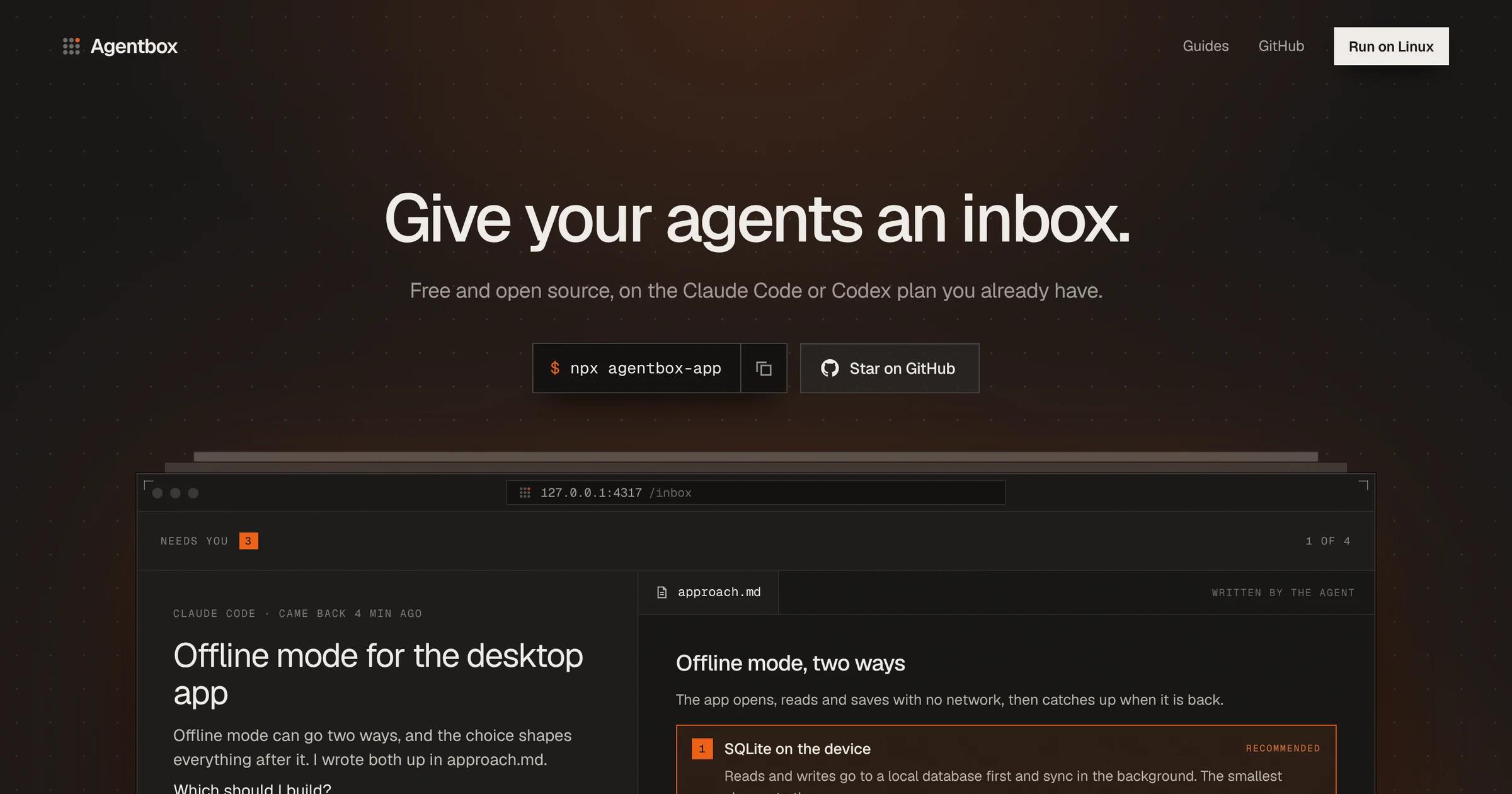
Each agent gets a row that only surfaces when it needs attention. While an agent is working, its row stays out of the inbox. When it finishes or gets stuck, its card appears with a two-line summary of what it did and what it needs. A hundred agents working in parallel is as quiet as one.
Every agent runs in its own git worktree and on its own branch. No two agents touch the same files, so work from one task never conflicts with another in progress. The worktree is created before the agent starts and exists only for that task.
Keys J and K navigate the inbox, E approves the agent's recommendation, R opens a reply, and 1, 2, 3 pick a numbered option the agent offered. The command palette at Cmd+K or Ctrl+K covers every other action. Each card closes on a keypress and the next card loads immediately.
Tag tasks Urgent, High, Medium or Low, and order projects by dragging them once. Agentbox combines tag and project rank to decide which agents start first when session slots are limited and which card surfaces first in the inbox. Only your tags count: an agent cannot promote its own work.
Agentbox drives Claude Code and Codex using the credentials already installed on your machine. There is no Agentbox server, no sign-up, and no additional fee. On first launch, the app finds the agents you have set up and walks you through connecting them.
Features
- Inbox view for parallel agents
- Git worktree isolation per task
- Keyboard-first review
- Priority queue with project-level ordering
- No new subscription required
How to install
Install Agentbox on any OS with one setup command (requires Node 22.18); or download the signed Mac app from GitHub Releases: https://github.com/savannahfeder/agentbox/releases/latest
npx agentbox-appRecommended for this setup
Strengths
- No cloud account or extra subscription: Agentbox runs entirely on the Claude Code or Codex account you already have. No Agentbox server, no new sign-up, and no fee for the manager layer on top of the agents. The app is free to download; the `npx` path is free to run.
- GPL-3.0: fork it, modify it, run it: The codebase is GPL-3.0 and on GitHub. You can modify agent behavior by editing the prompts in the `briefs/` directory the README describes, then run your modified version. Source builds carry no telemetry: the PostHog key is only baked into released builds.
- Worktree isolation prevents merge conflicts: Every agent starts in its own git worktree and branch. Two agents can work on the same codebase simultaneously without touching each other's files. The worktree is created before the agent starts, so conflicts do not arise mid-run.
- Keyboard review scales to dozens of tasks: Approving a finished task is one keypress. The card closes and the next one loads. Reviewing twenty finished tasks takes roughly the same time as reviewing one because there is no terminal-switching, no log-scrolling, and no hunting for the right window.
Trade-offs
- macOS is the primary platform: The signed installer is Mac-only. Linux and other OS users run Agentbox through `npx agentbox-app`, which requires Node 22.18 or newer. The terminal feature on Linux also needs `make` and a C++ compiler; without them the terminal is omitted but the app runs otherwise. There is no Windows installer.
- Requires Claude Code or Codex installed: Agentbox orchestrates agents but does not include them. You need a working Claude Code or Codex install and an active subscription before anything runs. Teams that have not set up either agent first have a prerequisite to handle.
- Early-stage project: The repo launched in September 2026. At 351 stars and 6 open issues, it is under active development. The core inbox and worktree flow is working, but users running it at large scale or with unusual project structures may encounter edge cases not yet addressed.
Tech stack
FAQ
No. Agentbox drives Claude Code and Codex using the subscription you already have. The app itself is free and GPL-3.0. You need a working Claude Code or Codex install and an active Anthropic or OpenAI subscription, but there is no Agentbox account or additional monthly fee.
Linux is supported via `npx agentbox-app`, which starts the app in your browser listening only on localhost. It requires Node 22.18 or newer. The terminal feature also needs `make` and a C++ compiler (on Debian or Ubuntu: `sudo apt install build-essential`); everything else works without them. There is no Windows installer; the `npx` path runs on Windows as well.
Released builds (the Mac app and `npx agentbox-app`) send anonymized usage counts to PostHog: 19 event types covering actions like opening the app, writing a task, and an agent finishing. No file contents, prompts, or paths are included. Turn it off in Settings under "Counts and crash reports", or add `"diagnostics": false` to `zero.config.json`. Source builds from the repo have no PostHog key and send nothing at all.
Yes. Clone the repo and run `npm install && npm start`. Node 22.18 or newer is required. On Linux, the terminal feature needs `make` and a C++ compiler; without them the terminal is omitted but everything else works. The README documents how to open the app as a fresh user via `npm run fresh` for testing without touching your own projects.
No. Each agent task runs in its own git worktree, so the project you connect to Agentbox must be a git repository. It does not need to be pushed to a remote: a local `git init` is enough. Projects configured as `personalProducts` in `zero.config.json` are handled differently and use a single persistent session rather than per-task worktrees.