
Thinkrail
Agentic IDE with git-worktree workspaces and living specs
Replaces Conductor, Cursor, Windsurf
Who it's for
A developer exploring multiple architectural approaches creates a workspace per spike. Each agent works on its own branch in an isolated worktree. The developer reviews the diffs side by side, merges the best result, and deletes the rest without any rebase overhead.
You only ever run one agent task at a time and do not need workspace isolation.
A team working on a complex project uses SPEC.md files to document goals, architecture, and module contracts. The agent reads these specs when starting a new task and updates them as boundaries or decisions change, so new contributors and future agent sessions start with accurate context.
The project is small enough that a single README covers all context an agent needs.
An engineer uses ThinkRail to handle the full PR lifecycle: the agent works in a worktree, the topbar tracks CI status and review decisions, and a draft PR description is generated from the plan and commits. Failing checks or a diverged branch can be handed back to the agent from the same interface.
Your team does not use GitHub or prefers to handle PR workflows entirely outside the IDE.
The problem
Coding agents typically work directly in your checkout, meaning parallel agent runs collide, context is reconstructed from scratch every session, and there is no structured place for project intent to live. ThinkRail addresses this by isolating each agent run into a dedicated git worktree and maintaining a spec graph the agent actively reads and updates, so multiple agents can run concurrently without interference and accumulated project knowledge persists between sessions.
How it works
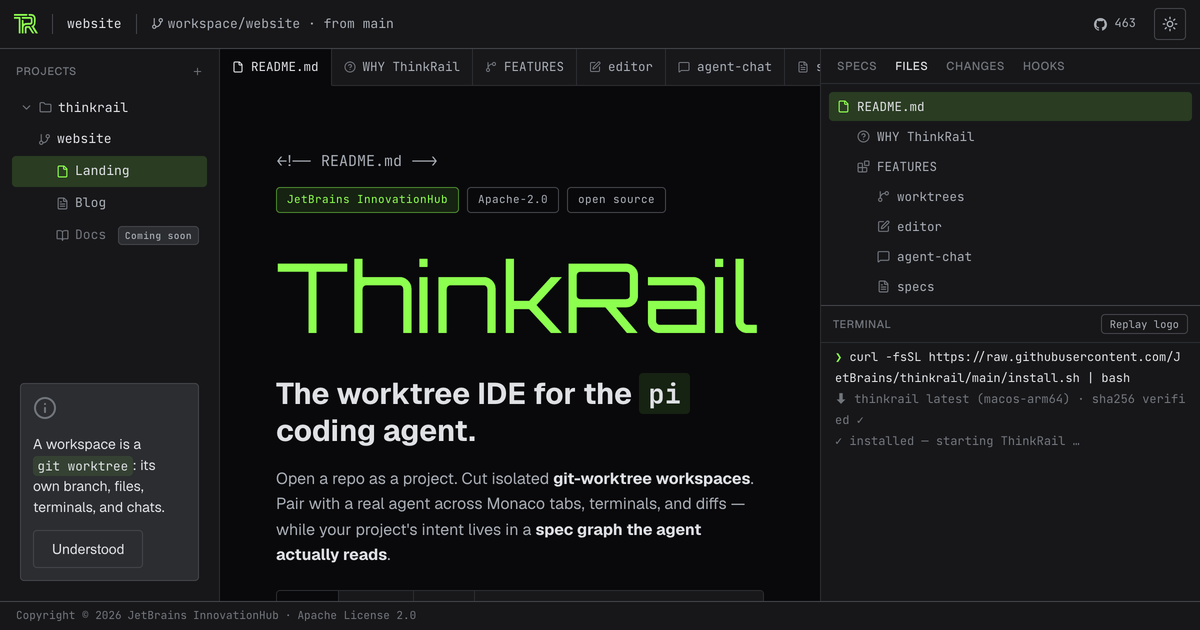
Every workspace is a real `git worktree` cut from a project repo, with its own branch and working directory. Multiple agents run in parallel and each one's changes stay on its own branch until you merge. Creating or deleting a workspace takes one click; the project repo is unaffected until you decide otherwise.
The workbench includes Monaco editor tabs (the VS Code editor engine), a Files tree with live git change marks, a Changes view showing the active worktree diff, and real PTY terminals scoped to the worktree. All panels are scoped to the active workspace and switch instantly without reloading.
Multiple `pi` sessions run per workspace, each with its own model selection and a live token and cost readout in the header. You can steer a running turn, queue a follow-up without waiting, or delegate to subagents. The agent can ask structured questions back directly in the chat.
A connected graph of `SPEC.md` files with frontmatter links lives beside the code. The bundled `pi-spec-graph` extension gives the agent `spec_*` tools to search, navigate, and maintain this graph. The Specs tab renders the live graph of the active worktree so intent persists across sessions.
ThinkRail connects the MCP servers from your `pi` `mcp.json` and lets you add more from Settings with preset options. It asks in chat before calling non-read-only tools, keeps repository-defined servers off until approved, and handles OAuth sign-in for servers that require it.
The topbar shows the active branch's position against `origin` and its open pull request, with one-click actions to publish, push, or open a PR with a description drafted from the plan, commits, or a PR template. Once a PR is open, CI check status and review decisions are shown inline, and the agent can handle failing checks or a diverged branch directly.
Features
- Git-worktree workspaces
- Monaco editor with live diffs and terminals
- Concurrent agent chat sessions
- Spec graph as ground truth
- MCP server support
- GitHub PR workflow integration
How to install
curl -fsSL https://raw.githubusercontent.com/JetBrains/thinkrail/main/install.sh | bash
Recommended for this setup
Strengths
- True workspace isolation: Using real `git worktree`s rather than in-repo working-directory switches means agent runs are physically isolated at the filesystem level. Each workspace has its own branch, cwd, terminals, and chat history. Merging or discarding a workspace is a standard git operation with no special cleanup.
- Durable project knowledge via specs: The spec graph is plain markdown with plain frontmatter, versioned alongside the code. Because the agent has dedicated tools to read and maintain it, project intent accumulates rather than being rebuilt from scratch each session. The spec approach is used on ThinkRail's own codebase.
- Thin host, real engine: ThinkRail runs `pi` in-process and explicitly does not assemble prompts behind your back. The `pi` agent owns models, skills, compaction, cost, and session state; ThinkRail owns the workspace, editor, and wire protocol. This separation is documented and enforced architecturally.
- JetBrains-backed open source: The project is a JetBrains InnovationHub initiative licensed under Apache-2.0. Signed binaries are published for Windows and macOS; stable and nightly channels include background update checks with an explicit Install and Restart step before anything is applied.
Trade-offs
- Requires a pi provider: ThinkRail delegates all model access to the `pi` coding agent, so you need either a JetBrains AI account or a separately configured `pi` provider. There is no built-in direct API key entry for arbitrary model providers independent of `pi`'s own auth.
- No macOS Intel desktop build: The native desktop app is available only for Apple Silicon on macOS; there is no Electrobun build for Intel Macs. Intel Mac users can build from source or use the `thinkrail` CLI, which opens the same app in a browser.
- Spec-first workflow requires buy-in: The spec graph is most effective when maintained alongside the code. Projects that skip SPEC.md files lose the durable-knowledge benefit that differentiates ThinkRail from simpler AI editor integrations. Teams that prefer to keep all context in PRs and commit messages may find the overhead unnecessary.
Tech stack
FAQ
`pi` (published as `@earendil-works/pi-coding-agent` on npm) is the coding agent that runs in-process inside ThinkRail. It owns models, skills, compaction, cost, and session state. ThinkRail provides the workspace, editor UI, and wire protocol, but does not assemble prompts itself.
No. You can sign in with JetBrains AI or connect any provider through `pi`'s own auth. ThinkRail has no accounts of its own; model access is handled entirely by the `pi` engine.
ThinkRail collects basic usage events (launches, chat creation, message sends, provider connections) tied to a random installation ID. Analytics never include prompts, code, files, credentials, or account identity. Error reports are sent automatically but never include error messages, file paths, or project content. Additional sharing can be turned off in Settings or with `--no-analytics` at launch.
Yes. ThinkRail reads portable Agent Skills in place, so skills you already maintain for other coding agents are available. Bundled workflows cover project setup, design brainstorming, and shipping a pull request via `gh`.
Each module in the ThinkRail repo ships with a `SPEC.md` file that contains frontmatter linking it into a project-wide graph covering goal, architecture, modules, and tasks. The agent has dedicated `spec_*` tools to search and update this graph. A code change that moves a boundary or contract is expected to update the relevant spec in the same change.