Shotcut
Open source video editor for native timeline workflows on desktop
Replaces Adobe Premiere Pro, Final Cut Pro, Davinci Resolve Studio, Capcut
Who it's for
Shotcut gives classrooms and students a free editor for tutorials, presentations, and media projects across common desktop systems.
Use a commercial suite if the course requires professional color, motion graphics, or industry-standard workflows.
Teams can edit demos, webinars, social clips, and training videos locally without adding another subscription. Broad format support helps with mixed screen recordings and camera footage.
Skip it if your team needs cloud review, shared media libraries, or advanced multi-editor collaboration.
The problem
Video editing tools can become expensive and hardware-specific, especially for students, educators, nonprofits, and small teams. Proprietary suites also tie projects to vendor ecosystems, cloud accounts, and paid upgrade paths.\u000A\u000AMany creators only need reliable trimming, filters, audio editing, color controls, and export across common formats. Paying for a full commercial suite is hard to justify when editing is frequent but not the organization's core business.
How it works
Shotcut runs on Linux, macOS, and Windows, giving mixed teams a common editor. Local desktop editing keeps source footage and project files under the creator's control.
Shotcut builds on the MLT multimedia framework and FFmpeg ecosystem for wide media format support. This reduces transcoding work for common camera and screen-recording files.
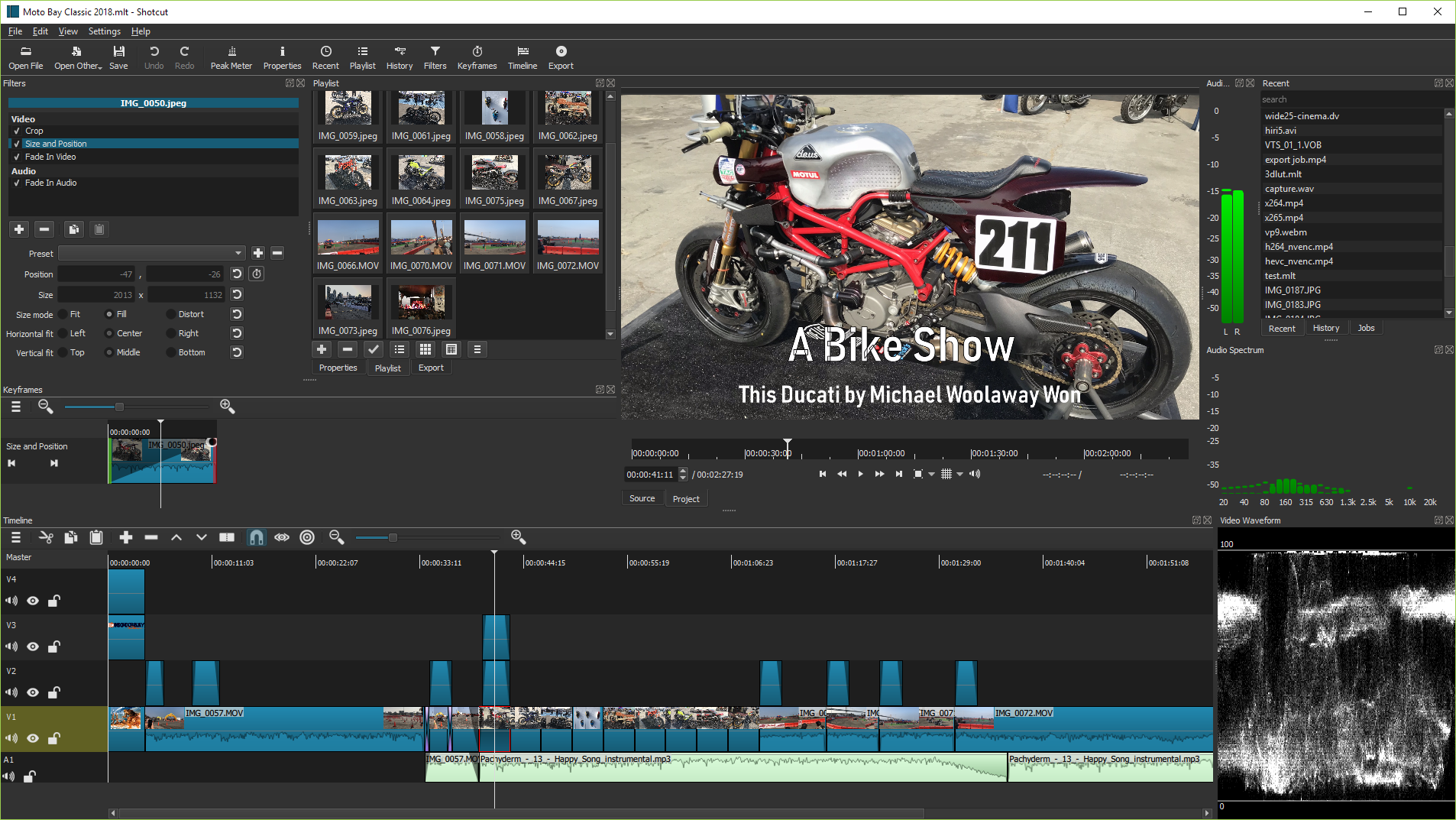
Users can trim clips, layer audio and video, apply filters, adjust color, and export finished videos from one timeline. It covers common tutorial, social, and education editing workflows.
Features
- Cross-platform desktop editing
- Broad format support through MLT
- Timeline filters and exports
Recommended for this setup
Strengths
- No subscription for local editing: Shotcut gives creators a capable local editor without monthly licensing. That matters for schools, nonprofits, hobbyists, and small teams with occasional video production needs.
- Works across major desktop systems: Cross-platform support helps teams with mixed workstations. A creator can edit on Linux without moving to a proprietary macOS or Windows-only workflow.
Trade-offs
- Less polished collaboration ecosystem: Shotcut does not match Premiere Pro or DaVinci Resolve Studio for team collaboration, advanced color workflows, motion graphics ecosystems, or studio pipeline integrations.
- Desktop app, not hosted workflow: Shotcut keeps editing local. Teams that need browser-based review, cloud asset management, and shared project collaboration will need additional tools.
Tech stack
FAQ
Yes. Shotcut is GPL-3.0 licensed and free to use. It is a desktop video editor available across major operating systems.
Shotcut can replace Premiere Pro for many basic and intermediate local editing workflows. Premiere Pro remains stronger for professional collaboration, motion graphics integrations, and studio pipelines.
Shotcut is best for creators, educators, nonprofits, and small teams that need capable local video editing without subscription costs.