
Qwen Code
Open-source AI coding agent for terminal, editor, and desktop.
Replaces Github Copilot, Claude Code
Who it's for
Developers who want the agentic capabilities of an AI coding assistant without a subscription to a commercial service can run Qwen Code against any compatible API. The terminal interface fits existing workflows with no additional IDE plugin required.
If your team already has a GitHub Copilot Business or Enterprise plan and is satisfied with its IDE completions, Qwen Code adds setup overhead without a clear productivity gain for that specific workflow.
Organizations running Ollama, vLLM, or any OpenAI-compatible local server can point Qwen Code at that endpoint and keep code entirely on-premises. No data leaves the host, which satisfies air-gapped or compliance-driven environments.
If your model is a managed cloud API and you have no self-hosting interest, the multi-protocol flexibility provides no advantage over a single-provider tool.
Headless mode via `qwen -p "..."` runs in CI pipelines without user interaction. The agent can translate new strings, review diffs, raise PRs for a reviewer team, and loop on test failures, all triggered from a standard shell command.
If your CI environment restricts external network calls, the agent needs a local model endpoint configured; cloud model calls will not work in those setups.
Qwen Code's native integration with Qwen models, Alibaba ModelStudio, and domestic Chinese messaging platforms (DingTalk, WeChat, Feishu) makes it practical in contexts where other major AI coding tools are blocked or uneconomical.
If you are based in a region with straightforward access to all major AI providers and your team already uses a US-based IDE workflow, the domestic integrations are not relevant to your decision.
The problem
AI coding assistants have a lock-in problem. Commercial tools tie you to one model provider, one interface, and one billing relationship. Switching providers means reconfiguring every workflow and losing accumulated context. For teams running their own GPU infrastructure or already holding API contracts with particular model providers, this vendor dependency is an avoidable tax. The second issue is surface coverage. Most AI coding tools work in one context: the IDE or the terminal. Developer workflows span both, plus CI/CD pipelines and team communication platforms. A tool that handles scripted batch jobs, interactive sessions, and chat-based triggers without a separate integration for each reduces friction that compounds over time.
How it works
Connects to any OpenAI-, Anthropic-, Gemini-, or Qwen-compatible API endpoint, plus local models running through Ollama or vLLM. You can switch providers at runtime without restarting: pick the model that fits the task, the budget, or the data-residency requirement.
Runs multi-step coding tasks autonomously: plans the work, edits files, runs commands, creates commits, and loops until the task is done or a checkpoint is reached. Auto-Skills loads relevant playbooks automatically; SubAgents delegate subtasks to parallel agent instances, each scoped to a workspace.
Connects to external tools through the Model Context Protocol: Google Drive for design docs, Jira for tickets, Figma for specs, Slack for team context, or any custom developer tooling. Qwen Code reads from these sources at task time, not just at startup.
Run `qwen serve` to start a long-lived service that multiple browser, editor, SDK, and automation clients can share. Active sessions persist across client reconnects, and multiple workspaces run concurrently. The default listens on loopback; `QWEN_SERVER_TOKEN` restricts access on shared hosts.
Connects to Telegram, DingTalk, WeChat, and Feishu through `qwen channel start`. Runs coding tasks triggered from chat messages, files, or commands in those platforms. Useful for teams whose primary communication tool is not a Western collaboration app.
Run `qwen -p "..."` non-interactively in shell scripts, CI pipelines, or batch jobs. Standard Unix pipes work: `tail -f app.log | qwen -p "Slack me if anomalies appear"`. The same agent session, tools, and model setup available interactively are available headlessly.
Features
- Multi-protocol model support
- Agentic task execution with SubAgents and Auto-Skills
- MCP integration for external data sources
- Daemon mode for shared agent sessions
- Chat platform integrations
- Headless and CI/CD scripting mode
How to install
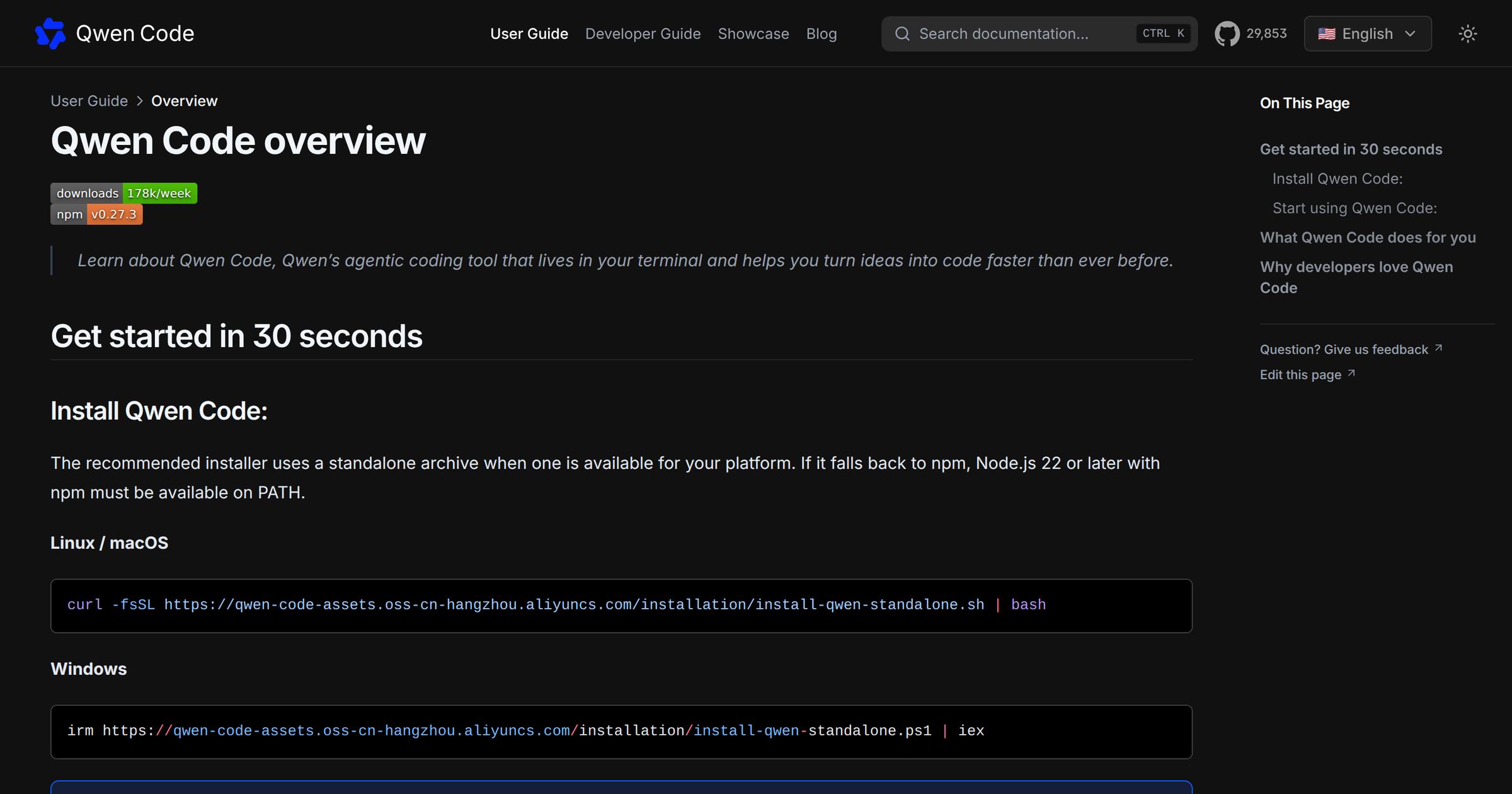
Install Qwen Code on Linux or macOS using the standalone installer or Homebrew.
# Standalone installer (Linux / macOS)
curl -fsSL https://qwen-code-assets.oss-cn-hangzhou.aliyuncs.com/installation/install-qwen-standalone.sh | bash

# Homebrew (macOS / Linux)
brew install qwen-code

# npm (Node.js 22+)
npm install -g @qwen-code/qwen-code@latest
Recommended for this setup
Strengths
- Apache-2.0 license with no model vendor dependency: The framework is Apache-2.0 licensed, which means you can run it commercially, fork it, and modify it without licensing fees. Because it supports any compatible model endpoint, your agents are not tied to a single provider's pricing or availability.
- SWE-bench Verified scores of 76.4% to 77.8%: Seven Qwen Code versions scored between 76.40% and 77.80% on SWE-bench Verified using Qwen 3.7 Max (500 tasks, three trials per version). That places it among the highest-performing publicly tested coding agents on a standard benchmark.
- Multi-surface interfaces from one install: One install covers terminal, desktop app (macOS, Windows, Linux), web UI via `qwen serve`, VS Code, Zed, and JetBrains plugins, and chat integrations. Teams with varied workflows can choose the interface that fits each context without maintaining separate tools.
- SDK support for TypeScript, Python, and Java: Build custom integrations using the TypeScript, Python, or Java SDKs. The Python SDK's `query()` function streams results asynchronously, making it straightforward to wire Qwen Code into ETL pipelines, review automation, or test generation workflows.
Trade-offs
- 1,748 open issues at time of review: The repository carried 1,748 open issues (pull requests excluded) as of 2026-11-13. For a project launched in June 2025, that volume indicates active iteration alongside a backlog of reported bugs and feature requests. Teams that need enterprise support SLAs should evaluate the issue tracker before committing.
- Model provider setup required on first run: Qwen Code prompts for a model provider on first launch. While the docs cover several options (Qwen subscription, QwenCloud, Alibaba ModelStudio, third-party providers, custom endpoints), teams without an existing API key or Qwen account need to provision one before the tool is useful. No offline fallback is documented for the core text completion path.
- Daemon default is unauthenticated on shared hosts: By default, the daemon runs on loopback without bearer authentication, so any process on the same host can reach the API, including code execution. On shared or multi-user servers, the server token variable and require-auth flag must be configured manually before exposing the daemon.
Tech stack
FAQ
The software is Apache-2.0 licensed and free to run. Model costs depend on which provider you configure: a Qwen Plus or Pro subscription from chat.qwen.ai is one option; QwenCloud, Alibaba ModelStudio, and third-party providers like DeepSeek and OpenRouter each have their own pricing. Local model deployments via Ollama or vLLM run at infrastructure cost only, with no per-query fee.
Qwen Code was built to match Claude Code's feature set and adds multi-protocol model support, daemon mode, chat platform integrations, and an open-source license. Claude Code uses Anthropic models exclusively; Qwen Code works with any OpenAI-, Anthropic-, Gemini-, or Qwen-compatible endpoint. For teams already committed to the Anthropic ecosystem, Claude Code is the lower-friction choice. Qwen Code's advantage is flexibility: switch models at runtime, run locally, or use providers other than Anthropic.
Yes. The first-run setup menu includes a Third-party Providers option with built-in connectors for DeepSeek, MiniMax, Z.AI, Kimi, and OpenRouter, each requiring only an API key. A Custom Provider option accepts any OpenAI-compatible endpoint URL, covering self-hosted models or proxies. For Anthropic specifically, configure your API key through the third-party provider path.
Only if you use a cloud model provider (Qwen, QwenCloud, Alibaba ModelStudio, or a third-party API). If you configure a local model via Ollama or vLLM through the Custom Provider option, no code leaves your machine. The daemon's default loopback setup keeps agent sessions local unless you explicitly expose a port.
Qwen Code ships a VS Code extension listed on the marketplace as Qwen Code Companion. It provides a sidebar panel for running the agent inside VS Code without a terminal. The extension was in beta as of the November 2026 README.