
openrig
Coordinate Claude Code and Codex as one persistent agent team.
Replaces Conductor
Who it's for
OpenRig fits developers who need several agents working on distinct parts of a codebase over time: a UI owner, a backend maintainer, a QA reviewer. Each specialist retains context and decision history across sessions, so a `dev-app@factory` agent that built a shared client last month still has that decision when asked about it today.
Single-session tasks or one-shot code changes. If your project fits in a single agent context window and completes in one run, the YAML setup and daemon overhead add more friction than they remove.
OpenRig is the only open source tool that treats Claude Code and Codex as peer specialists in the same topology. Teams curious about combining both runtimes can start with the `first-project` starter (two Codex seats) or `conveyor` (four seats mixing both) before writing custom RigSpecs. The TUI shows what both runtime types are doing in one view.
All agents use the same runtime. If your team runs only Claude Code or only Codex, simpler multi-agent approaches without cross-runtime coordination overhead are available.
The `secrets-manager` starter ships a HashiCorp Vault instance operated by a specialist agent that boots Vault, monitors health, and responds to queries. This pattern, software packaged alongside the agents that manage it, suits developers who want to give an agent permanent ownership over a service rather than a task.
Teams that need multi-user access or a network-accessible management API. OpenRig runs locally as a single-user daemon; the TUI and CLI are not multi-tenant.
The problem
Running multiple AI coding agents on a real project breaks down quickly. You open Claude Code for the backend, Codex for the frontend, and another for review, but each session starts cold with no memory of the others and no shared work queue. When the project spans weeks, you spend as much time re-briefing agents as reviewing their output. The underlying challenge is that individual tools manage one conversation at a time. Assigning a task to a named specialist with durable persistence requires either careful manual setup or a dedicated orchestration layer. Inter-agent messaging means copy-pasting context between terminals. Topology state does not survive a reboot. The coordination overhead scales with the number of agents, making long-horizon projects impractical without a tool built for this.
How it works
Define agent teams as RigSpec files: pods (groups of seats), named addresses like `dev-owner@first-project`, edges between seats, and continuity policies. Boot the entire topology with `rig up <name>`. Predefined starters include `first-project` (two seats for a focused first run), `product-team` (orchestrators, implementation, QA, design, and two reviewers), and `conveyor` (four seats mixing Claude Code and Codex in an intake-to-review handoff).
A lead agent takes your brief and assigns bounded tasks to named specialists via `rig queue`. Each task keeps its seat owner and progress visible for later follow-up. Agents can message teammates directly with `rig send` for quick questions without creating a tracked assignment. Work assigned to a seat survives the conversation that created it and remains visible in `rig queue list`.
Each seat in a rig holds a stable address (e.g., `dev-app@factory`) with retained authored context and decision history. The conversation occupying a seat can change while its identity and queue ownership stay in place. `rig down --snapshot` captures full topology state to disk; `rig up <name>` restores from the latest snapshot and reports per-node outcomes: resumed, fresh, or failed.
The TUI shows rig topology as a graph and a table of seats with runtime, model, context usage, and current state. Navigate with keyboard, mouse, or the command bar. Views include Projects, Specs, Feed, Terminals, and System. With herdr or cmux installed, all agent terminals open alongside the dashboard in one integrated workspace.
Agents manage their own team through the built-in MCP server. Tools include `rig_up`, `rig_ps`, `rig_send`, and `rig_chatroom_send`, letting a lead agent launch new seats, inspect team state, and broadcast across the group without human intervention. This enables automated coordination loops: a lead can spin up a temporary subagent, assign it work, wait for results, and fold them back into the main task.
Features
- Declarative YAML topology definition
- Lead-agent delegation with tracked work queues
- Persistent seats with stable addresses and retained context
- Terminal UI with topology graph and seat detail
- MCP server for agent-managed topology
How to install
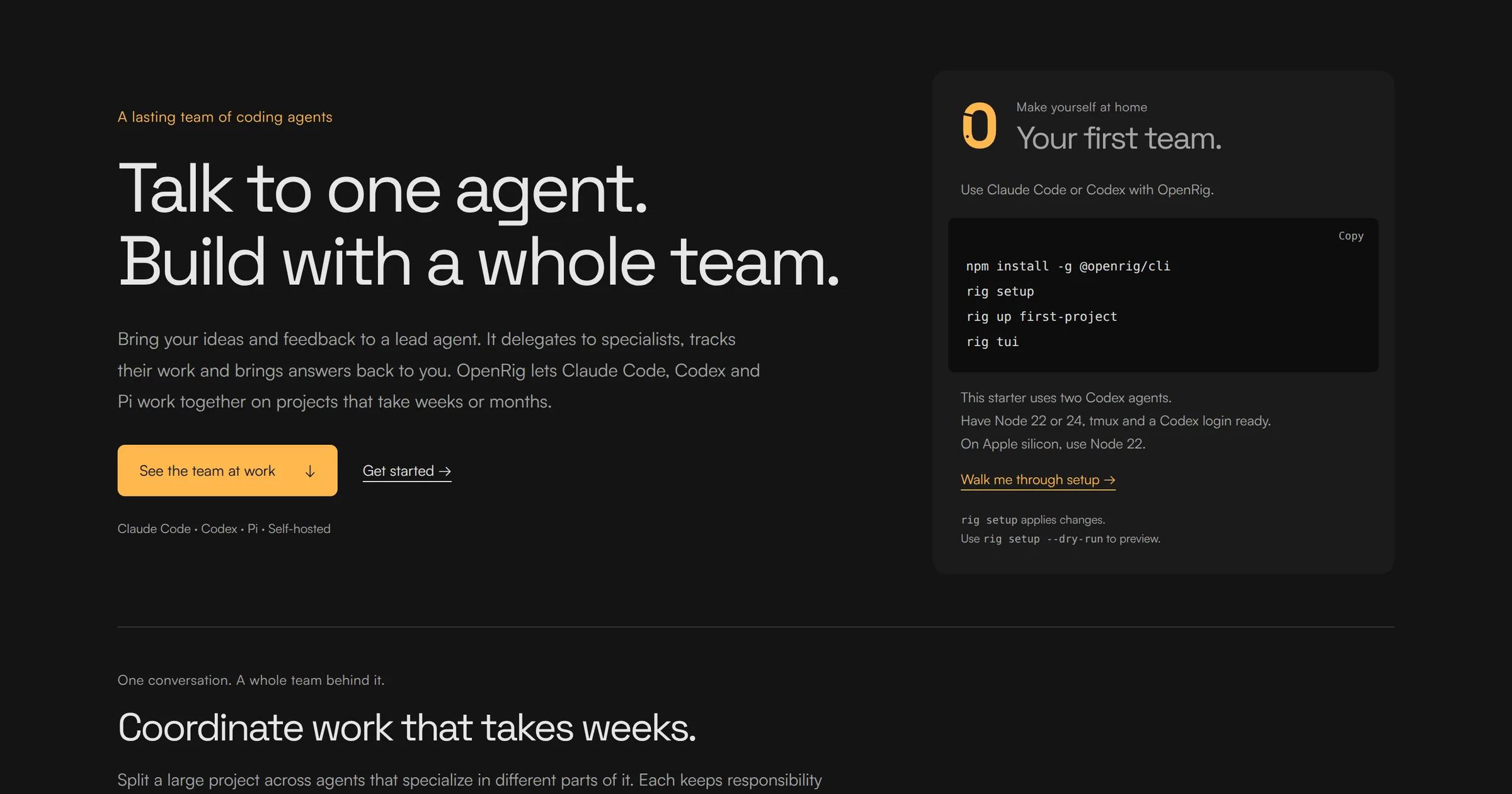
Install OpenRig globally via npm (requires Node.js 20+ and tmux), then preview and apply setup before launching your first rig.
npm install -g @openrig/cli
rig setup --dry-run
rig setup
rig up first-project --cwd .
rig tui --shared
Recommended for this setup
Strengths
- Apache 2.0 license with full self-hosting: OpenRig is Apache 2.0 licensed. Run it on your own machine or server with no per-execution fees and no data leaving your infrastructure. Unlike Conductor's managed SaaS offering, you own the topology definitions, agent state, and execution environment. Commercial use is unrestricted under Apache 2.0.
- Coordinates Claude Code and Codex as peer specialists in the same team: Most multi-agent setups stay within a single execution environment. OpenRig connects Claude Code and Codex as peers in the same topology, letting each handle what it does best. The lead agent delegates across both runtimes, so teams can put Claude Code on contextual reasoning and long sessions while Codex handles targeted implementation tasks.
- Local-first state with no cloud dependency: The daemon stores topology state, context usage, and provider telemetry in SQLite under `~/.openrig`. No cloud account is required for the core tool. Snapshots and restores work entirely on disk. The only external calls are to the AI providers your agents already authenticate with, so data stays on your infrastructure.
- Active project with documented versioning: The repository has 980 GitHub stars and 104 forks, with the last commit pushed on 2026-09-27. Issues receive acknowledgment within one day per the contributing guide. Releases include structured migration guides, such as the v0.5.9 layout boundary migration with its own scripted verifier, signaling a project that handles upgrades as a first-class concern.
Trade-offs
- Requires Node.js 20+, tmux, and authenticated AI sessions: Running OpenRig requires Node.js 20, 22, or 24, tmux, and authenticated Claude Code and/or Codex sessions. Setup writes hooks and trust settings to `~/.claude.json`, `~/.codex/config.toml`, and workspace files. The README explicitly recommends backing up those files before first use. On a machine with existing Claude Code or Codex configuration, reviewing the 'What OpenRig changes on your machine' table before setup is essential.
- Automatic system-level writes at daemon startup: Daemon startup writes Claude Code workspace trust, Codex hook configuration, and trust hashes for relay commands, and sets `permissions.defaultMode` to `acceptEdits` in Claude's settings. These changes happen on every daemon startup, not just during initial setup. Users on shared machines or with custom AI configurations should review the full change table in the README before first use.
- React web UI is in maintenance mode: The older React web UI is in maintenance mode with best-effort support only. Active development focuses on the TUI, CLI, and MCP server. Teams expecting a browser-based management interface will need to work with the terminal UI instead; the TUI does not have a web equivalent that receives new features.
Tech stack
FAQ
Yes. OpenRig defines seat types for Claude Code, Codex, terminal nodes, and a Pi adapter. A single rig topology can mix all of them in different pods. The `conveyor` starter demonstrates a four-seat mixed Claude Code and Codex topology. Each runtime keeps its own authentication; OpenRig manages them as one coordinated team.
Yes. OpenRig is Apache 2.0 licensed and fully self-hosted. There are no execution fees or usage limits beyond what your underlying AI providers charge for their API calls. The npm package and all starter rigs are included at no cost.
`rig down --snapshot` captures the full topology state to disk. `rig up <name>` restores from the latest snapshot and reports per-seat outcomes: resumed, fresh, or failed. Agent context and queue assignments are stored in the local SQLite database under `~/.openrig` and survive restarts.
Manual sessions share no addressing, messaging, or work queue. With OpenRig, each seat has a stable address, agents can message each other with `rig send`, task ownership is tracked in `rig queue`, and the TUI shows all seats in one view. Agent context and queue state persist across reboots; manual sessions start fresh every time.
You need Node.js 20, 22, or 24, tmux, and authenticated Claude Code and/or Codex sessions. Review the 'What OpenRig changes on your machine' section in the README before running `rig setup`, since the command writes trust settings and provider hooks to your home directory. `rig setup --dry-run` previews what will change without applying it.