
Minikube
Run a local Kubernetes cluster on macOS, Linux, or Windows
Replaces Docker Desktop, Openshift Local
Who it's for
Use Minikube to verify Deployments, Services, ConfigMaps, and ingress behavior before opening a PR.
Skip if your workload depends on production-only cloud services that cannot be mocked locally.
Use a local cluster to practice kubectl, pods, services, and add-ons without cloud cost.
Skip if you need realistic multi-node performance or production reliability testing.
The problem
Kubernetes development slows down when every test requires a shared remote cluster. Developers need a local environment that behaves like Kubernetes without cloud cost, shared namespace conflicts, or long feedback loops.
How it works
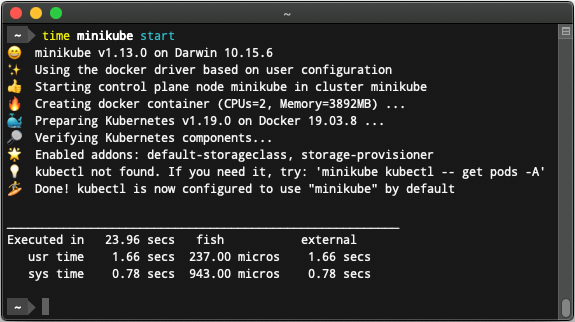
Minikube creates a Kubernetes cluster on a local machine, letting developers test manifests, services, ingress, storage, and workloads before remote deployment.
Minikube supports several runtime and VM drivers, which helps teams match local clusters to their laptop and operating system setup.
Minikube includes common Kubernetes add-ons for local development, reducing manual setup for ingress, dashboards, registry behavior, and more.
Features
- Local Kubernetes cluster
- Multiple drivers
- Add-on ecosystem
Recommended for this setup
Strengths
- Fast Kubernetes feedback loop: Developers can test locally without waiting for shared cluster resources or cloud provisioning.
- Good teaching environment: Minikube is useful for learning Kubernetes concepts because one developer can control the whole cluster safely.
Trade-offs
- Not production Kubernetes: Minikube is a local development cluster. It does not replace managed Kubernetes, production networking, autoscaling, cluster security, or multi-node operations.
Tech stack
FAQ
Minikube is a tool for running a local Kubernetes cluster on a developer machine.
No. Minikube is for local development, testing, demos, and learning.
Developers, platform engineers, and learners who need a local Kubernetes feedback loop should use Minikube.