
Container
Linux containers as lightweight VMs, native to Apple silicon
Replaces Docker Desktop, Orbstack
Who it's for
Container lets you pull and run standard OCI images directly on Apple silicon without a commercial client. Use it to spin up a development database, run a test container, or mirror a production Linux environment on your Mac.
Your team includes developers on Intel Macs, Windows, or Linux. Container requires Apple silicon and macOS 26; teams with mixed hardware need a cross-platform container tool.
Docker Desktop added paid subscription requirements for commercial use in organizations above a certain size. Container provides an Apache-2.0-licensed path to the same OCI container workflow on macOS, without per-seat fees or subscription overhead.
Your organization is on a Docker Desktop plan that fits your budget, or you depend on Docker Desktop-specific features like the Extensions marketplace or its built-in Kubernetes integration.
Container builds OCI-compliant images that push to any standard registry. Build on Apple silicon and push to DockerHub or GHCR for deployment anywhere OCI images run, including Kubernetes clusters and cloud container services.
Your image builds already run in CI on Linux. Container is a local Mac tool; for automated build pipelines, a Linux runner is more portable and not hardware-restricted.
The problem
Running Linux containers on a Mac for development has historically required commercial clients that carry licensing restrictions and subscription fees. Docker Desktop requires a paid subscription for commercial use in organizations above a certain size; OrbStack is a commercial product. Developers and teams who want an open source, vendor-neutral path to Linux container workflows on their Mac have had to weigh these commercial options or piece together alternatives. Apple silicon Macs benefit from container tooling built natively for their architecture, using macOS 26's Virtualization framework. Container runtimes from the x86 era require translation layers that add overhead on Apple silicon. Developers on Apple silicon who want native performance and full OCI compatibility have had few open source options.
How it works
Pulls from and pushes to any standard OCI container registry, including Docker Hub and GitHub Container Registry. Images built with Container conform to the OCI image spec, so they run in any other OCI-compatible application. No proprietary image format or vendor lock-in.
Each container runs inside its own lightweight virtual machine using macOS 26's Virtualization framework. This gives stronger process isolation than namespace-based containers and runs a full Linux kernel, making it suitable for containers that expect a complete Linux environment.
Written entirely in Swift and built for Apple silicon, the tool avoids x86 translation overhead. It uses the Containerization Swift package for low-level container, image, and process management, and is maintained by Apple's own engineering team.
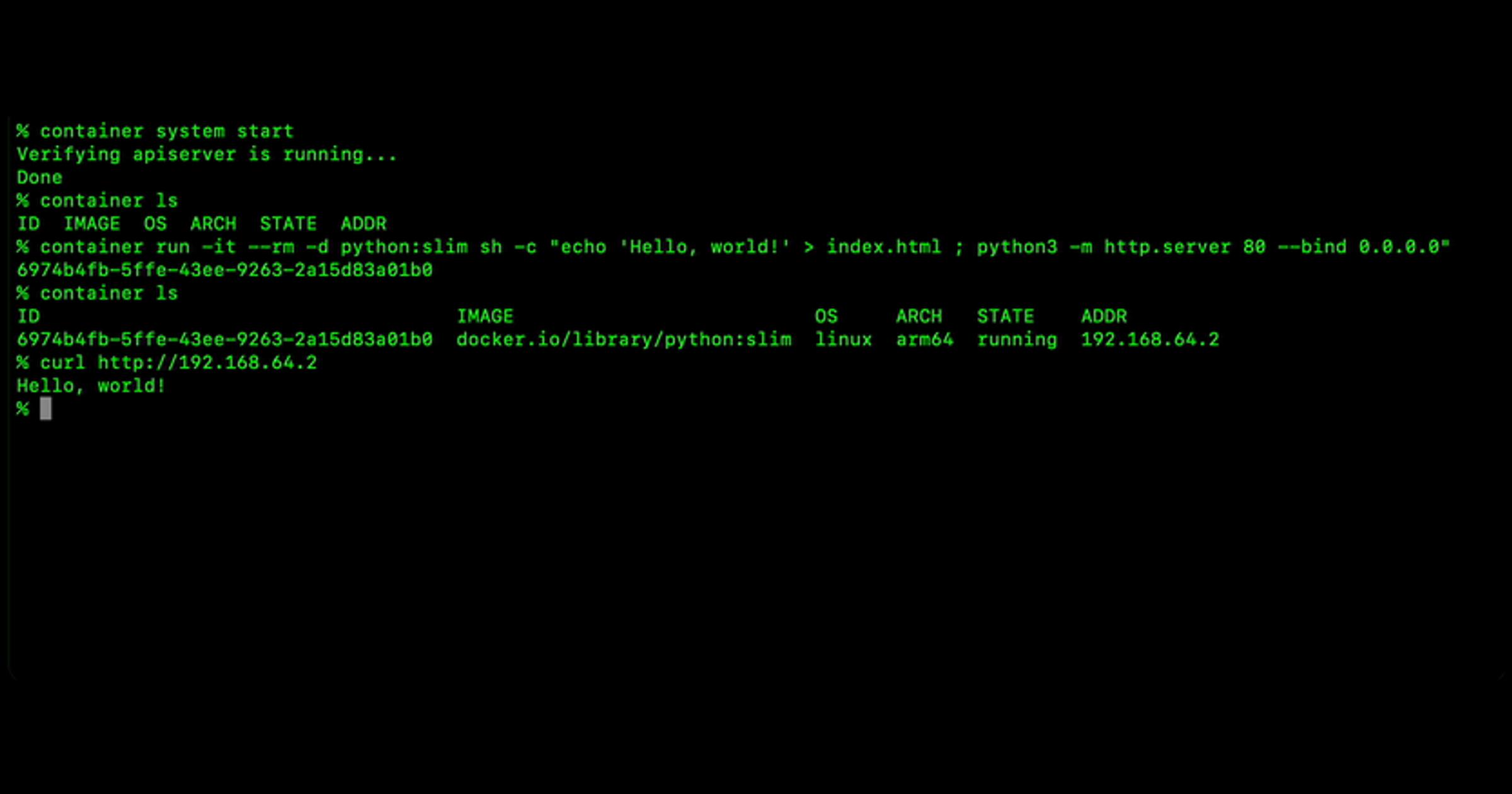
Container runs as a macOS system service managed via `container system start` and `container system stop`. The XPC-based container-apiserver preserves forward and backward API compatibility within a major version, keeping scripts stable across updates.
The installer includes `update-container.sh` for upgrading to the latest release and `uninstall-container.sh` for removal. Downgrade to a specific version by stopping the service, uninstalling with the `-k` flag to keep user data, then running `update-container.sh -v 0.3.0`.
Features
- OCI-compatible image registry support
- Lightweight VM isolation per container
- Swift-native implementation for Apple silicon
- System service with start and stop control
- Managed upgrade and downgrade path
How to install
Download the signed installer pkg from the GitHub releases page for macOS 26 and Apple silicon. To build from source instead, clone the repo and follow BUILDING.md.
git clone https://github.com/apple/containerAfter installation, start the system service and run a first container:
container system start
container run --rm alpine echo hello
Recommended for this setup
Strengths
- Apache-2.0 with no commercial use restrictions: Docker Desktop requires a paid subscription for commercial use in organizations over a certain size; OrbStack is a commercial product. Container is Apache-2.0 licensed, which means you can use it commercially, modify it, and redistribute it without subscription fees or licensing agreements.
- First-party Apple silicon optimization: Built by Apple's engineering team in Swift, Container is written specifically for Apple silicon and uses macOS 26's latest Virtualization framework. This is not an x86-first tool adapted to ARM; Apple silicon performance is the original design target.
- Full OCI ecosystem compatibility: Container consumes and produces images that conform to the OCI image spec. You pull from any standard registry, build locally, and push your images to DockerHub, GHCR, or any OCI-compatible target for deployment on Kubernetes or cloud container services.
- Active development from Apple: The repo crossed 50,000 GitHub stars within months of its May 2025 launch and received commits as recently as October 2026. Apple accepts contributions through the Containerization Swift package's contributing guide.
Trade-offs
- Requires macOS 26 and Apple silicon exclusively: Container only runs on Apple silicon Macs with macOS 26. The maintainers explicitly state they do not support older macOS versions and will not address issues that cannot be reproduced on macOS 26. Teams with Intel Macs, Windows, or Linux development machines cannot use this tool.
- Experimental features lack backward compatibility: Features marked experimental, including the `k8s` subcommand, may change between releases without notice. Container application data provides forward compatibility only within one major version; upgrading across major versions may require a specific migration path.
- High open issue count on a young repository: With 579 open issues on a repo created in May 2025, the project is accumulating reports faster than it closes them. Teams that need a well-triaged, low-defect-density foundation for production workflows should factor in this early-stage issue density.
Tech stack
FAQ
No. Container is Apache-2.0 licensed and free for all use, including commercial. There is no subscription, no per-seat pricing, and no feature tier. Download the installer from the GitHub releases page and run it at no cost.
Container requires an Apple silicon Mac (M1 or later) running macOS 26. It takes advantage of new virtualization and networking features in macOS 26 and will not run on older macOS versions or Intel Macs. The maintainers do not support older configurations.
Yes. Container consumes OCI-compatible images from any standard registry, including Docker Hub. Pull and run an image with `container run <image>` just as you would with Docker. Images you build can be pushed back to Docker Hub or any OCI-compatible registry.
Both run Linux containers on a Mac using OCI images. Container is Apache-2.0 licensed with no subscription requirements; Docker Desktop requires a paid commercial subscription for organizations above a certain size. Container requires macOS 26 and Apple silicon; Docker Desktop supports Intel Macs and older macOS versions.
No. The `k8s` subcommand is explicitly marked experimental and does not guarantee backward compatibility between releases. For production Kubernetes workflows, check the current documentation before relying on it and expect that it may change.