
Mailcheap
Pay per email sent, not per subscriber. Self-hosted on Amazon SES.
Replaces Beehiiv, Substack, Mailchimp, Kit, Mailerlite
Who it's for
Mailcheap imports subscriber lists from beehiiv, Substack, Mailchimp, and six other platforms in about a minute, with status and signup dates preserved. At 4,000 subscribers sending weekly, switching from beehiiv Lite reduces the monthly bill from $109 to $19.
If your newsletter monetization depends on readers paying for access, Mailcheap does not include a built-in reader payment layer.
The one-click Vercel deploy and Upstash QStash integration mean setup fits within free tiers at low send volumes. With Amazon SES, 40,000 emails a month costs roughly $4 to $6. The REST API and MCP server make it straightforward to connect with existing tooling.
Self-hosting requires SES production access approval from AWS, which typically takes one or more days. If you need a working newsletter today with no infrastructure setup, the cloud plan or a fully managed tool is faster.
The MCP server connects Claude, ChatGPT, Grok Bot, and similar agents to your Mailcheap account. An agent can draft an issue from a prompt, schedule it for a specific time, and report on open rates, all within your AI workflow. Claude Code, Cursor, and Codex connect via API key.
Sending to your list requires explicit human confirmation even when routed through an agent. Fully automated sends without approval are not supported by design.
Each account on a self-hosted install supports up to 3 newsletters, each with its own contacts, campaigns, domain, and website. There are no per-newsletter fees and no limits on subscribers per newsletter on a self-hosted server.
If you need more than 3 newsletters under one account, the current limit requires multiple accounts or code changes.
The problem
Newsletter platforms charge by subscriber count, not by the emails you actually send. A list of 10,000 subscribers includes dormant readers who stopped opening months ago, but you pay for all of them at billing time. To protect your deliverability, you would need to prune inactive subscribers before each invoice, but most tools don't make that easy. The cost compounds as a list grows. At 4,000 subscribers, beehiiv's Lite plan costs $109 a month and Mailchimp charges similarly. An operator running a niche newsletter with a large but slowly engaged audience pays the same rate as someone sending daily campaigns to an active list. The billing model doesn't reflect the actual cost to the platform or the value to the sender.
How it works
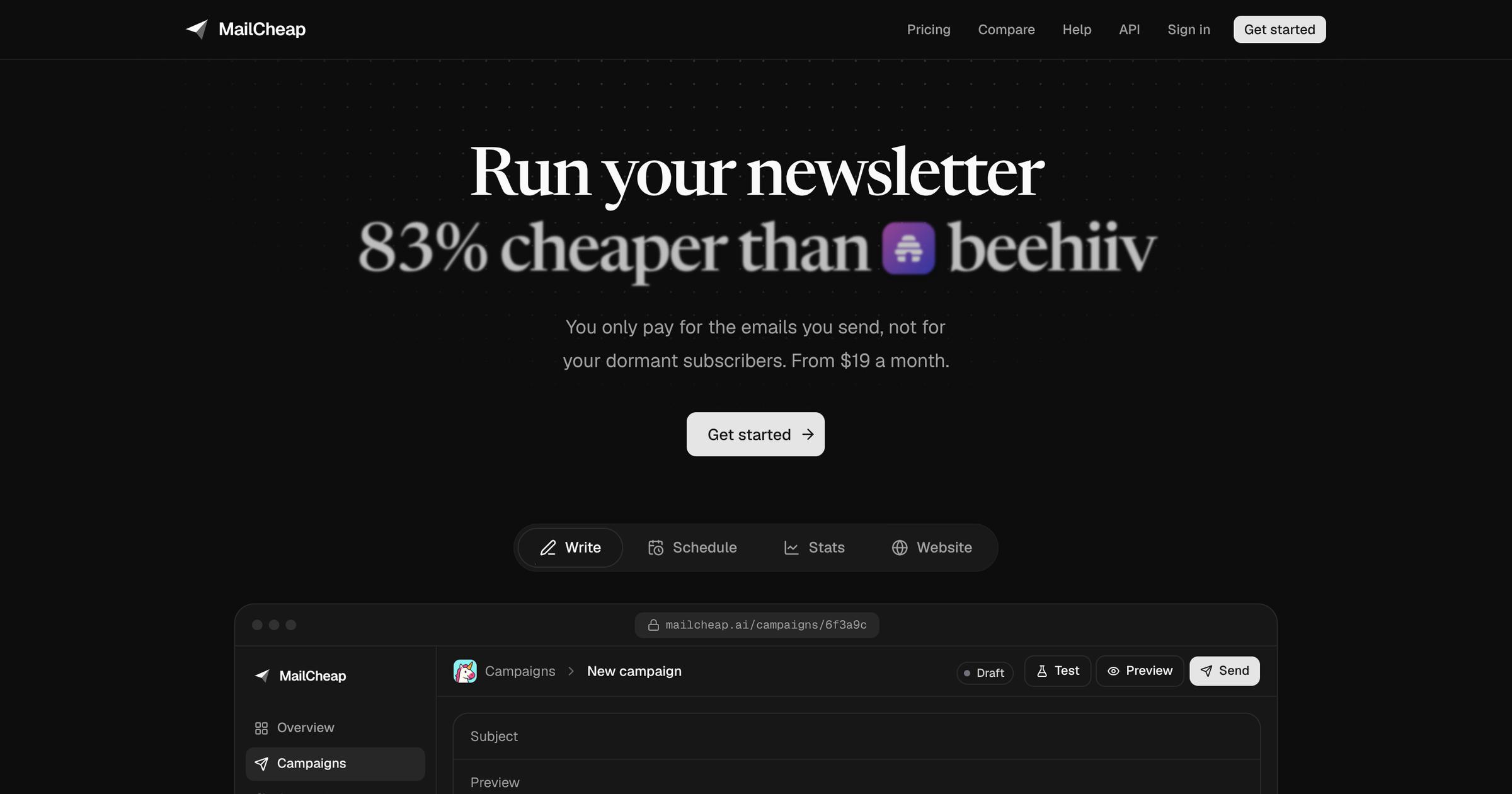
Billing is based on emails sent each month, not the size of your list. With 20,000 emails a month, the Starter plan costs $19. Dormant subscribers cost nothing extra, and the built-in list cleanup removes readers who stopped engaging, protecting deliverability without triggering price increases.
An MCP server lets Claude, ChatGPT, Grok Bot, and other agents write drafts, schedule campaigns, and read stats through the same API the dashboard uses. Claude Code, Cursor, and Codex connect with an API key. Sending to a live list is marked as an irreversible action, so agents ask for confirmation before sending.
New contacts receive emails in steps: 2% go first, then 5% more after 30 minutes, then the rest, pausing if bounces or spam complaints spike. List cleanup emails inactive readers before dropping them from future sends. Imports filter out typos, spam traps, and invalid domains. DKIM, SPF, and DMARC records are set up or guided through the Domains page.
Each newsletter gets a public website on a subdomain, with a signup form and a page per issue that search engines can index. Eight visual themes are available. On self-hosted installs, the archive lives at /archive/<slug> on your server's domain. Every issue gets share images and a sitemap entry.
Import CSV exports from beehiiv, Substack, Mailchimp, Kit, MailerLite, Buttondown, Ghost, or EmailOctopus, with each subscriber's status and signup date preserved. Duplicates and invalid addresses are filtered out on import. Migration typically takes about a minute.
Features
- Pay-per-email pricing, not per subscriber
- AI agent integration via MCP
- Deliverability protections built in by default
- Newsletter website with SEO-indexed archive
- Subscriber import from major newsletter platforms
How to install
Deploy on any Node.js 22+ server with MongoDB and Upstash QStash for background jobs.
git clone https://github.com/marclou/mailcheap
cd mailcheap
npm ci && npm run build && npm start
Recommended for this setup
Strengths
- Pricing scales with emails sent, not list size: The cost of running Mailcheap scales with the emails you actually send. A list with many dormant subscribers costs the same to hold as a tightly managed one at the same send frequency. This is structurally different from beehiiv and Mailchimp, where subscriber count drives the bill regardless of engagement.
- Self-hosted path with no email or subscriber limits: The self-hosted path has no subscriber caps or email limits. You pay only your sending provider's rate, roughly $0.10 to $0.16 per 1,000 emails on Amazon SES. For 10,000 subscribers sending four issues a month, that is roughly $4 to $6 in sending costs. The one-click Vercel deploy reduces setup friction compared to most self-hosted newsletter tools.
- MCP server for AI-agent workflows: The MCP server included in the open source repo is the same one the cloud plan uses. Agents can write and schedule campaigns, import contacts, and pull stats without bypassing the app's safety checks. The send action requires explicit confirmation, so automated pipelines cannot accidentally mail your list.
- Deliverability tooling on by default: List cleanup, sending pace controls, spam trap filtering at import, one-click unsubscribe (RFC 8058), and Google Postmaster Tools integration are all active by default. Each account gets its own sending tenant in Amazon SES, so a problem with one account doesn't affect others on the same server.
Trade-offs
- Self-hosting requires MongoDB, SES, and QStash: The self-hosted path needs MongoDB, an Amazon SES or PostShiba account with production access, and Upstash QStash for background job scheduling. Getting SES production access typically takes a day of waiting for AWS approval. The README estimates about an hour for the full setup, and there is no support channel: issues are off on the repository.
- AGPL-3.0 license restricts offering it as a service: The codebase is licensed under AGPL-3.0. You can self-host it for your own newsletters, including internal commercial use by your team. Running Mailcheap as a managed newsletter hosting service you sell to others is not permitted under AGPL without sharing your source modifications. The hosted cloud plan at mailcheap.ai is run by the original authors.
- No built-in reader payment layer: Mailcheap handles sending newsletters to subscribers, but does not include a way for your readers to pay you for access. Teams that need built-in reader monetization would need to integrate a separate payment layer or choose a tool that includes it.
Tech stack
FAQ
The self-hosted version is free to run. You pay only the sending provider's fees: Amazon SES charges $0.10 to $0.16 per 1,000 emails, so 40,000 emails a month costs $4 to $6. The hosted cloud plan at mailcheap.ai starts at $19 a month for 20,000 emails. There is no free tier on the cloud plan.
The core difference is the billing model. Beehiiv and Mailchimp charge by subscriber count; Mailcheap charges by emails sent. At 4,000 subscribers sending one weekly issue, Mailcheap Starter is $19 a month versus $109 on beehiiv Lite. If your list has many dormant subscribers, the savings are larger. Mailcheap does not include a reader-payment layer for monetizing your newsletter directly.
You can run Mailcheap on your own server for your own newsletters, including for a business or team, without restriction. The AGPL-3.0 license becomes relevant only if you modify the code and offer Mailcheap itself as a managed newsletter service to paying customers, in which case you must share your modifications. Internal use is unrestricted.
Yes. Export your subscribers as a CSV from beehiiv, Substack, Mailchimp, Kit, MailerLite, Buttondown, Ghost, or EmailOctopus and import it on the Contacts page. Subscriber status and signup dates are preserved. Mailcheap filters out duplicates and invalid addresses on import.
Yes. An MCP server is included in the open source repository. Claude, ChatGPT, and Grok Bot connect with OAuth; Claude Code, Cursor, and Codex use an API key. Agents can write drafts, schedule campaigns, import contacts, and read stats. Sending to a live list requires explicit human confirmation and cannot be done automatically.