lektra
Keyboard-driven document and image viewer built on MuPDF
Replaces Adobe Acrobat, Dropbox, Google Workspace
Who it's for
For users who handle a mix of PDFs, EPUB ebooks, and CBZ comic archives and prefer keyboard-driven tools, lektra centralizes format handling in one fast viewer. The MuPDF engine keeps performance predictable even on large or complex files.
You need PDF annotation, form filling, or digital signatures. Lektra is a read-only viewer with no editing features.
Adobe Acrobat and Google Workspace route documents through external servers by default. Lektra is a local desktop application with no account requirement and no cloud sync. Files stay on the device throughout the reading session.
You regularly collaborate on documents with others or need annotation and sharing features. Lektra has no collaboration capabilities.
The NixOS flake and Gentoo packaging in the repo indicate community investment in Linux support. The wide format coverage (PDF, EPUB, CBZ, DjVu, plus 13 image formats) covers most of what a Linux desktop user encounters in a single install.
You need a stable application for professional workflows. The project warns that production use is not yet ready.
Lektra supports CBZ and CBT comic archive formats alongside PDF and EPUB. Combined with support for animated GIFs and multi-page TIFFs, it works well as a single viewer for digital comics alongside other document types.
You need library management, reading progress sync, or metadata scraping. Lektra is a viewer without library organization features.
The problem
PDF and document reading on the desktop has drifted toward cloud-dependent proprietary tools. Adobe Acrobat requires an account and a subscription for full functionality, then adds cloud sync by default. Google Workspace and Dropbox Business bundle document viewing with storage plans that cost significantly more than a standalone reader would justify. Privacy-conscious users and developers who prefer to keep their documents on local storage face a narrow set of choices: pay for tools that do more than they need, or use minimal viewers that do not handle the full range of formats they encounter in a real workflow, from PDF and EPUB ebooks to CBZ comic archives and DjVu documents alongside a variety of image formats. The additional pain is performance. Many open source viewers are wrappers around older rendering libraries and stall on complex PDFs or large comic archives. A viewer that prioritizes screen space, handles multi-frame image formats natively, and stays fast under real document loads fills a genuine gap in the open source desktop ecosystem.
How it works
Rendering is handled by MuPDF, a fast and lightweight C library used in professional-grade PDF viewers. It handles complex PDFs accurately and with low memory overhead compared to browser-based or Electron-based rendering pipelines. The Qt6 frontend keeps the desktop interface responsive.
Opens PDF, XPS, OXPS, CBZ, CBT, FB2, FBZ, EPUB, Mobi, and DjVu. DjVu support requires djvulibre installed on the system. This covers the full range of ebook, comic archive, and document formats a typical reader encounters without needing to switch applications.
Handles JPEG, PNG, APNG, TIFF, GIF, BMP, WebP, SVG, TGA, ICO, PPM, PGM, and PBM image files. Multi-frame animated images (animated GIFs, animated WebPs) and multi-page TIFFs are supported natively. SVG edge cases are handled via librsvg if installed on the system.
Builds and runs on Linux, macOS, and Windows. A NixOS flake is maintained in the repository by a community contributor. A macOS app bundle is available through a separate contributor. Gentoo packaging exists in the gentoo-zh overlay. No server, no account, and no internet connection required.
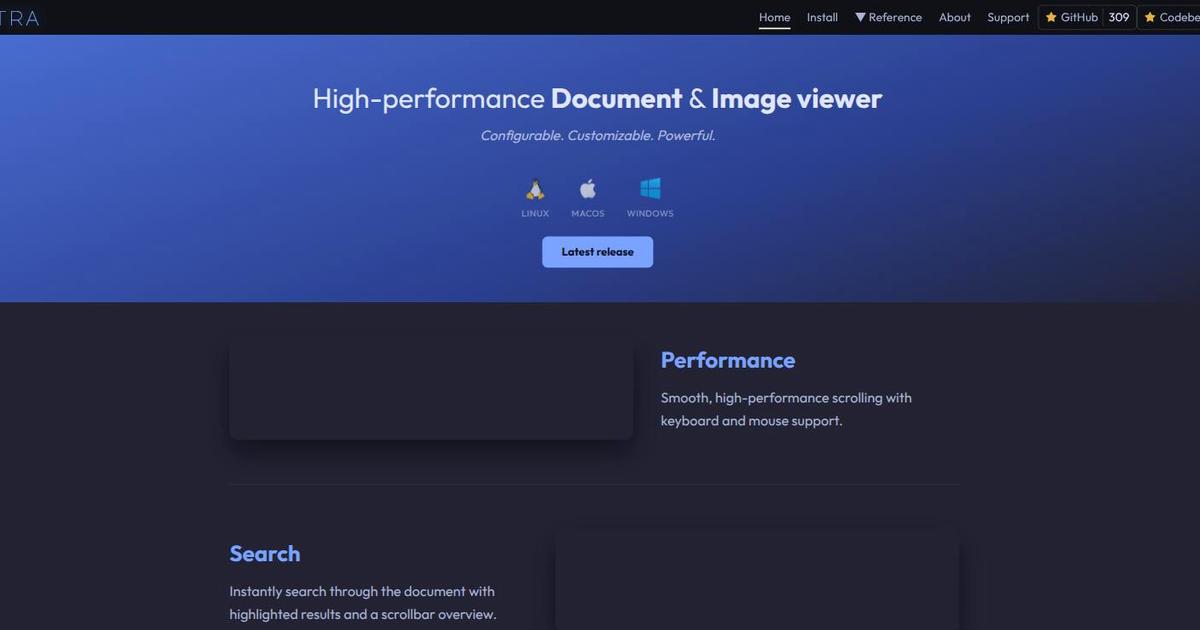
The interface prioritizes the document over controls, keeping the reading surface as large as possible. The project description states that the design goal is to prioritize screen space and control, favoring keyboard-driven interaction over toolbars and menus.
Features
- MuPDF-powered PDF rendering
- Wide document format support
- Wide image format support with multi-frame handling
- Cross-platform: Linux, macOS, and Windows
- Screen-space design with keyboard navigation
Recommended for this setup
Strengths
- No account, subscription, or cloud sync required: Unlike Adobe Acrobat or Google Workspace, lektra runs entirely on the local machine. Files never leave the device, there is no login step, and there is no monthly fee. For users handling sensitive documents or working offline, this is a real functional difference.
- MuPDF engine for fast, accurate rendering: MuPDF is one of the fastest and most portable PDF rendering libraries available. Using it directly in C++ with Qt6 avoids the overhead of Electron or browser-based rendering pipelines, which translates to lower memory use and faster page rendering on the same hardware.
- Single viewer for documents and images: Handling both document formats (PDF, EPUB, CBZ, DjVu) and image formats (13 types including animated GIFs and multi-page TIFFs) in one viewer reduces the need to switch applications for mixed workflows. Most dedicated PDF viewers do not handle comic archives or animated images natively.
- Active development with community packaging: The repository received its last push on 2026-08-13, showing active maintenance despite early-stage status. Contributors have added a NixOS flake, Spanish translation, macOS app bundle, and Gentoo packaging, indicating growing multi-platform support.
Trade-offs
- Early development: breaking changes expected: The README states explicitly that the project "is not yet ready for production use" and that "frequent breaking changes and instability" should be expected. This is not a tool for a user who needs a reliable daily driver. Production-critical document workflows should wait for a stable release.
- Read-only: no annotation or PDF editing: Lektra is a viewer, not an editor. It does not support PDF annotation, form filling, digital signatures, or any document editing. Users who need to mark up or sign PDFs will need a separate tool for those tasks.
- Some format support requires optional system dependencies: DjVu file support is available only if djvulibre is installed on the system. SVG edge cases fall back to librsvg if present. Users on minimal systems may find some formats unavailable without installing additional libraries.
Tech stack
FAQ
Yes. Lektra is AGPL-3.0 licensed and free to download and run. There is no paid tier, no subscription, and no account required. The AGPL license means you can use it freely; if you distribute a modified version as a network service, you must publish the source changes.
On the document side: PDF, XPS, OXPS, CBZ, CBT, FB2, FBZ, EPUB, Mobi, and DjVu (DjVu requires djvulibre installed). On the image side: JPEG, PNG, APNG, TIFF, GIF, BMP, WebP, SVG, TGA, ICO, PPM, PGM, and PBM. Multi-frame animated images and multi-page TIFFs are supported natively.
Not yet for production workflows. The project's own README warns that it "is not yet ready for production use" and that frequent breaking changes are expected. It is best suited for early adopters comfortable with some instability. Check the GitHub repository for a stable release before adopting it for critical workflows.
Yes. The homepage lists Linux, macOS, and Windows as supported platforms. A macOS app bundle is available through a community contributor. Windows support is listed on the homepage; detailed build and packaging instructions are on the project's installation documentation page.
For the core reading task, lektra's MuPDF-based engine renders PDFs fast and locally with no subscription or account required. Adobe Acrobat covers much more: annotation, form filling, signing, and PDF creation. If you only need to read PDFs and other document formats locally and privately, lektra handles that use case without Acrobat's cost or cloud requirements.