
airstats
Sixteen macOS metrics in your menu bar at 0.046% CPU
Replaces Istat Menus, Pulse System Monitor, Macpulse, Menubarmonitor
Who it's for
AirStats shows CPU, memory, GPU, network, and disk metrics without adding meaningful overhead to the machine being profiled. At 0.046% idle CPU, the monitor itself does not register in the metrics it reports.
You are on an Intel Mac or macOS 13 or earlier. AirStats is Apple silicon only and requires macOS 14.
iStat Menus is a paid application. AirStats covers the same core system metrics (CPU, memory, GPU, network, disk, battery, temperature) with no purchase required, no subscription, and full MIT source access.
You rely on iStat Menus features beyond system metrics: weather, moon phase, calendar events, or stock tickers. AirStats does not include those.
The desktop widget pins selected metrics to the screen with a color per module. Keyboard shortcuts open the panel or widget without touching the mouse. Threshold alerts fire a macOS notification when a metric crosses a limit you set.
You want historical time-series graphs or chart overlays. AirStats is a status-item monitor and does not include graphing in the current release.
The problem
A menu bar monitor runs all day, every day. Most tools in this space cost CPU and memory to tell you about CPU and memory. In a published benchmark on the same Mac, same sampling window, and same command, iStat Menus idles at 0.116% CPU and holds 64 MB of resident memory; Stats reaches 1.931% CPU and 145 MB. For users who want continuous system visibility, the standard tradeoff has been accepting that overhead or paying for a polished commercial app. The harder version of this problem is a laptop on battery. A monitor that consumes CPU to report CPU usage is a feedback loop you cannot close. The situation worsens with helper processes and launch agents that persist after the main app quits, adding overhead that does not appear in any status bar readout.
How it works
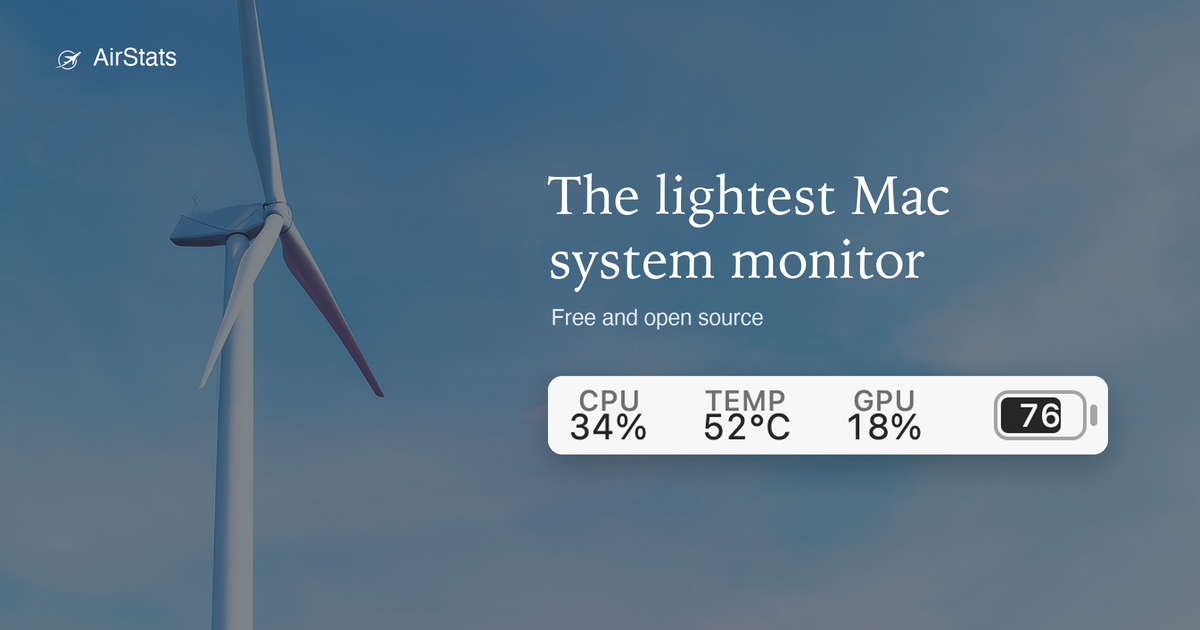
Shows CPU, memory, GPU, network, disk, battery, temperature, process, and host metrics in the macOS menu bar. You can display two metrics or all sixteen. Each metric can be colored individually or left monochrome for a minimal look.
Clicking the status item opens a panel with per-core CPU load, memory pressure, GPU stats, network activity, disk I/O, battery status, temperature readings, and top processes. No separate window is required.
Pins selected metrics to the desktop as a persistent widget with a color per metric. Designed for users who want the data always in view without opening the panel. Can be used alongside the menu bar display or independently.
Sends a macOS notification when any monitored metric crosses a configured threshold. Covers CPU load, memory pressure, temperature, and other tracked values, letting you catch runaway processes or thermal events without keeping the panel open.
Runs as one process with no helper and no launch agent. Quitting the app leaves nothing running. This is part of what makes the 0.046% idle CPU figure valid: there is no daemon to count separately. Reads the system through Mach, IOKit, sysctl, and CoreWLAN.
Features
- Sixteen menu bar metrics
- Drop-down panel with per-core detail
- Desktop widget
- Threshold alerts
- Single-process, no background agents
How to install
Install AirStats via Homebrew cask or by downloading the signed DMG from airstats.app.
brew install --cask byrencheema/tap/airstatsRecommended for this setup
Strengths
- 0.046% idle CPU, benchmarked against iStat Menus and Stats: On the same Mac, same sampling window, and same command, AirStats measured 0.046% idle CPU. iStat Menus measured 0.116% and Stats measured 1.931%. The benchmark methodology is published on the AirStats website, including the parts that do not flatter AirStats.
- 8.9 MB installed, 11 MB resident memory: The installed footprint is 8.9 MB, compared to 17 MB for Stats and 163 MB for iStat Menus in the same test. At runtime it holds 11 MB of resident memory versus 64 MB for iStat Menus and 145 MB for Stats. The small footprint comes from targeting Apple silicon only and running without a Dock icon or helper process.
- MIT licensed with no account and no paid tier: There is no account to create, no trial to expire, and no paid tier. The source code is MIT licensed, including the benchmark scripts behind the comparison numbers on the website. You can fork, modify, and redistribute it without restriction.
- Signed and notarized, opens without security warnings: The distributed binary is signed with a Developer ID certificate and Apple's notarization ticket is stapled to the DMG. macOS opens it without a security warning. You can also build from source with Xcode 16 using the provided build script.
Trade-offs
- Apple silicon only, no Intel Mac support: AirStats targets arm64 only. Intel Macs are not supported, and there is no documented roadmap for Intel support. Users on Intel hardware need a different monitor.
- Requires macOS 14 Sonoma or later: The minimum OS requirement is macOS 14. Macs running Ventura (13) or earlier cannot run AirStats. This limits use on older machines that may still be in active service.
- Early-stage project, small contributor base: Created in August 2026, AirStats has 107 stars and 6 forks. While active development is clear from the recent push history, the project lacks the long track record and wider contributor base of established tools like iStat Menus. Edge-case handling and bug coverage may be thinner than in more mature software.
Tech stack
FAQ
Yes. There is no account, no trial, and no paid tier. AirStats is MIT licensed and free to download and use. The only cost is the hardware it runs on.
No. The current build targets Apple silicon only (arm64). This is a documented limitation: the developer notes that targeting Apple silicon is part of why the binary is 8.9 MB. Intel support is not currently on the roadmap.
No, by default. The only optional network call is a public IP lookup, which ships disabled. All metrics are read directly from the local machine. AirStats checks for updates once a week via Sparkle but installs nothing without your approval.
Both show system metrics in the macOS menu bar. AirStats benchmarks at 0.046% idle CPU and 11 MB of resident memory; iStat Menus measured 0.116% CPU and 64 MB in the same test. iStat Menus is a paid application with a broader feature set including weather, calendar, moon phase, and stocks. AirStats is free, MIT licensed, and focused on low-overhead system metrics. iStat Menus also supports Intel Macs; AirStats does not.
Download the signed DMG from airstats.app and drag the app to Applications, or install via Homebrew: `brew install --cask byrencheema/tap/airstats`. The app self-updates through Sparkle and prompts you before installing any update. Building from source requires Xcode 16 and the Swift 6 toolchain.