WorkAdventure
Open source 2D virtual office with proximity video calls
Replaces Gather, Sowork, Ovice
Who it's for
WorkAdventure gives distributed teams a shared spatial context for the workday. Engineers can walk to a teammate's avatar for a quick question without scheduling a meeting. Teams that rely on spontaneous interaction (pair programming, informal design reviews) benefit more than teams that are primarily calendar-driven.
If your team is async-first and rarely needs real-time interaction, the overhead of running a persistent virtual office is unlikely to justify the self-hosting complexity.
The University of Rennes built a full digital campus on WorkAdventure, with classrooms, offices, and social spaces. The gamified environment improves student engagement compared to video-only tools. Custom maps can reflect actual campus layouts, and iframes let instructors embed course materials directly in the virtual space.
If your institution requires a fully managed vendor with SLAs and support contracts, the self-hosted path requires internal DevOps capacity that smaller institutions may not have.
Hackathons, product launches, conventions, and networking events translate well to WorkAdventure's spatial model. Pasqal's 100% online hackathon used a custom map with separate team rooms and shared ceremony spaces. Attendees navigate between sessions organically, which is closer to movement at a physical conference than a grid of scheduled calls.
For very large one-time events with thousands of concurrent attendees, the managed SaaS offering is more practical than a self-hosted deployment configured to handle peak load.
Teams that cannot send communication data to third-party servers (healthcare, finance, government) can self-host WorkAdventure inside their own infrastructure. All proximity video and chat stays on-premises; no data leaves to external vendors for core functionality.
If your data residency requirement extends to video streams, verify that Jitsi or your chosen WebRTC backend also meets those requirements, as WorkAdventure relies on an external video component.
The problem
Remote teams lose the spontaneous, informal interactions that happen naturally in a physical office. Scheduled video calls work for structured meetings, but they cannot replace the quick hallway conversation, the over-the-shoulder look at someone's screen, or the organic moment when a group gathers around a shared idea. Without those signals, distributed teams report feeling isolated even when they are technically in meetings all day. The tools built to address this mostly run on third-party servers at $8-15 per user per month. Gather, oVice, and SoWork all offer spatial video office environments, but teams hand over their meeting data to a vendor and pay recurring per-seat fees. For organizations with strict data residency requirements, or budget constraints on a growing team, those terms make the category impractical at any meaningful scale.
How it works
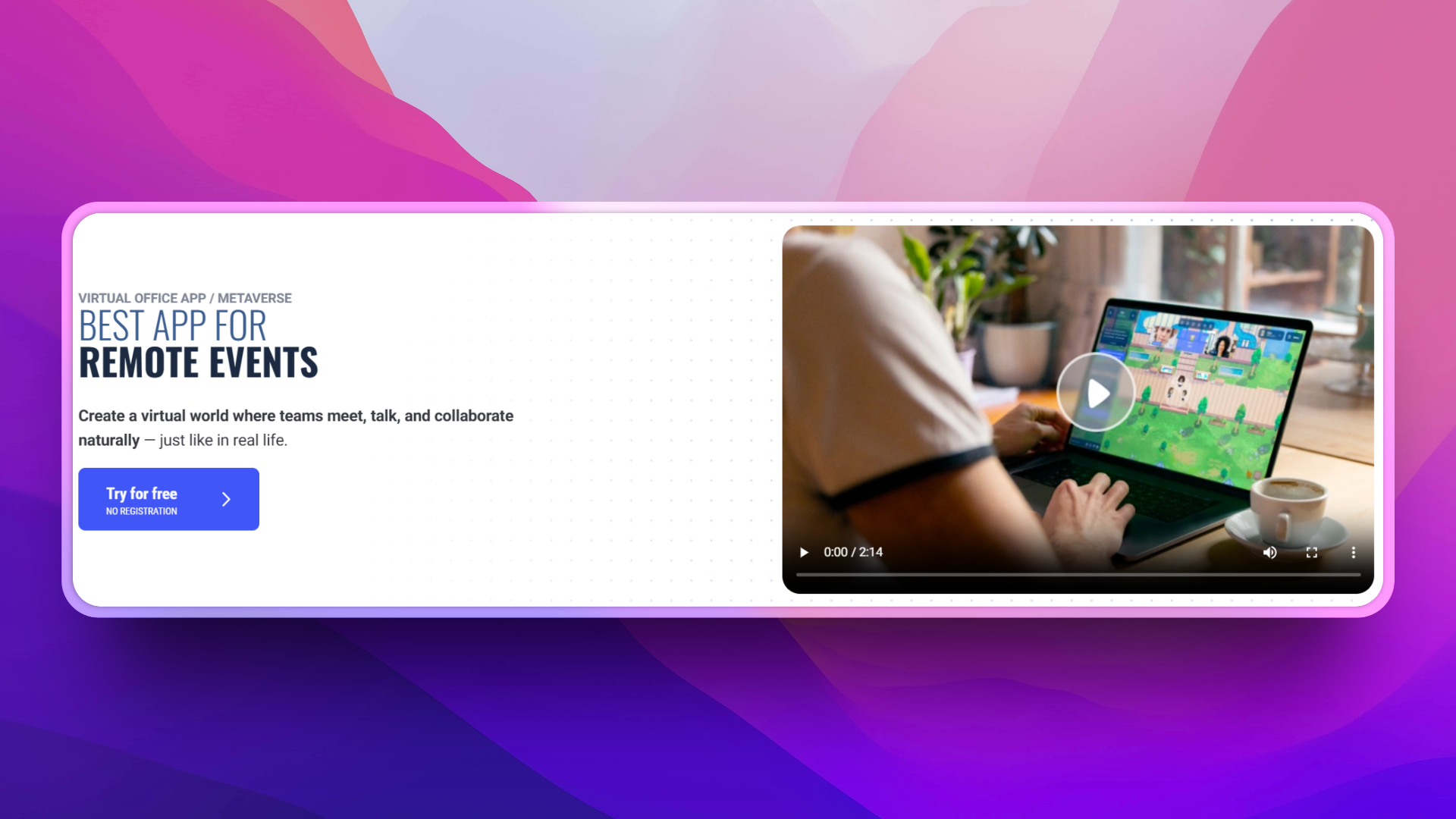
When two avatars come within range on the map, a private audio and video call opens automatically. The bubble closes when they move apart. No meeting link, no calendar invite, no button to click. This mirrors the way spontaneous conversation works in a physical space and is the core mechanic that distinguishes WorkAdventure from chat or traditional video conferencing.
Admins design maps using Tiled, an open tileset editor, then upload them to the server. Any visual theme is possible, from a corporate floor plan to an event hall. The platform ships with a library of assets, and custom visual assets and branding can be uploaded. White label mode replaces WorkAdventure branding entirely, which enterprise customers use for tailored environments.
WorkAdventure connects to Microsoft Teams, Google Workspace, Discord, and Element. Teams can embed documents, iframes, and collaborative tools directly into the map, so switching context to a different app is not required. Native integrations are declared a core strength in the product documentation, with custom integrations available on request.
The platform supports use cases beyond daily office presence: product launches, hackathons, conferences, HR recruitment fairs, and university classes. Pasqal ran a 100% online hackathon on a custom map with ceremonies, webinars, and 15 team offices. The University of Rennes built its digital campus on WorkAdventure after switching from Gather.
Version 1.33 added polls and upvoted Q&A directly to proximity chat bubbles, so structured discussion can happen without leaving the virtual space. AV1 screen sharing reduces bandwidth for presentations. Version 1.32 introduced advanced noise suppression using Silero VAD. GPU-accelerated maps with Phaser 4 reduce rendering overhead on large, complex environments.
The managed hosted service stores data entirely within EU infrastructure and claims full GDPR compliance. For self-hosted deployments, teams control where data lives and what is retained. No tracking data beyond what is necessary for the service is described as stored, according to the privacy policy.
Features
- Proximity-based video bubbles
- Fully customizable 2D maps
- Third-party tool integrations
- Virtual events, classes, and recruitment
- Polls, Q&A, and noise suppression in proximity chat
- GDPR compliance and EU data hosting
Recommended for this setup
Strengths
- Self-hosting with full data ownership: Teams can run WorkAdventure on their own servers, keeping all conversation metadata, map layouts, and user data on infrastructure they control. Compared to Gather or oVice, both managed-only platforms, this is a meaningful difference for organizations in regulated industries or with data residency requirements. The code is public on GitHub and auditable.
- Active development with regular named releases: The repo received its last push on October 1, 2026, and ships named releases with concrete feature lists. Version 1.33 brought polls, Q&A, AV1 screen sharing, and GPU rendering improvements. The project has 5,820 stars and 974 forks on GitHub, reflecting sustained community interest since its April 2020 launch.
- Proven at institutional scale: The University of Rennes replaced Gather with WorkAdventure for its digital campus. Pasqal ran a 100% online hackathon with 15 team offices and webinars. The website reports 5,249 remote conferences launched and 4,780 simultaneous users, which supports claims of production-grade reliability at meaningful scale.
- Broad integration ecosystem: Native integrations with Microsoft Teams, Discord, Element, and Google Workspace mean the platform fits into existing communication stacks. Iframes and embedded tools let teams add custom content directly to map areas, so meetings happen in the context of the work rather than in a separate tab.
Trade-offs
- Commons Clause limits commercial hosting use: The license is AGPL-3.0 with Commons Clause, which is not OSI-approved. The Commons Clause prohibits offering WorkAdventure as a paid managed hosting service. Teams running it for their own internal use are permitted, but cloud providers and managed-service operators cannot charge for hosting it. This matters for agencies or platforms considering WorkAdventure as a service offering.
- Self-hosting requires multi-service coordination: WorkAdventure is not a single-container install. The play server, video infrastructure (Jitsi or equivalent), TURN server for WebRTC, and associated services require coordination. Deployment documentation exists, but teams without backend infrastructure experience will spend significant time on configuration before the system is production-stable.
- 931 open GitHub issues: The GitHub repository carries 931 open issues as of October 2026. This is not unusual for a project of this age and scale, but it suggests the backlog is not aggressively triaged. Teams using it in production should evaluate issue severity for their specific deployment scenarios before committing.
Tech stack
FAQ
The code is publicly available on GitHub and can be self-hosted at no licensing cost for internal use. A managed SaaS version with pricing tiers is also available at workadventu.re. The Commons Clause in the license prohibits reselling it as a managed hosting service, but internal self-hosted use is permitted with no per-seat fee.
Yes. WorkAdventure is designed for self-hosting and the team provides documentation for running it on your own infrastructure. The setup involves multiple services including a play server, WebRTC/Jitsi video, and a TURN server, so it is not a single-command install. Teams with backend infrastructure experience can run it in production; others should factor in setup time.
Both use 2D spatial maps with proximity-triggered video, but WorkAdventure is open source and self-hostable while Gather is a managed SaaS product with no self-hosting option. The University of Rennes switched from Gather to WorkAdventure specifically to build and host a custom digital campus. WorkAdventure's AGPL-3.0 with Commons Clause license permits self-hosting for internal use.
WorkAdventure is licensed under AGPL-3.0 with Commons Clause. The Commons Clause is an additional restriction that prohibits offering the software as a paid managed service. Running it for your own team or organization is permitted. This combination is not an OSI-approved open source license due to the Commons Clause restriction on commercial hosting.
The website reports a peak of 4,780 simultaneous users and 5,249 remote conferences launched. For large events, the team offers a managed service that handles scaling; self-hosted deployments require configuring infrastructure to match peak load, particularly for the video and WebRTC layer. Pasqal ran a full online hackathon with team offices and ceremonies on a single custom map.