
Voice Assistant
Voice interface for Claude Code with local Whisper and spoken answers
Replaces Superwhisper
Who it's for
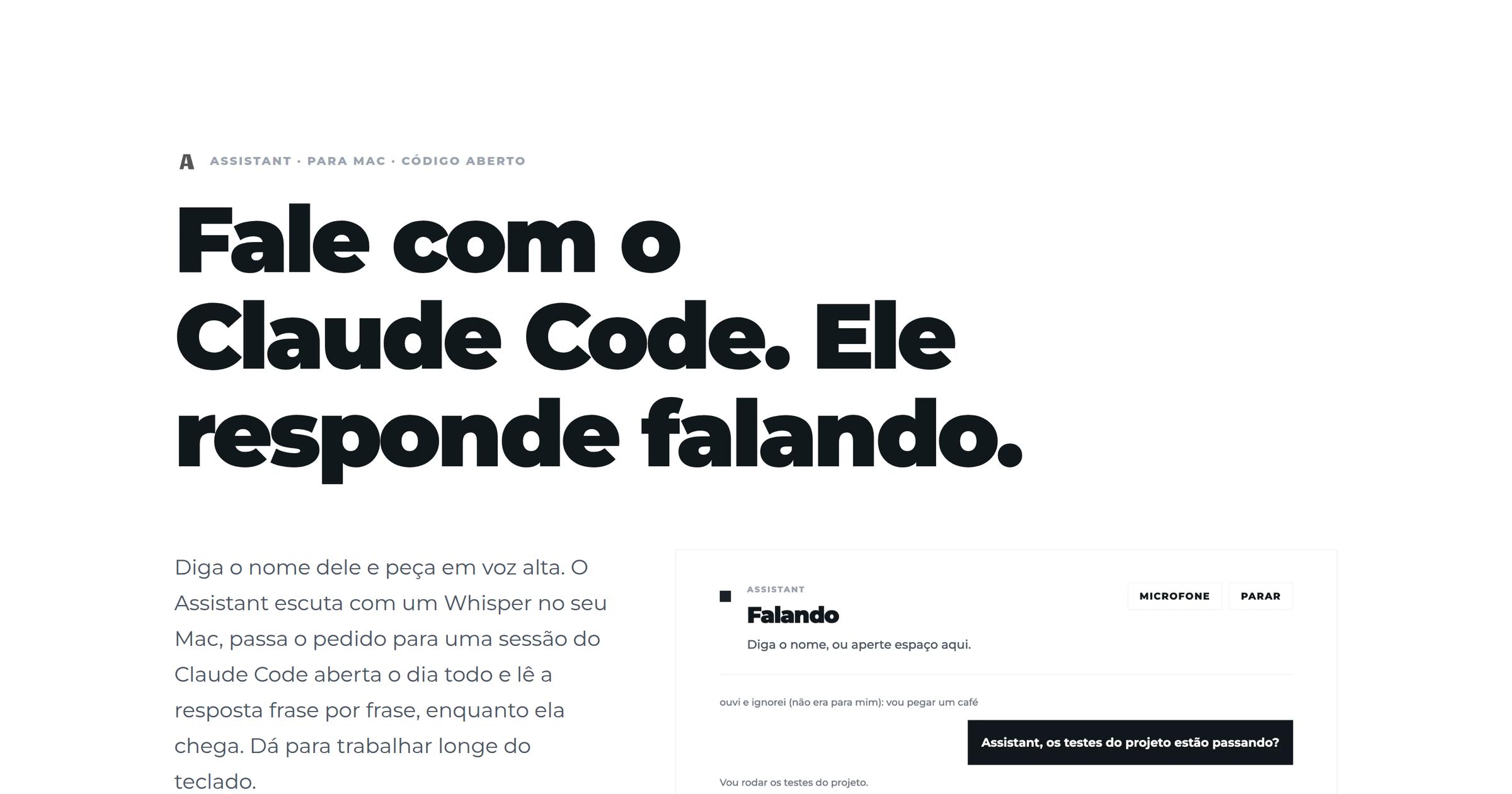
You describe a task out loud, Assistant routes it to Claude Code in your project's folder, and you hear the answer as it finishes. The persistent session means follow-ups stay in context without re-stating what you are working on. You can walk away from the desk during a long task and hear the result when it completes.
Skip if you work primarily at the keyboard. The setup requires sox, whisper-cpp, ffmpeg, and a Whisper model download, and only pays off if voice is a regular part of your development workflow rather than an occasional convenience.
After Claude Code finishes a task, you can ask for the status of a deploy, hear file names mentioned, or follow up on what was changed, all without looking at a terminal. Short conversational queries and status checks work well; longer context-heavy questions benefit from the panel at localhost:4780.
Skip if your Claude Code answers are typically multi-file diffs or dense code blocks. Hearing a 200-line diff read aloud is rarely useful; this fits best for conversational status checks and short explanations.
Push, deploy, publish, and messaging actions wait for a spoken yes before executing. You can say the wake word, describe what you want, hear what Claude Code plans to do, and confirm out loud. The confirmation list is configurable from the app's settings and updates immediately.
Skip if you are not yet using Claude Code for deployment tasks. The confirmation gate is only meaningful if Claude Code is already part of your deploy or release workflow.
Voice Assistant keeps one Claude Code session open all day in your working directory. A short journal bridges sessions across days so context is not lost on a restart. You can speak a question from anywhere in the room, hear the answer, and return to the keyboard only when you need to review code.
Skip if you share a machine or work in an open office. The always-listening microphone and spoken answers do not suit shared environments or spaces where you cannot speak freely.
The problem
Talking to Claude Code while away from the keyboard means switching between a microphone input and a screen. Voice dictation tools let you speak a prompt into the terminal or a chat interface, but as soon as Claude replies, you have to walk back, read the screen, and dictate the follow-up. For developers running longer tasks from another room, reviewing a build result while away from the desk, or trying to keep their hands free, that read-and-dictate cycle breaks the hands-free idea. The deeper friction is the response side. Claude Code often returns multi-sentence answers with file names, diffs, or status updates. Reading those back yourself defeats the purpose of voice input. Most existing voice tools, paid or free, stop at transcription; they turn your speech into text and get out of the way. Nothing in that loop speaks the answer back to you.
How it works
Audio stays on your Mac. Whisper runs locally using models you download once, from tiny to large-v3-turbo. The engine cuts utterances by energy level with an adaptive noise floor and drops hallucinations Whisper produces on silence, so stray background noise does not trigger requests. Only the transcribed text leaves the device.
One Claude Code session runs all day in a folder you choose. After a restart, the same session resumes. When a conversation ends, a one-shot Claude Code writes a short summary into a local journal that the next session reads, so context carries across days without growing unbounded.
Answers are spoken as they arrive, sentence by sentence, rather than waiting for the full response. With a Fish Audio key and voice id, each sentence is synthesized ahead of the one playing; without one, the Mac's built-in say command speaks it. Say the wake word mid-speech and Assistant stops immediately to listen.
Without the wake word, a small on-device model reads the utterance and the last few exchanges to decide whether the request was directed at Assistant (based on Mallidi et al., Device-directed Utterance Detection, 2018). If not, the phrase goes to a draft. A reply within 60 seconds of the last answer does not need the wake word again.
Six action types wait for a spoken yes before executing: push, deploy, publish, messaging someone, deleting, and paying. Reading, searching, and editing local files proceed without a prompt. The confirmation list is configurable from the app's Settings screen and takes effect immediately.
A panel at localhost:4780 shows everything Assistant heard, everything it ignored and why, the tools it ran, and the cost of each answer in Claude tokens. You can type requests there instead of speaking, which is useful when a microphone is not available or when reviewing what happened across a session.
Features
- Local Whisper transcription
- Persistent Claude Code session
- Sentence-by-sentence streaming answers
- Wake word with speaker disambiguation
- Confirmation gate for risky actions
- Web panel for session visibility
How to install
Run the setup script to install on macOS 14+ Apple Silicon.
curl -fsSL https://blob.ciromaciel.click/tools/voice-assistant/install.sh | bashRecommended for this setup
Strengths
- Audio never leaves your Mac: Whisper runs on-device. The only data that leaves is the transcribed text of your requests, which goes to Anthropic through your own Claude Code subscription, the same data path you use when typing. If you configure Fish Audio for a custom voice, the text of each spoken sentence goes to Fish Audio; without it, nothing leaves except the Claude Code requests.
- MIT licensed with no subscription required: The app is MIT licensed and requires no Voice Assistant account or monthly fee. You need Claude Code signed in and three Homebrew dependencies. Unlike paid dictation tools, there are no tiers, seat limits, or per-voice charges tied to the voice layer itself.
- Completes the full voice agent loop: Most voice tools stop at transcription; your speech becomes text, and you read the response yourself. Voice Assistant handles the response side too; it routes spoken requests to Claude Code and speaks the answers back. For hands-free development, this is the key differentiator versus Superwhisper and similar paid apps.
- Signed and notarized by Apple: The .dmg is signed with the developer's Developer ID and notarized by Apple. It opens from Safari or Finder without a Gatekeeper warning, which matters for a menu bar app installed from a direct download link rather than the Mac App Store.
Trade-offs
- Apple Silicon and macOS 14 or newer required: The app does not run on Intel Macs or macOS 13 and older. The echo cancellation that removes Assistant's own voice from the microphone depends on macOS hardware and OS version. There is no compatibility mode or fallback for older hardware.
- Silent during long-running tasks: During a task that takes more than a few seconds, Assistant announces what it will do and then goes quiet until the task ends. It does not narrate progress or intermediate steps. For multi-minute agent tasks, you will not hear status updates until the final answer arrives.
- Does not start at login: You must launch Assistant manually after each restart. There is no built-in login item option. It is not available until you open it from /Applications or the Dock.
- English and Brazilian Portuguese only: The interface, wake words, spoken phrases, and prompts sent to Claude follow the Mac's system language. You can fix the language to English or Brazilian Portuguese in the config file, but no other languages are supported.
Tech stack
FAQ
You need Claude Code with an active login, three Homebrew packages (sox, whisper-cpp, and ffmpeg), and a Whisper model downloaded via the script in the repository. The app installs with one curl command or a .dmg download. On first launch, macOS will ask for microphone permission.
No. Your voice is transcribed by a local Whisper model on your Mac and never sent anywhere. Only the transcribed text of your requests goes to Anthropic, through your own Claude Code subscription, the same path as when you type. If you configure a Fish Audio voice, the text of each spoken sentence goes to Fish Audio; without it, nothing leaves except the Claude Code requests.
Superwhisper is a general-purpose voice dictation app; speech becomes text that lands at your cursor in any app. Voice Assistant is specific to Claude Code; it routes your spoken request to an active coding session and speaks the response back aloud. The two tools solve different problems, and Superwhisper does not handle the Claude Code response loop.
The conversation model defaults to claude-haiku-5-5. You can change it to any Claude model by editing ~/.config/voice-assistant/config.json (the brainModel key) or by setting the ASSISTANT_MODEL environment variable. The app's Settings screen also surfaces microphone, Whisper, voice, and folder settings, all of which take effect immediately.
Yes. With a Fish Audio account and API key, you can configure any voice from the Fish Audio library. Set fishApiKeyFile to a dotenv file containing your FISH_API_KEY and fishVoiceId to the voice you want. Each sentence is synthesized one ahead of the one currently playing, so the response flows without gaps. Without a Fish Audio key, Assistant uses the Mac's say command with a configurable voice name, defaulting to Samantha in English.