
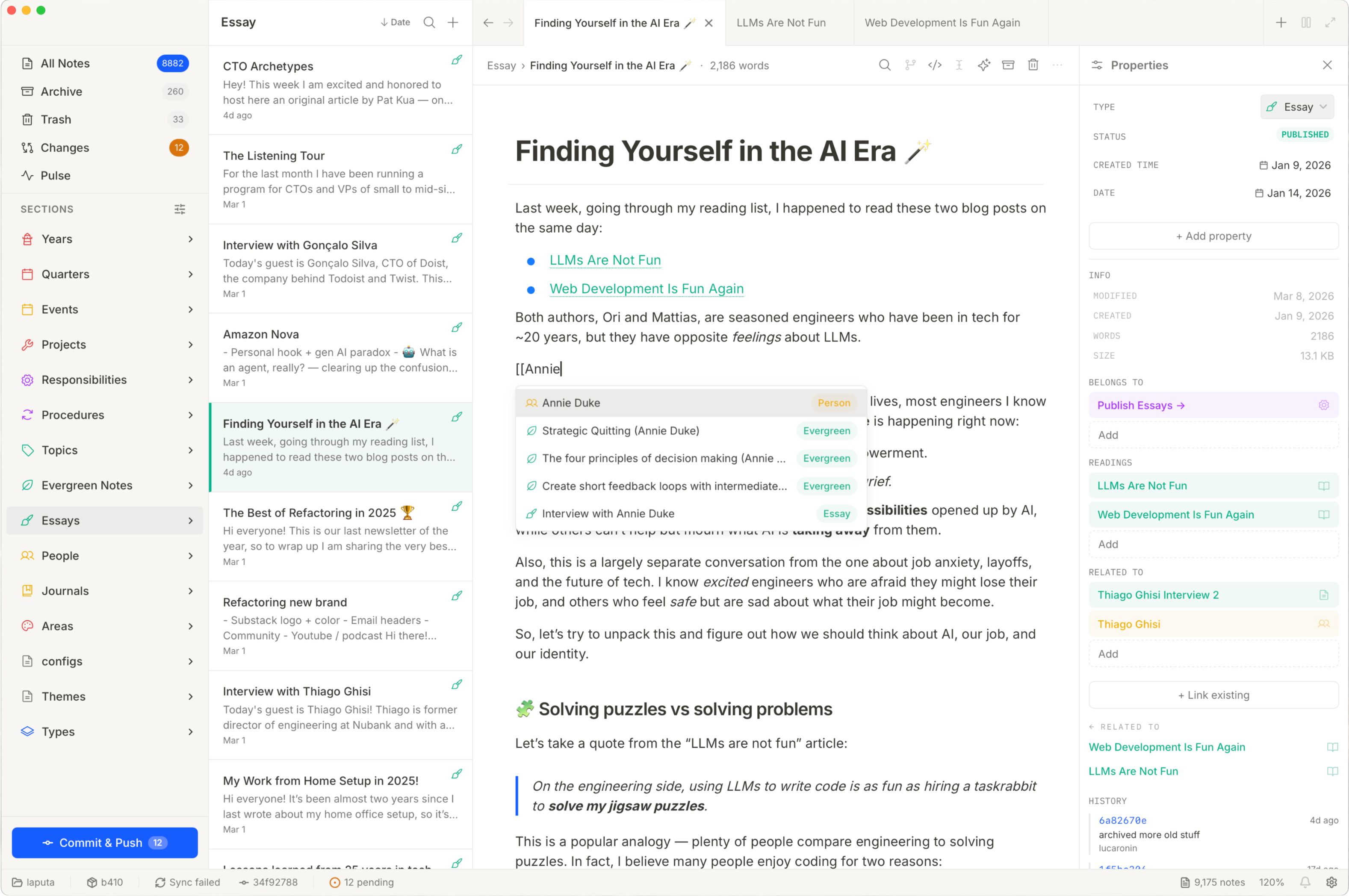
Tolaria
Organize your notes with Markdown and Git integration
Replaces Notion
Who it's for
Tolaria fits teams that want technical documentation in Markdown with better navigation and AI-assisted retrieval.
Skip it if nontechnical teams need Notion-style databases and broad workspace templates.
Tolaria helps keep important docs in portable files rather than a proprietary page store.
Use a hosted wiki if ease for nontechnical editors matters most.
The problem
Developer documentation goes stale when it lives far away from code and review workflows. Workspace tools make editing easy, but they can bury architecture notes, runbooks, and decisions in proprietary pages that are hard to version or search with code context. Technical teams need docs that feel close to the repository while still being easier to navigate than a pile of Markdown files.
How it works
Tolaria centers documentation around Markdown, keeping technical writing in a portable format developers already use.
The project fits teams that want documentation changes to move through familiar repository review and history patterns.
Tolaria positions AI search and context workflows as part of the documentation experience, helping readers find answers across technical docs.
Features
- Markdown-first knowledge base
- Git-friendly docs workflow
- AI-assisted navigation
Recommended for this setup
Strengths
- Good fit for engineering docs: Tolaria focuses on technical knowledge bases rather than broad company workspaces. That focus helps teams organizing runbooks, architecture notes, and code-adjacent docs.
- Portable content format: Markdown content reduces migration risk compared with notes trapped in a hosted workspace database.
Trade-offs
- Not a Notion database clone: Tolaria is not built for rich no-code databases, project trackers, or every-team workspace pages.
- Modified-hosting license review: Teams modifying and hosting Tolaria for others should review AGPL source-sharing requirements.
Tech stack
FAQ
Tolaria is best for technical teams that want a Markdown knowledge base with Git-friendly workflows.
Tolaria is AGPL-3.0 licensed.
It can replace Notion for developer documentation, but it is not a full Notion database or company workspace clone.