
tabularis
Open-source desktop SQL workspace with AI, notebooks, and MCP
Replaces Tableplus, Datagrip, Beekeeper Studio, Navicat Premium, Dbeaver Enterprise
Who it's for
Tabularis's built-in MCP server connects Claude Desktop, Cursor, or Windsurf directly to your database schema. AI coding agents can read your tables, write queries, and execute them without leaving their chat interface. The AI assist overlay adds text-to-SQL via Ollama for fully local inference with no API key required.
Your AI tooling is browser-based and cannot connect to a desktop MCP server, or your team needs a shared server-side database interface rather than individual desktop clients.
SQL notebooks combine queries, Markdown documentation, and inline charts in a single auto-saved file. Cross-cell variables let you reference one query's output as a table in another using CTE syntax, which is useful for staged analysis pipelines. Export to HTML or JSON for sharing results outside the app.
Your workflow centers on Jupyter notebooks with Python kernels, or you need scheduled query execution on a server. Tabularis notebooks run interactively on the desktop, not on a schedule.
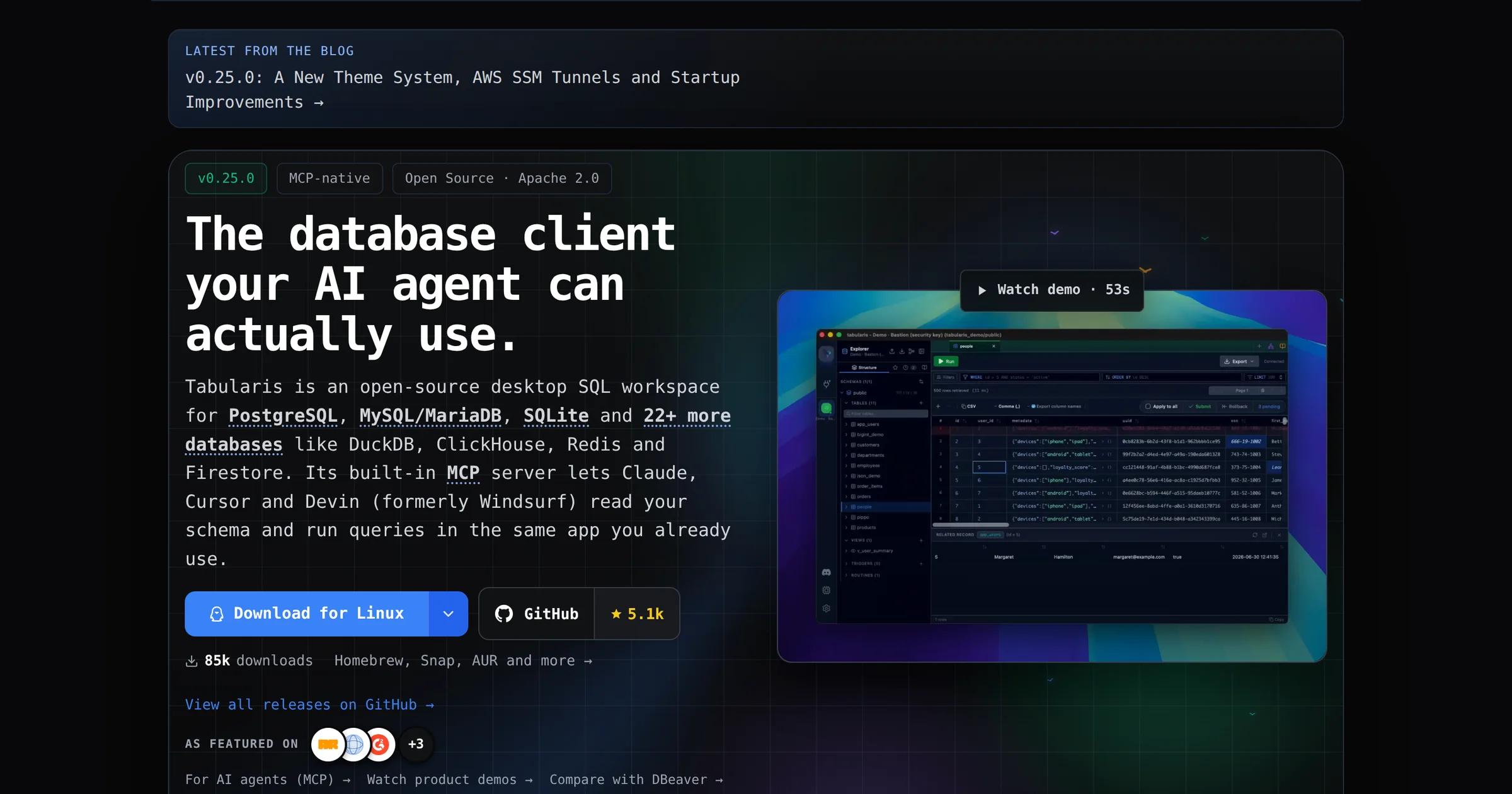
Tabularis handles PostgreSQL with multi-schema support, MySQL/MariaDB, and SQLite from a single app with per-connection profiles, SSH tunneling, and a Monaco-based SQL editor with tab isolation per connection. ER diagrams and visual EXPLAIN are built in for schema exploration and query optimization.
You primarily use databases not yet in the plugin registry (Snowflake, Cassandra, ScyllaDB) where the driver is listed as coming soon or open on the bounty board.
TablePlus does not have a Linux client. Tabularis provides a comparable connection manager with per-connection icon and accent color customization, system keychain integration, SSH tunneling, and a polished SQL editor, plus features TablePlus lacks: notebooks, an MCP server, and a language-agnostic plugin system.
You are on macOS or Windows and find the TablePlus one-time license acceptable. TablePlus supports a wider range of databases out of the box and has a larger installed base.
The problem
Most database GUI tools make you choose between features and cost. The polished ones (TablePlus, DataGrip, Navicat) are commercial, with per-seat pricing or per-device licenses that add up as your team grows or as you move between machines. The free options either lack the features that make daily work fast or, in the case of DBeaver CE, have a UI complexity that slows you down. There is no straightforward path to getting a fast, modern SQL-editing experience without paying a license fee or giving up capabilities like query notebooks, visual EXPLAIN, or AI integration. The gap widens for developers who want AI in their database workflow. Most paid tools either bolt on a cloud AI assistant as an afterthought or leave AI out entirely. Running text-to-SQL with a local model, or giving an AI coding agent direct access to your database schema, requires stitching together multiple tools. That friction compounds when you work across multiple databases or need to share query notebooks with teammates.
How it works
Combine SQL queries and Markdown cells in a single document with inline result charts. Each cell runs independently; results render as tables, bar charts, line charts, or pie charts. Cross-cell variables reference one cell's full result as a table in another query using `{{cell_N}}` syntax, which expands to a CTE at run time. Notebooks auto-save as `.tabularis-notebook` files and export to HTML, CSV, or JSON.
Tabularis ships a Model Context Protocol server that AI coding agents connect to directly. Run `tabularis --mcp` to expose your database schema and query execution to Claude Desktop, Cursor, or Windsurf. One-click config install in Settings handles the agent-side setup. No separate server is required: the MCP server runs inside the desktop app itself.
Database drivers are plugins that communicate over JSON-RPC 2.0 via stdin/stdout, so you can write a driver in Go, Rust, Python, or any other language. The registry includes DuckDB, MongoDB, Redis, ClickHouse, Elasticsearch, DynamoDB, Firestore, Google Sheets, LibSQL, and more. Install plugins from Settings without restarting the app.
Query execution plans render as navigable node graphs instead of raw text output. Switch between graph, table, and raw views, or enable optional AI-assisted analysis that annotates expensive scans and optimizer decisions. Works with PostgreSQL, MySQL/MariaDB, and SQLite using each driver's best available EXPLAIN format.
The AI assist overlay in the SQL editor connects to OpenAI, Anthropic, MiniMax, OpenRouter, and Ollama. Ollama runs entirely on your machine with no API key: point it at a local model and text-to-SQL stays private. Model lists are fetched from your provider and cached locally; custom models can be configured per provider.
Build queries with a drag-and-drop canvas powered by ReactFlow. Connect tables to define JOINs, add WHERE and HAVING filters, include aggregate functions (COUNT, SUM, AVG), and set ordering and limits. SQL generates in real time as you build, so you can inspect or copy the output at any step without switching to the editor.
Features
- SQL Notebooks with Inline Charts
- Built-in MCP Server for AI Agents
- Language-Agnostic Plugin System
- Visual EXPLAIN with Interactive Plan Graphs
- AI Text-to-SQL with Local Model Support
- Visual Query Builder
How to install
Install Tabularis using the package manager for your operating system.
winget install Debba.Tabularis
brew install --cask tabularis
sudo snap install tabularis
Recommended for this setup
Strengths
- Apache 2.0 License with No Paid Tier: Tabularis is Apache 2.0 licensed with no feature gating and no commercial upgrade. TablePlus is fully commercial; DataGrip requires a JetBrains subscription; DBeaver's advanced features require the Pro edition. Apache 2.0 allows commercial use, modification, and redistribution without restriction.
- MCP Server Integration No Paid Competitor Offers: No other major database GUI (TablePlus, DataGrip, Beekeeper Studio, DBeaver) ships a built-in MCP server. Tabularis's built-in MCP server lets AI coding agents read your live schema and execute queries from their chat interface. This is a native capability, not a plugin or external integration.
- SQL Notebooks Absent from All Listed Alternatives: SQL notebooks (SQL cells combined with Markdown and inline charts) are not available in TablePlus, DataGrip, or Beekeeper Studio. Tabularis builds them in with cross-cell variable references, sequential execution with stop-on-error, and export to HTML, CSV, or JSON. This enables documentation-as-query workflows that a plain SQL editor tab cannot support.
- Linux Support Where TablePlus Has None: Tabularis ships Snap, Flatpak, AppImage, .deb, .rpm, and AUR packages. TablePlus does not have a Linux client. For Linux developers who want a polished database GUI with per-connection profiles, SSH tunneling, and keychain password storage, Tabularis is one of the few free options with this feature depth.
Trade-offs
- Fewer Built-in Drivers than DBeaver: Tabularis ships 3 built-in drivers (PostgreSQL, MySQL/MariaDB, SQLite) plus roughly 16 official plugins. DBeaver CE ships 100+ drivers out of the box. The README is direct on this: "If you need dozens of drivers, use DBeaver." Teams connecting to a wide variety of database types will hit this gap, since each additional driver requires a separate plugin install.
- Young Project with Open Issues: Tabularis was created in January 2026 and had 81 open issues as of September 2026. Core features (SQL editor, notebooks, MCP server) are stable, but edge cases in plugin drivers may surface. Some drivers in the registry are community-maintained rather than officially supported by the TabularisDB team.
- Desktop App Only, No Web Interface: Tabularis is a desktop client with no web interface or server component. Teams that need a shared browser-based query environment will need a separate tool. The MCP server exposes schema to AI agents, but it runs from the desktop app and does not function as a standalone service.
Tech stack
FAQ
Yes. Tabularis is Apache 2.0 licensed, which allows commercial use, modification, and redistribution without restriction. There is no paid tier, no seat limit, and no feature gating behind an upgrade.
PostgreSQL, MySQL/MariaDB, and SQLite ship built in. The plugin registry adds DuckDB, ClickHouse, MongoDB, Redis, Elasticsearch, DynamoDB, Firestore, Google Sheets, LibSQL, Cloudflare D1, IBM Db2, and more. Total coverage is 3 built-in databases plus roughly 16 official plugins, with additional community-maintained plugins available in the registry.
Running `tabularis --mcp` starts the built-in Model Context Protocol server. From Settings > MCP Server Integration, you can install the config for Claude Desktop, Cursor, or Windsurf in one click. Once connected, the AI agent can read your database schema and run queries from its own chat interface without switching apps.
Yes. Tabularis supports Snap, Flatpak, AppImage, .deb, and .rpm packages on Linux, and is available in the AUR for Arch Linux. TablePlus does not have a Linux client, making Tabularis a common replacement for Linux developers who want a polished database GUI with this feature depth.
SQL notebooks combine SQL cells and Markdown cells in a single document with inline result charts (bar, line, pie). Cross-cell variables let you reference one cell's output as a table in another query using `{{cell_N}}` syntax, which expands to a CTE at run time. Notebooks auto-save as `.tabularis-notebook` files and export to HTML, CSV, or JSON. A regular SQL editor tab runs queries in isolation without persistent documentation or chart output.