
Pubwork
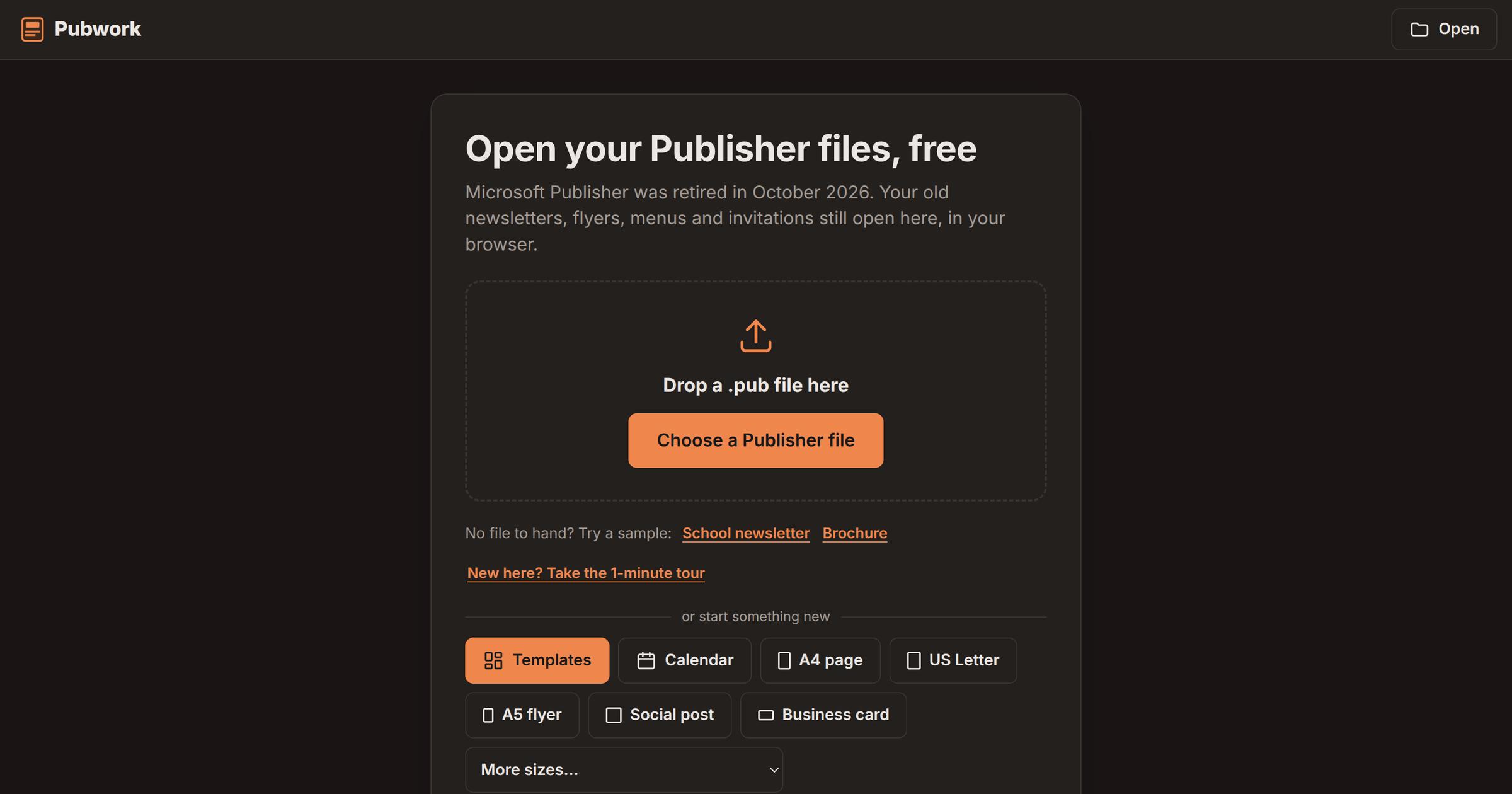
Open, edit and convert .pub files in any browser, offline.
Replaces Microsoft Publisher
Who it's for
Organizations that created newsletters, flyers, permission slips, and event programmes in Publisher over many years need to open, update, and reprint those files after the retirement. Pubwork handles the entire in-browser workflow: open the .pub file, edit the text, and save as PDF for printing or Word for future editing.
A Microsoft 365 Business subscription with legacy access to Publisher is still active and the organization has no cross-platform or cross-device sharing requirement.
Design professionals who receive .pub files and need to extract or repurpose the content can export from Pubwork to Adobe InDesign (.idml) or Scribus (.sla), with text still editable and the matching free fonts bundled. This avoids manual recreation of layouts from scratch.
The client can deliver files in a format the designer's existing tools already read (AI, PDF/X, Word, or similar). Pubwork's value is specifically in bridging the .pub format gap.
Teams tasked with converting a directory of .pub files to PDF or other formats for archival can use Pubwork's batch conversion: choose a folder of files, and download the results as a ZIP. This is a browser-based workflow appropriate for moderate archive sizes.
The archive volume is large enough to need a scripted server-side pipeline. Pubwork runs in the browser and processes files in a single session.
The problem
Microsoft Publisher was removed from Microsoft 365 on 1 October 2026, and support for standalone purchased versions ended on 13 October 2026. No other Microsoft Office program opens .pub files, and Microsoft has not released a migration tool or replacement for the format. Schools, churches, clubs, and small businesses that built their document workflows around Publisher now have no path to open, modify, or convert those archived files. The challenge has two layers: opening the .pub file at all, and doing something useful with it. Without Publisher running, there is no built-in way to read the format, let alone convert it to PDF, extract images, or update text. Organizations with hundreds of archived documents face the choice of paying for a continuing Microsoft 365 Business subscription purely to maintain access to their Publisher installation, or accepting that those documents are no longer editable.
How it works
Opens .pub files from Publisher 97 and 98 through Publisher 2021 and Microsoft 365. Handles text, pictures, shapes, tables, WordArt, and linked text boxes. Files from Publisher 95 and older cannot be read.
Double-click any text to type, drag pictures and shapes to move them, adjust fonts, colours, line spacing, and rotation. Supports bulleted and numbered lists, table row and column management, merged cells, master pages, guides, spell checking, and undo.
Saves as PDF (with searchable text, embedded fonts, and optional CMYK with bleed and crop marks for print shops), Word (.docx), PowerPoint (.pptx), LibreOffice Draw (.odg), PNG, JPG, SVG, Scribus (.sla), and Adobe InDesign (.idml). The InDesign and Scribus exports keep text editable and include the free fonts the page uses.
Files are read inside the browser using a WebAssembly build of libmspub, LibreOffice's Publisher import library. Nothing is uploaded; there is no server-side processing, no account, and no cookies tracking file names or contents. The MPL-2.0 source code is available for independent audit.
A service worker caches the application after the first visit, so Pubwork continues to work in that browser without an internet connection. Because files are read locally on the device, no network access was ever required for the core reading and editing functionality.
Features
- Publisher 97 to 365 compatibility
- In-browser text and layout editing
- Professional export formats
- Local-only file processing
- Offline use after first visit
How to install
Self-host Pubwork by installing dependencies and building the deployable site with Node.js 18 or newer.
npm install
npm run build
Recommended for this setup
Strengths
- Files never reach a server: Unlike cloud-based .pub converters that upload and process files on remote infrastructure, Pubwork's conversion runs entirely in the browser via WebAssembly. The MPL-2.0 source code is publicly available on GitHub so any organization can verify that no network request carries file data. This makes it appropriate for documents marked confidential or sensitive.
- Runs on any device without installation: Works in Chrome, Edge, Firefox, and Safari on Windows, Mac, Linux, Chromebook, iPhone, iPad, and Android. No plugin, extension, or desktop software to install. After the first visit, the service worker keeps it working offline.
- Self-hostable on a static host: Build with `npm run build` using Node.js 18 or newer and deploy the `dist/` folder to any web server, CDN, or file host. The WebAssembly reader is pre-compiled in `public/pubreader/`, so a standard deployment does not require Emscripten or a build chain beyond Node.js.
Trade-offs
- Very new project with minimal community: The repository was created in October 2026 and has 1 GitHub star and 0 forks. Bug reports and contributed fixes will move more slowly than established open source tools. Organizations running their own self-hosted copies should expect to handle edge cases in .pub file parsing themselves.
- Publisher 95 and older files cannot be read: Files from Publisher 95 and earlier are not supported. The WebAssembly reader is built from libmspub, which covers Publisher 97 onward. Very old archives may require a different migration path.
Tech stack
FAQ
Microsoft removed Publisher from Microsoft 365 on 1 October 2026, and support for standalone purchased versions ended on 13 October 2026. No other Microsoft Office application opens .pub files. Pubwork runs in any modern browser and reads Publisher files from version 97 through Publisher 2021 and Microsoft 365.
No. The entire program runs in the browser using a WebAssembly build of libmspub, LibreOffice's Publisher import library. Your file never leaves your device; there is no server-side processing, no account required, and no limit on the number of files you can open. The MPL-2.0 source code is on GitHub if you want to verify this independently.
Yes. The repository requires Node.js 18 or newer. Run `npm install` and `npm run build`; the finished site goes into `dist/` and deploys to any static host, CDN, or internal web server. The WebAssembly reader is pre-built in `public/pubreader/`, so you do not need Emscripten for a standard deployment.
PDF (with searchable text, embedded fonts, and optional CMYK with bleed and crop marks for print shops), Word (.docx), PowerPoint (.pptx), LibreOffice Draw (.odg), PNG, JPG, SVG, Scribus (.sla), and Adobe InDesign (.idml). The InDesign and Scribus exports keep text editable and bundle the free substitute fonts the page uses.
Yes. After your first visit, a service worker caches the application so Pubwork continues to work in that browser without an internet connection. Because files are processed locally on your device, they never needed network access in the first place.