
Phosphor Cam
Real-time retro camera with five render engines and no data upload.
Replaces —
Who it's for
Use the ASCII or Dither engine on a webcam selfie, adjust character size and foreground color to fit the aesthetic, then export at 4x or 8x scale for a high-resolution image ready for posts or print. The seven post-processing effects add depth without leaving the browser.
You need to composite the effect over existing video footage or apply it to a batch of files.
Tune each engine's parameters live (character size, contrast, color mode, 3D block mode, line direction) while watching the camera feed to understand how character-mapping, dithering, and halftone patterns respond to different settings. The live FPS and render-time display confirms the cost of each change in real time.
You need a full canvas rendering framework or a production-ready graphics library rather than a learning environment.
Load any photo into Phosphor Studio from a file, drag and drop, or clipboard paste. Pick from ten presets across Retro CRT, Print and Dither, and Digital and 3D styles, then fine-tune with the full settings panel. Hold the Compare button to view the original alongside the effect before exporting as PNG, JPEG, or WEBP.
You need batch processing across a folder of photos.
Install from F-Droid or the GitHub Releases page (no Play Store account required). The app runs fully offline after install, with the same five render engines and all settings available. Signed APKs are published automatically on every release.
You are on iOS, which is not currently supported.
The problem
Adding real-time ASCII art or graphic effects to a live camera feed has historically meant using commercial video software, paying for subscription filter apps, or writing custom canvas code from scratch. Subscription creative tools charge monthly fees for effects pipelines that need significant setup just to preview a single render style, and mobile apps offer canned filters with no access to engine parameters or high-resolution export. The harder gap is control: most browser-based ASCII tools are fixed-character, low-resolution novelties with no support for adjustable contrast, multiple render engines, or fine-grained export settings. Creators who want a specific aesthetic, particular character sets, fine-tuned brightness, or the ability to process still photos with the same pipeline end up writing their own tooling or paying for a professional motion graphics suite.
How it works
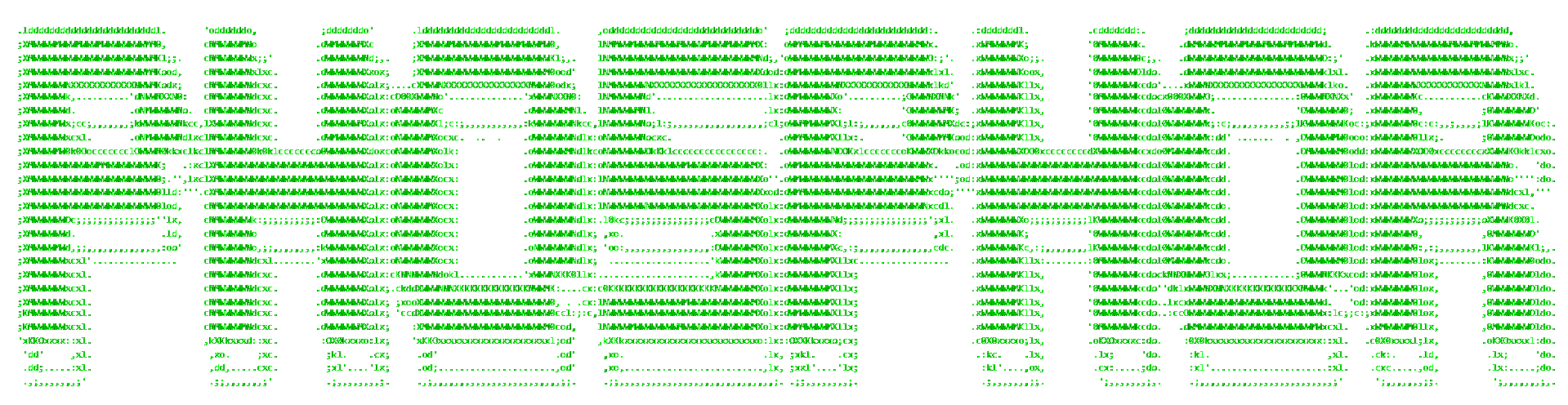
ASCII, Dither, Halftone, Voxel, and Lines engines are all available from one settings panel and switchable at runtime without restarting the camera. The ASCII engine maps characters to pixel luminance with 22 built-in sets from classic ramps to braille and runes. The Voxel engine adds an optional 3D block mode; the Lines engine renders each row or column as a continuous ribbon.
Character size adjusts from 2 to 30 px across all five engines, controlling output density and coarseness. Color mode can be on or off; foreground and background accept any hex color, a color wheel, or one of six presets with a one-click swap. Contrast runs from 0.5x to 3.0x, brightness from -100 to +100, with an invert toggle available for all engines.
The /studio route applies the same five render engines to any uploaded photo, with undo/redo, zoom, pan, pinch, and hold-to-compare against the original. Load from a file, drag and drop, clipboard paste, or built-in samples. Ten presets span Retro CRT, Print and Dither, and Digital and 3D styles, and every adjustment including slider changes is undoable.
Glow, bloom, halation, chromatic aberration, vignette, scanlines, and grain effects each have individual on/off controls and intensity sliders. Effects apply to the live preview, saved images, and exported files, so the full look is preserved in every capture. Combined with color mode, contrast, and brightness, every element of the final aesthetic is configurable.
Capture scale runs from 1x to 20x (a memory warning appears above 12x), and output saves as PNG, JPEG, or WEBP. The ASCII engine supports copying text output directly to the clipboard. Video recording of the rendered camera feed is available, and Phosphor Studio can copy the rendered image to the clipboard for direct use in other apps.
Every frame is processed locally by a Web Worker and drawn on the browser's Canvas 2D API. Nothing is uploaded. The app works in any secure context (HTTPS or localhost), runs as a PWA, and is available as an offline-capable native Android app via GitHub Releases and F-Droid, running entirely without internet access after installation.
Features
- Five Interchangeable Render Engines
- Color, Contrast, and Character Size Controls
- Phosphor Studio for Photo Editing
- Seven Adjustable Post-Processing Effects
- High-Resolution Capture and Video Recording
- Fully Client-Side, No Server Required
How to install
Download the signed Android APK from GitHub Releases or install through F-Droid: https://github.com/pshycodr/phosphor-cam/releases/latest
Recommended for this setup
Strengths
- Privacy by design: Phosphor Cam processes every camera frame and photo in the browser via a Web Worker. No frame, image, or personal data is transmitted to any server. Users who cannot use cloud-based creative tools due to privacy requirements or restricted network environments can run Phosphor Cam in any modern browser or install the Android APK for fully offline use.
- MIT license, no subscription, free to self-host: The MIT license permits use, modification, and commercial deployment without restriction. Self-hosting the web app requires only a Bun 1.4 build and a static file server, with no licensing fees or backend service to maintain. The hosted web version at phosphor.aroy.site is also free with no account required.
- Worker-based rendering targeting 60 FPS: The Canvas rendering pipeline runs in a dedicated Web Worker, keeping the main UI thread responsive during active capture. A live FPS counter and render-time readout appear in the interface, so users can observe performance in real time and adjust character size or capture scale to maintain smooth output on their device.
- Android app with offline support: A native Android build ships from the same codebase, is signed and published automatically on every release via GitHub Actions, and is available on F-Droid without a Play Store account. It runs fully offline after install, making it usable in fieldwork or low-connectivity situations.
Trade-offs
- Source build required for self-hosting: There is no Docker image or prebuilt server package. Self-hosting requires Bun 1.4, cloning the repository, running bun install and bun run build, and serving the output from a static file server or CDN. Users who want a managed deployment or one-command setup should use the hosted version at phosphor.aroy.site instead.
- No video file editing in Studio yet: Phosphor Studio supports only photos. Applying the five render engines to an existing video file is noted in the README as planned for a later release, but is not currently available. Users who need this capability must record a live camera session and work frame-by-frame.
- High capture scales require more device memory: The Configuration table in the README lists a memory warning above 12x capture scale. Very large exports on low-RAM devices or browsers with restricted memory budgets may fail or produce incomplete files. Setting capture scale to 8x or below avoids most memory constraints on typical hardware.
Tech stack
FAQ
No. Every frame and photo is processed entirely in the browser using the Canvas 2D API and MediaStream API. Nothing is transmitted to a server. The app works in any secure context (HTTPS or localhost) and requires only camera permission from the browser.
Five engines are available: ASCII (characters mapped to pixel luminance, with 22 character sets), Dither (reduced-tone bitmap with a print-like texture), Halftone (image recreated as a grid of dots), Voxel (pixelated 3D block mode), and Lines (each row or column as a continuous ribbon). All five can be switched at runtime without restarting the camera.
Download the signed APK from the GitHub Releases page at https://github.com/pshycodr/phosphor-cam/releases/latest, or install through F-Droid at https://f-droid.org/packages/site.aroy.phosphor/. No Play Store account is required. Signed APKs are published automatically on every release.
Yes. Phosphor Cam is a static web app with no server-side component. Self-hosting requires Bun 1.4 or later: clone the repository, run bun install and bun run build, then serve the built output directory from any static file server or CDN. The MIT license permits use and modification without restriction, including for internal commercial deployments.
Phosphor Cam requires getUserMedia, Canvas 2D API, and ES2020+ support. The README documents support for Chrome 90+, Firefox 88+, Safari 14+, and Edge 90+. A secure context (HTTPS or localhost) is required for camera access.