NTFSTool
NTFS read/write on macOS via Apple FSKit, no kernel extension needed.
Replaces Paragon Ntfs For Mac, Tuxera Ntfs For Mac, Iboysoft Ntfs For Mac, Easeus Ntfs For Mac, Buhontfs
Who it's for
NTFSTool gives you a writable NTFS mount point with no Terminal commands and no security trade-offs. Copy, edit, and delete files on a Windows-formatted external drive exactly as you would any Mac volume, with automatic mounting on plug-in and a plain-language warning if the drive is in a dirty state.
If you only copy files from NTFS drives to your Mac and never write back, macOS's built-in read support handles this without additional software.
The open-source edition is MIT licensed, commented in English throughout, and explicitly designed as a reference for building an FSKit file system module. The repo includes architecture docs, a demo mode (runs the UI without a physical disk), and the full write path from Finder to the NTFS layer.
If you need a production NTFS driver for everyday use and are on macOS 12 or later, the official NTFSTool Pro or free App Store edition has features (dual drivers, disk repair) the reference build lacks.
NTFSTool Pro's one-time per-Mac pricing ($24.99, macOS 12+) compares directly against Paragon NTFS ($29.95/Mac) and Tuxera NTFS ($28.95/person). Its security profile is unique in the category: no kernel extension, no Reduced Security mode on Apple silicon, with a 45-day read/write guarantee to reduce deployment risk.
If your organization already holds Paragon NTFS volume licenses or requires centralized MDM deployment support, evaluate Paragon's enterprise offering before switching.
The problem
macOS has never supported writing to Windows NTFS drives without additional software. Plugging in an external drive formatted by Windows gives read access only: you can copy files off it, but you cannot edit, rename, or delete anything on it. The traditional fix has been a kernel extension (kext) driver that loads privileged code into macOS to intercept disk I/O. On Apple silicon Macs, this requires dropping to Reduced Security mode, which disables certain security features including Apple Pay. The installation also requires restarting the machine and approving the kernel extension through System Settings. For many Mac users, that is a larger security trade-off than the access problem they are trying to fix.
How it works
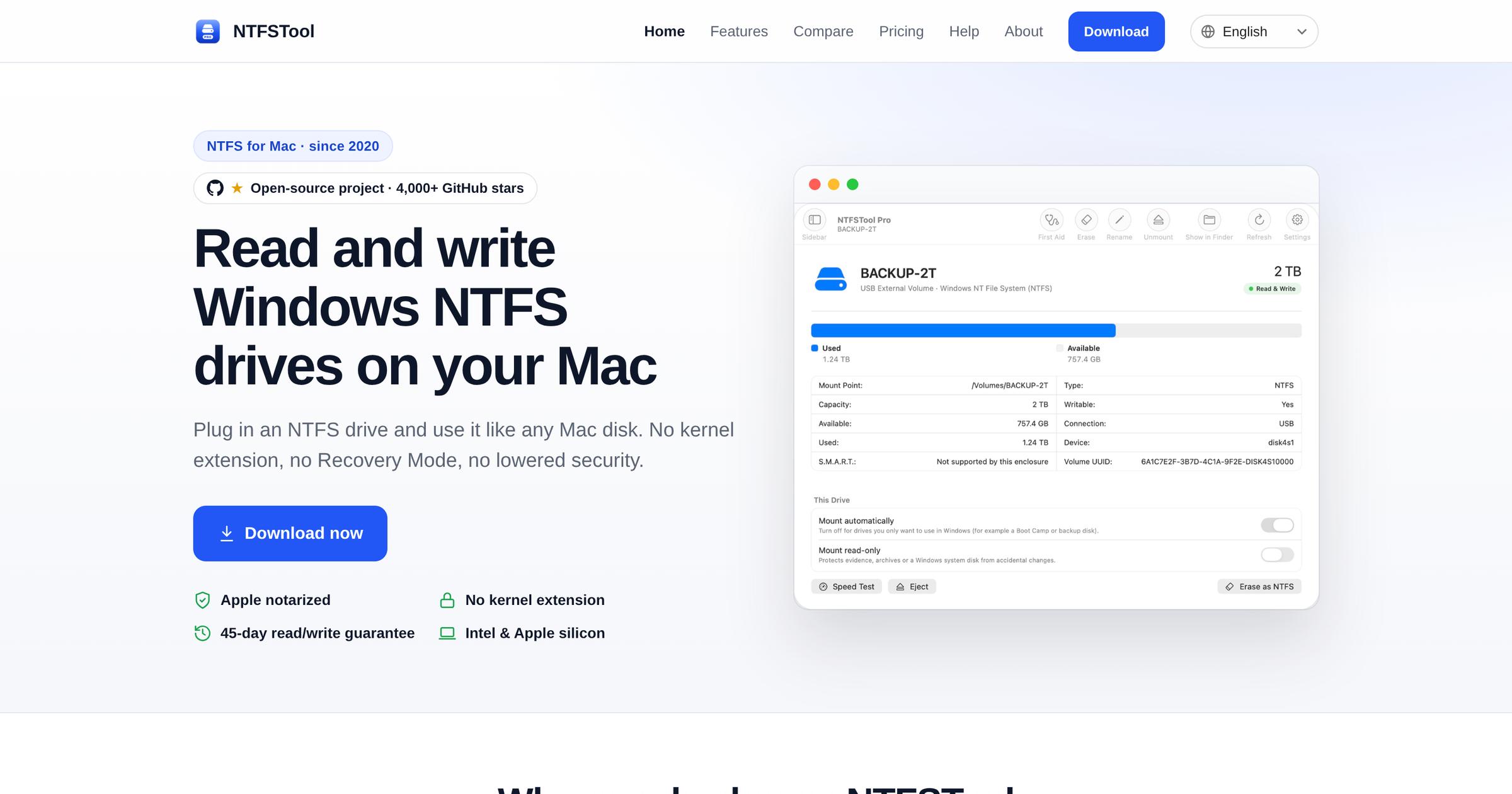
NTFSTool registers as an Apple FSKit file system module, so macOS loads it as a sandboxed, user-space extension with no kernel code. This means no Reduced Security mode, no Recovery Mode, and no admin password prompt at any point. On Apple silicon Macs, Apple Pay stays enabled and the Mac's security profile is never changed.
Plug in an NTFS drive and macOS mounts it writable without any action from you. NTFSTool handles the mount automatically, showing the drive as read-write if the state is clean, or read-only with a plain-language explanation if Windows was hibernated or Fast Startup is on.
If Windows was hibernated or Fast Startup was on when the drive was last used, writing could corrupt data. NTFSTool detects this and mounts the drive read-only, then explains exactly how to clear the state before you proceed. No data is at risk from silent corruption.
An official Homebrew cask (`brew install --cask ntfstool`) installs the same signed, Apple-notarized build available at ntfstool.com and the Mac App Store. The same signed build on all three channels means no version divergence or unofficial distribution risk.
The app ships in 20 languages: English, Simplified and Traditional Chinese, Japanese, Korean, German, French, Spanish, Italian, Portuguese, Russian, Arabic, Persian, Turkish, Hindi, Bengali, Indonesian, Swahili, Thai, and Vietnamese, with correct right-to-left layouts for Arabic and Persian.
Features
- FSKit driver, no kernel extension
- Automatic read-write mounting on plug-in
- Hibernation and dirty-drive detection
- One-command Homebrew install
- 20-language interface
How to install
Install NTFSTool with Homebrew's official cask.
brew install --cask ntfstoolRecommended for this setup
Strengths
- No kernel extension keeps Apple silicon at full security: Paragon NTFS for Mac and Tuxera NTFS for Mac both use kernel extensions that require Reduced Security mode on Apple silicon, which can affect Apple Pay. NTFSTool uses Apple FSKit in user space and never requires a security downgrade, making it the only mainstream NTFS driver for Mac that keeps the system at full security.
- MIT-licensed codebase, 4,193 GitHub stars: The open-source reference edition is MIT licensed, with every source file commented in English. The repo explicitly documents the FSKit architecture and the full write path from Finder to disk. With 4,193 stars and active maintenance (last push November 2026), the codebase is a well-regarded reference in the Mac developer community.
- Free tier on the Mac App Store: A free edition on the Mac App Store covers read and write for users on macOS 15.6 or later, with no payment, subscription, or time limit. Users who need disk repair, S.M.A.R.T. health, or speed testing can upgrade to NTFSTool Pro ($24.99 one-time, macOS 12+) without losing data or settings.
- One-time purchase with lifetime updates: NTFSTool Pro costs $24.99 once with no subscription and no paid major upgrades. Owners of older 4.x licenses get the Pro upgrade for free. A 45-day read/write guarantee refunds the purchase in full if the driver cannot read and write your specific drive after support assistance.
Trade-offs
- Open-source edition write support requires macOS 26: The GitHub reference edition runs on macOS 15.6 or later, but its FSKit write driver only activates on macOS 26 or later. On macOS 15.x, Apple's own read-only NTFS driver takes over for physical disks, so the reference build provides no write access on those systems. The official free App Store build and NTFSTool Pro handle write from macOS 12 onward via a second driver.
- Pro features are closed-source: NTFSTool Pro, with its second driver for older macOS, disk First Aid, S.M.A.R.T. health, speed testing, menu bar control, and per-drive settings, is closed-source. The open-source GitHub edition is a learning and reference build, not the production app. Users who want the full feature set must use the official builds from ntfstool.com or the Mac App Store.
- macOS only: NTFSTool is a macOS app with no Windows, Linux, or cross-platform version. It addresses the NTFS gap specifically on macOS; for NTFS write support on Linux, ntfs-3g covers that use case. For cross-platform NAS or server setups, NTFSTool and NTFSTool Pro do not apply.
Tech stack
FAQ
No. NTFSTool uses Apple's FSKit framework to run as a sandboxed user-space file system module. There is no kernel extension, no System Integrity Protection change, and no Reduced Security mode required, even on Apple silicon Macs. Apple Pay stays enabled throughout.
The GitHub repository is an open-source learning and reference build derived from the free App Store edition. It has the FSKit driver and the basic UI. NTFSTool Pro (closed-source, $24.99 one-time) adds a second driver for older macOS, First Aid for dirty or hibernated drives, S.M.A.R.T. health status, a built-in speed test, menu bar access, and per-drive settings. The open-source edition's write driver also requires macOS 26 or later; Pro's first driver works from macOS 12.
NTFSTool Pro and the free App Store edition run on macOS 12 or later (Intel and Apple silicon); the free App Store edition requires macOS 15.6 or later specifically. The open-source reference edition requires macOS 15.6 or later to run, and write support in that build requires macOS 26 or later: on macOS 15.x, Apple's own read-only NTFS driver takes over for physical disks. Macs on macOS 10.15 to 11 can use the classic version from ntfstool.com.
Three install paths are available: the Mac App Store (free edition, macOS 15.6 or later), ntfstool.com (NTFSTool Pro, macOS 12 or later), and Homebrew via `brew install --cask ntfstool` (installs the same signed, notarized build as the site). After install, the app guides you through enabling the file system extension once in System Settings.
Yes. Clone the repo and run `make` to build the app. Full write support in the reference build requires macOS 26 or later, and running the driver (not just the UI) requires an Apple Developer account to provision the FSKit entitlement, which Apple restricts to registered developers. The repo includes a demo mode (`make demo`) that runs the full UI with in-memory demo disks without a physical drive or Apple Developer account.