
Lossless Cut
Lossless video and audio editing with FFmpeg, no re-encoding needed.
Replaces Solveigmm Video Splitter, Tmpgenc Mpeg Smart Renderer
Who it's for
LosslessCut trims gigabytes of raw GoPro, drone, or dashcam footage in seconds, letting you pull out the useful segments and discard the rest without waiting for a re-encode. Import chapters and markers to organize cuts before exporting.
Your clips need cuts at precise timestamps that do not align with keyframes, or you need color grading, transitions, or other operations that go beyond cutting and remuxing.
The scene and silence detection tools automatically identify commercial break points in recorded TV files. After detecting breaks, mark and cut the segments, then export a single clean file without re-encoding the original recording.
Your broadcast files use codecs or containers that FFmpeg cannot read, or you need fully automated post-processing at scale without running a desktop application.
Remuxes MKV, TS, WebM, and other containers to MP4 or any target format without touching the video or audio streams. Used when a platform, player, or client requires a specific container but the content was recorded in a different one.
The source codec is incompatible with the target container and a codec conversion is needed rather than a container change.
The CLI and HTTP API allow LosslessCut operations to be scripted and integrated into pipelines. The project's active GitHub history (44,960 stars, last push October 2026) means API coverage keeps pace with new formats and features.
Your workflow requires running batch operations in a server or CI environment without a locally installed application.
The problem
Every time you trim a video in a standard editor, the software re-encodes the entire file. For a two-hour drone recording or raw camera file, that means waiting minutes or hours to see the result, and a small quality loss compounds with every round of editing. The real cost is in workflow. A file that takes an afternoon to process does not get processed at all. Broadcasters re-cutting a recorded TV show, creators extracting a clip from a GoPro session, and anyone changing a container format from MKV to MP4 hit the same wall. The workaround is running raw FFmpeg commands by hand, but keeping track of timestamp offsets, track maps, and codec flags is tedious enough that most people just pay for dedicated software instead.
How it works
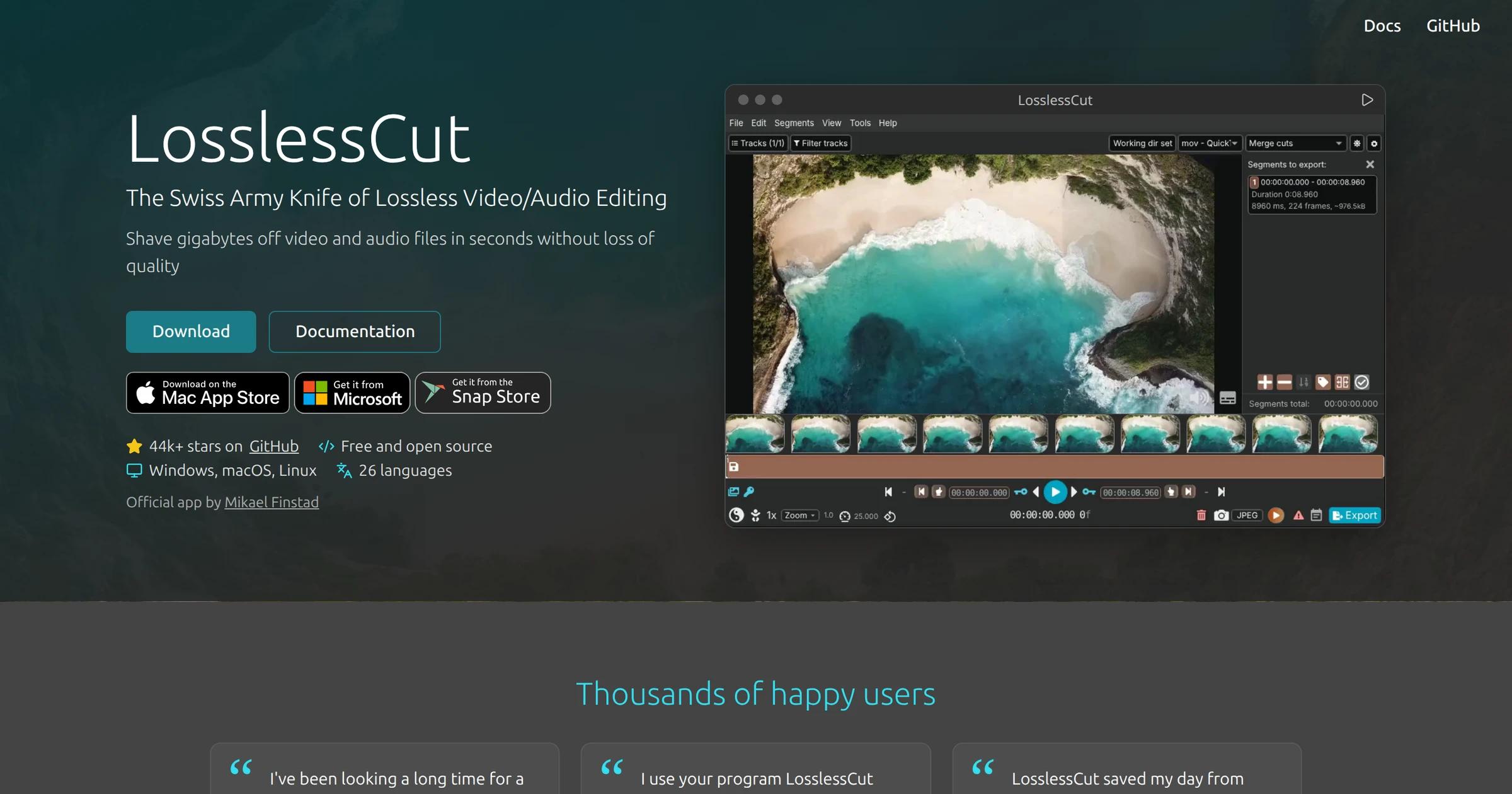
Trims video and audio files by copying the data stream from the nearest keyframe, bypassing re-encoding entirely. Operations complete in seconds. The cut point aligns to the nearest preceding keyframe, which can sit a fraction of a second to several seconds before the requested mark depending on the file's encoding.
Joins multiple cut segments or whole files with identical codecs into a single output file without re-encoding. Useful for combining clips from the same camera session or stitching chapters back together after cutting out unwanted sections.
Adds, removes, replaces, or extracts individual tracks from a file: audio tracks, subtitle files, and more. You can add music to a video, replace its audio, extract just the audio track, or strip subtitles, all without touching the video codec.
Changes the container format of a file, for example from MKV to MP4, without re-encoding any of the streams. The video, audio, and subtitle data stay bit-identical; only the wrapper changes. Useful when a player or platform requires MP4 but the source is in a different container.
Analyzes files to detect scene changes, silent segments, and black frames, then splits the file at those points automatically. Useful for bulk processing of recorded TV files, sports footage, or any recording with natural break points.
Exposes a command-line interface and an HTTP API alongside the GUI, so batch or automated operations are available for scripting workflows. Keyboard shortcuts cover the most common editing operations for users who prefer keyboard-driven workflows.
Features
- Lossless cutting and trimming
- Lossless segment merging
- Multi-track editing
- Container format remuxing
- Scene, silence, and black-frame detection
- CLI and HTTP API
Recommended for this setup
Strengths
- Near-instant operations through direct data copy: Because LosslessCut copies data streams rather than re-encoding, it completes operations in seconds. The README describes the approach as 'an almost direct data copy, fueled by the awesome FFmpeg.' User testimonials on the product website report tasks that took 45 minutes in a standard editor finishing in under a second.
- Near-universal format support via FFmpeg: Opens almost any file that FFmpeg can decode, including formats that media players cannot play natively. With 44,960 GitHub stars and the most recent release (v3.70.1) on October 19, 2026, the project is actively maintained across all three desktop platforms.
- GPL-2.0 license with no ads or tracking: LosslessCut is GPL-2.0 licensed, so the source code is freely available for inspection and modification. The developer explicitly states there are no ads or tracking in the app, and the GitHub download has always been free.
- Free GitHub download, optional paid App Store: The executables on GitHub are free, unsigned downloads available for Windows, macOS, and Linux. The Mac App Store and Microsoft Store versions are paid but optional, offering signed binaries and automatic updates. Users who need neither feature pay nothing.
Trade-offs
- Cuts must start at keyframes: Lossless cuts can only begin at a keyframe in the source file. The actual cut point lands at the keyframe immediately before the requested timestamp, which may be a fraction of a second or up to several seconds earlier depending on the file's encoding.
- GitHub download triggers security warnings on first install: The free binary download from GitHub is unsigned. On Windows and macOS, unsigned executables trigger security dialogs warning that the file may be unsafe, and some anti-virus software flags it. The developer documents this in the FAQ and offers the signed App Store versions as an alternative for users who prefer a friction-free install experience.
- Local desktop application: LosslessCut runs as a locally installed desktop application on Windows, macOS, or Linux. All file processing happens on the user's own machine. The application also exposes a CLI and HTTP API for automation and scripting workflows.
Tech stack
FAQ
The GitHub download has always been free and the developer states it will remain so. The Mac App Store and Microsoft Store versions are paid but optional; they provide signed binaries and automatic updates. There are no ads or tracking in any version.
Lossless cuts can only begin at a keyframe in the source file. Keyframes are reference frames that the video encoder places at intervals. LosslessCut places the cut at the keyframe immediately before the requested timestamp, so the actual start may be a fraction of a second or up to several seconds earlier, depending on how frequently keyframes appear in the source file's encoding.
LosslessCut opens almost any file that FFmpeg can decode. Container formats include MP4, MOV, MKV, WebM, TS, OGG, and WAV. Video codecs include H264, H265, AV1, VP8, VP9, and Theora; audio codecs include FLAC, MP3, AAC, Opus, PCM, and Vorbis. Files with formats unsupported by the built-in HTML5 player fall back to FFmpeg-assisted playback automatically. The export always reads from the original file, so playback limitations do not affect output quality.
The GitHub version is a free unsigned binary that may trigger security warnings on first run on Windows and macOS. The App Store versions are signed, install without security dialogs, and update automatically. Microsoft charges for binary signing and MS Store publishing, so the developer sells the Windows version there to cover that cost; the Mac App Store version follows the same model. Functionality is identical across all versions.
Yes. Linux builds are available as free downloads from GitHub in x64 and arm64 tar.bz2 packages, an x64 AppImage, and a Raspberry Pi armv7l build. LosslessCut is also published to the Snap Store. Note that the armv7l build does not bundle FFmpeg and requires a separately installed FFmpeg binary on the system.