
Jean
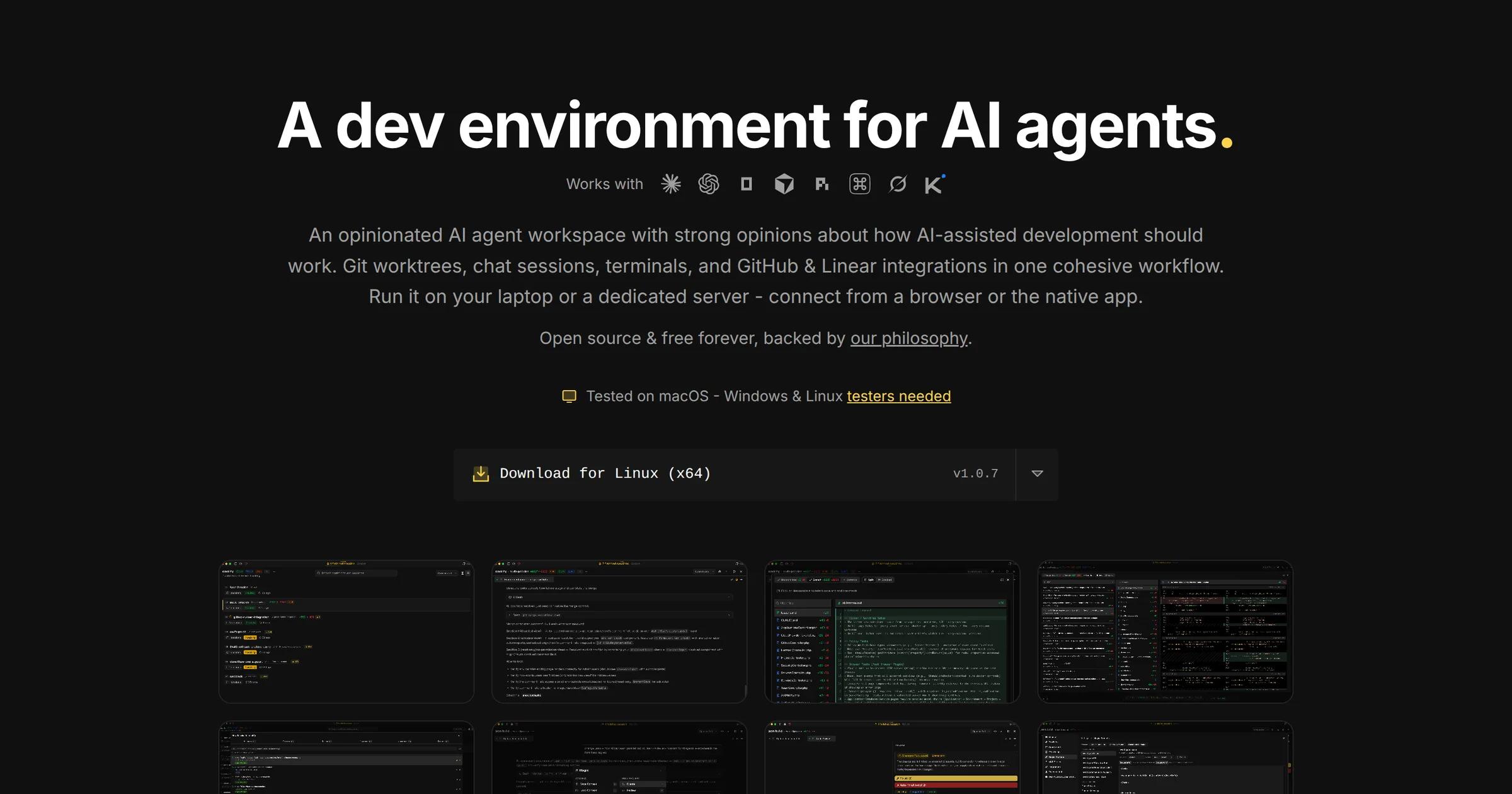
A dev environment for running AI agents in isolated git worktrees
Replaces Conductor, Claude Code
Who it's for
When one task is in progress in a worktree with Claude Code and you want a second agent on a different branch, Jean creates and manages the worktrees automatically. You switch between sessions in the UI, review diffs, and merge only what you approve.
You only ever run one agent at a time and a single terminal window covers your workflow.
With jean-server installed on a Linux machine or Web Access enabled on the desktop app, you can open your Jean workspace in a browser from another device, or connect the native app to a remote instance. The same projects and sessions are available over the network.
You only work locally and never need to access your agent workspace from a second machine.
Jean's Linked Projects feature connects your app repo, documentation repo, SDK, and shared libraries into one context. Each agent session sees all linked repos, so agents do not miss CLAUDE.md guidance or docs conventions that live in a sibling repo.
You work in a monorepo where all related code is in one repo and cross-repo context sharing is not an issue.
Magic Git Commands give you one-click access to AI commit messages, PR descriptions, code reviews with tracked findings, release notes, and merge conflict resolution. Each workflow runs on a model and prompt template you can adjust without editing the agent session.
You already have a working CLI-based git workflow and do not need AI help with commit copy or PR generation.
The problem
Running an AI coding agent on a real codebase is manageable when you have one agent on one branch. When you want multiple agents working in parallel, things fall apart fast. Agents editing the same files conflict with each other, branch management becomes a manual overhead, and any agent context specific to one repo stays siloed from related repos you also maintain. Beyond parallelism, repeatable git tasks like writing commit messages, generating PR descriptions, running code reviews, and resolving merge conflicts all require manually crafting prompts from scratch every session. There is no mechanism to encode your preferred workflow, preferred model, or preferred verbosity level into the process.
How it works
Every task gets its own git worktree, so running Claude Code, Codex CLI, and OpenCode in parallel produces no branch conflicts or file collisions. You review each worktree separately before merging anything back, and you can archive, restore, or delete workspaces from the Jean UI without touching the shell.
Connect related repos (your app, docs, SDK, backend) once and every agent session sees the full multi-repo context without copy-pasting files or rebuilding prompts by hand. CLAUDE.md, AGENTS.md, and docs directories from linked repos are visible automatically to every agent you run.
One-click workflows for code review with tracked findings, AI commit messages, PR descriptions, release notes, and merge conflict resolution. Each workflow has an editable prompt template, and you can pick a different model, backend, and reasoning level per command without touching the agent session itself.
Schedules sweeps of your open GitHub issues, creates one Jean worktree per issue, and drafts a focused plan. You control issue count limits, label filters for what gets picked up, and whether it auto-executes approved plans. You can pick separate planning and execution backends and models.
Run Jean headless on Linux (amd64/arm64) and access the full UI over token-protected HTTP/WebSocket on port 3456. Connect from any browser, or add it as a remote in the native Jean app. Tailscale is the recommended way to expose it privately without opening a port to the public internet.
RTK proxies your CLI tools to cut 60-90% of tool-output tokens across every backend. Caveman trims Claude's replies by approximately 65-75% with terse, technical output. Both install with one click from the Opinionated pane and work across all supported backends without per-session configuration.
Features
- Isolated Worktrees for Parallel Agents
- Linked Projects
- Magic Git Commands
- Mr. Robot Issue Sweeps (Beta)
- jean-server: Headless Linux Deployment
- Token-Reduction Plugins
How to install
Install the macOS desktop app via Homebrew, or deploy jean-server on Linux using the setup script.
brew tap coollabsio/jean
brew install --cask jean
Linux server install (amd64/arm64):
curl -fsSL https://raw.githubusercontent.com/coollabsio/jean/main/scripts/install-jean-server.sh | sudo bashRecommended for this setup
Strengths
- Apache 2.0 with no paid tiers: Jean is Apache 2.0 licensed and free forever with no feature gates, usage limits, or paid plans. You bring your own subscription for Claude Code, Codex CLI, or whichever backend you use. Jean adds nothing to that bill.
- Runs eight AI backends in the same workspace without reconfiguration: Jean supports Claude CLI, Codex CLI, OpenCode, Cursor CLI, Pi, Command Code, Grok, and Kimi Code in the same project setup. You can switch backends or run several simultaneously without reconfiguring your project or rebuilding your context each time.
- Remote and browser access without a separate tunneling tool: Unlike CLI coding agents that require a local terminal, Jean's web access (enabled in the desktop app settings) or jean-server (headless Linux) lets you reach your agent sessions from any browser on your network, including a phone or tablet, with token authentication on by default.
- Opinionated defaults with per-workflow overrides: Jean picks sensible git workflow defaults (worktree isolation, automated merging, structured context loading) so you skip the configuration overhead. Every built-in workflow still has an editable prompt template and per-prompt model and backend controls when you need to tune it.
Trade-offs
- macOS is the primary tested platform: The desktop app is tested on macOS. Windows and Linux desktop builds are available from GitHub releases but the maintainers describe them as needing more testing. If you run the desktop on Windows or Linux, expect rougher edges than on macOS.
- 146 open issues for a repo created in January 2026: Jean is actively developed but young. As of September 2026 it carries 146 open GitHub issues, which is typical for a fast-moving early-stage tool. Breaking changes and gaps in edge-case coverage are more likely here than in more established projects.
- No bundled AI capability: Jean does not include any AI model. You must bring and maintain your own subscriptions or API keys for Claude Code, Codex CLI, or whatever backend you run. If you want a single self-contained tool that includes the AI, Jean is not that tool.
Tech stack
FAQ
No. Jean is the environment and control surface that runs Claude Code (and other CLI agents like Codex CLI and OpenCode) inside isolated git worktrees. Claude Code still does the coding work. Jean handles parallel session management, git operations, and the remote access layer.
Yes. Jean is Apache 2.0 licensed and free forever with no paid tiers, no feature gates, and no usage limits. You need your own subscription or API access for the underlying AI agents (Claude Code, Codex CLI, etc.), which are separate products. Jean adds no cost on top of those.
Yes. Install jean-server on Linux (amd64 or arm64) and connect over token-protected HTTP/WebSocket on port 3456 from any browser. The native app also supports remote connections via the title bar server icon. Tailscale is recommended for private access instead of exposing the port to the public internet.
The desktop app is tested on macOS. Windows and Linux desktop builds are available from GitHub releases but need more testing per the maintainers. The headless jean-server targets Linux amd64 and arm64 only. Building from source requires Node.js and Rust.
Jean supports Claude CLI, Codex CLI, OpenCode, Cursor CLI, Pi, Command Code, Grok, and Kimi Code. Pi, Command Code, and Kimi Code are currently beta integrations. You bring your own subscription or API access for each backend; Jean does not bundle any AI capabilities.