
hister
Private full-text search for your pages and files
Replaces Glean, Coveo, Guru
Who it's for
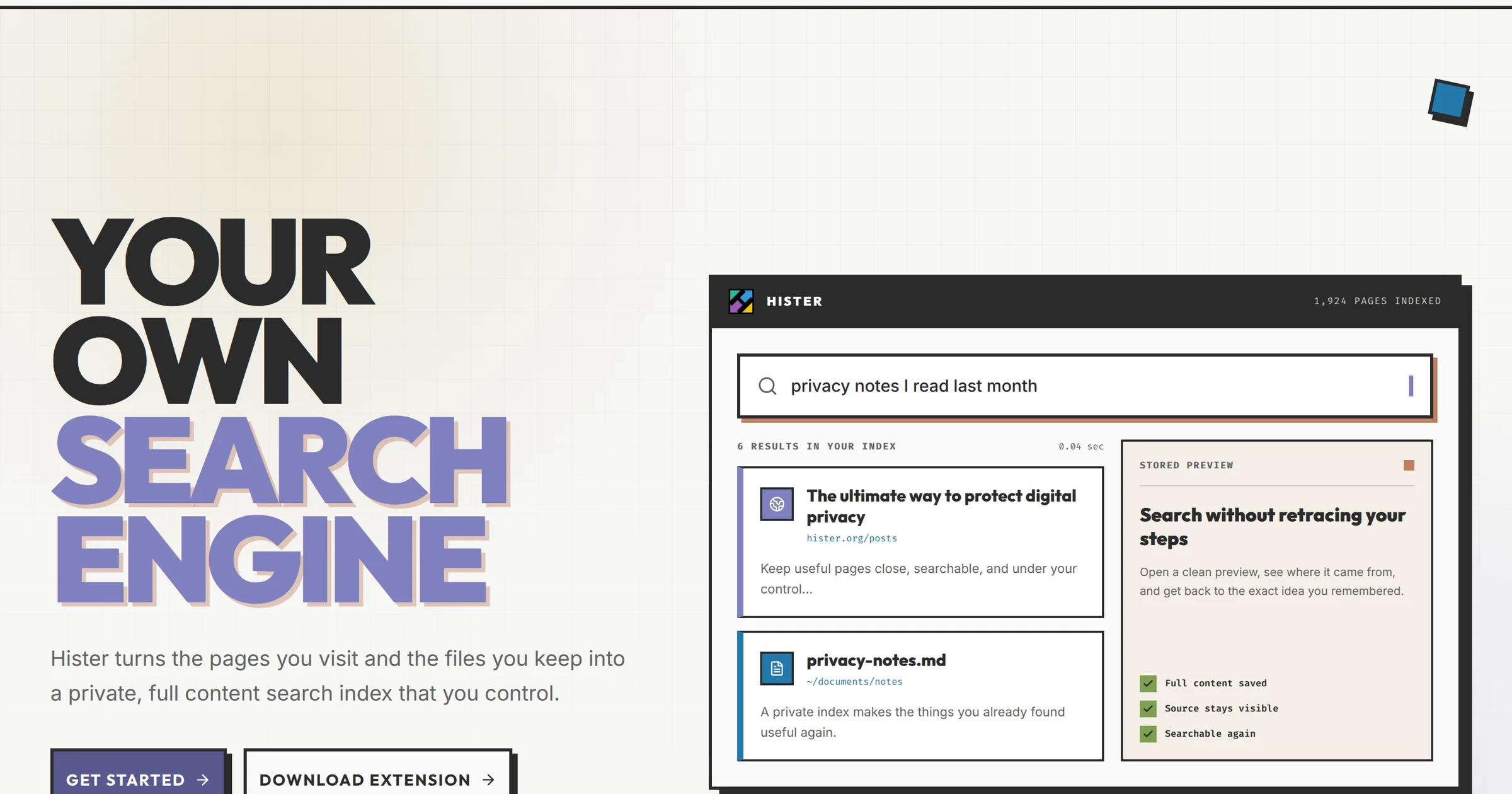
Hister indexes the full text of every page you visit, including pages that may later change or disappear. Stored previews let you return to the exact version of an article you read, not just its URL. The query language supports field filters and phrases, so you can narrow results to specific sources or date ranges.
You primarily work with structured databases or academic citation managers. Hister focuses on full-text recall of general web content and local files, not structured bibliography management or citation workflows.
The MCP server makes your personal index queryable by any AI assistant or LLM tool that supports the Model Context Protocol. Rather than uploading documents to an AI provider's servers, you route queries through the Hister MCP server, which returns results from your locally indexed content.
You need a shared team knowledge base rather than a personal index. Hister's multi-user support keeps each user's index separate; it is not a shared organizational knowledge layer that all team members contribute to and search together.
Hister's server has no telemetry and requires no cloud account. All indexed content stays on the server you configure. Unlike Guru or Glean, which ingest and store your data on external infrastructure, Hister keeps your reading history under your direct control.
You need enterprise features like team-wide knowledge curation, access controls by department, or integration with organizational directories. Hister targets individual and small-team recall, not organizational knowledge management at scale.
File watchers monitor local folders and index supported file formats automatically. The index is searchable from the terminal client or CLI, which fits scripting and editor workflows. Combined with the MCP server, file content becomes queryable from AI assistants as well.
Your files are primarily in proprietary binary formats such as CAD, PSD, or video that Hister cannot extract text from. The value is in full-text indexing, which applies only to formats with extractable text content.
The problem
Personal knowledge recall breaks by default. You read an article, take a note, or save a file, and then cannot find it again without retracing the exact path you used originally. Browser history gives you URLs but not the content you were actually reading. Filename searches miss anything embedded in document text or webpage body copy. Public search engines return current results, not the specific version of a page you read months ago. The gap deepens when knowledge is split across local files and web pages in different formats. Tools that search across both sources either require a cloud sync service (which means your reading history lives on someone else's servers) or stop at filenames and titles rather than indexing the actual text inside each document.
How it works
Hister extracts and indexes the complete text content of visited web pages and local files, not just titles and URLs. Content extractors handle structured data from supported formats. Stored previews let you read indexed content in context without returning to the original source.
Browser extensions for Firefox and Chrome index pages as you visit them, sending extracted content to the Hister server you configure. File watchers monitor local folders for new and updated files. History imports and a built-in crawler add existing content to the same index.
Hister exposes an MCP (Model Context Protocol) server, allowing AI assistants and LLM tools to query your personal index directly. This makes your indexed content available as context to AI workflows without uploading documents to an external service.
Full-text search supports field filters, quoted phrases, wildcards, negation, date ranges, and query aliases. Skip rules let you exclude categories of content from the index, and priority rules control result ranking.
Semantic search is available when you configure an embeddings endpoint. Document text is sent only to the endpoint you choose, so you decide what external connection is involved. When disabled, the index operates with no outbound connections.
Shared Hister servers support user-scoped document access, keeping each user's index and search results separate. The backend can be SQLite for personal setups or PostgreSQL for larger shared deployments.
Features
- Full-text indexing of pages and files
- Automatic browser indexing via extension
- MCP server for AI assistant access
- Advanced query language with field filters and aliases
- Optional semantic search via configurable endpoint
- Multi-user support with SQLite or PostgreSQL
How to install
Deploy Hister from source using Go 1.26, npm, and a C compiler for build dependencies.
git clone https://github.com/asciimoo/hister.git
cd hister
./manage.sh build
Recommended for this setup
Strengths
- Zero telemetry by design: Hister has no telemetry and requires no cloud service. The server does not make outbound connections beyond what you explicitly configure: a favicon download by the browser extension and an optional embeddings endpoint for semantic search. The privacy model is documented in the project's public source under AGPL-3.0.
- Multiple search interfaces from one index: The same index is reachable from the web UI, a terminal client, CLI, an HTTP API, and an MCP server. Unlike proprietary knowledge tools that lock you into one interface, you can query your indexed content from a terminal, a browser, or an AI assistant using whichever path fits your workflow.
- No mandatory cloud service or external account: A complete personal Hister setup runs on a single local machine with a single binary and no external dependencies. Unlike Glean or Coveo, which operate as managed cloud services, Hister's full feature set is available with no subscription and no external account required.
- Content versioning and configurable index rules: Versioning can retain earlier document content so you can access how a page read at a previous point in time. Skip and priority rules let you tune what gets indexed and how results are ranked, without modifying source code.
Trade-offs
- AGPL-3.0 license requires source disclosure for modified network services: Hister is licensed under AGPL-3.0, which requires distributing source code changes if you run a modified version as a network service. Teams embedding Hister in a commercial product or offering it as a hosted service need to review the license obligations before deploying.
- Semantic search introduces an external dependency: The semantic search feature sends document text to an embeddings endpoint you configure. If you choose a cloud-hosted embeddings provider rather than a self-hosted one, document text leaves your infrastructure. The feature is opt-in and off by default, but worth planning for if privacy is a hard requirement.
- Early-stage project with 49 open issues: Hister was created in January 2026 and has 49 open issues as of August 2026. Some features and edge cases may not yet be fully documented or stable. Budget time for setup and check the issue tracker before depending on specific capabilities in production.
Tech stack
FAQ
No. Hister is self-hosted software with no mandatory cloud service. A complete personal setup runs on a single local machine using the downloaded binary with no external accounts required. You only need a remote server if you want to access your index from multiple devices.
Hister has browser extensions for Firefox and Chrome. The extension indexes pages as you visit them and sends extracted content only to the Hister server you configure, with no data going to any third-party service.
Yes. Shared Hister servers support user-scoped access, keeping each user's documents and search results separate. The backend can be SQLite for small setups or PostgreSQL for larger shared deployments.
That depends on which embeddings endpoint you configure. If you use a cloud-hosted embeddings service, document text is sent to that service. If you configure a self-hosted endpoint, no document text leaves your infrastructure. The feature is disabled by default, so the standard Hister setup has no outbound data connections.
Hister indexes the full text of pages and files, not just URLs or titles. You can search for a phrase you remember from inside an article, not just the page name. Stored previews let you read the indexed version of a page even if the original has since changed or been removed.