
HermesEnabler
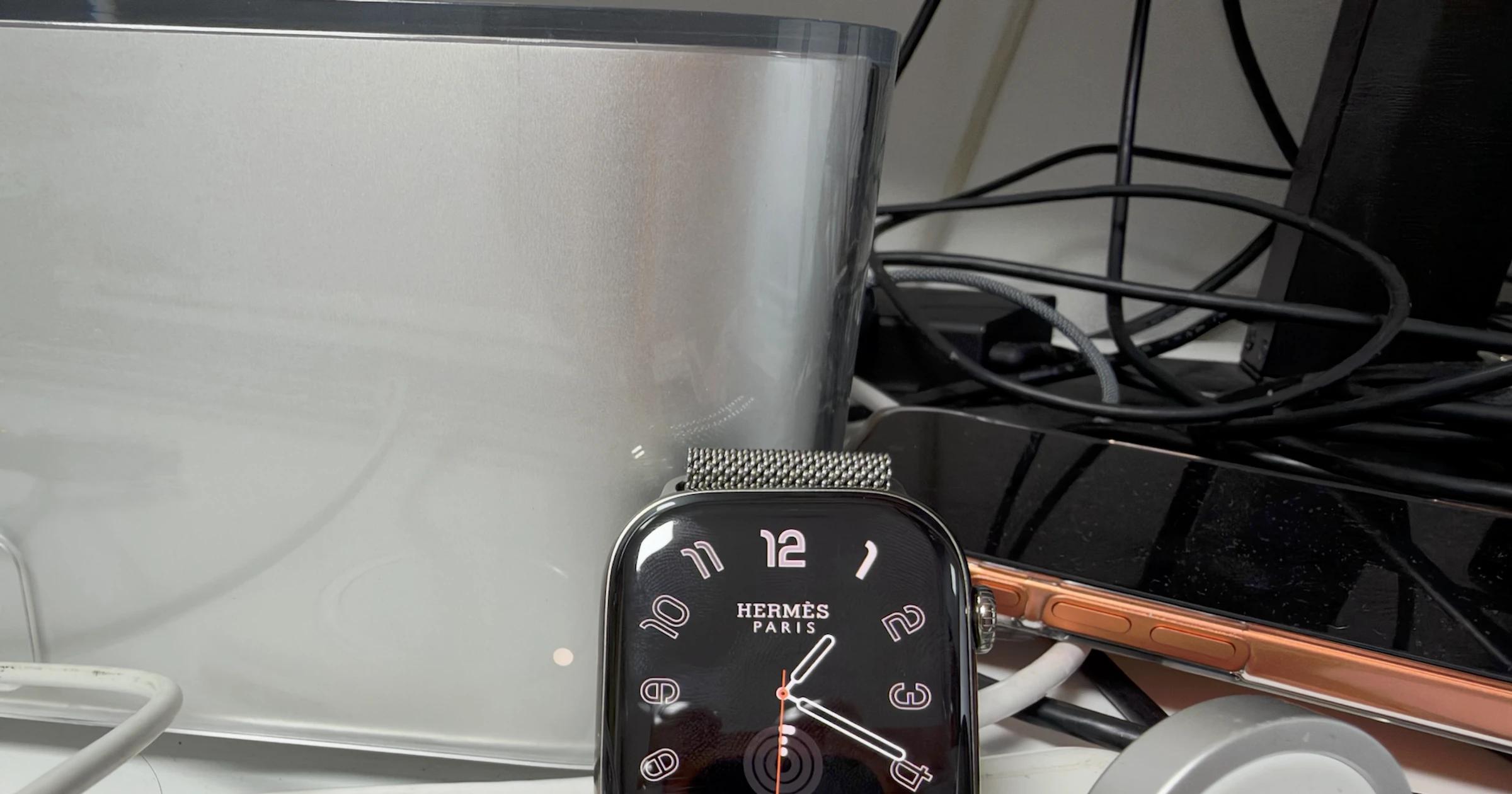
Hermès watch faces on any Apple Watch via sideloading
Replaces —
Who it's for
An owner of a standard Apple Watch who wants Boutique, Briquet, or other Hermès watch face designs without purchasing a Hermès Edition device.
Skip if the user already owns a Hermès Edition Apple Watch or is not comfortable enabling Developer Mode on their devices.
A watchOS developer or researcher exploring how MobileGestalt gates device features can study HermesEnabler as a working Objective-C reference implementation.
Skip if the goal is production app distribution rather than personal research or use.
The problem
Apple distributes Hermès watch faces only to Hermès Edition Apple Watches, which are sold at a significant premium over the standard lineup. Owners of non-Hermès Apple Watches have no official path to those faces; Apple's entitlement check in MobileGestalt gates them at the system level. The only Apple-sanctioned option is purchasing a Hermès Edition watch, often hundreds of dollars above the equivalent standard model. HermesEnabler addresses this by patching MobileGestalt to report the Hermès entitlement on any device.
How it works
HermesEnabler modifies the MobileGestalt system entries that Apple reads to determine watch face entitlements, making any Apple Watch appear as a Hermès Edition to the face picker.
On macOS, the IPA can be sideloaded with Sideloadly. On Windows, the companion WatchBridge tool handles Developer Mode preparation and IPA signing over USB or Wi-Fi after an initial cable pairing.
Users with Xcode can build the app directly from source and deploy it to any connected Apple Watch, bypassing third-party signing tools entirely.
Before removing the app, HermesEnabler2 prompts the user to restore a MobileGestalt backup, returning the Watch to its original configuration and preventing system state corruption.
The README is translated into nine languages including Korean, Simplified Chinese, Traditional Chinese, Japanese, Spanish, French, German, and Portuguese, reflecting active use across regions.
Features
- MobileGestalt Patching
- macOS and Windows Installation
- Xcode Build Option
- MobileGestalt Backup and Restore
- Multilingual Documentation
How to install
Download the signed IPA from GitHub Releases: https://github.com/pookjw/HermesEnabler/releases/latest
Recommended for this setup
Strengths
- MIT License With No Restrictions: The MIT license permits unrestricted use, modification, and redistribution with no commercial limitations. Source is available on GitHub and has accumulated over 1,500 community stars.
- Actively Maintained: The repo received its last push on November 13, 2026, and has been updated continuously since its December 2024 creation, with version 2 targeting watchOS 27.0 through 27.3.
- Cross-Platform Signing Path: Both macOS (via Sideloadly) and Windows (via WatchBridge) are supported, so the installation workflow is not restricted to users with Apple hardware.
Trade-offs
- Seven-Day Free Profile Expiry: Free Apple ID provisioning profiles expire after seven days. Renewal requires rebuilding and reinstalling the app with the same Bundle Identifier and Apple ID to retain existing app data.
- App Groups May Require a Paid Developer Account: The app uses an App Groups entitlement that free Personal Team provisioning cannot provision. Full functionality may require a paid Apple Developer Program membership.
- Narrow watchOS Support Window: Version 2 supports only watchOS 27.0 through 27.3 beta 1. Devices on other watchOS versions are not supported and no alternative installation path exists for them.
- Sideloadly 0.72 Strips the Watch App: Sideloadly version 0.72 is known to remove the embedded Watch app from the IPA during signing. Users who see only the iPhone app installed should use Xcode to install the Watch app instead.
Tech stack
FAQ
Version 2 supports watchOS 27.0 through 27.3 beta 1. The README does not document support for earlier or later versions.
A free Apple ID works for sideloading, but free Personal Team profiles expire after seven days and require reinstallation. The app uses an App Groups entitlement that free provisioning cannot provision, so full functionality may require a paid Apple Developer Program membership.
Before deleting, always use HermesEnabler2 to restore your MobileGestalt backup first. Skipping this step leaves the system configuration in a modified state.
Yes. WatchBridge handles Developer Mode preparation and IPA signing on Windows. It requires Apple Mobile Device Service (from iTunes or the Apple Devices app from the Microsoft Store), a USB connection for the initial setup, and the original IPA that includes both the iPhone host app and the Watch app.
Sideloadly version 0.72 is known to strip the embedded Watch app from the IPA during signing. If the Watch app does not appear, check the Sideloadly log for 'Watch apps will be stripped from the IPA' and reinstall using Xcode instead.