
Helium
Privacy-first Chromium browser, all Google dependencies removed
Replaces Google Chrome, Microsoft Edge, Arc
Who it's for
Developers, security researchers, and journalists who need a Chromium browser without Google account integration gain Chrome-equivalent extension support and site compatibility alongside a consent-first request model. Helium's services can be pointed at a self-hosted instance, giving organizations full control over what infrastructure the browser calls.
If you rely on cross-device sync for bookmarks, history, or settings via a browser account, Helium does not yet support sync. Consider switching after that feature ships.
Organizations that want to run their own browser update and extension proxy infrastructure can deploy Helium services using the published Ansible playbooks, pointing browsers at internal endpoints before any external requests are made. All service code is open source and matches what Helium runs in production.
If self-hosting browser services is not a requirement, you get most of Helium's privacy benefits without the infrastructure work by using the default Helium services.
Helium can import extensions, bookmarks, and other data from an existing Chromium browser, making it a practical drop-in for daily browsing. Vertical tabs, split view, tab groups, customizable toolbars, and Frameless mode give it the feature breadth needed for most desktop workflows.
If your workflow depends on Widevine-protected media or cross-device sync for bookmarks and settings, those are not yet available in Helium. Verify alternatives before switching as your primary browser.
Because Helium's code is fully open source under GPL-3.0 and builds are reproducible from published source, it is a useful reference and testing platform for developers verifying how a privacy-hardened Chromium fork handles extension behavior, request routing, or fingerprint surface reduction.
For general extension development, the upstream Chromium or Chrome developer channel is better supported by Google's tooling and documentation.
The problem
Most mainstream browsers ship with analytics enabled, background service calls to vendor infrastructure, and account-sync features that are difficult to fully disable. Cookie consent banners have become a constant friction layer across the web, and cross-site tracking persists unless a browser explicitly blocks it. For users who want to understand and control what their browser sends over the network, the available options are limited. Privacy-oriented browsers exist, but most either carry their own monetization layer (advertising networks, affiliate search), require custom configuration to become useful, or lack the extension ecosystem that professionals depend on daily.
How it works
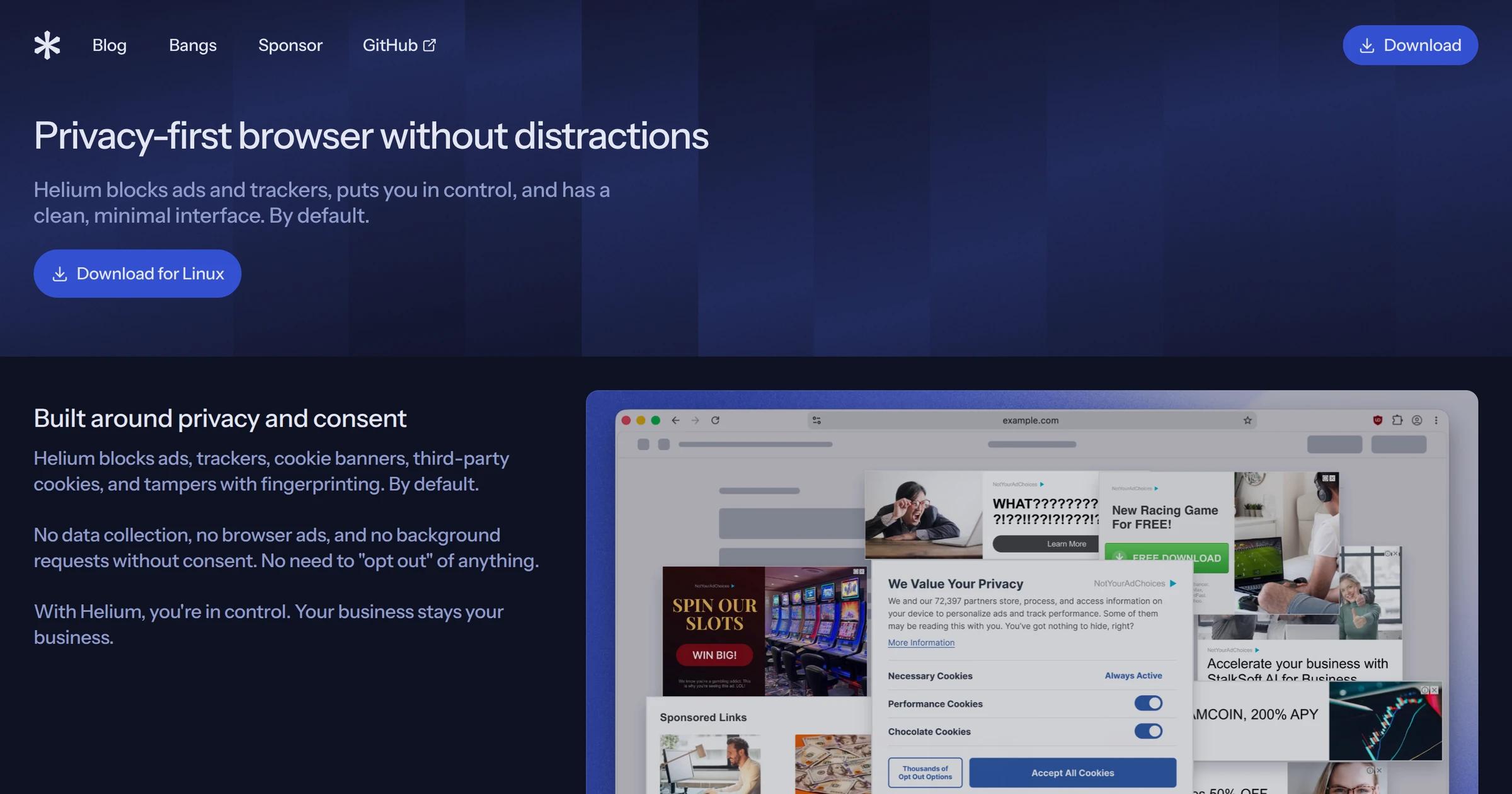
Helium ships with a Helium-specific fork of uBlock Origin that includes custom filters, defaults, and CNAME uncloaking. Ads, trackers, cookie banners, and third-party cookies are blocked before the page loads, with no opt-in step required. Users do not need to install a separate extension to get baseline privacy.
Helium supports the full Chrome extension ecosystem and can import extensions from an existing Chromium browser. All requests to the Chrome Web Store are routed through Helium's anonymizing proxy, preventing Google from tracking which extensions a Helium user downloads or updates. The project describes this as a capability not found in other browsers.
Helium includes support for 13,000+ !bangs processed locally on-device and routed directly to the target site, bypassing search engine result pages. Because processing happens locally, bang queries do not create a server-side log of search patterns. No external service needs to be called for bang resolution.
Helium noises web APIs used for browser fingerprinting to make the browser harder to identify across sessions. It also includes protections against fingerprint analysis attacks; at the time of writing, the project states it is unaware of any other browser implementing equivalent protections. Complete fingerprint prevention is not achievable without breaking core browser functionality, and Helium does not claim otherwise.
Helium's cloud services, which handle extension proxying, !bangs, filter lists, crash reports, and browser updates, are fully open source and self-hostable. The services repository includes Ansible playbooks for the exact infrastructure Helium runs in production. Services can be configured in the browser before any external requests are made.
Helium automatically optimizes for minimal resource usage. Tabs can be hibernated manually to free memory and battery life, resuming on demand. The browser supports 4 layout options, customizable toolbars, color themes, vertical tabs, split view, and Frameless mode. Automatic updates run on macOS and Windows when Helium services are enabled; Linux packages update alongside platform releases.
Features
- Default ad, tracker, and cookie banner blocking
- All Chromium extensions supported
- Built-in !bangs with local processing
- Fingerprint protection
- Self-hostable browser services
- Resource optimization and tab hibernation
Recommended for this setup
Strengths
- No Google service dependencies: Unlike Google Chrome, Helium removes all direct Google service calls from the browser, including the sync, account, and telemetry infrastructure built into Chromium. The browser makes zero network requests on first launch and requires explicit user approval for every category of request to Helium services. This is verifiable from the project's published source code.
- GPL-3.0 with full build transparency: All browser code, patches, and online services are published on GitHub under GPL-3.0. The build process is public from commits to releases, and users can build Helium from source. Development happens in public, and the terms of use and privacy policy are maintained in a public repository with full change history.
- Extension requests anonymized: Chrome Web Store requests in Helium are routed through an anonymizing proxy, preventing Google from seeing which extensions a Helium user installs or updates. This is a specific, documented capability the project says is not implemented in other browsers, and it applies automatically without any user configuration.
- Active development since February 2025: With over 22,000 GitHub stars since its February 2025 launch and a last push dated October 2026, Helium has accumulated community interest quickly for a browser project. Development is sponsored directly by users rather than a commercial entity, and the codebase shows 658 forks indicating active experimentation.
- Consent-first request model: All requests to Helium services must be acknowledged and approved by the user before they fire. There are no first-party ads, no analytics collection, and no background requests without consent. The project states Helium services are anonymous and do not collect personal data.
Trade-offs
- No Widevine DRM: some streaming services will not play: Helium does not support Widevine DRM. Google restricts Widevine licensing to its partners, and Helium declines to pay the recurring third-party licensing fee. Streaming services and platforms that use Widevine-protected content (including some major video platforms) will not play that content in Helium. Users who depend on DRM-protected media should verify what plays before switching as their primary browser.
- Currently in beta with 526 open issues: Helium is still in beta as of October 2026, and the GitHub repository had 526 open issues at that time. Unexpected bugs are likely on some sites or configurations. The project asks users to report issues that have not already been filed, and the public issue tracker shows the current known gaps.
- No cross-device data sync yet: Helium does not yet have cross-device sync for bookmarks, history, or settings. Users who switch between multiple machines need to manage this manually or rely on third-party tools. The project tracks sync as a planned feature and communicates updates through its blog and GitHub releases.
- Desktop only, no mobile browser: Helium is available for macOS, Linux, and Windows only. There is no iOS or Android version. Users who need a consistent browser experience across mobile and desktop will need to use a separate browser on mobile for the foreseeable future.
Tech stack
FAQ
Yes. Helium supports all Chromium extensions by default and can import them from an existing Chromium browser. All requests to the Chrome Web Store are routed through Helium's anonymizing proxy, so Google cannot see which extensions are installed or updated. Helium's site says no other browser does this.
No. Helium makes zero web requests on first launch, collects no analytics, and shows no first-party ads. All requests to Helium's services require explicit user acknowledgment before they fire. Helium services are anonymous and do not retain personal data according to the project's published privacy policy.
No. Helium does not support Widevine DRM. Google restricts Widevine licensing to its partners, and Helium declines to pay the recurring third-party fee. Streaming services and platforms that use Google's content protection will not play protected media in Helium. Users who rely on DRM-protected content should verify which services work before switching.
Yes. Helium's browser services are fully open source, and the services repository includes the complete infrastructure as Ansible playbooks covering the extension proxy, !bangs, filter lists, crash reports, and browser updates. The browser can be configured to point at a self-hosted instance before any external requests are made.
No. Helium is currently a desktop browser only, available for macOS, Linux, and Windows. A mobile version has not shipped as of October 2026. The project communicates updates through its blog and GitHub releases.