
Sherlock
OSINT username search across 400+ networks, self-hosted.
Replaces Osint Industries
Who it's for
Sherlock handles the username enumeration phase of an investigation in seconds, returning matched profile URLs across 400+ platforms. The JSON output flag and folder-per-subject organization support structured case files and reproducible query runs.
If your investigation requires email or phone number pivots beyond username lookup, Sherlock covers only usernames; a commercial OSINT service with multi-identifier search may be more practical.
Running Sherlock against an engagement target's known usernames identifies accounts the subject uses, which often reveal personal details or phishing vectors. The --browse flag opens all found profiles in the default browser for quick visual review.
If the engagement scope does not include OSINT or social profiling, or if the target's social presence is out of scope, skip this tool for that engagement.
A single Sherlock run can confirm whether a public figure uses the same handle across platforms, surfacing accounts they may not have disclosed publicly. CSV and XLSX export formats make it straightforward to reference findings in a written report.
If your subject uses different usernames across platforms, Sherlock will miss those accounts. It searches by exact username match only, with no fuzzy or variation search.
Sherlock is a standard tool in Capture the Flag OSINT categories. It is fast, free, and ships results in a text file format that maps directly to flag submission workflows. The community actively tracks it in CTF write-ups and tool lists.
If the challenge requires more than username lookup (email or phone pivots, geolocation, image analysis), you will need additional tools alongside Sherlock.
The problem
When an investigation requires locating a person's online presence, manually checking each social network is too slow to scale. A subject active across 10 to 20 platforms can take hours to map by hand, and the platforms change their URL structures often enough that cached bookmarks break without warning. Paid OSINT platforms charge monthly fees that make them impractical for occasional investigators or small teams with no dedicated budget. And even with a subscription, they tend to surface only the accounts they were paid to index, not the full open web. For teams that need an auditable, scriptable workflow, a closed commercial tool also means no visibility into how results are gathered or what gets missed.
How it works
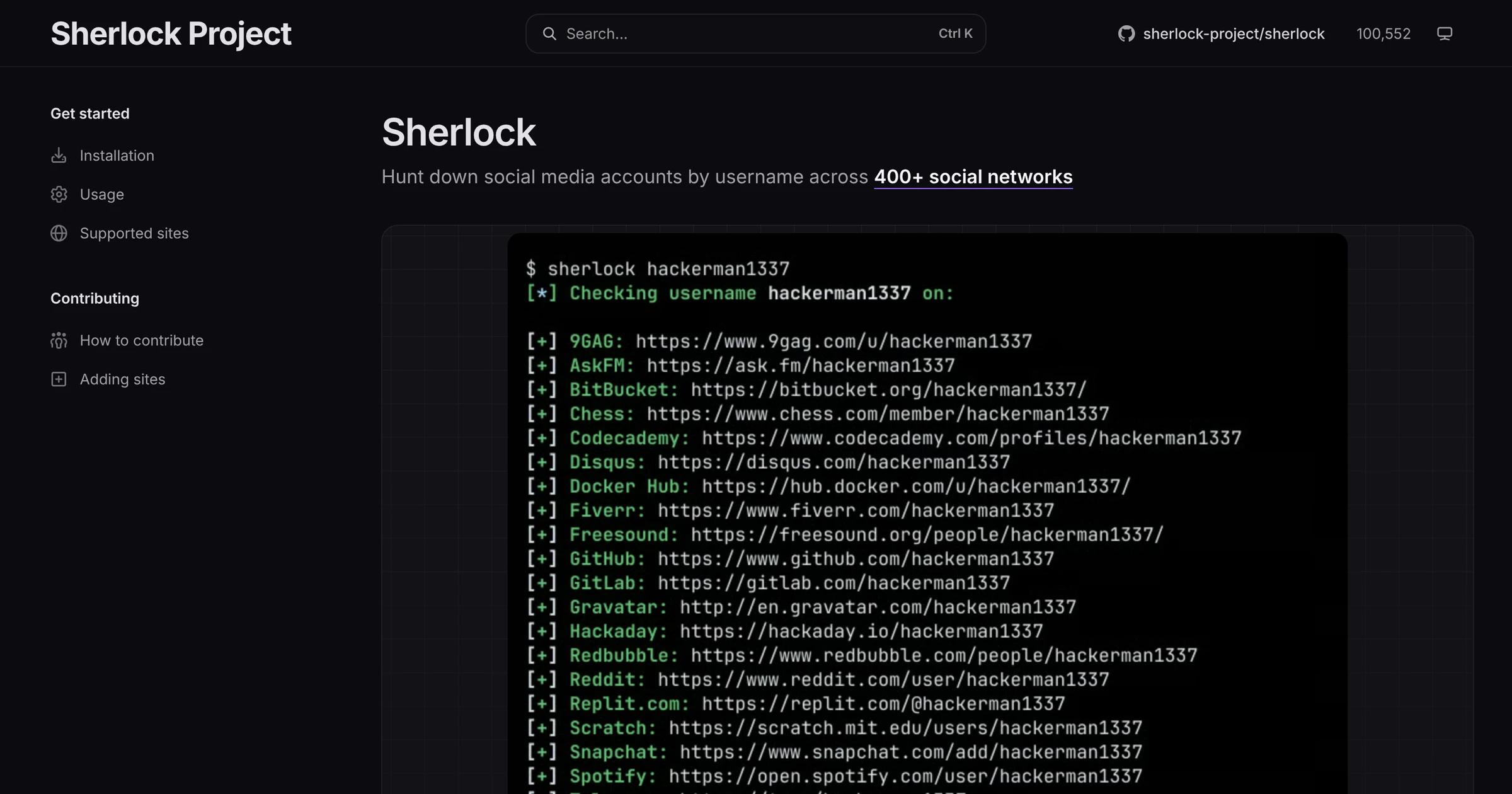
Queries every configured network in parallel using a single username argument. The network list is a plain JSON file (data.json), so teams can add or remove sites without touching Python. Version 0.16.0 ships coverage for over 400 services.
Pass multiple usernames as positional arguments (sherlock user1 user2 user3) and Sherlock writes results to separate text files per username, optionally under a named output folder with --folderoutput. Useful for batch investigations across a list of handles.
Results can be written to plain text (--txt), comma-separated CSV (--csv), or a modern Excel spreadsheet (--xlsx) in addition to the default terminal output. The --json flag writes a named JSON file, useful when results feed a broader investigation workflow.
Routes all HTTP requests through a proxy with the --proxy flag (e.g. socks5://127.0.0.1:1080). This covers standard anonymous proxies and Tor exit nodes without requiring a separate wrapper around the tool.
By default Sherlock skips a curated list of adult-content sites. The --nsfw flag enables those checks when an investigation requires full coverage. The NSFW list is maintained separately in the data.json network definitions and kept distinct from the default network set.
Features
- Username search across 400+ social networks
- Bulk username search with per-subject output files
- Export to CSV, XLSX, and text files
- Proxy support for anonymous queries
- NSFW site list inclusion
How to install
Install using pipx or run the official Docker image.
pipx install sherlock-project
docker run -it --rm sherlock/sherlock
Recommended for this setup
Strengths
- MIT license with zero recurring cost: Running Sherlock on your own server carries no licensing fees and no per-query charges. The MIT license permits commercial use, modification, and redistribution without restriction, unlike subscription OSINT services that charge monthly or per-seat fees.
- 100k+ stars and actively maintained: Over 100,000 GitHub stars and 11,876 forks, with the last commit pushed on 2026-11-07. The contributor base spans infosec practitioners and CTF players who add new network definitions and fix broken site checks when platforms change their URL structures.
- Single-command install via pipx or Docker: pipx install sherlock-project pulls the latest release and isolates its dependencies from the system Python. The official Docker image (sherlock/sherlock) works as a drop-in for teams without Python set up. DNF packages are available on supported distributions.
Trade-offs
- Terminal-only interface with no GUI: Sherlock is a CLI tool with no web interface or graphical frontend. Teams that need a point-and-click investigation workflow will need to wrap it in a script or pair it with an external case management tool. This is a deliberate design decision, not a gap in progress.
- Third-party distro packages broken on some systems: The README explicitly warns that packages for ParrotOS and Ubuntu 24.04, maintained by a third party, are broken. Users on those systems should use pipx, uv, pip, or Docker instead of their distro's package manager to avoid a non-working install.
- 112 open issues: The project carries 112 open issues. Many are site-specific, covering a network's check returning false positives or missing positives as platforms change their URL patterns. This is an inherent maintenance challenge for a tool covering 400+ networks.
Tech stack
FAQ
Yes. Sherlock is MIT licensed and free to run on your own hardware with no usage caps or subscription fees. The source code is openly available at github.com/sherlock-project/sherlock and can be modified or redistributed without restriction.
Version 0.16.0 covers more than 400 social networks. The full site list is maintained in data.json in the repository and viewable at sherlockproject.xyz/sites. Teams can add custom or private platforms by editing the JSON file directly.
The recommended install is pipx install sherlock-project, which isolates dependencies from your system Python. Docker users can run docker run -it --rm sherlock/sherlock. DNF packages are available on supported distributions; ParrotOS and Ubuntu 24.04 packages from third parties are currently broken and should be avoided.
Yes. The --proxy flag routes all requests through any proxy that accepts standard URL syntax, including SOCKS5 proxies and Tor exit nodes (e.g. socks5://127.0.0.1:1080). No additional wrapper or configuration is needed.
Results print to the terminal by default. The --txt flag writes a text file, --csv writes a CSV file, --xlsx writes an Excel spreadsheet, and --json outputs a named JSON file. When searching multiple usernames, --folderoutput saves each result to a named folder.