
Healthchecks
Ping-URL monitoring for cron jobs, tasks, and background services.
Replaces Cronitor, Dead Man S Snitch
Who it's for
If you run regular backups, SSL renewals, database exports, or antivirus scans via cron, Healthchecks gives you a central view of which jobs ran and when. Configure a grace period slightly above each job's expected runtime so brief slowdowns don't trigger false alerts.
If your jobs are already instrumented with alerting inside the job itself (e.g., a backup script that emails on failure), adding Healthchecks overlaps with that coverage. It is most useful for jobs that run silently with no built-in failure reporting.
Healthchecks fits data import jobs, nightly report runs, and background queue workers that must run on schedule. The event log records every ping, making it straightforward to audit when a pipeline last ran and spot gradual drift in job duration.
If your pipeline tool already provides scheduling guarantees and failure alerting (e.g., Airflow with an SMTP integration), Healthchecks duplicates that monitoring. Use it where the job runner itself has no built-in check-in reporting.
For teams running on-premise or on a private cloud, Healthchecks self-hosted removes per-check pricing. The hosted healthchecks.io service offers up to 20 checks for free; the self-hosted path scales to as many checks as your server supports.
If you have fewer than 20 checks and no requirement to keep monitoring data on-premise, the hosted healthchecks.io free tier removes the need to operate your own instance.
Any device that can send an HTTP request (Raspberry Pi, NAS, router) can ping a Healthchecks check. Configure a check as an unconditional heartbeat: if the device goes offline or fails to run its health script, the missing ping triggers an alert. The website documents this use case explicitly.
If your devices cannot reach an external URL because they are on a fully airgapped network, Healthchecks requires a self-hosted instance reachable from that device network.
The problem
When a cron job fails silently, it leaves no log entry, no error page, and no pager notification. A database backup that stopped running three weeks ago looks exactly the same as one that ran an hour ago until the moment you need to restore from it. Scheduled tasks are invisible by default: they appear in crontabs and task schedulers, but nothing outside the job itself reports whether it actually executed. Teams typically discover silent failures too late: the report wasn't sent, the import didn't run, the SSL renewal was skipped. Setting up custom alerting for each background job requires duplicating monitoring logic across scripts, adding complexity every time a new task is added.
How it works
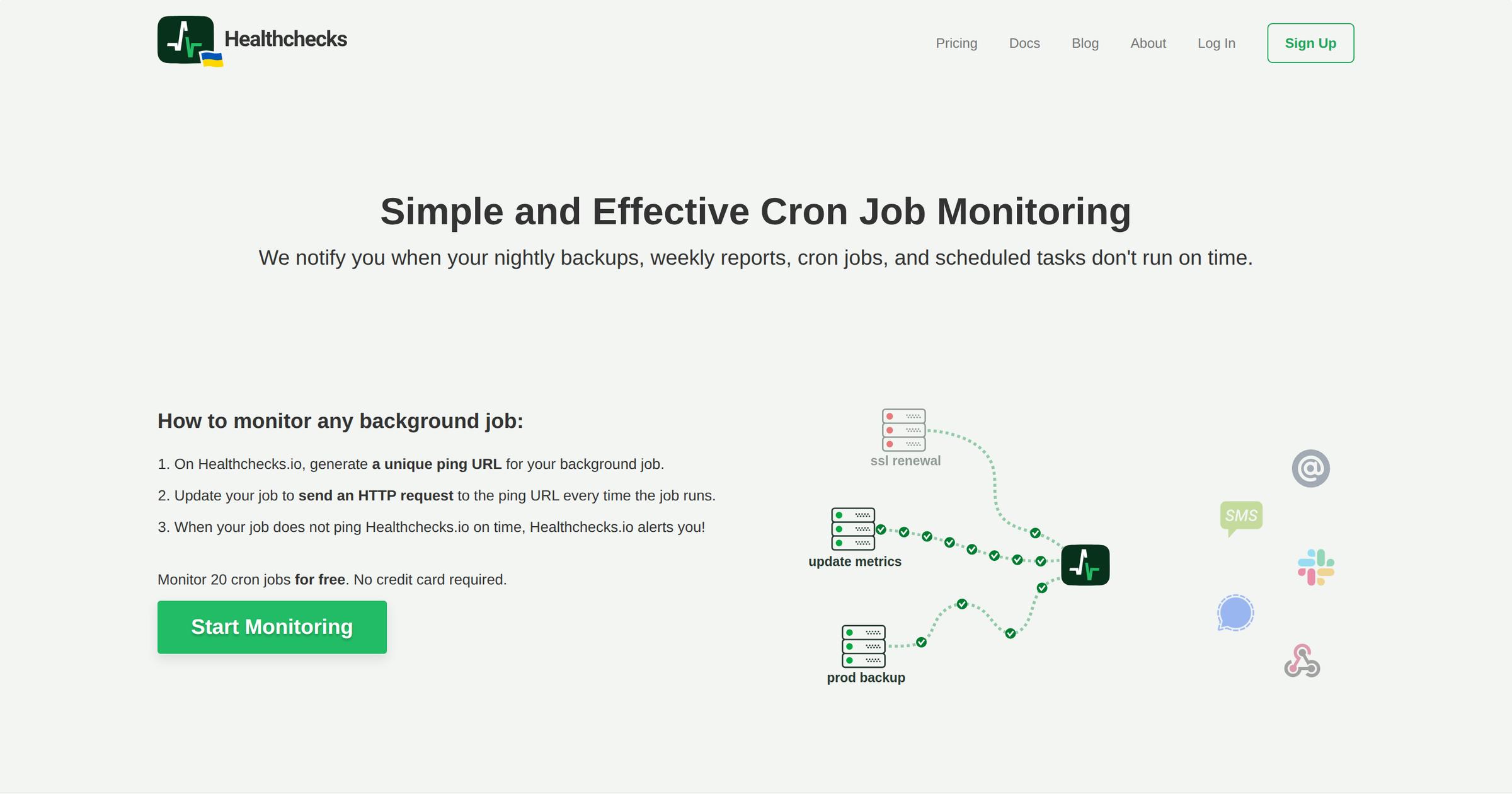
Each cron job or scheduled task gets a unique HTTP ping URL. Your job sends a GET or POST request to that URL on every successful run. If the ping stops arriving within the configured period plus grace time, Healthchecks fires an alert. No agents to install and no server credentials to share with the monitoring service.
Define check schedules either as a fixed period (e.g., every 6 hours) or as a full cron expression. Healthchecks parses expressions using the cronsim library and tracks four states: New, Up, Late, and Down. The transition from Late to Down triggers notifications, so brief slowdowns during a grace window don't create false alerts.
Built-in integrations include Slack, Discord, PagerDuty, Opsgenie, PagerTree, ntfy, Gotify, Signal, Telegram, WhatsApp, Pushover, Microsoft Teams, Matrix, Mattermost, Rocket.Chat, Zulip, Spike.sh, Splunk On-Call, Trello, Prometheus, email, SMS, and webhooks. Toggle channels per check from the dashboard without changing any job configuration.
The web dashboard lists all checks with current status, last ping time, and integration indicators. Each check's detail page shows a time-ordered event log of received pings, state transitions, and sent notifications. Logs keep the 100 most recent pings per check by default; the administration panel can raise this limit per user.
Organize checks into projects, invite team members, and assign read-only or full access per member. WebAuthn 2FA is available for account security without a third-party service. The Django administration panel lets a superuser adjust per-user limits and manage accounts.
Each tag you use on checks generates a status badge with a public but hard-to-guess URL. A global badge shows the overall status of all checks in an account. Badges can be embedded in READMEs, internal dashboards, or status pages to give stakeholders a live health view.
Features
- Ping URL check-in monitoring
- Cron expression and period-based schedules
- 25+ notification channels
- Live-updating dashboard with event log
- Project and team management
- Public status badges
How to install
Self-hosting uses Docker Compose with pre-built images from Docker Hub. Copy the sample environment file, set the required variables, then start the stack:
# Clone the repo and copy the environment file
cp docker/.env.example docker/.env
# Edit docker/.env: set SECRET_KEY, ALLOWED_HOSTS, SITE_ROOT, and SMTP settings
# (DEFAULT_FROM_EMAIL, EMAIL_HOST, EMAIL_HOST_PASSWORD, EMAIL_HOST_USER)

# Start the stack (web server, database, and background workers)
docker compose up -d

# Create an admin account
docker compose run web /opt/healthchecks/manage.py createsuperuser
Open http://localhost:8000 and log in with the credentials you just created.
Recommended for this setup
Strengths
- BSD-3-Clause license with no per-check fees: Self-hosting is free and unrestricted. BSD-3-Clause means you can run Healthchecks on your own infrastructure, modify it, and use it commercially without paying per-check or per-user fees. The hosted healthchecks.io service offers up to 20 checks free; the self-hosted path removes all limits.
- Over a decade of continuous development: Healthchecks has been actively developed since 2015 and has 10,498 GitHub stars and 1,042 forks. The last commit was 2026-11-04, confirming ongoing maintenance. The monitoring approach (HTTP pings, period/grace states, notifications) is stable and unchanged across major versions.
- Environment-variable configuration for clean deployments: All settings are configurable via environment variables, with an optional local_settings.py for Django overrides. This makes Healthchecks straightforward to deploy in Docker or Kubernetes with no manual file editing. External authentication via reverse proxy headers lets you plug into an existing SSO setup without modifying the application.
- WebAuthn 2FA and project-based access control: Healthchecks includes WebAuthn two-factor authentication without requiring a third-party service. Project-based organization lets teams isolate checks per product or environment, with per-member read-only access for stakeholders who need visibility without edit permissions.
Trade-offs
- Requires SMTP configuration before email alerts work: The reference Docker Compose setup handles database migrations and background workers automatically on container startup, but it does not include a built-in mail relay. You must supply an external SMTP server (DEFAULT_FROM_EMAIL, EMAIL_HOST, EMAIL_HOST_PASSWORD, EMAIL_HOST_USER) before email notifications fire. Teams without an existing SMTP provider will need to add one, such as a transactional email service or a self-hosted relay.
- Monitors tasks but does not schedule or run them: Healthchecks only checks whether jobs ran on time. It does not execute jobs, retry failed runs, or manage job queues. If you need a scheduler that also runs tasks, you need a separate tool (Celery Beat, systemd timers, or a job runner) alongside Healthchecks.
- 55 open GitHub issues: As of 2026-11-05, the project has 55 open GitHub issues. Reviewing the open issue list before deployment is a reasonable step to confirm whether any affect your intended notification channels or database backend.
Tech stack
FAQ
Yes. Any process that can send an HTTP request on a schedule can be monitored. The website documents examples including checking whether a Docker container is running, monitoring application processes, checking database replication lag, verifying free disk and RAM, and sending unconditional heartbeats from servers, NAS devices, and routers. Write a shell script that tests the condition and pings the check URL on success, then run the script on a schedule.
Healthchecks works with PostgreSQL, MySQL, and MariaDB. SQLite is used in the default development configuration, but a persistent production database is the documented production path. Configure the database connection through environment variables or the local_settings.py Django settings override file.
Yes. Healthchecks.io is the hosted service run by the project maintainers. It offers a free tier covering up to 20 checks with no credit card required. Paid plans support more checks. The self-hosted version is freely available under the BSD-3-Clause license with no check limits and no per-check fees.
The grace period extends the alert window beyond the check's normal period. When a ping is overdue, the check moves to 'Late' status; it stays in Late until the period plus the grace time has passed, at which point it moves to 'Down' and triggers notifications. Set the grace period to slightly above the expected maximum runtime of your job so a slow run doesn't fire a false alert.
Yes. You can create multiple projects within one Healthchecks account, invite team members to each project, and assign read-only or full-access roles. The Django administration panel (available to superusers) lets you adjust per-account limits and manage users. WebAuthn two-factor authentication is supported for account security.