
Gotify
Self-hosted push notification server with REST API and Android client
Replaces Pushover, Pushsafer
Who it's for
Uptime alerts, backup completion notices, and system health checks routed through a local Gotify instance keep all monitoring traffic on private infrastructure. Gotify's REST API connects to monitoring agents and automation scripts with a single POST request, requiring no vendor account.
Skip if your server cannot be reliably online 24/7. Without a persistent host, Gotify stops relaying notifications during downtime, which defeats the purpose of real-time monitoring alerts.
Any script that can make an HTTP POST can send a Gotify notification. CI jobs, cron tasks, deployment scripts, and data pipeline failures all become phone alerts with one curl command. No SDK, vendor account, or API key registration required beyond the self-hosted server.
Skip if your team needs notifications on iOS devices and wants a first-class client experience. The official client is Android-only; iOS users need a third-party app with no guaranteed update cadence.
Gotify removes the commercial notification provider from the data path entirely. For users who want to avoid Pushover or Pushsafer routing their application messages through external servers, running Gotify on a home server or VPS eliminates that dependency with no ongoing cost.
Skip if you need a notification service that works immediately without server administration. The managed-service convenience of Pushover or Pushsafer is a real advantage if maintaining a server is not part of your workflow.
The problem
Most scripts and monitoring tools have no good built-in way to notify a human in real time. Email piles up and gets missed. Polling a dashboard means someone has to remember to look. The practical path is a push notification service, but every commercial option routes messages through external infrastructure you do not control. The harder issue is vendor dependency. When a commercial service changes its pricing or API, every integration built on it breaks. Teams running private servers, home automation systems, or internal monitoring tools often want notifications that never leave their own infrastructure and that do not depend on a third party that might change terms or shut down.
How it works
Any HTTP client can send a message to Gotify by making a POST request with an application token. The API requires no SDK or library. A single curl command is enough. This makes scripts, cron jobs, monitoring agents, and CI pipelines first-class notification senders without any additional dependencies.
Receiving clients connect over a persistent WebSocket and get messages delivered as they arrive. The official web UI and Android app both use this channel. Third-party clients that speak the Gotify WebSocket protocol can also subscribe to the same stream.
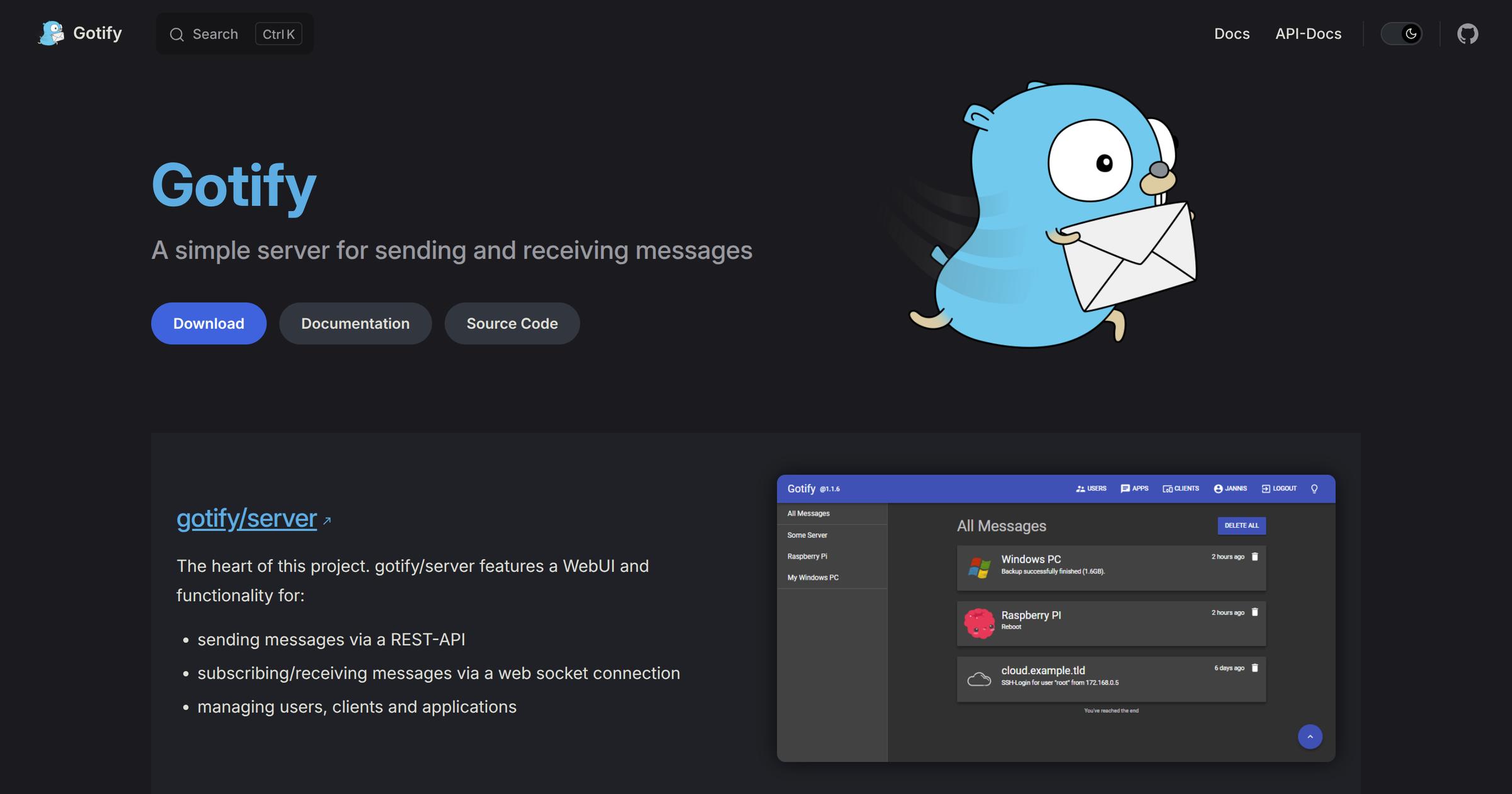
The server ships with a web interface for reading messages, managing applications, and configuring users and clients. No separate installation step is needed. The UI is part of the gotify/server binary and is served from the same port.
The official gotify/android app subscribes to the message stream and shows push notifications for newly received messages. It is available on both Google Play and F-Droid, covering standard Android installs and de-Googled custom ROMs that cannot use Google Play Services.
The server manages multiple users, each with their own set of applications and clients. Applications are what send messages; clients are what receive them. This separation lets you run Gotify for a small team or household and keep notification streams from different services distinct.
Features
- REST API for sending messages
- Real-time WebSocket delivery
- Web UI included with the server
- Android app on Google Play and F-Droid
- User and application management
How to install
Self-hosting uses the official gotify/server Docker image with a local data directory for persistence.
docker run -p 80:80 -v /opt/gotify/data:/app/data gotify/serverRecommended for this setup
Strengths
- MIT license with no message limits or fees: The MIT license grants full rights to run, modify, and distribute Gotify on your own infrastructure. There are no message limits, no per-device fees, and no subscription tiers. Unlike Pushover's one-time per-platform purchase or Pushsafer's monthly plans, the only cost is the server it runs on.
- Messages never leave your server: Every notification stays inside your own infrastructure. No third-party service sees message content, timestamps, or frequency. This matters for internal monitoring, security alerts, or any workflow where message metadata could expose operational details you want kept private.
- Android client available on F-Droid: The gotify/android app is listed on F-Droid alongside Google Play. This means it installs on de-Googled Android without Google Play Services, which is a meaningful differentiator for privacy-focused users running custom ROMs who want notifications without a Google dependency.
- Actively maintained since 2018: The repository had its last push on 2026-11-02 and holds 16,174 GitHub stars with 900 forks. The project has been in continuous development since January 2018, suggesting a stable long-term maintenance trajectory for a self-hosted dependency.
Trade-offs
- No official iOS client: The official client ecosystem covers web and Android only. There is no official iOS app listed in the README or on the product website. iOS users must rely on third-party apps that implement the Gotify WebSocket API, and support quality and update frequency vary across those options.
- Requires a persistent server: Unlike Pushover or Pushsafer, which handle server infrastructure for you, Gotify requires a Linux server that is always online. If the server goes down, notifications stop. This is not a limitation for homelab operators with existing infrastructure, but it is a real setup cost for someone starting from scratch.
- 72 open issues as of November 2026: The repository carried 72 open issues at the time of writing. For a mature project with 8+ years of history this is not alarming, but it indicates that some edge cases and feature requests may sit unaddressed for extended periods before receiving attention.
Tech stack
FAQ
Yes. Gotify is MIT licensed and free to self-host with no message limits or subscription fees. You need a server to run it on, which has its own hosting cost, but the software itself carries no licensing fee and places no cap on message volume or connected devices.
There is no official iOS app. The official client ecosystem covers web and Android, with the Android app available on Google Play and F-Droid. For iOS, third-party apps that implement the Gotify WebSocket protocol exist, but they are not officially maintained by the project.
Any HTTP client works. Send a POST request to your server's /message endpoint with an application token and a JSON body containing a title and message field. The official gotify/cli tool wraps this into a command-line interface, but a curl command achieves the same result without any additional installation.
Yes. The official Docker image is gotify/server on Docker Hub. Mount a local directory as the data volume for persistence and expose port 80. The official install documentation at gotify.net/docs/install covers the full Docker setup and bare-metal alternatives.
Gotify runs on your own server and routes no data through external services; Pushover is a managed service with a one-time per-platform purchase. Pushover is easier to set up and has an official iOS app; Gotify is better when you want full data ownership, no ongoing fees, and no third-party data path. Pushover suits users who have no server to maintain and want a service that works immediately across all devices.