
Excelize
Pure Go library for Excel files with streaming and chart support.
Replaces —
Who it's for
Excelize fits into Go HTTP handlers or background jobs that produce spreadsheet reports from database query results. The `NewFile()` and `SetCellValue()` API produces multi-sheet workbooks with charts and styled headers without network calls or external process invocations.
Your service is not in Go. Excelize has no bindings for other languages; consider one of the companion projects (Excelize for Python, Excelize for JavaScript) or a language-native library instead.
`OpenFile()` reads user-submitted `.xlsx` files and exposes every row as typed Go values. The streaming reader handles files too large to load into memory row by row, which is important for upload endpoints where file size is not controlled by the service.
Your import format is CSV or JSON. Excelize adds a dependency you do not need if users submit structured text formats; `encoding/csv` from Go's standard library handles CSV without an extra package.
Excelize supports XLAM (macro-enabled add-ins), XLSM (macro-enabled workbooks), and XLTM/XLTX templates in addition to standard XLSX. For tooling that must round-trip existing corporate spreadsheet templates, the ECMA-376 compliance and format breadth reduce file corruption risk.
You only need to write data rows to a simple grid. `encoding/csv` from Go's standard library handles that case with no dependency.
Chart generation from worksheet data works in a few lines: set rows with `SetSheetRow`, then call `AddChart()` with a range reference and a chart type constant. The resulting file opens in Excel, LibreOffice, and Google Sheets with the chart intact, which fits automated report delivery where recipients open the file directly.
Your report consumers need PDF output. Excelize produces only spreadsheet file formats; a separate step is required for PDF delivery.
The problem
Excel remains the universal format for data exchange in business workflows. Go services that handle reporting, finance, or user data regularly need to produce or consume spreadsheet files, but Go's standard library has no built-in Excel support. The options without a dedicated library are unappealing: converting to CSV loses formatting, multiple sheets, and cell styles; shelling out to Python or Node adds runtime dependencies; and cloud spreadsheet APIs charge per-document fees and introduce network round-trips into what should be a local operation. The deeper challenge is output fidelity. Business users expect formatted reports: column widths, cell styles, embedded charts, and multi-sheet workbooks. Generating raw data into a `.csv` file and asking recipients to import it is a workaround that breaks the moment a report format needs to change. Teams that accept this end up maintaining the data pipeline and the presentation layer in separate tools, adding fragility to every reporting workflow.
How it works
Processes worksheets too large to hold in memory by reading and writing row by row. The streaming writer appends rows incrementally without buffering the full workbook, and the streaming reader returns rows one at a time. This is the right path for export jobs where dataset size is not bounded, such as generating reports from large database queries.
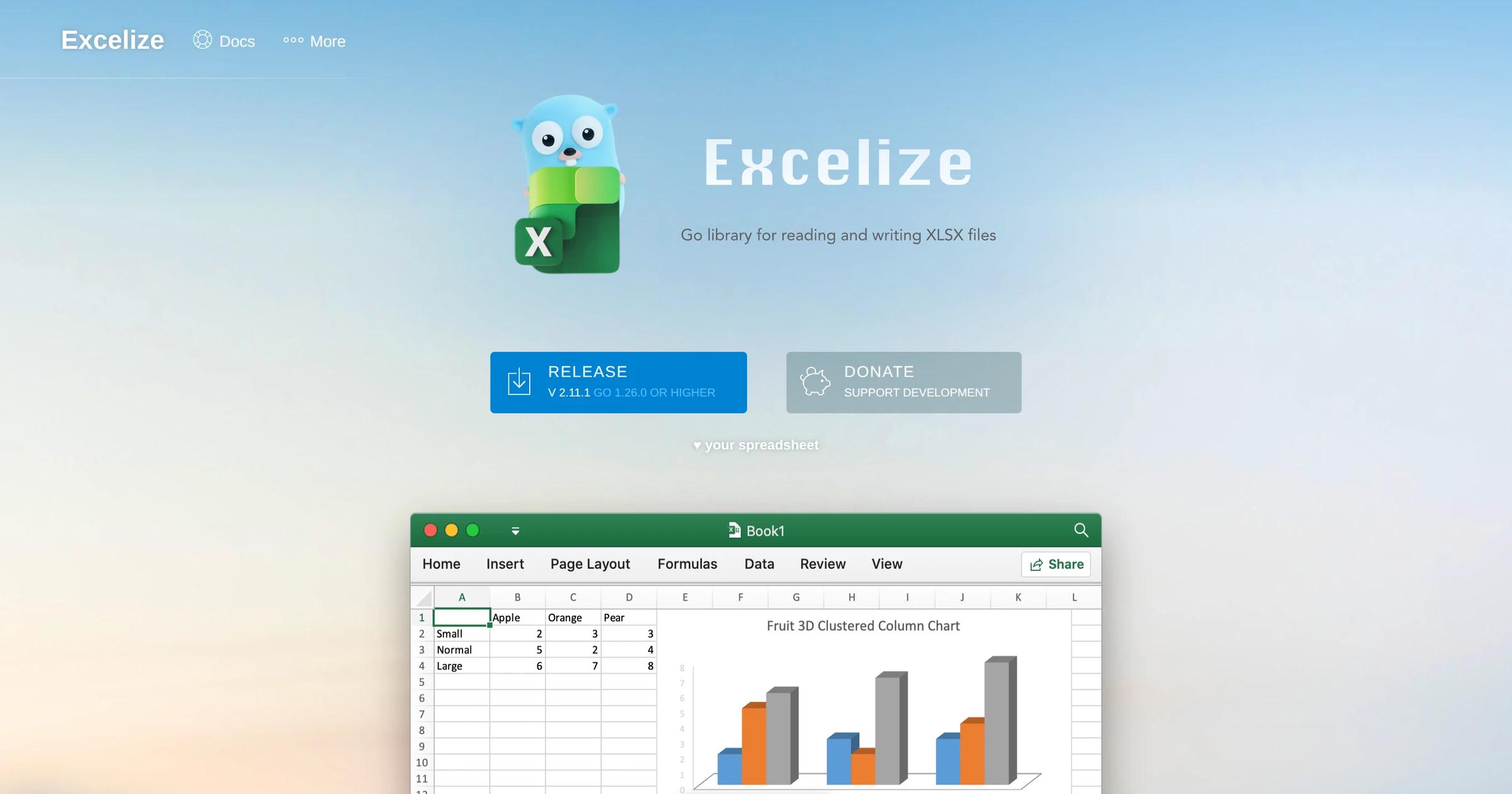
Builds charts from worksheet ranges using the `AddChart()` method with a type constant and series references. Supports clustered column, bar, line, pie, scatter, area, and 3D variants. Charts can reference worksheet data or be generated standalone. The resulting file opens with the chart intact in Excel, LibreOffice, and Google Sheets.
Reads and writes all five Office Open XML Excel variants, covering standard workbooks, macro-enabled workbooks, macro-enabled add-ins, and both template types. Compatible with files produced by Microsoft Excel 2007 and later. The implementation follows the ECMA-376 standard, which means generated files parse correctly in third-party tools that consume OOXML.
Inserts PNG, JPEG, and GIF images into worksheet cells using `AddPicture()`. Supports x/y pixel offsets, independent x/y scaling factors, aspect-ratio lock, and print-object flags. Multiple images can be placed in a single worksheet without corrupting the file structure.
Creates, reads, and sets the active sheet across multi-sheet workbooks. `NewSheet()` returns the sheet index for use with `SetActiveSheet()`; `SetSheetRow()` writes an entire row of mixed-type values in one call. `CoordinatesToCellName()` converts row and column integers to Excel cell references, simplifying iteration over structured data.
Written in pure Go with no CGo, no system libraries, and no Microsoft Office installation required. Runs on macOS, Linux, and Windows from a single binary built with the standard Go toolchain. Install with `go get github.com/xuri/excelize/v2` after confirming Go 1.26.0 or later.
Features
- Streaming read and write API
- Chart generation from worksheet data
- XLSX, XLSM, XLAM, XLTX, and XLTM format support
- Picture insertion with scaling and offset
- Multi-sheet workbook management
- Cross-platform, zero external dependencies
How to install
Install Excelize as a Go module using the versioned import path.
go get github.com/xuri/excelize/v2Recommended for this setup
Strengths
- BSD-3-Clause license with no commercial use restrictions: BSD-3-Clause places no restrictions on commercial use, redistribution, or modification. Teams can ship Excelize inside proprietary software without open-sourcing their own changes, and there are no per-developer or per-deployment licensing fees. This distinguishes it from commercial libraries like Aspose.Cells or EPPlus, which charge for production deployment.
- Active maintenance with 21,000+ stars: The repository has 21,124 GitHub stars and 1,996 forks, with the last commit in November 2026. Official documentation is published in 12 languages, including Arabic, Chinese (simplified and traditional), English, French, German, Italian, Japanese, Korean, Portuguese, Russian, and Spanish. This breadth of documentation reduces onboarding friction for international engineering teams.
- Streaming API for memory-bounded file processing: Separate streaming reader and writer APIs handle worksheet sizes that would exhaust memory using the standard API. The streaming writer appends rows without buffering the whole workbook; the streaming reader returns rows incrementally. This makes Excelize suitable for backend jobs that export thousands of rows from a database to Excel in a single pass.
- ECMA-376 compliance for broad compatibility: Excelize implements the fifth edition of the ECMA-376 Office Open XML standard, the same specification Microsoft Excel uses. Files it generates round-trip correctly through Excel, LibreOffice, and Google Sheets. For tools that consume OOXML programmatically, the standard compliance reduces parsing edge cases.
Trade-offs
- Go-only with no official bindings for other languages: Excelize is a Go library with no official bindings for Python, Java, Node.js, or other backend languages. The project maintains separate ports for C#, JavaScript, and Python at a different repository, with their own release cadences and feature parity that may lag behind the Go version. Teams using non-Go backends cannot import the main library directly.
- Go 1.26.0 minimum version requirement: The current release requires Go 1.26.0 or later. Projects on older Go versions need a toolchain upgrade before adopting Excelize. For services running on pinned Go versions in containerized environments, this may require coordination with infrastructure teams before the library can be adopted.
- 122 open issues as of November 2026: The repository carries 122 open issues (excluding pull requests). For most read and write use cases this represents normal project activity, but advanced features like complex chart types or format-specific edge cases may have outstanding bugs. Reviewing the issue tracker for the specific feature before committing to it is worth the check.
Tech stack
FAQ
Yes. Excelize writes files using the ECMA-376 Office Open XML standard, the same format Microsoft Excel uses. LibreOffice and Google Sheets import XLSX natively. Charts, cell styles, and multi-sheet workbooks survive the round-trip in most cases. Very advanced features such as macro-enabled XLSM workbooks may render differently across applications.
Excelize provides a streaming API separate from its standard read/write methods. The streaming writer appends rows incrementally without holding the full workbook in memory; the streaming reader processes one row at a time. The standard API loads the full workbook, so for files with tens of thousands of rows the streaming path is the right choice for server environments.
Excelize requires Go 1.26.0 or higher. Install with `go get github.com/xuri/excelize/v2`. If your project uses Go modules, the versioned path ensures the major version stays explicit and prevents accidental updates to a future v3 with breaking changes.
Yes. Excelize is licensed under BSD-3-Clause, which permits use in commercial products, proprietary software, and redistribution. Attribution in your project's license notices is required by BSD-3-Clause, but there are no per-developer, per-server, or per-deployment fees.
Excelize reads and writes XLSX (standard workbook), XLSM (macro-enabled workbook), XLTX (template), XLTM (macro-enabled template), and XLAM (macro-enabled add-in). These are all variants of the ECMA-376 Office Open XML standard. Generated files are compatible with Microsoft Excel 2007 and later, LibreOffice, and Google Sheets.