
Effective Html
Plan and code review for AI coding agents
Replaces —
Who it's for
A developer using Claude Code or Codex in plan mode uses Plannotator to intercept each proposed plan in the browser, annotate the specific sections that need changing, and send structured feedback back without retyping. Version history shows what changed between the agent's revisions.
A small team runs `/plannotator-review` after the agent finishes a feature, produces a PR-style diff with line-level comments, and shares the annotated review with a teammate using encrypted short links before committing.
Team needs a fully hosted, centralized review history -- Workspaces is not yet available.
A developer running several parallel agent sessions uses Plannotator Inbox to collect questions, decisions, and file reviews from all sessions in one local window, answer them on their own schedule, and send replies back to the originating session without keeping any session open while reviewing.
A developer who prefers the terminal installs Herdr Annotate to review and annotate agent replies and markdown documents without opening a browser. Annotations saved there are stored in the same Plannotator data directory, so they compound with any browser-based reviews.
User wants a GUI-based workflow.
The problem
AI coding agents present plans as terminal text and ask for a simple approve or deny, giving developers no structured way to annotate specific sections, record what changed between revisions, or send precise feedback without retyping it. The same gap exists after the agent writes code: there is no built-in diff review before committing, and feedback has to be re-entered manually into the conversation.
How it works
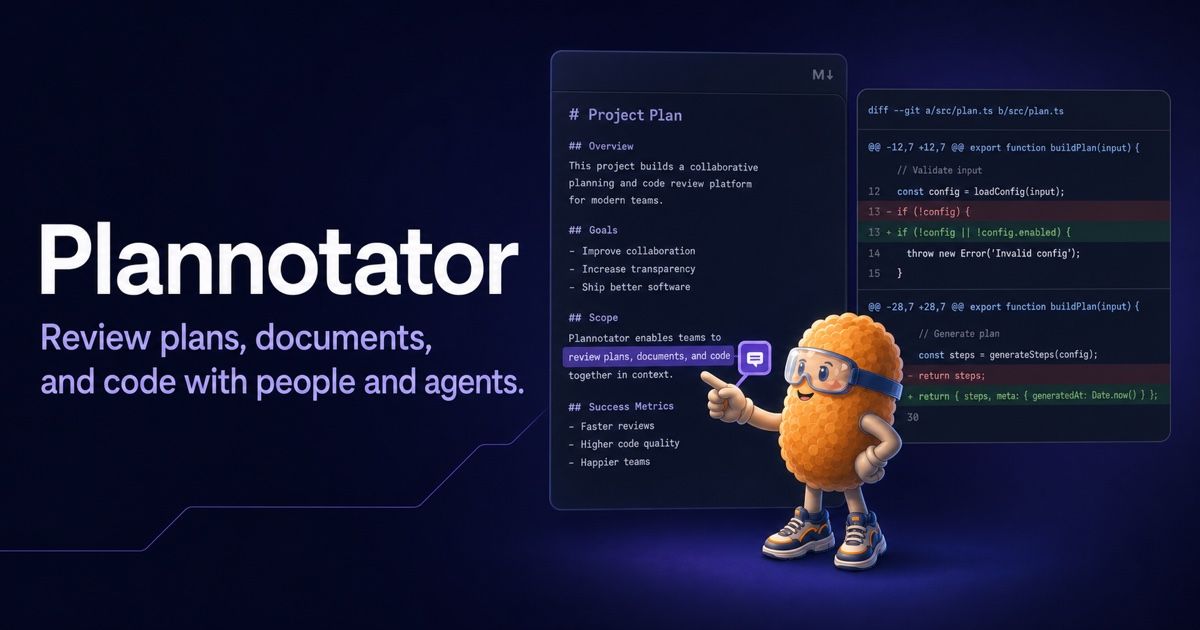
Plannotator hooks into each agent's plan step automatically. When a plan appears, a browser-based review workspace opens where you can select text, add inline comments, mark sections for deletion, or write replacements. Annotations export as structured feedback the agent understands directly.
Run `/plannotator-review` to open a diff viewer for the agent's uncommitted changes. It supports side-by-side or unified diff view, file tree navigation, line-level annotations with code suggestions, and staging or unstaging files before committing. GitHub and GitLab pull request URLs are also accepted.
A local window that collects agent questions, decisions, prototypes, and guided reviews in one place while agents keep working. Run `plannotator inbox` to open it. Claude Code, Pi, and OpenCode use native plugins; all other agents connect over MCP with `plannotator inbox mcp`.
Every revision of a plan is saved with diffs between versions, so you can see exactly what changed between iterations. Annotation drafts survive server crashes and restarts automatically.
Hooks are used where the agent harness supports them (Claude Code, Codex, Gemini CLI, Copilot CLI). Slash commands (`/plannotator-annotate`, `/plannotator-review`, `/plannotator-last`) or equivalent skill prefixes cover agents that do not expose hooks.
Plans, diffs, annotations, and history stay on disk by default with no telemetry. Small markdown shares are compressed into a URL fragment; larger shares use AES-256-GCM encrypted short links where only ciphertext is uploaded and the key stays in the fragment.
Features
- Plan interception with annotation
- PR-style code review
- Plannotator Inbox
- Version history and draft auto-save
- Multi-agent support through hooks and slash commands
- Local-first with optional sharing
How to install
curl -fsSL https://plannotator.ai/install.sh | bash
Recommended for this setup
Strengths
- Broad agent coverage out of the box: The installer auto-detects and configures hooks, slash commands, and skills for Amp, Claude Code, Codex, Copilot CLI, DeepSeek Harness, Droid, Gemini CLI, Kiro, OpenCode, and Pi. A Windows PowerShell installer is also provided alongside the macOS, Linux, and WSL shell installer.
- Structured feedback without copy-pasting: Annotations are sent directly to the agent as structured feedback. The workflow eliminates the round-trip of reading terminal text, formulating changes in prose, and retyping them into the conversation.
- No telemetry and fully local by default: Plannotator explicitly collects no usage analytics. Plans, diffs, annotations, drafts, history, and configuration stay on the local machine unless a network feature such as link sharing or Workspaces is explicitly used.
- Terminal and editor integrations alongside the browser surface: Herdr Annotate brings the same annotation workflow into the terminal without a browser. VS Code integration opens plans in editor tabs with diff view and inline annotations. Obsidian and Bear integrations auto-save plans to the respective apps.
Trade-offs
- Workspaces team layer is not yet available: Shared plans, review history, team integrations, and verification standards are part of the upcoming hosted Workspaces product, which is still on a waitlist. The local plugin is fully functional, but teams wanting centralized review history have no self-hosted alternative yet.
- Asynchronous link sharing is moving toward deprecation: The open source asynchronous link sharing feature is flagged as moving to deprecated support, with Workspaces named as the primary team-sharing direction. No removal date has been set, but it is not the recommended path for new setups.
- Release check contacts GitHub on every surface load: Each plan review, annotate, archive, share-portal, and code-review surface checks GitHub for the latest release when it loads. There is currently no opt-out setting for this release check, which means every session makes at least one outbound network call even when all content features are local.
Tech stack
FAQ
Plannotator supports Amp, Claude Code, Codex, Copilot CLI, DeepSeek Harness, Droid, Gemini CLI (0.36.0 or newer), Kiro, OpenCode, and Pi. The Plannotator Inbox also works with personal assistants such as Grok Bot, Muse, Hermes, and OpenClaw over MCP.
No. Plans, diffs, annotations, drafts, history, and configuration stay local by default. Plannotator collects no usage telemetry or analytics. Content only leaves the local machine when you explicitly use a network feature: URL annotation fetches the target site, GitHub or GitLab review uses your authenticated CLI, Ask AI sends context to your configured provider, and link sharing uploads encrypted ciphertext.
For agents that expose hooks (Claude Code, Codex, Gemini CLI, Copilot CLI), Plannotator wires into the plan step automatically through the installer. For other agents, slash commands such as `/plannotator-annotate` and `/plannotator-review` are installed as skills or commands the agent can call.
Yes. Run `/plannotator-review <github-pr-url>` or `/plannotator-review <gitlab-mr-url>` and Plannotator opens the same diff viewer using your authenticated CLI and Git remote to retrieve the PR or MR data.
The local plugin is free and open source. Workspaces is a separate hosted layer for teams that adds shared plans, review history, integrations, and verification standards. It is currently in a waitlist phase. The local plugin will remain free and open source regardless.