Dvui
Immediate-mode Zig GUI for apps and games
Replaces —
Who it's for
A game developer adds DVUI floating windows on top of an existing SDL3 or Raylib app to inspect entity state, tweak variables, and visualise frame timing — without rewriting the application's main loop.
You need a full application window managed by the GUI toolkit rather than a debug overlay.
A developer building a Zig-native tool (pixel art editor, REPL, flashcard app) uses DVUI as the full application UI, letting DVUI manage the window, event loop, and rendering via the SDL3 or Raylib backend.
Your project is not written in Zig.
An operator tool that only needs to render when the user acts uses `dvui.Window.beginWait()` to sleep the process between events, keeping CPU usage near zero at idle while still processing all queued input correctly when events arrive.
Your application already runs a fixed 60 fps game loop and idle CPU usage is not a concern.
A developer compiles a DVUI application to WASM using `zig build web-app` and serves it through any static web server to share an interactive demo without requiring users to install anything.
You need a web UI with HTML/CSS styling or browser-native accessibility without additional AccessKit integration.
The problem
Building GUI tools in Zig requires either binding to a large C toolkit or accepting a retained-mode model that can let UI state drift from application state. Neither fits well for game debug overlays or low-framerate tooling, where many input events may arrive between renders and the GUI must stay in sync with rapidly changing app data.
How it works
Widgets are not stored between frames. A call like `dvui.button(@src(), "Ok", .{}, .{})` processes input, draws the button, and returns a click result — all in one pass. This eliminates the possibility of the GUI showing a state the application no longer holds.
Every input event is processed each frame, not just one. A button can receive mouse-down and mouse-up in the same frame and correctly report a click. A text field can receive a tab mid-frame, transferring focus to another field that then receives subsequent text events in the same pass.
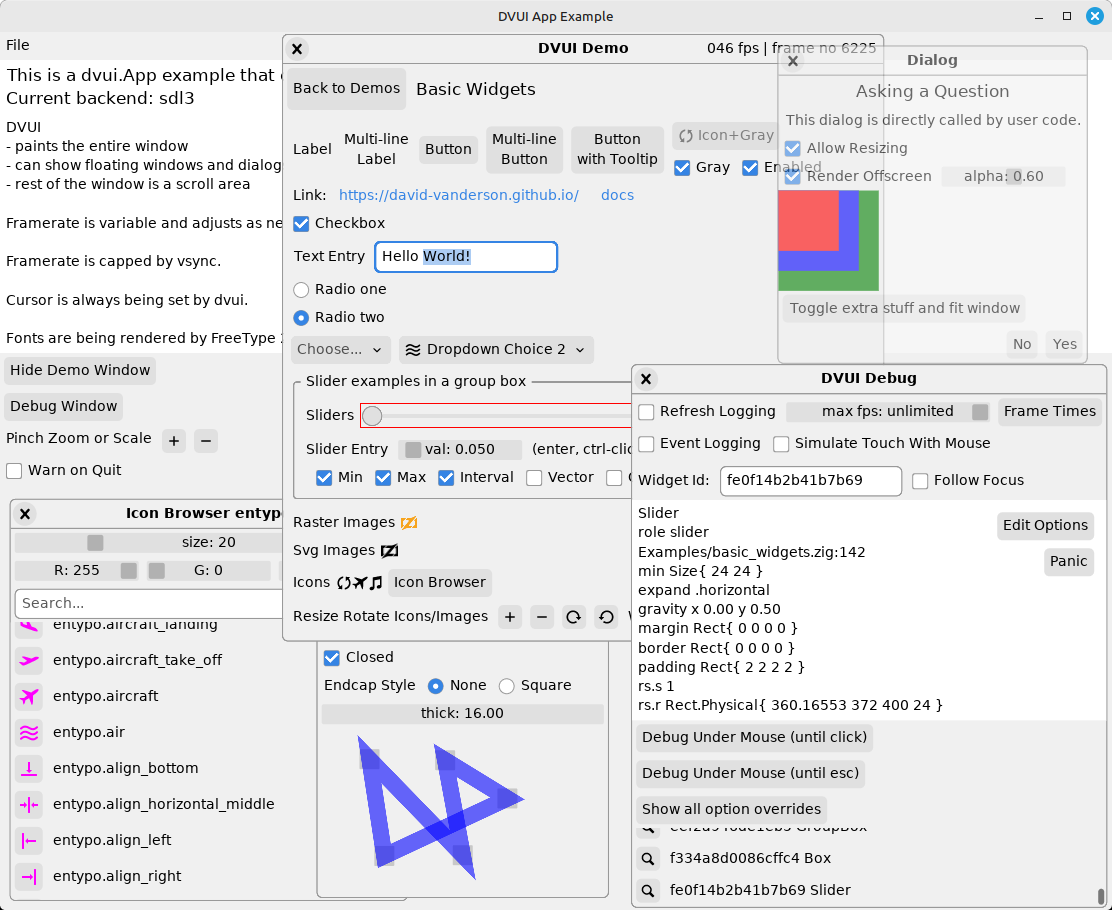
DVUI can run as floating windows layered on top of an existing application with minimal changes. `dvui.Window.addEvent...` functions return false for events DVUI will not handle, and `cursorRequestedFloating()` returns null when the main application should set the cursor.
Supported backends include SDL2, SDL3, SDL3 GPU, Raylib (C and `raylib-zig`), DX11, GLFW/OpenGL, `wio` (OpenGL and Vulkan), `pugl`, and Web via WASM. Each backend has app, standalone, and ontop example targets in the repository.
`dvui.Window.beginWait()` and `dvui.Window.waitTime()` maintain an internal overhead estimate and sleep the process until an event, animation frame, timer expiry, or explicit `dvui.refresh()` call requires a new render — avoiding busy-loop rendering.
Accessibility support via [AccessKit](https://accesskit.dev/) is available as an opt-in build flag: `zig build -Daccesskit`. Native file dialogs are provided through `tinyfiledialogs`. Fonts support both FreeType and `stb_truetype`.
Features
- Immediate-mode API
- Full input-event processing
- Ontop floating-window mode
- Multiple rendering backends
- FPS throttling and sleep-on-idle
- AccessKit accessibility
How to install
zig fetch --save git+https://github.com/david-vanderson/dvui#main
Recommended for this setup
Strengths
- Works at low and variable frame rates: Because DVUI processes all input events per frame rather than one, it correctly handles rapid input even when frames are infrequent. This distinguishes it from many immediate-mode toolkits that assume a stable 60 fps loop.
- Minimal widget state: A checkbox that reflects your application's bool needs no separate GUI boolean. A widget that is no longer rendered simply disappears — there is no cleanup step. The GUI state is exactly what the code runs each frame.
- Functions as composable building blocks: Because running a widget is a plain function call, wrapping widgets is idiomatic Zig. The README demonstrates a `colorSliders` function that composes three `sliderEntry` calls into a reusable color picker, using no framework-specific extension point.
- Broad backend coverage including Web: The same application code targets SDL2, SDL3, Raylib, DX11, GLFW, wio, pugl, and WASM. A live web demo is available online, lowering the barrier to evaluating the toolkit.
Trade-offs
- Fire-and-forget dialogs require retained-mode space: Showing an error dialog from code that will not run next frame is awkward in a pure immediate-mode design. DVUI addresses this with a retained-mode space for dialogs and toasts, but it is an extra concept to learn.
- Event ordering affects focus transfers: Because DVUI is a single pass, a tab keypress in widget B that moves focus to widget A only works correctly if widget A is run after widget B in the frame. The reverse order is a known limitation documented in the README.
- Zig-only: DVUI targets Zig and is tested against specific Zig releases (v0.17.0 at time of writing; v0.16.0 requires tag v0.5.0). Projects written in other languages cannot use DVUI directly without a C binding layer.
Tech stack
FAQ
DVUI is tested with Zig v0.17.0. For Zig v0.16.0, use the tagged release v0.5.0 from the GitHub releases page.
Run `zig fetch --save git+https://github.com/david-vanderson/dvui#main`, then add the dependency in `build.zig`. For the SDL3 backend: `const dvui_dep = b.dependency("dvui", .{ .target = target, .optimize = optimize, .backend = .sdl3 }); exe.root_module.addImport("dvui", dvui_dep.module("dvui_sdl3"));`. Alternatively, start from the `dvui-demo` template repository.
Yes. Use `dvui.floatingWindow()` calls for all widgets, check the return value of `dvui.Window.addEvent...` to decide whether the main application should handle each event, and call `dvui.Window.cursorRequestedFloating()` instead of `cursorRequested()` so the host app retains cursor control outside DVUI windows.
Call `dvui.toggleDebugWindow()` to open the built-in debug window. A live preview is available as the 'Debug Window' button on the front page of the online demo at david-vanderson.github.io/demo.
Yes, via AccessKit. Pass `-Daccesskit` to `zig build` to enable it. The flag is opt-in and has no effect on builds that omit it.