CodexBar
AI coding limits tracker for your menu bar
Replaces —
Who it's for
A developer paying for Cursor, Copilot, and Claude at the same time uses CodexBar to see remaining session and weekly quota for each service in one menu bar pop-over, avoiding mid-task cutoffs by checking reset countdowns before starting long refactors.
You use only a single AI provider.
An engineering lead uses the Admin API spend views and 31-day cost scans for Codex, OpenAI, and Claude to review monthly AI costs without logging into multiple billing dashboards.
Your provider does not expose a billing or spend API.
A developer embeds the `codexbar` CLI binary in CI pipelines or shell scripts to gate workflows on remaining quota before dispatching large batches of AI-assisted tasks.
You only need the visual menu bar interface and have no scripting or automation requirements.
A developer on Arch Linux installs the `codexbar-cli` AUR package and the Qt 6 desktop app to get usage windows, spending views, desktop notifications, and an Omarchy tray widget matching their desktop theme.
You are on macOS and have no need for the Linux build.
The problem
AI coding tools impose session, weekly, and monthly usage limits that reset on different schedules, but checking each provider's dashboard mid-task is disruptive. Without a single view of remaining quota and time to reset, developers either interrupt work to verify headroom or start long tasks only to hit a limit partway through.
How it works
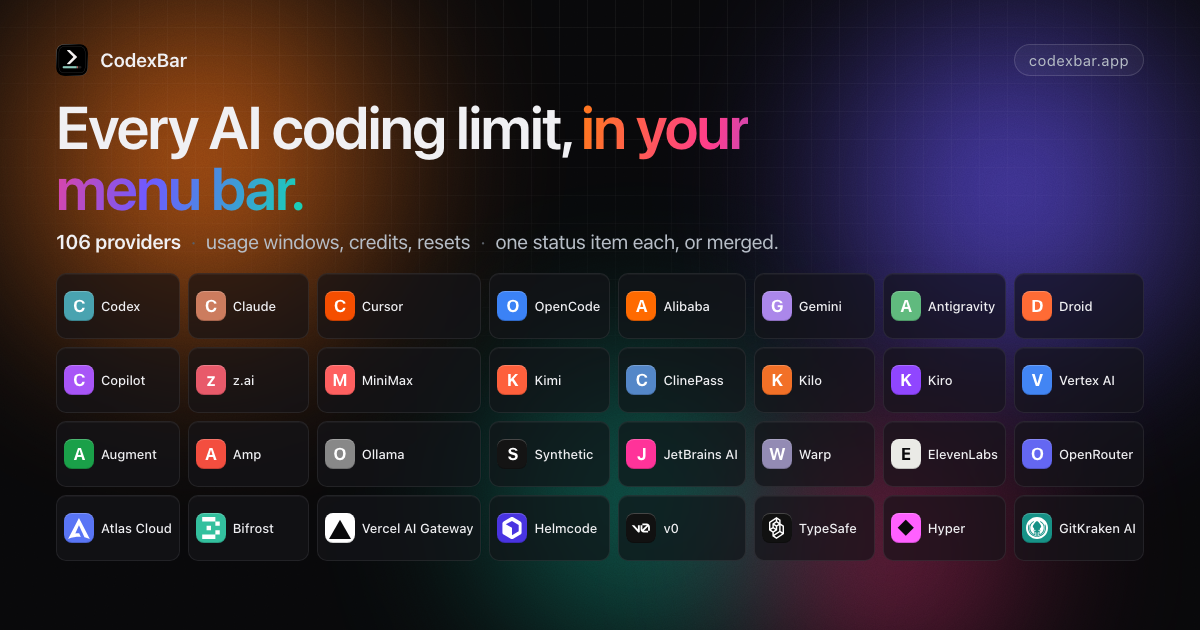
Tracks usage windows, credit balances, and spend for 106 AI coding providers -- from mainstream tools like Codex, Claude, Cursor, Copilot, Gemini, and OpenAI to niche services like Helmcode, v0, TypeSafe, ZenMux, and Bifrost -- all from a single menu bar status item.
Session, weekly, and monthly usage windows each show a countdown to the next reset so you can decide whether to start a long task now or wait for quota to refresh.
Where providers expose the data, CodexBar shows credit balances, Admin API cost graphs, billing summaries, and configurable local cost scans for Codex and Claude, including a 31-day rolling spend view.
Background polling surfaces incident badges directly in the menu and overlays an indicator on the bar icon, so partial degradations and major outages are visible without opening a status page.
A `codexbar` binary included in every release outputs the same usage data in terminal sessions and CI environments. WidgetKit widgets in small, medium, and large sizes bring reset countdowns and spend summaries to the macOS Home Screen and desktop.
CodexBar reuses existing provider sessions -- OAuth, device flow, API keys, browser cookies, and local files -- so no passwords are written to disk. Keychain access is used only for cookie decryption and OAuth flows.
Features
- 106-provider coverage
- Per-provider reset countdowns
- Credit balances and spend dashboards
- Live provider status
- Bundled CLI and WidgetKit widgets
- Privacy-first session reuse
How to install
brew install --cask steipete/tap/codexbar
Recommended for this setup
Strengths
- Breadth of provider support: At 106 providers, CodexBar covers the widest range of AI coding tools of any comparable utility, including self-hosted gateways (LiteLLM, Bifrost, LLM Proxy), Chinese-market platforms (Alibaba, Qwen, Kimi, Doubao), and niche services many developers rely on daily.
- No credential storage: The privacy-first design reuses sessions the user has already established with each provider rather than asking for separate credentials, reducing both setup friction and attack surface.
- Multi-surface availability: The macOS menu bar app, bundled CLI binary (with standalone macOS and Linux tarballs), Linux Qt 6 desktop app, and WidgetKit widgets mean the same usage data is accessible in the menu bar, terminal, CI scripts, and on the desktop.
- Free and open source under MIT: CodexBar is MIT-licensed and installable via Homebrew without any subscription, account, or telemetry requirement.
Trade-offs
- macOS 14+ required for the full app: The menu bar app requires macOS Sonoma (14+). Users on older macOS versions are limited to the CLI binary or the Linux desktop app.
- Broad permissions on macOS: Full Disk Access is required to read Safari cookies, Keychain access is needed for cookie decryption and OAuth flows, and Files and Folders prompts appear when provider helpers read project directories. Users who restrict these permissions will lose coverage for cookie-based providers.
- Coverage depends on provider session state: Usage data is only as fresh as the underlying session. If a provider session expires or a CLI is not installed, CodexBar can show stale or absent data for that provider until the session is re-established.
Tech stack
FAQ
CodexBar reuses sessions you have already established: OAuth tokens, device flow credentials, API keys stored in its config file, browser cookies from Safari or Chrome, local CLI files, or local app data depending on the provider. No separate passwords are stored on disk.
Yes. CodexBar is free and open source under the MIT license. It is available via Homebrew or direct download from GitHub Releases with no subscription or account required.
Yes. Standalone CLI tarballs for macOS and Linux (x86_64 and ARM64, glibc and static musl variants) are published on every GitHub release. An Arch Linux AUR package (`codexbar-cli`) is also available. The Qt 6 Linux desktop app supports Wayland and X11 and is distributed separately.
Use the CLI: `printf '%s' "$YOUR_API_KEY" | codexbar config set-api-key --provider <name> --stdin`. This stores the key with restrictive file permissions and enables the provider by default. Pass `--no-enable` to save the key without enabling it.
The macOS menu bar app requires macOS 14 (Sonoma) or later. The CLI binary and the Linux desktop app have no macOS version requirement.