
Codex Security
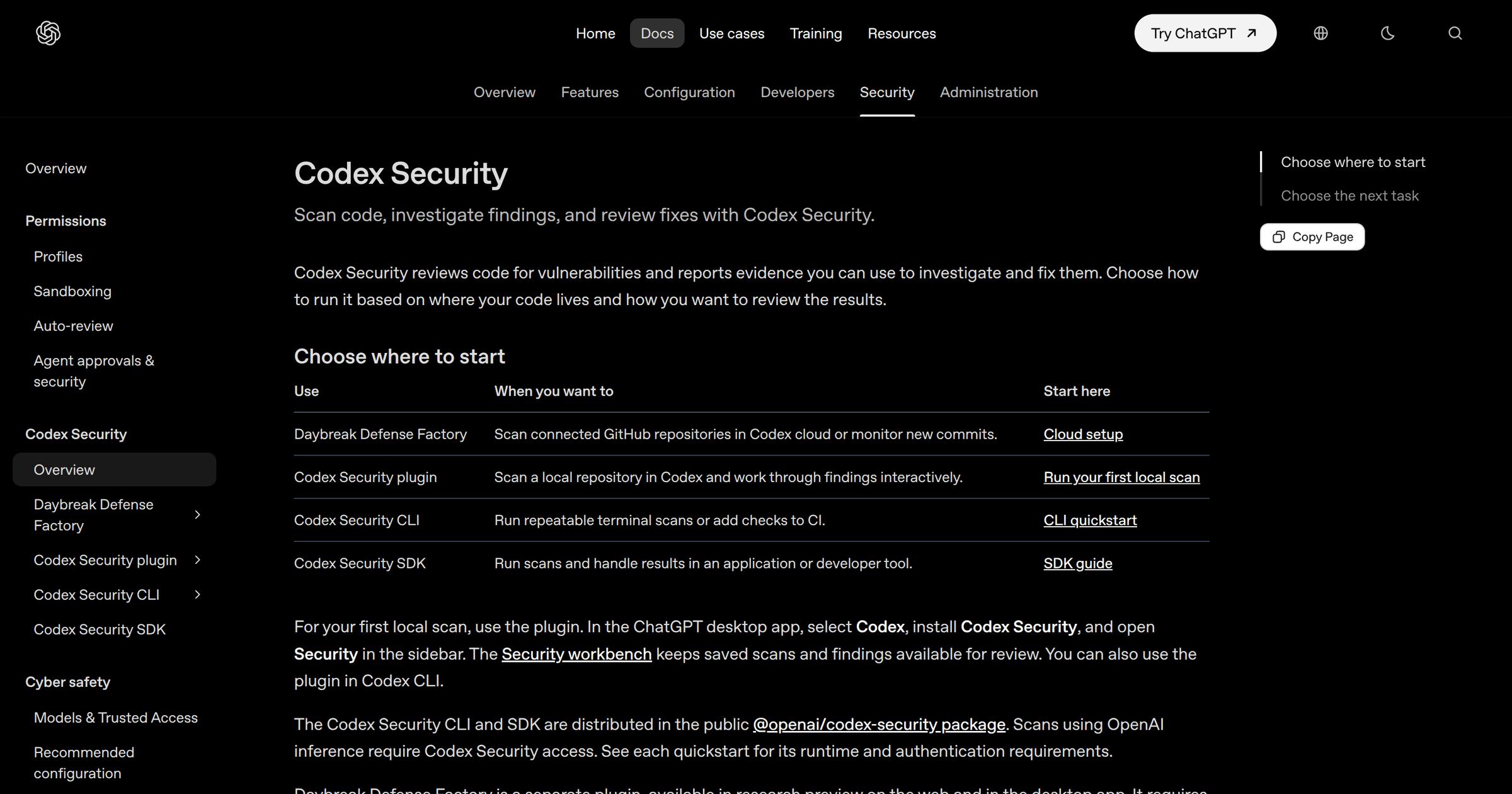
Find, validate, and fix code vulnerabilities via CLI, SDK, or Codex.
Replaces Snyk, Semgrep Pro, Github Advanced Security
Who it's for
Codex Security's bulk scan mode and Linear, Jira, and GitHub integrations let security teams run resumable campaigns across a list of repositories, track findings by owner, and export SARIF reports for existing vulnerability management tools.
Teams that only need dependency scanning (SCA) rather than code-level SAST are better served by a dedicated tool. Codex Security scans application code, not package manifests or container images.
The GitHub Actions workflow example runs scheduled repository scans against an API key stored as a repository secret, with configurable cost limits per scan. The same workflow supports pull request checks and severity thresholds for blocking merges on critical findings.
If your CI pipeline already has a SAST tool covering the same codebase, evaluate whether Codex Security adds coverage or duplicates it before adding another scan step.
Running `cs scan . --diff origin/main` scans only committed changes from a base revision to HEAD, keeping scope narrow for pre-merge checks. The tool generates a candidate patch for a confirmed finding and can verify whether an existing fix resolves the issue before the pull request is submitted.
Teams using the Codex plugin interactively in the desktop app may find the diff-scanning CLI redundant. The plugin handles findings in context during active development.
The problem
Security vulnerabilities accumulate silently during development. Most teams find them late: either through a manual penetration test, a CI scan that reports issues without guidance on fixing them, or after an incident. The gap between finding a vulnerability and confirming a fix is typically measured in days or weeks, often because the finding lacks enough context to act on immediately. Existing paid code scanning platforms surface findings as reports with severity ratings, but leave patch generation and fix verification to the developer. For teams without dedicated security staff, this means triaging a backlog of uncertain findings without clear remediation steps. The developer who introduced the vulnerability is often not the one who reviews the scanner's output.
How it works
Runs a standard or deep scan on a repository, selected paths, or committed Git changes (via `--diff`). After confirming a finding, the tool generates a candidate patch and can verify whether an existing fix resolves the issue. Deep scans repeat standard scans and deduplicate findings across runs.
The `@openai/codex-security` npm package installs as both a global CLI (`cs`) and a local TypeScript SDK. Scans run from the terminal, inside CI via a GitHub Actions workflow with configurable cost limits, or embedded directly in an application or developer tool using the SDK.
Scans run against OpenAI inference by default, with direct support for Amazon Bedrock (using AWS credentials, no separate OpenAI login), OpenRouter, Fireworks AI, and Cheaper Inference. Set the provider's API key and choose a supported model; no changes to scan commands are required.
Completed scans export findings as SARIF, JSON, or CSV for integration with existing security workflows. Findings can be tracked in Linear, Jira, or GitHub directly from the CLI, and scans can be published to Codex Security Cloud when available. ServiceNow Application Vulnerability Response is also supported via a dedicated export guide.
The `cs policy` command drafts a new SECURITY.md or updates an existing one, taking component paths and architecture documents as input. It saves its draft outside the repository so changes can be reviewed before copying only the target file. Threat models from scans can be exported independently with `cs export`.
Features
- AI-powered vulnerability scanning with patch generation
- CLI, SDK, and GitHub Actions support
- Multi-provider AI backend
- Findings export and issue tracker integration
- SECURITY.md policy generation and threat model export
How to install
Install the CLI globally with npm (requires Node.js 22.13.0+ and Python 3.10+), then sign in and run your first scan.
npm install --global @openai/codex-security
cs login
cs scan .
Recommended for this setup
Strengths
- Apache 2.0 license: no per-seat or per-repository fees: The Apache 2.0 license allows running the CLI, SDK, and GitHub Action across any number of repositories for any purpose, including commercial team use, without paying for a seat or a managed service account. Cost is limited to AI inference API usage.
- Patch generation and fix verification in one workflow: Most commercial SAST tools stop at reporting. Codex Security generates candidate patches and verifies fixes within the same `cs scan` workflow, reducing the gap between a confirmed finding and a deployed fix without a separate remediation product.
- Multiple AI provider options, including AWS Bedrock: Scans are not locked to OpenAI infrastructure. Teams using Amazon Bedrock can point Codex Security at their own AWS credentials and keep code and findings within their existing cloud boundary. OpenRouter, Fireworks AI, and Cheaper Inference are also supported.
- Containerized bulk scans for multi-repo campaigns: The included Docker Compose configuration keeps results and authentication between runs for scanning a list of repositories. A workflow runner can connect to a separately deployed findings service and run individual CLI stages in containers, covering multi-repo security reviews in one resumable campaign.
Trade-offs
- Requires an external AI provider API key for every scan: Scans depend on AI inference, which means an API key is required at runtime. While Amazon Bedrock, OpenRouter, Fireworks AI, and Cheaper Inference are all supported, the tool does not operate in air-gapped environments or as a fully self-contained static analyzer. Scan costs accumulate with API usage.
- Node.js 22.13.0+ and Python 3.10+ prerequisites: The CLI requires Node.js within the 22.x, 24.x, or 26.x range and Python 3.10 or later (Python 3.10 also requires the `tomli` package). Teams whose CI environments pin older runtimes will need to update or provision separate containers before adding Codex Security scans.
Tech stack
FAQ
Yes: scans require either an `OPENAI_API_KEY` or `CODEX_API_KEY` for OpenAI inference, or credentials for one of the supported alternative providers: Amazon Bedrock, OpenRouter, Fireworks AI, or Cheaper Inference. Bedrock uses standard AWS credentials and does not require an OpenAI account. There is no fully offline mode; AI inference is required at scan time.
Codex Security is a separate tool for finding and fixing vulnerabilities in existing application code. It runs as a CLI, TypeScript SDK, or Codex plugin and uses AI inference for security analysis. The Codex coding assistant and Codex Security are related products from OpenAI but serve different purposes; Codex Security is specifically for security scanning, not general-purpose code generation.
The README includes a GitHub Actions workflow example that runs scheduled repository scans. Add an OpenAI API key as the `CODEX_SECURITY_API_KEY` repository secret, copy the example workflow from `github-action/examples/repository.yml` to `.github/workflows/codex-security.yml`, replace the reviewed commit SHA, and trigger it manually or on schedule. The CLI also reads `OPENAI_API_KEY` or `CODEX_API_KEY` from the environment for other CI providers.
Yes. Completed scans export as SARIF, JSON, or CSV using the `cs export` command. SARIF output is accepted by GitHub Advanced Security, most CI systems, and security management platforms. Findings can also be tracked in Linear, Jira, or GitHub through the CLI's integration workflows. For ServiceNow Application Vulnerability Response, the docs include a dedicated export guide.
Deep scans repeat standard scans and deduplicate their findings across runs, returning a combined set of results. Use `cs scan . --mode deep` to run one. The README also documents `--max-time` for setting an advisory time allowance; deep scans have their own time limits documented in the CLI reference. For most repositories, a standard scan is sufficient for a first review.