
cap captcha
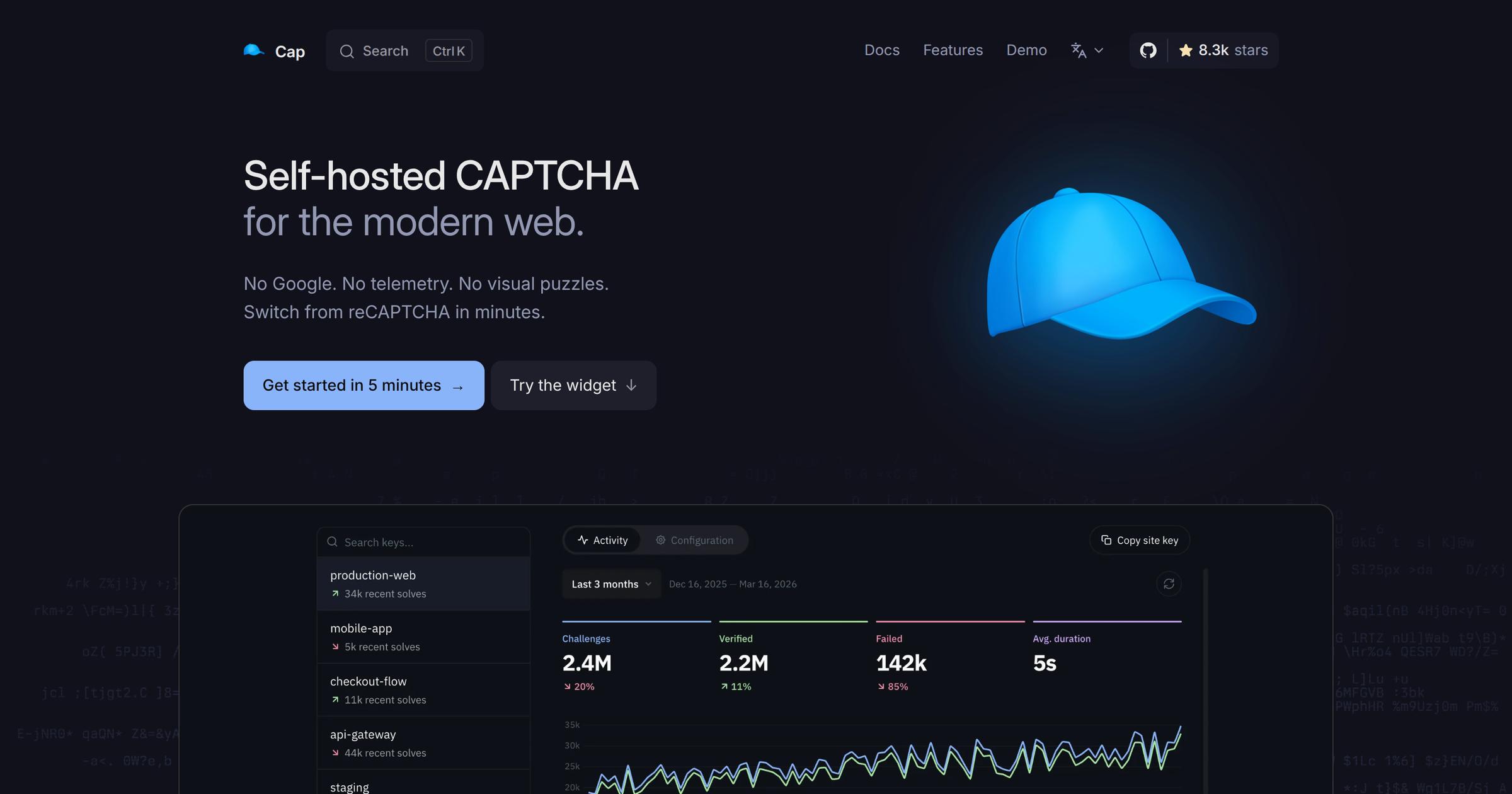
Self-hosted CAPTCHA with proof-of-work, no visual puzzles or trackers
Replaces Google Recaptcha Enterprise, Cloudflare Turnstile, Hcaptcha, Friendly Captcha, Botpoison
Who it's for
Teams handling medical records, financial data, or personal information under HIPAA or GDPR need bot protection that does not transfer visitor data to third-party servers. Cap runs verification on the operator's own infrastructure, satisfying data residency requirements that cloud CAPTCHAs cannot meet.
Your compliance requirements do not restrict third-party data processors and you need zero infrastructure to manage. Cloudflare Turnstile handles bot protection with no backend server and no visual puzzles.
Cap's siteverify endpoint follows the same response format as reCAPTCHA and hCaptcha, so the backend token verification typically needs only a URL change. The main migration work is replacing the client-side widget script and updating form field references.
You need drop-in plugin support across a large CMS ecosystem without custom integration. hCaptcha has broader existing plugin coverage for platforms like WordPress and common e-commerce stacks.
Sites with high form submission volumes can hit free-tier limits on reCAPTCHA Enterprise or hCaptcha. Cap's self-hosted server has no per-request fees, so protection costs do not scale with traffic volume.
Your traffic is low enough that managed CAPTCHA pricing is negligible, and running a server for CAPTCHA would cost more than the tier you would use on a free managed plan.
Cap's instrumentation layer can be configured to detect and reject headless browsers used by AI agents to interact with sites programmatically. This extends bot protection beyond traditional traffic patterns to cover AI-driven automation.
Your concern is traditional bot traffic rather than AI-driven automation. Standard bot detection from cloud CAPTCHAs covers most conventional abuse patterns without custom instrumentation configuration.
The problem
Managed CAPTCHA services transfer visitor behavior data to third-party servers on every verification. reCAPTCHA sends solved challenges to Google for behavioral scoring; hCaptcha sends verification events to its own cloud. For teams handling regulated data under GDPR, HIPAA, or CCPA, this transfer creates compliance exposure that is difficult to address through contractual means alone, since the fundamental product design is cloud-based. Visual puzzles add a second problem: image grids create friction for every user, disproportionately affecting users with visual impairments and those on slow connections. Cloud CAPTCHA pricing scales with traffic too; reCAPTCHA Enterprise and hCaptcha both have free tiers with metered pricing above them, making bot protection a variable cost that grows with site volume rather than a fixed infrastructure expense.
How it works
Cap runs two independent challenge layers simultaneously. The first solves parallel SHA-256 hashes in WebAssembly, tuned to resist GPU acceleration. The second generates a unique JavaScript program per session that checks browser layout, canvas rendering, and event trust markers. Defeating one layer does not bypass verification; both must pass.
All challenges run silently in the browser background. Visitors see no image grids, no crosswalk photos, and no checkbox clicks. The verification happens before form submission and completes without visible interaction for genuine users.
The client widget contacts only the operator's own verification server. No data is sent to Google, Cloudflare, hCaptcha, or any external service. Visitor IPs and behavioral signals stay within the operator's infrastructure throughout the entire verification flow.
The widget minifies and gzips to about 20 kB with no npm dependencies. The product website reports this as roughly 250x smaller than hCaptcha. It can be loaded from a CDN, and for pages where load performance matters, the size difference is material.
Cap's server-side siteverify endpoint uses the same response format as the reCAPTCHA and hCaptcha verification APIs. Existing backend code that checks CAPTCHA tokens typically requires only updating the verification URL to point at Cap's server, without rewriting the token-checking logic.
Features
- Dual-layer proof-of-work and browser instrumentation
- No visual puzzles, no user friction
- Zero third-party network calls
- 20 kB client bundle with no dependencies
- Drop-in reCAPTCHA compatibility
Recommended for this setup
Strengths
- Full data locality: verification never leaves your server: Unlike reCAPTCHA Enterprise, hCaptcha, and Cloudflare Turnstile, Cap performs all verification on the operator's own infrastructure. No visitor IP, no browser fingerprint, and no behavioral signal is sent to a third party. AdGuard and Bunny.net use it in production per the README.
- No per-request costs at any traffic volume: Self-hosting Cap on a single VPS carries a fixed monthly cost with no API quotas or per-verification fees. Cloud CAPTCHAs charge per-request or per-month tiers above free limits. For high-traffic sites, Cap's cost stays flat while managed services scale upward.
- Privacy compliance without additional configuration: Cap does not set cookies, does not fingerprint visitors, and makes no outbound calls during verification. The website lists compliance with GDPR, CCPA/CPRA, HIPAA, PIPEDA/CPPA, LGPD, PDPA, and PIPL without additional setup or data processing agreements with a third party.
Trade-offs
- Requires a self-managed verification server: Cloud CAPTCHAs work with an API key and no backend setup; Cap needs a running server to handle challenge generation and verification. A minimal deployment fits a $5 VPS with Docker, but the server must stay available for form submissions to work. This adds operational responsibility that managed services do not impose.
- JavaScript required for all challenge types: Both challenge layers run JavaScript in the browser. Users or tooling that blocks JavaScript entirely cannot pass a Cap challenge. This may affect accessibility testing workflows or automated screen-reader test environments that run with JavaScript disabled.
- Younger project with a smaller integration ecosystem: Cap was created in January 2025 and has 8 open GitHub issues. The library of community-built plugins for CMS platforms (WordPress, Drupal, Shopify) and popular frameworks is smaller than reCAPTCHA or hCaptcha, which have years of ecosystem support. Custom integration work is likely for less common stacks.
Tech stack
FAQ
Yes. Cap does not set cookies, does not fingerprint visitors, and makes no outbound network calls during verification. All verification happens on the operator's own server. The Cap website lists compliance with GDPR, CCPA/CPRA, HIPAA, PIPEDA/CPPA, LGPD, PDPA, and PIPL without additional configuration.
Yes. Cap is licensed under Apache-2.0, which permits deploying, running, modifying, and distributing it in commercial production environments. Redistribution of Cap itself requires preserving the original license notices and marking modified files. Trademark use is restricted to attribution of the original work's origin.
The backend change is typically a URL update: Cap's siteverify endpoint uses the same response format as reCAPTCHA and hCaptcha, so existing token-checking code usually only needs the verification URL changed. The client side requires replacing the reCAPTCHA script with Cap's widget and updating form field references. The documentation at trycap.dev covers the migration steps.
Cap Standalone runs in a Docker container. A $5 VPS handles most production traffic, and no external database is required for the basic configuration. Cap can also run on Cloudflare Workers or Railway for teams already using those platforms. The verification server must stay available for form submissions to pass.
Cap uses two independent challenge layers: GPU-resistant proof-of-work in WebAssembly and dynamically generated JavaScript instrumentation. Because each session's instrumentation code is generated fresh, bot frameworks cannot cache a static bypass for the second layer. For standard automated traffic, the combination makes large-scale abuse very difficult to automate at scale, per the product's documentation. Neither Cap nor any CAPTCHA guarantees perfect detection against a sufficiently motivated and resourced attacker.