armorpaint
Open source 3D PBR texture painting with GPU acceleration
Replaces Adobe Substance 3d Painter, Foundry Mari
Who it's for
Artists working on personal or commercial projects who want PBR texture painting without a Substance 3D Painter subscription. The node-based material workflow covers procedural textures, fill layers, and baking from high-poly meshes, which handles the standard asset creation steps for game-ready models.
If your studio already licenses Substance 3D Painter for the team and needs guaranteed binary stability and official support, the compile-from-source requirement adds friction with no immediate payoff.
Artists who paint across multiple DCC tools or game engines get live-link plugins that update textures in the connected application in real time, removing the export-reimport loop from the texture iteration cycle.
If you work exclusively inside a single DCC that already has a mature painting mode for your use case, the additional setup of a separate tool may not be worth it.
The plugin API lets developers extend ArmorPaint with custom node systems and material nodes. The source code is available for study and modification under the zlib/libpng license, making it a viable base for specialized tooling or studio forks.
If you need a production-hardened tool with a professional support contract, a source-available project that requires compilation is not the right starting point.
The problem
Professional 3D texture painting tools sit behind expensive subscriptions or per-seat licenses that put them out of reach for independent artists and small studios. Adobe Substance 3D Painter and Foundry Mari set the industry standard for PBR texturing, but their pricing reflects enterprise budgets rather than solo pipelines. The technical barrier compounds the cost problem: most professional texture painters tie their workflow tightly to specific renderers or DCC applications, making it difficult to paint across Blender, Unreal Engine, and Unity without a tool that supports all three simultaneously. Artists working across game engines face duplicated licensing costs or workflow compromises.
How it works
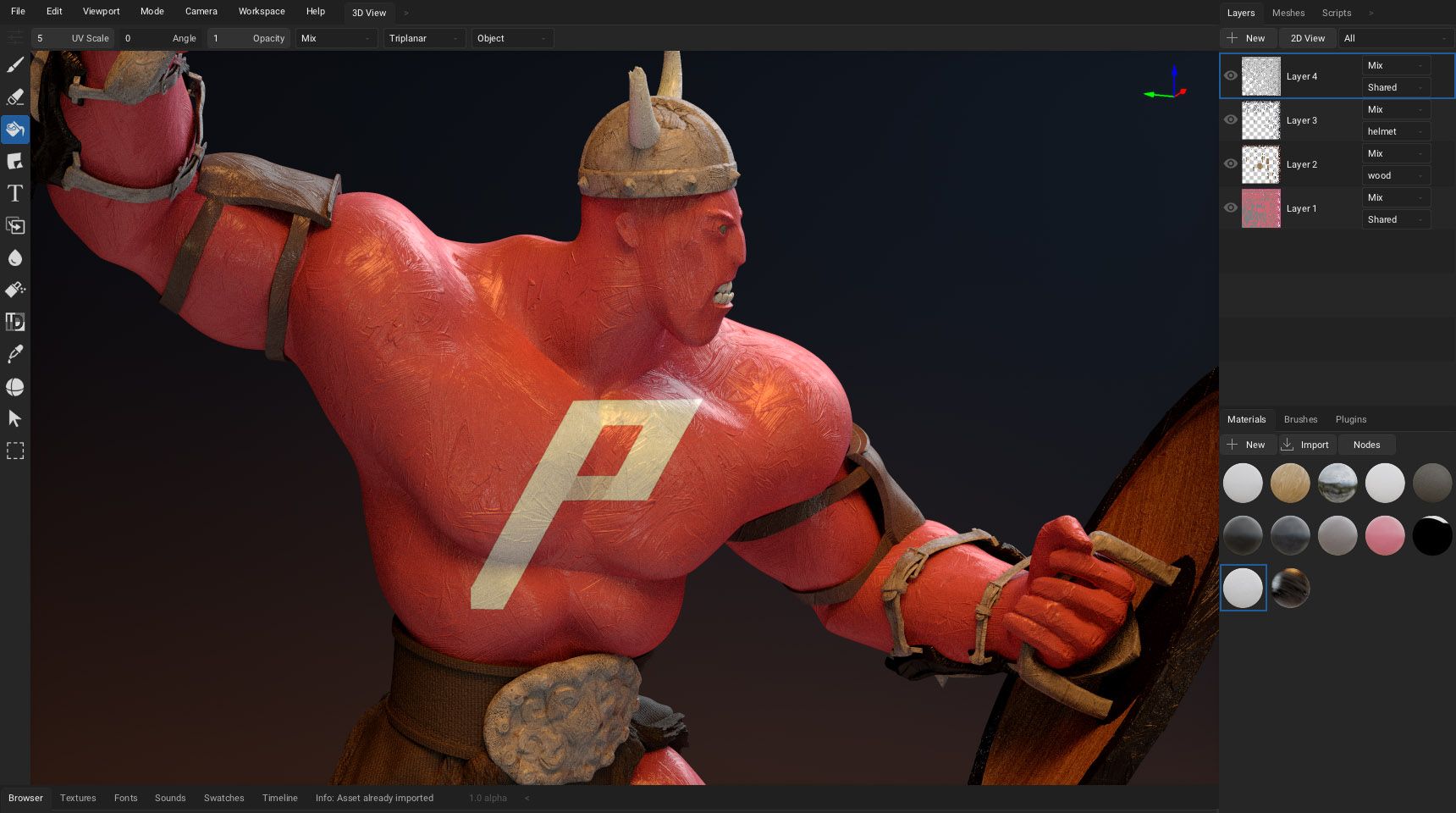
All paint operations run on the GPU rather than the CPU, delivering real-time viewport feedback at any resolution. A mid-range integrated GPU handles 4K painting; a high-end discrete card handles up to 16K without stuttering. No dedicated rendering pass is needed to see material results.
Materials are built as node graphs, letting artists create fully procedural fill layers and brush patterns without per-pixel painting. Brush nodes support custom patterns; fill layers compose with masks the same way shader nodes compose in Blender's material editor.
Bakes normal maps, ambient occlusion, curvature, and other texture maps from high-poly models directly on the GPU. Hardware ray-traced baking runs via Direct3D12, Vulkan, and Metal. No CPU bake queue, no waiting for a software renderer.
Plugins for Blender, Unreal Engine, and Unity let you paint inside ArmorPaint and see results update in your main DCC or game engine in real time, without exporting and reimporting texture maps manually between each iteration.
Generates seamless textures from text prompts, edits textures with inpainting masks, and upscales images up to 4x, all processed locally on the GPU. Requires a minimum of 6GB of video memory. Once AI models are downloaded, no internet connection is needed.
On Windows, Linux, and macOS, ArmorPaint runs as a portable application with no installer. Download size is under 10MB; no registry entries, no admin rights, no runtime dependencies to manage. It also runs on iOS and Android.
Features
- GPU-accelerated painting up to 16K
- Node-based materials and procedural brushes
- GPU ray-traced baking
- Live-link plugins for Blender, Unreal Engine, and Unity
- Local AI texture generation
- Portable desktop binary under 10MB
How to install
Install the compiler toolchain for your platform (Visual Studio with Clang on Windows, Clang on Linux, Xcode on macOS), then clone and build from source.
git clone https://github.com/armory3d/armorpaint
cd armorpaint/paint
../base/make --run
Recommended for this setup
Strengths
- Source code free to compile under zlib/libpng license: The zlib/libpng license permits free use, modification, and redistribution including commercial work. You compile from the public repository and own the resulting binary. Unlike Substance 3D Painter or Mari, you pay nothing to run the compiled build. The only cost is the optional pre-built binary, which funds development.
- Full GPU rendering pipeline including path tracing: Unlike CPU-bound texture painters, ArmorPaint routes all operations through the GPU, including ray-traced baking and viewport rendering with path tracing via Direct3D12, Vulkan, and Metal. Real-time preview with accurate light simulation is the default mode, not a slow optional render.
- Cross-platform with sub-10MB footprint: Runs on Windows, Linux, macOS, iOS, and Android. The portable binary is under 10MB with near-instant startup and no installation step, which is unusually lightweight for professional 3D software. Most competing tools require multi-gigabyte installers and platform-specific launcher software.
- Active public development: The repository had its last push in September 2026, with over 4,400 GitHub stars and 522 forks. All development happens in the public repository by design, making the build toolchain and source history accessible to contributors and studio forks.
Trade-offs
- Pre-built binaries require payment; source compilation needs toolchains: Pre-compiled binaries are paid downloads through the official site, funding ongoing development. Building from source is free but requires platform-specific toolchains: Visual Studio with Clang on Windows, Clang with system dependencies on Linux, Xcode on macOS and iOS, and Android Studio on Android. This is a meaningful barrier for artists without an existing build environment.
- AI texture features require 6GB VRAM: Local AI texture generation, inpainting, and upscaling require a minimum of 6GB of video memory. GPUs below that threshold cannot run these features at all. The requirement is non-negotiable and applies to all AI node processing in the tool.
- Sculpting module is still in development: The sculpting module is listed as 'in development' in the official documentation and website. Artists who need stable, production-ready sculpting alongside painting in a single tool should check the current status before adopting it for a sculpting-heavy workflow.
Tech stack
FAQ
The source code is free under the zlib/libpng license: you can compile it, modify it, and use it for any purpose including commercial work at no cost. Pre-compiled binaries are available for purchase from the official website to fund development. Compiling from source requires a platform-specific toolchain (Visual Studio with Clang on Windows, Clang on Linux, Xcode on macOS).
Both tools cover PBR texture painting with layer-based and node-based workflows. Substance 3D Painter provides polished pre-built binaries, official support, and a curated asset library through Adobe's ecosystem, but requires a Creative Cloud subscription. ArmorPaint is free to compile, GPU-accelerated with ray-traced baking, and cross-platform including iOS and Android, but the pre-built binary is a paid download and building from source requires a compiler toolchain.
ArmorPaint runs entirely on the GPU and works on integrated graphics for 4K painting. High-end discrete GPUs unlock up to 16K texture painting. The AI texture generation features (text-to-texture, inpainting, upscaling) require a minimum of 6GB of video memory. On most mid-range hardware, core painting and baking features work without the 6GB minimum.
Yes. Ray-traced baking and path-traced viewport rendering are available on Direct3D12 (Windows), Vulkan (Windows and Linux), and Metal (macOS and iOS). These run on the GPU and do not require a dedicated ray tracing GPU, though hardware RT acceleration helps on supported cards.
Yes. ArmorPaint compiles and runs on Linux (x64). Building requires Clang and a set of system dependencies documented in the repository under base/docs/linux_deps.md. The compiled binary is portable with no installation needed.