
Android-DataBackup
Full app data backup for rooted Android; Magisk, KernelSU, APatch.
Replaces Titanium Backup Pro Key
Who it's for
Back up all installed app data before flashing a new ROM, then restore after. Android-DataBackup captures everything the standard TWRP backup misses: per-app data directories including authentication state and settings.
Your flashing workflow already uses a TWRP full backup that covers app data, or you use only apps that sync state to the cloud and can re-authenticate from scratch.
Transfer full app data to a new device rather than re-setting up each app manually. Root access on both devices lets Android-DataBackup move the complete app state rather than just the APKs.
Both devices use the same Google account and your apps rely on Google's cloud sync for state. Standard Google backup handles that case without root.
Schedule full app data backups to local storage or cloud for ongoing protection. Unlike cloud-only options, the backup archive is stored on your own storage and accessible without a third-party service.
You don't have a rooted device or prefer not to root. Without root, the app has no function.
Back up and restore data across Android's multi-user system, including work profiles and secondary user accounts. This covers scenarios where standard backup tools only target the primary user profile.
You use only the primary user account with no work profile or secondary users. The multi-user feature adds no value in a single-profile setup.
The problem
Android's standard backup tools skip large portions of app data: authentication state, game saves, and settings that apps store outside Google's sync path. Users discover this only after a factory reset or device swap, when apps restore without their stored state. The issue is sharper for users who flash ROMs or experiment with custom Android builds. A backup before flashing is the difference between a recoverable experiment and losing weeks of app data. A root-level backup tool that reads data directories directly addresses this, but finding one that supports the current generation of root managers (KernelSU, APatch alongside Magisk) has not always been straightforward.
How it works
Works with all three major Android root managers. Users on any current root implementation can install and run the app without needing a specific root setup; the app handles the access model for each manager.
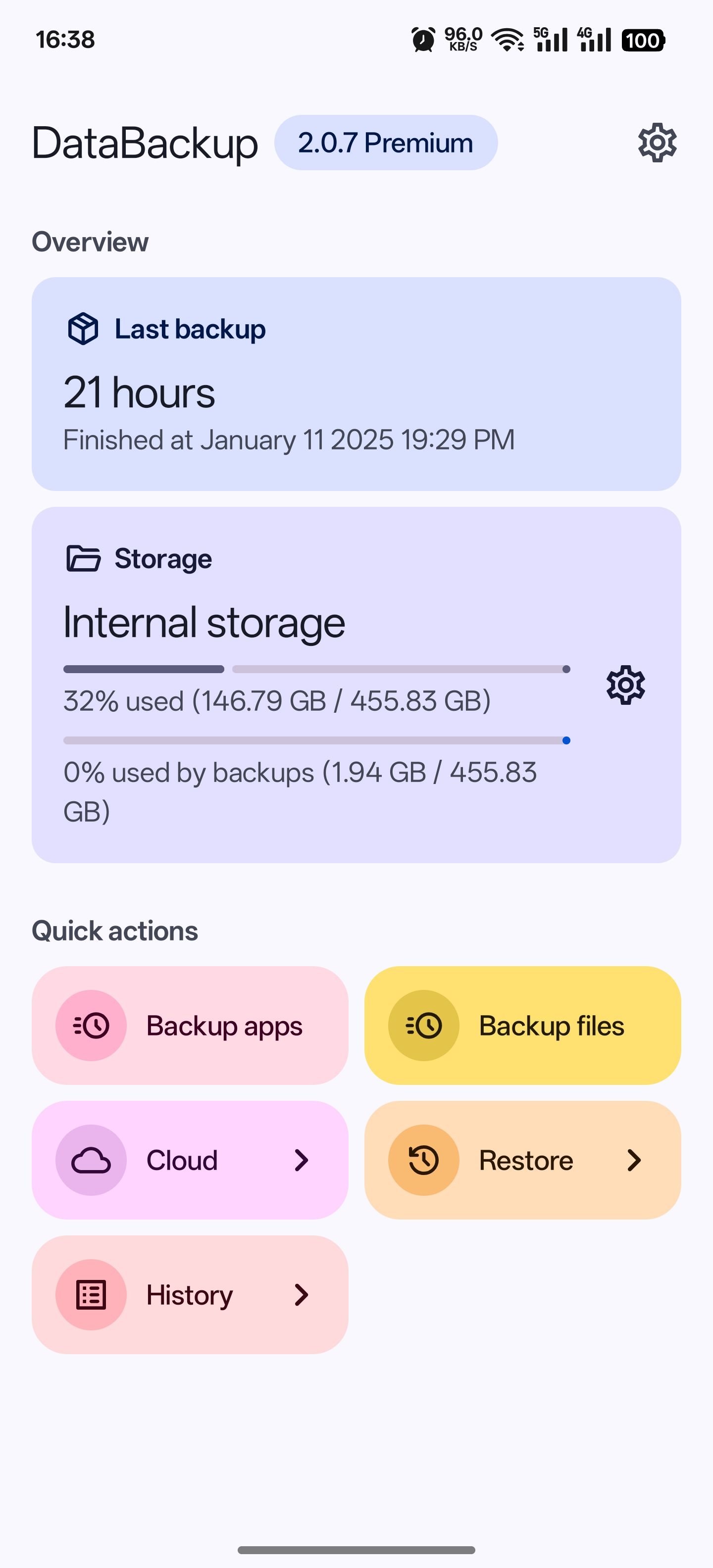
Reads app data directories through root access to capture the full installed state: authentication tokens, game saves, and settings that standard backups skip. The project claims 100% data integrity on restore.
Backs up and restores data across multiple Android user profiles on the same device. Useful on devices set up with work profiles or secondary user accounts where standard backup tools only cover the primary user.
Supports off-device cloud storage in addition to local backup. Backup archives can be sent to a cloud destination alongside on-device storage, so data is not limited to the device being backed up.
Uses zstd compression for backup archives, reducing storage requirements compared to uncompressed or zip-based approaches while preserving full data fidelity on restore.
Features
- Magisk, KernelSU, and APatch support
- Full app data backup with claimed 100% integrity
- Multi-user Android support
- Cloud backup support
- zstd compression
How to install
Download the Android APK installer from GitHub Releases: https://github.com/XayahSuSuSu/Android-DataBackup/releases/latest
Recommended for this setup
Strengths
- GPL-3.0 licensed, free with no paid tier: The full app is GPL-3.0 licensed with no feature unlock or paid version. Unlike Titanium Backup PRO Key, which requires purchasing a separate key app, Android-DataBackup is free to install and use without any payment.
- Actively maintained for current Android and root managers: The repository was last pushed in October 2026 and explicitly supports Magisk, KernelSU, and APatch. This keeps it current with the root managers most rooted Android users run today.
- Built on an established backup approach: The app is built on speed-backup, a backup script by YAWAsau that gained community recognition before Android-DataBackup formalized it as an app. The underlying method has been tested in the rooted Android community.
- Available on F-Droid and IzzyOnDroid: The FOSS variant is distributed through F-Droid and IzzyOnDroid alongside GitHub Releases. F-Droid distribution lets users who prefer a trusted open source repository install it without sideloading from an unknown source.
Trade-offs
- Root access is required: Android-DataBackup works only on rooted Android devices. Users without root access cannot use it. Magisk, KernelSU, or APatch must already be set up and functioning before the app can read or write any app data.
- 189 open GitHub issues: The repository had 189 open issues as of November 2026. Users encountering edge cases or device-specific behavior may find their situation already reported but not yet resolved.
- Documentation lives on a JS-rendered site: The official documentation at DataBackupOfficial.github.io uses JavaScript rendering, which limits access without a full browser load. The README points to this site for usage details rather than documenting steps inline.
Tech stack
FAQ
Yes. Root access through Magisk, KernelSU, or APatch is required before the app can read or write app data. Devices running stock, unrooted Android cannot use this tool. Root is a prerequisite, not an optional feature.
Yes. The app is GPL-3.0 licensed and free to download with no paid tier or feature unlock. Distributions through F-Droid, IzzyOnDroid, and GitHub Releases are all free. The developer accepts optional support through PayPal and Afdian, but the app itself has no paywall.
Both target rooted Android users needing full app data backups. Android-DataBackup is GPL-3.0 licensed and free, while Titanium Backup PRO Key is a paid proprietary app requiring a separate key purchase. Android-DataBackup explicitly supports KernelSU and APatch alongside Magisk, making it the current choice for users on modern root setups.
The FOSS build is available on F-Droid (package: com.xayah.databackup.foss) and on IzzyOnDroid. APKs are also available directly on GitHub Releases at https://github.com/XayahSuSuSu/Android-DataBackup/releases. All three are official distribution channels listed in the README.
Yes. Cloud backup support is listed as a feature in the README. Local on-device storage is the primary path, but backups can also be sent to a cloud destination. This is useful for keeping copies off the device being backed up.