
VoiceStudio
Voice cloning, dubbing, and transcription that runs fully offline
Replaces Elevenlabs, Murf Ai, Descript, Playht
Who it's for
Clone your own voice once, then render narration in any of 646 languages without a recording session. VoiceStudio's batch queue handles long scripts in the background, and all exported audio stays on your machine with no upload required.
If your voiceover work requires a managed cloud backup, real-time collaboration with a remote team, or output from a specific proprietary voice model (such as ElevenLabs Turbo), the local-only default adds friction that a cloud service avoids.
VoiceStudio exposes an OpenAI-compatible API at localhost:3900 covering speech synthesis, voice listing, and transcription. Drop it behind any code that already calls the OpenAI audio API and redirect the base URL. An MCP server is also available for AI assistant integrations.
If you need a managed, scaled API with SLA guarantees and global edge delivery, VoiceStudio's localhost-only default is not a production cloud replacement out of the box. A cloud API path is listed as coming soon on the product website.
Import an EPUB or PDF, cast multiple character voices, and render a chaptered .m4b audiobook file. The Stories workspace handles multi-voice scripts with per-speaker voice assignments. Batch jobs run in the background with per-chapter progress tracking.
If your production workflow requires multi-track audio editing, a timeline DAW, or real-time collaboration on audio projects, VoiceStudio covers voice synthesis only and does not replace a full audio production suite.
All transcription and synthesis runs locally. No audio clip, voice model, or output file is uploaded to an external server unless you explicitly enable an opt-in online service. This makes VoiceStudio suitable for legal, medical, or internal corporate audio where cloud processing raises compliance concerns.
If your compliance requirements mandate certified data handling with documented audit trails and formal vendor agreements, an open source local tool does not substitute for a compliant managed service. Verify with your compliance team before processing regulated data.
The problem
Voice AI services like ElevenLabs and Murf AI are subscription-gated: you pay per character or per minute, and every voice clone and audio file lives on their servers. For a casual user this is acceptable, but for production workflows the cost compounds quickly, and for anyone handling confidential recordings the privacy risk is real. The pain gets worse when you need scale or control. Batch dubbing a video library means thousands of API calls and unpredictable billing. Working with proprietary tools like Descript ties your projects to a closed format. And if you want to run the pipeline offline, connect it to your own tooling via API, or modify the models you use, cloud-only platforms offer no path forward. Local voice AI has historically required stitching together multiple Python libraries with no unified interface, which creates its own maintenance challenge.
How it works
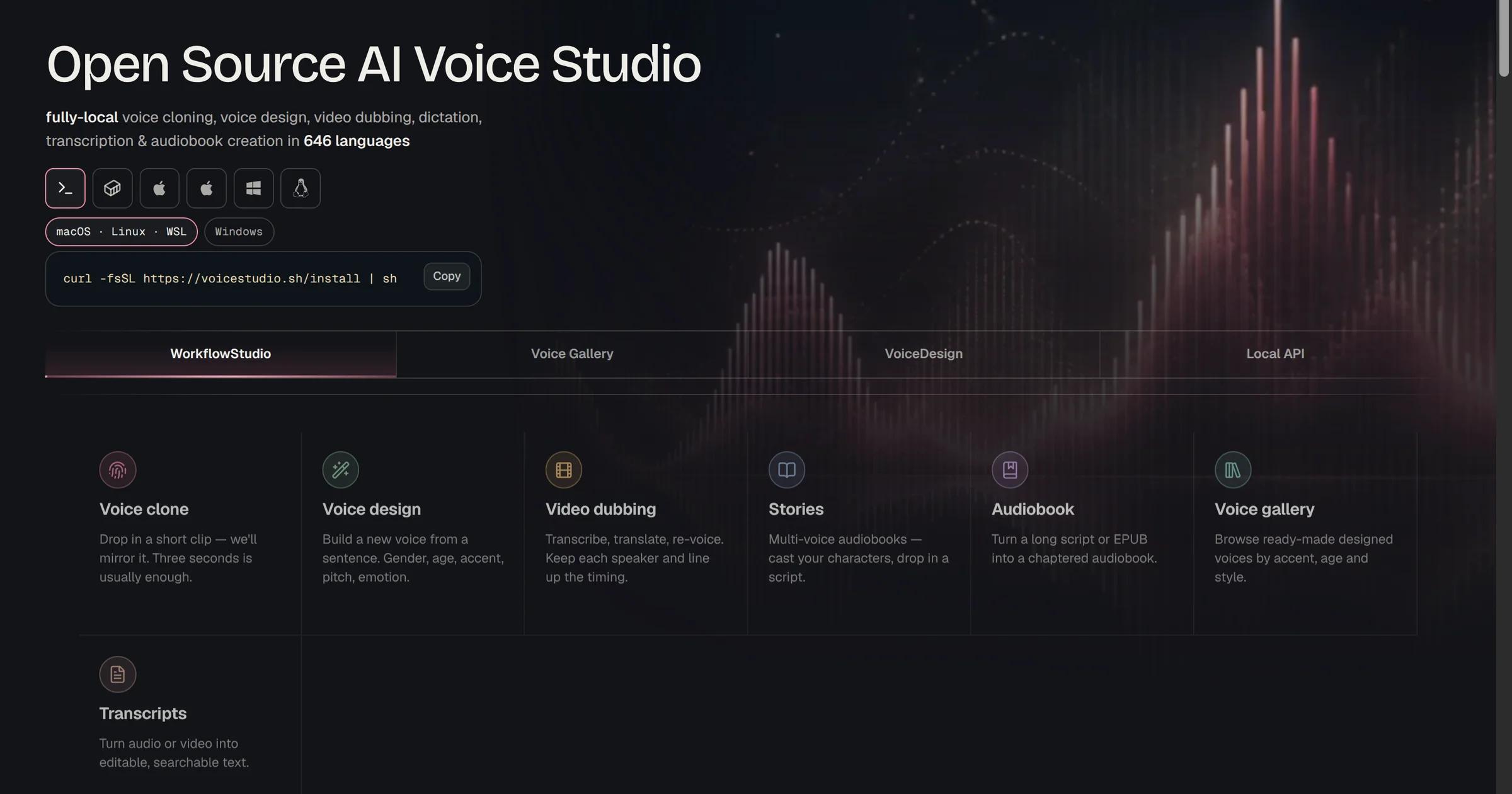
Clone any voice from a three-second audio clip, with zero-shot synthesis across 646 languages. The cloned voice is stored locally as a portable .ovsvoice bundle and works across all synthesis modes in the app, including TTS, video dubbing, and audiobook creation.
Upload a video to get an automated pipeline that transcribes the dialogue, translates it, re-voices each speaker, and exports a final MP4 with synchronized audio. Speaker diarization via Pyannote and WhisperX separates multiple speakers automatically before re-voicing.
Import an EPUB or PDF document, cast multiple voices to characters, and export a chaptered .m4b audiobook file. Long-form content renders in a batch queue with per-job progress tracking. The Stories workspace handles multi-voice scripted narration for shorter projects.
A local HTTP server at localhost:3900 mirrors the OpenAI audio API: POST /v1/audio/speech for synthesis, GET /v1/audio/voices for voice listing, and POST /v1/audio/transcriptions for transcription. Any library or tool built against the OpenAI SDK connects by changing the base URL.
Switch between 16 TTS engines (including CosyVoice 3, GPT-SoVITS, MLX-Audio for Apple Silicon, and Sherpa-ONNX) from the Model Catalogue or from anywhere with Ctrl/Cmd+E. Each engine has its own device routing, language support, and voice cloning capability.
Send jobs to GPUs on other machines by enrolling them with a QR code and join code. Batch audiobook rendering and dubbing jobs offload over a certificate-pinned connection, with per-worker live progress and a local CPU fallback when no remote is available.
Features
- Voice Cloning from a 3-Second Clip
- Video Dubbing with Speaker Diarization
- Audiobook and Multi-Voice Story Creation
- OpenAI-Compatible Local API
- 16 TTS Engines with One-Click Switching
- Remote GPU Workers for Offloaded Compute
How to install
Install VoiceStudio by cloning the repository; the Python runtime and model weights are configured on first startup.
git clone https://github.com/debpalash/VoiceStudio.gitRecommended for this setup
Strengths
- Fully Local: No Account, No Usage Meter: The entire core workflow runs offline without an account or API key. Unlike ElevenLabs and Murf AI, which bill per character and store voice data on their servers, VoiceStudio keeps all synthesis, voice clones, and output files on your machine with no usage cap.
- 646 Languages Across 16 Engine Options: The default engine covers over 600 languages. Fifteen additional opt-in engines extend coverage, cloning capabilities, and platform-specific performance, including native Apple Silicon throughput via MLX-Audio. ElevenLabs language support varies by plan and model.
- Drop-In OpenAI SDK Compatibility: The local API at localhost:3900 accepts the same request format as OpenAI's audio endpoints, so any existing integration works against VoiceStudio by changing the base URL. This makes it a local backend for developers already calling the OpenAI SDK.
- MCP Server for AI Coding Assistant Integration: An MCP server lets tools like Claude Code and Cursor drive voice synthesis and transcription directly from an AI coding assistant workflow. No equivalent MCP integration exists in ElevenLabs, Murf AI, Descript, or PlayHT.
Trade-offs
- Active Beta: Breaking Changes Between Releases: VoiceStudio is explicitly in active beta at v0.5.0. The README warns that things may break between releases and recommends running from source for the newest fixes. Production deployments should pin to a specific release version and test before each update.
- Intel Mac Cannot Run the Local Backend: macOS on Intel processors cannot run the local backend (GitHub issue #889). Intel Mac users must point the desktop app at a remote backend on a compatible machine. Apple Silicon Macs, Windows x64, and Linux are fully supported.
- First Launch Requires Model Weight Downloads: The initial setup downloads model weights that require several minutes and at least 10 GB of disk space. On slow connections or in air-gapped environments, this step requires advance planning and access to HuggingFace model endpoints.
- GPU Recommended for Practical Performance: The pipeline runs on CPU, but without a GPU (NVIDIA CUDA, Apple Silicon MPS, or AMD ROCm on Linux), generation is significantly slower. Dubbing a long video on a CPU-only machine can take many times the video's runtime.
Tech stack
FAQ
Yes. VoiceStudio is AGPL-3.0 licensed and free to download and run on your own hardware. There is no subscription, no usage meter, and no account required for the local workflow. A commercial license is available for teams that want to ship VoiceStudio in a proprietary product without distributing their source code changes.
Yes. The core synthesis workflow runs entirely offline after the initial model download on first launch. Voice cloning, text-to-speech, dictation, video dubbing, and audiobook creation all work without an active internet connection. Optional cloud features are explicitly opt-in and do not affect the local workflow.
ElevenLabs is a managed cloud API billed per character, with voice data processed on their servers and an account required. VoiceStudio runs on your own hardware with no account and no per-character billing. ElevenLabs offers managed infrastructure and a consumer web UI; VoiceStudio offers data privacy, 646 language support, 16 swappable engines, audiobook creation, and no usage caps.
Yes. Voice cloning works from a clip as short as three seconds using zero-shot synthesis. Drop the clip into the Voice Cloning workspace, and VoiceStudio mirrors the voice for use in any of 646 languages. Cloned voices are stored locally as portable .ovsvoice bundles and work across all synthesis modes in the app.
Yes. VoiceStudio runs a local HTTP server at localhost:3900 that exposes OpenAI-compatible endpoints for speech generation, voice listing, and transcription. Any library or tool already integrated with the OpenAI audio SDK works against VoiceStudio by changing the base URL. An MCP server is also available for direct integration with AI coding assistants like Claude and Cursor.