
Sprigo
Learn languages with a local AI tutor, no account or subscription.
Replaces Duolingo, Babbel
Who it's for
Sprigo keeps all progress, conversation data, and speaking measurements on your machine. No account is required, no data goes to the app developer, and you can inspect or export your SQLite database directly. Speech recognition runs offline via whisper.cpp.
You need sync across multiple devices without setting up Tailscale, or you want seamless mobile access. Sprigo's phone companion requires Tailscale and keeps data on the desktop computer.
English has the most complete course coverage (A1 through C2), and the Tauri app installs with one Homebrew command or a curl script. If you already run Ollama for other projects, Sprigo can reuse it.
You are targeting intermediate or advanced study in Spanish, French, German, or Turkish. These languages stop at A1 in the current release.
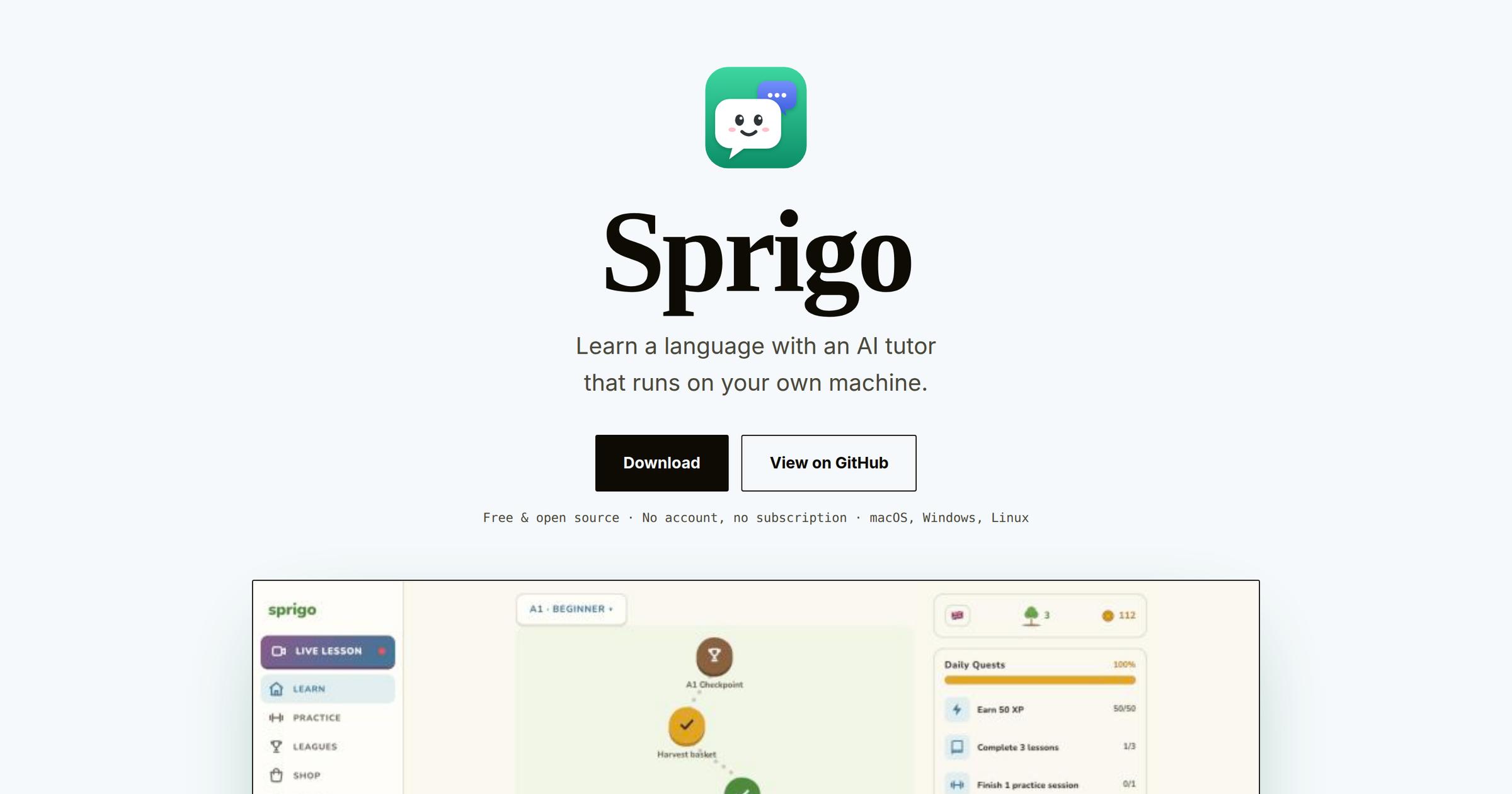
The live lesson feature runs a video-call style session with an animated tutor, live captions, and a speaking coach that measures response time, pauses, and how often you switch to your native language. The practice hub and roleplay scenes add variety beyond structured lessons.
You want to practice with a human partner or in a social classroom setting. Sprigo is a solo learning tool with no human tutors and no real-time multiplayer.
Sprigo's garden and gamification (XP, coins, daily quests, a shop, a local league) are structurally similar to Duolingo's streak mechanics, without a subscription gate. The A1 to C2 English course path offers more granular structure than Duolingo's level system.
You need a polished production app with a large user community or proven long-term retention data. Sprigo is early-stage software with no established user base yet.
The problem
Language learning apps like Duolingo and Babbel store your progress on their servers and require an active subscription for full access. When a subscription lapses, full practice is interrupted. Beyond cost, privacy is a real concern for learners who don't want a company tracking vocabulary gaps, session patterns, and conversation topics. The deeper issue is control over content. Cloud-based apps serve exercises from a fixed library that cannot adapt to what you specifically find hard. For learners who want to practice specific grammar points or conversational scenarios that matter to them, the only option is paying for a human tutor.
How it works
English A1 through C2 with 50+ steps per level, plus Spanish, French, German, and Turkish at A1. Each unit includes a guidebook in your own language, a harvest basket at the end of the unit, and a checkpoint at the end of each level. A unit or level test lets you skip ahead.
Translate, fill-in-the-blank, match, listen, word bank, and error-correction exercises generated by a local AI model at runtime. Lessons feed your recent mistakes back into the generation prompt, so harder items recur. A Mastery version turns a finished lesson gold when you complete it.
Six animated tutors hold real-time conversations with live captions. You can cut in while the tutor is speaking, and the practice panel lets you do exercises together while the tutor follows along. The speaking coach measures response time, pauses, answer length, and how often you switch to your native language.
Speech recognition runs via whisper.cpp bundled inside the app, with a 57 MB model that requires no external service. Deepgram is available as an optional cloud alternative. Text-to-speech uses Piper (fast, local) or Kokoro (most natural, English only), both downloaded on first use.
Progress stays in a local SQLite database with daily backups. API keys go into the OS keychain (macOS Keychain, Windows Credential Manager, or Secret Service). No audio is recorded; speaking stats are computed from timing and transcripts only. Multiple profiles can share one computer with optional PIN protection.
Works with Ollama (recommended, can pull qwen3:8b at about 5.2 GB on first run), LM Studio, or cloud APIs (OpenAI, Anthropic, Gemini) configured in Settings. Models under 8B parameters run but produce noticeably weaker lessons; Sprigo warns you when you pick one.
Features
- Structured Course Paths
- AI-Generated Adaptive Lessons
- Live Video-Call Style Lessons
- On-Device Speech Recognition
- Private by Default
- Flexible AI Provider Support
How to install
Install Sprigo on macOS with Homebrew or on macOS and Linux via the install script.
brew install --cask ozerozdas/tap/sprigo
curl -fsSL https://raw.githubusercontent.com/ozerozdas/sprigo/master/install.sh | sh
Recommended for this setup
Strengths
- Free to use with all data staying on your machine: Sprigo requires no account and no subscription. Progress is stored in SQLite locally, and the only network calls go to whichever AI provider you choose. Cloud API keys are optional; Ollama runs entirely offline on a local model.
- MIT license with courses as plain YAML files: The app is MIT licensed. Courses are plain YAML files in the courses/ directory, validated with Zod. Adding a new language or extending an existing course beyond A1 requires no code changes, only YAML edits.
- Offline speech recognition bundled in the app: Whisper.cpp runs inside the app with a bundled 57 MB model, so speech recognition works without an internet connection or an API key. Deepgram is an optional cloud alternative for users who prefer higher accuracy.
Trade-offs
- Requires a capable machine for best lesson quality: Ollama with qwen3:8b needs about 5.2 GB of storage and enough RAM to run an 8B-parameter model (typically 8 GB or more). Sprigo warns when you pick a model below 8B parameters because lesson quality degrades noticeably. Users without a capable local machine must use a cloud AI provider with their own API key.
- Brand new with no established community: Created in late September 2026 with zero GitHub stars and zero forks at the time of listing. There is no track record of long-term maintenance, no community forums, and no third-party reviews verifying learning outcomes. Early adopters should expect rough edges and limited troubleshooting resources.
- Non-English courses stop at A1: Spanish, French, German, and Turkish courses cover only A1 level at launch. English runs to C2. Learners targeting intermediate or advanced study in languages other than English will hit the end of the structured content quickly.
Tech stack
FAQ
Yes, when using a local model. If you use Ollama or LM Studio, all lesson generation, speech recognition (whisper.cpp), and text-to-speech (Piper or Kokoro) run on your machine with no internet required. The Deepgram speech option and cloud AI providers (OpenAI, Anthropic, Gemini) do require a connection and API keys.
Sprigo recommends a local model of at least 8B parameters. Ollama with qwen3:8b requires about 5.2 GB of storage and enough RAM to run the model (typically 8 GB or more). Smaller models run but produce noticeably weaker lessons. Using a cloud provider (OpenAI, Anthropic, or Gemini) removes the local hardware requirement if you supply an API key.
English has a complete structured course from A1 to C2 with 50+ steps per level. Spanish, French, German, and Turkish are available at A1. The app interface itself is available in English, Turkish, German, French, and Spanish.
For English learners, Sprigo covers structured lessons, gamification, speaking practice, and daily streaks, similar to Duolingo. The differences are that Sprigo is MIT licensed, runs on your machine rather than a cloud service, and uses a local AI model to generate exercises rather than serving a fixed content library. The non-English courses are currently limited to A1, and Sprigo is far newer with a smaller feature set outside English.
Sprigo includes a phone companion mode. Enable it in Settings and scan a QR code to open the app in your phone's browser over Tailscale. Your data, speech recognition, and the AI model stay on the desktop computer. A native mobile app is not available.